1OM-1086-002.pdf - 第305页
6.2.3 Manual Alignment Operation When the [Eye Adjust] button is pressed in the "Coordinate T eaching" tab sheet, the following tab sheet (Fig. 2F37) opens. Fig. 2F37 [DIRECTION] • Select the [ ▲ ], [ ▼ ], [ ],…
6.2.2 Editing of Recognition Mark Data
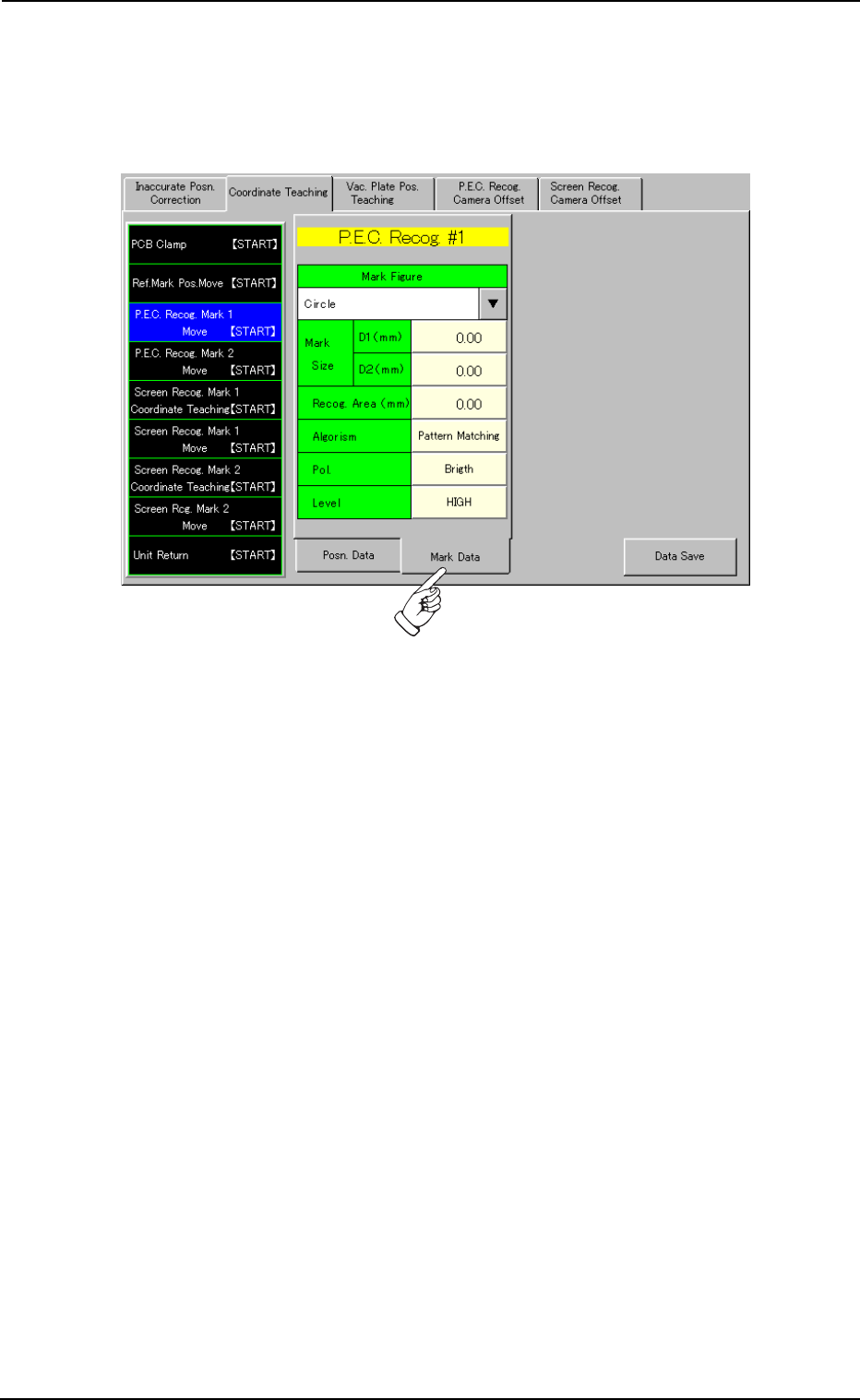
When one of the mark buttons (*1) is pressed in the tab sheet (Fig.
2F33), the following tab sheet appears inside.
Fig. 2F36
• This tab sheet enables you to change the parameters for the recog-
nition mark data such as "Mark Figure", "Mark Size", "Recog. Area
(mm)", "Algorithm", "Pol.", and "Level".
Refer to "Chapter 1 Programming" in "Volume 2" for the detailed
information on the recognition mark data.
6.2 "Coordinate Teaching" Tab
0211-005 Chapter 2 6-47 Tg0582-PM-D1
6.2.3 Manual Alignment Operation
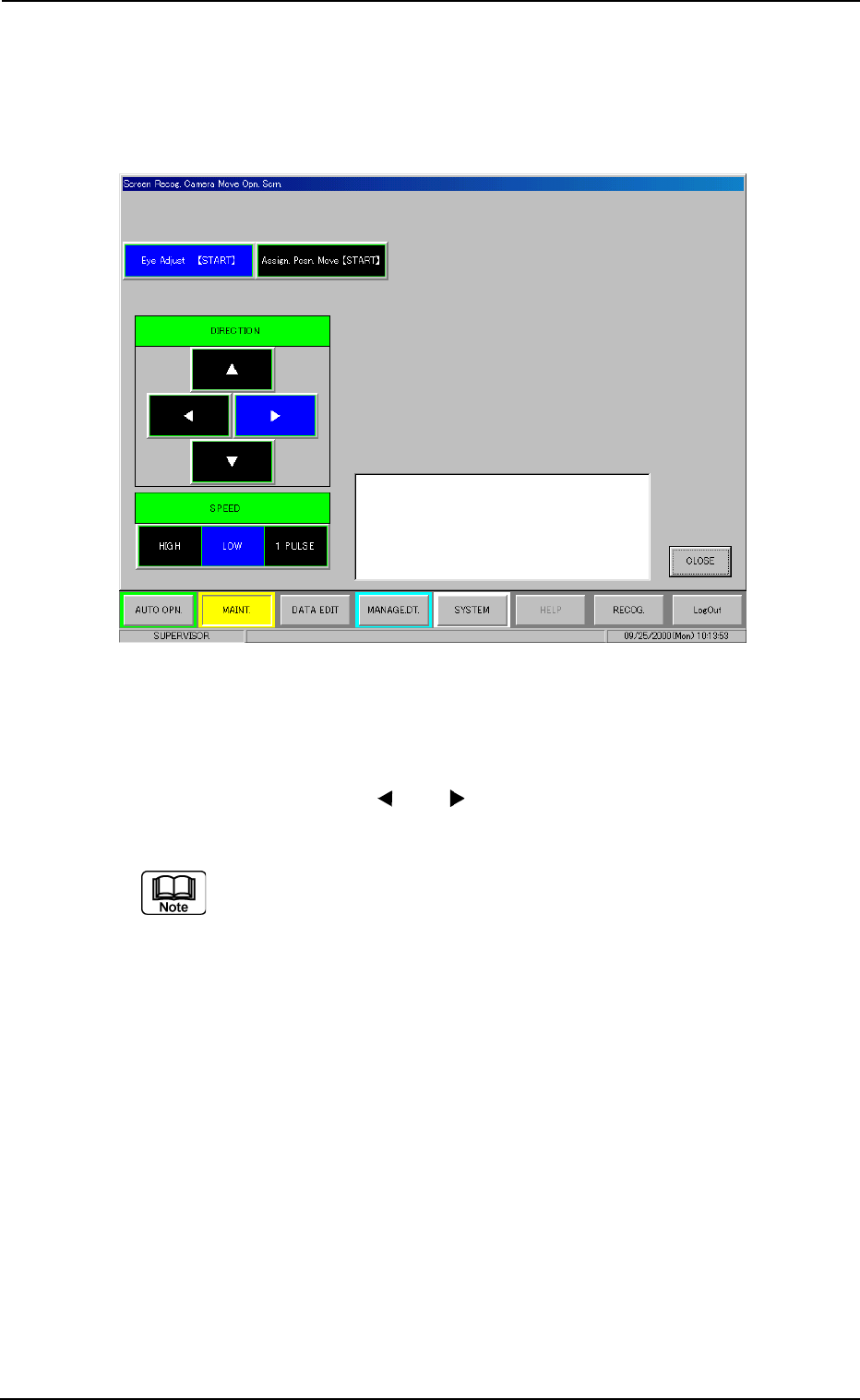
When the [Eye Adjust] button is pressed in the "Coordinate Teaching"
tab sheet, the following tab sheet (Fig. 2F37) opens.
Fig. 2F37
[DIRECTION]
• Select the [ ▲ ], [ ▼ ], [
], or [ ] button to specify the direction of
the camera X and Y movement.
The indicated triangle marks show those of an image move-
ment on the camera monitor.
Note the direction of the actual camera unit movement be-
cause the unit moves in the reverse direction of the desig-
nated one.
[SPEED]
• The speed of the camera X and Y movement can be specified.
[HIGH] : Cameras X and Y move at high speed while the
[START] button is being pressed.
[LOW] : Cameras X and Y move at low speed while the
[START] button is being pressed.
[1 PULSE] : Cameras X and Y move in increments of 1 pulse
(0.01 mm) every time the [START] button is
pressed.
0211-005 Chapter 2 6-48 Tg0582-PM-D1
6.2 "Coordinate Teaching" Tab
6.3 "Vac. Plate Pos. Teaching" Tab
This section enables the operator to perform a teaching operation on
the vacuum plate offset data in the offset data (DATA EDIT), using the
recognition camera and the vacuum plate.
The taught data is reflected as the parameter in the "Vacuum Plate" text
box in the "Machine Offset" tab sheet. (Operation Sequence: [SYS-
TEM] Button → [OFFSET DATA] Button → "Machie Offset" Tab Sheet)
••
••
• Sheet Layout
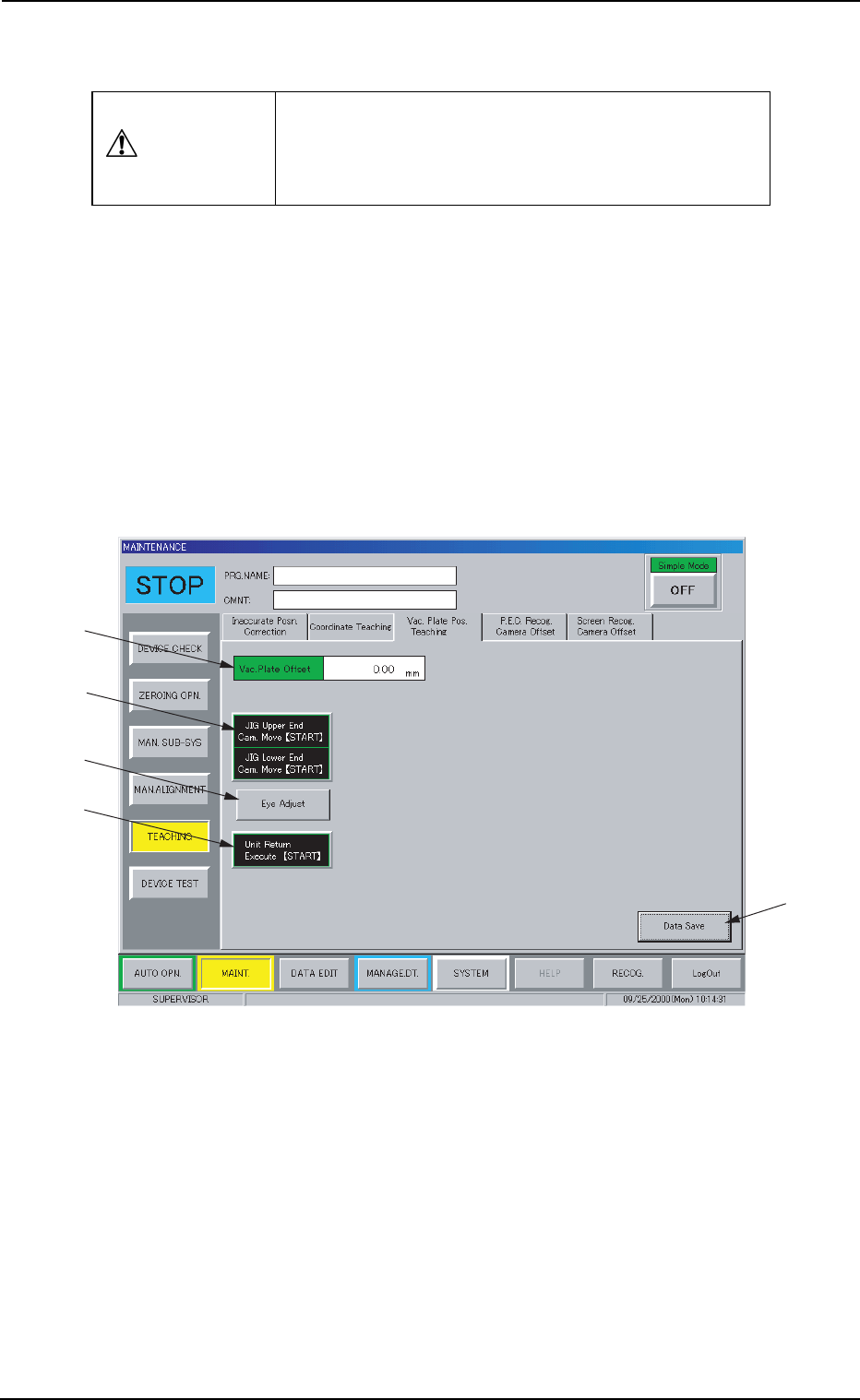
When the [Vac. Plate Pos. Teaching] tab is pressed in the "TEACH-
ING" window (submenu), the following tab sheet (Fig. 2F38) opens.
Fig. 2F38
••
••
• Sheet Composition
*1 "Vac. Plate Offset"
The text box shows the currently specified vacuum plate offset data.
6.3 "Vac. Plate Pos. Teaching" Tab
Do not change the parameter unless necessary. This
parameter is factory-specified upon shipment of the
machine.
CAUTION
*5
*1
*2
*3
*4
0211-005 Chapter 2 6-49 Tg0582-PM-D1