1OM-1086-002.pdf - 第80页
Section 2 Basic Knowledge of Operation 021 1-005 Chapter 1 2 - 1 Tg0582-PM-D1 This section explains the items required to operate the machine as basic knowledge.
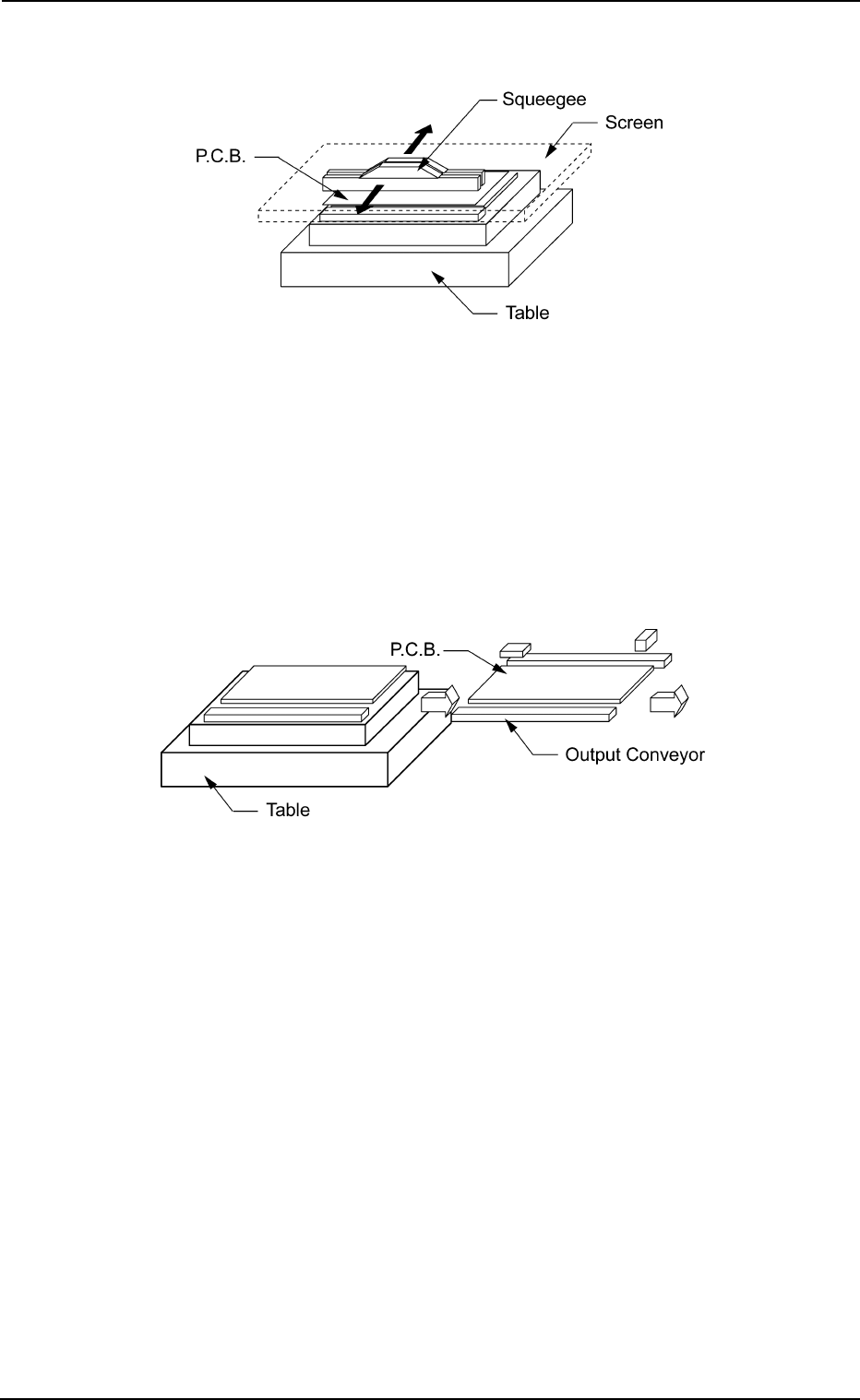
3.3 Printing
Fig. 1A23
(1) The squeegee descends on the screen.
(2) The squeegee squeezes solder paste to the screen and the solder
paste is applied (printed) to the P.C.B. through the open areas of
the screen.
3.4 P.C.B. Output
Fig. 1A24
(1) The P.C.B. where solder paste was printed is transferred to the
output conveyor and carried further to the output machine.
0211-005 Chapter 1 1-19 Tg0582-PM-D1
3.3 Printing

Section 2
Basic Knowledge of Operation
0211-005 Chapter 1 2-1 Tg0582-PM-D1
This section explains the items required to operate the
machine as basic knowledge.
1. Basic knowledge of Operation Screen
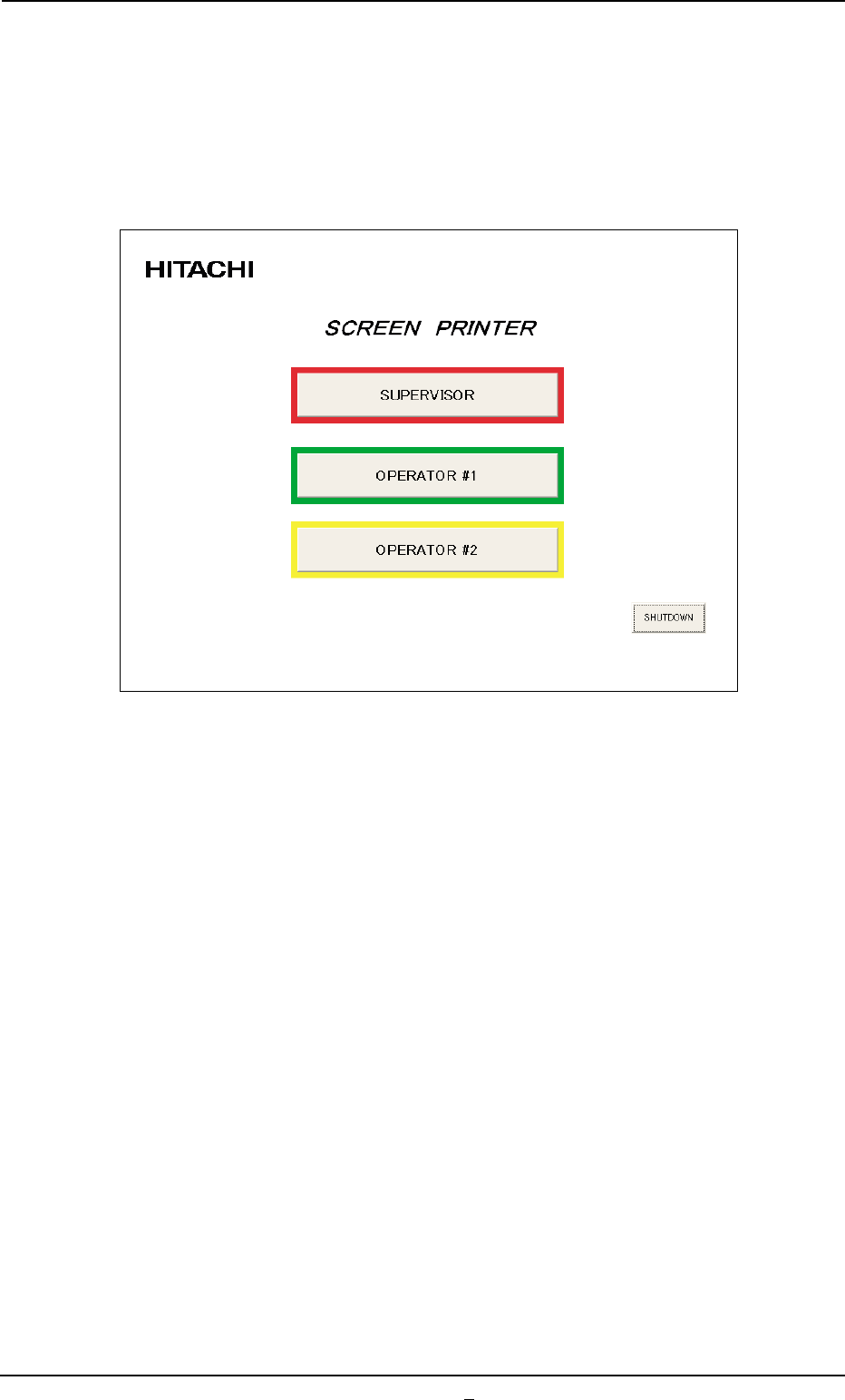
1.1 Window for "Log In" Type Selection
When the [POWER ON] button on the front operation panel is pressed,
the following window opens.
Fig. 1B1 Window for "Log In" Type Selection
(1) Press the [SUPERVISOR], the [OPERATOR #1] or the [OPERA-
TOR #2] button according to the given authority.
The "PasswordDlg" dialog box opens.
Ref.: This machine is provided with a password function which
prevents various types of data groups from being deleted by
mistake and keeps unauthorized user (third party) from op-
erating the machine.
The following three kinds of passwords are available and
each gives individually approved user’s access to the com-
puter system of the machine.
(Refer to "2.1 "Password" Tab" (Section 4 of Chapter 1 in
Vol. 2) for details.)
[SUPERVISOR] : Access can be gained by only the person iden-
tified as "Supervisor".
[OPERATOR #1] : Access can be gained by only the person iden-
tified as "Operator #1". For example, the per-
son identified as "Operator #1" is given a per-
mission to all machine operations including data
editing.
[OPERATOR #2] : Access can be gained by only the person iden-
tified as "Operator #2". For example, the per-
son identified as "Operator #2" is limited to only
machine operations.
1.1 Window for "Log In" Type Selection
0509-006 Chapter 1 2-2 Tg0582-PM-D1