1OM-1086-002.pdf - 第81页
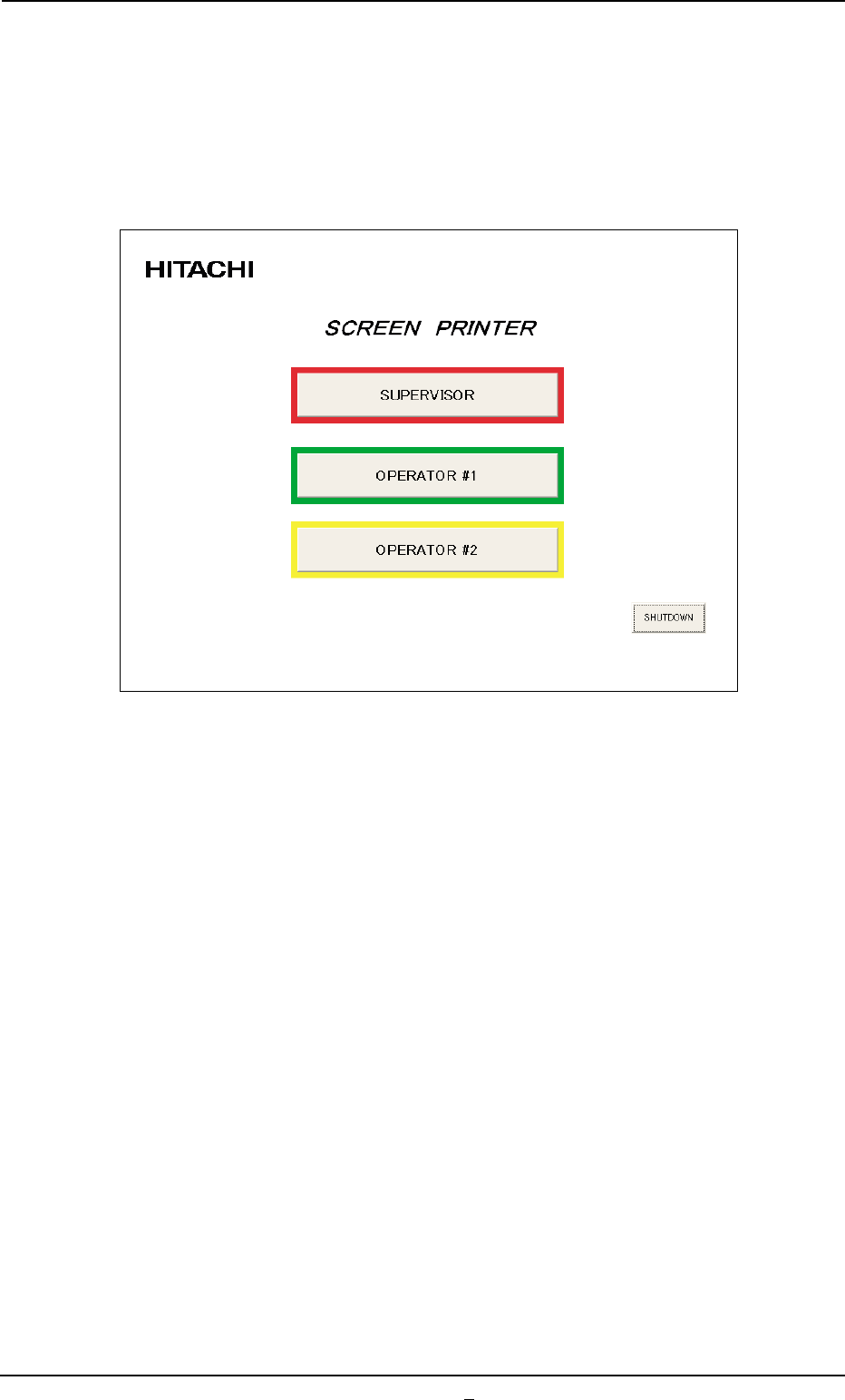
1. Basic knowledge of Operation Screen 1.1 W indow for "Log In" T ype Selection When the [POWER ON] button on the front operation panel is pressed, the following window opens. Fig. 1B1 Window for "Log In&q…

Section 2
Basic Knowledge of Operation
0211-005 Chapter 1 2-1 Tg0582-PM-D1
This section explains the items required to operate the
machine as basic knowledge.
1. Basic knowledge of Operation Screen
1.1 Window for "Log In" Type Selection
When the [POWER ON] button on the front operation panel is pressed,
the following window opens.
Fig. 1B1 Window for "Log In" Type Selection
(1) Press the [SUPERVISOR], the [OPERATOR #1] or the [OPERA-
TOR #2] button according to the given authority.
The "PasswordDlg" dialog box opens.
Ref.: This machine is provided with a password function which
prevents various types of data groups from being deleted by
mistake and keeps unauthorized user (third party) from op-
erating the machine.
The following three kinds of passwords are available and
each gives individually approved user’s access to the com-
puter system of the machine.
(Refer to "2.1 "Password" Tab" (Section 4 of Chapter 1 in
Vol. 2) for details.)
[SUPERVISOR] : Access can be gained by only the person iden-
tified as "Supervisor".
[OPERATOR #1] : Access can be gained by only the person iden-
tified as "Operator #1". For example, the per-
son identified as "Operator #1" is given a per-
mission to all machine operations including data
editing.
[OPERATOR #2] : Access can be gained by only the person iden-
tified as "Operator #2". For example, the per-
son identified as "Operator #2" is limited to only
machine operations.
1.1 Window for "Log In" Type Selection
0509-006 Chapter 1 2-2 Tg0582-PM-D1

1.1 Window for "Log In" Type Selection
0211-005 Chapter 1 2-2-1 Tg0582-PM-D1
(2) Enter a password and press the [OK] button.
The "AUTO OPERATION" window (main menus) opens on the touch
screen.
Refer to "1.2.1 Menus for Automatic Operation" (Section 4 of Chap-
ter 2) for the detailed information on the menus for automatic op-
eration.