444CEMM1 - 第16页
Page 4 SAFETY PRECAUTIONS Be sure to observe M107E CM202-D/DU (As for the explanation, the illustration of CM202-DU is used.) 1 Emergency stop button (At the front right) 2 Emergency stop button (At the front center) 4 E…
Page 3
SAFETY PRECAUTIONS
Be sure to observe
If you sense any danger or abnormality, press an emergency stop button to
stop the machine.
If you continue to operate the machine in a dangerous or abnormal state, a breakdown or an
accident will occur.
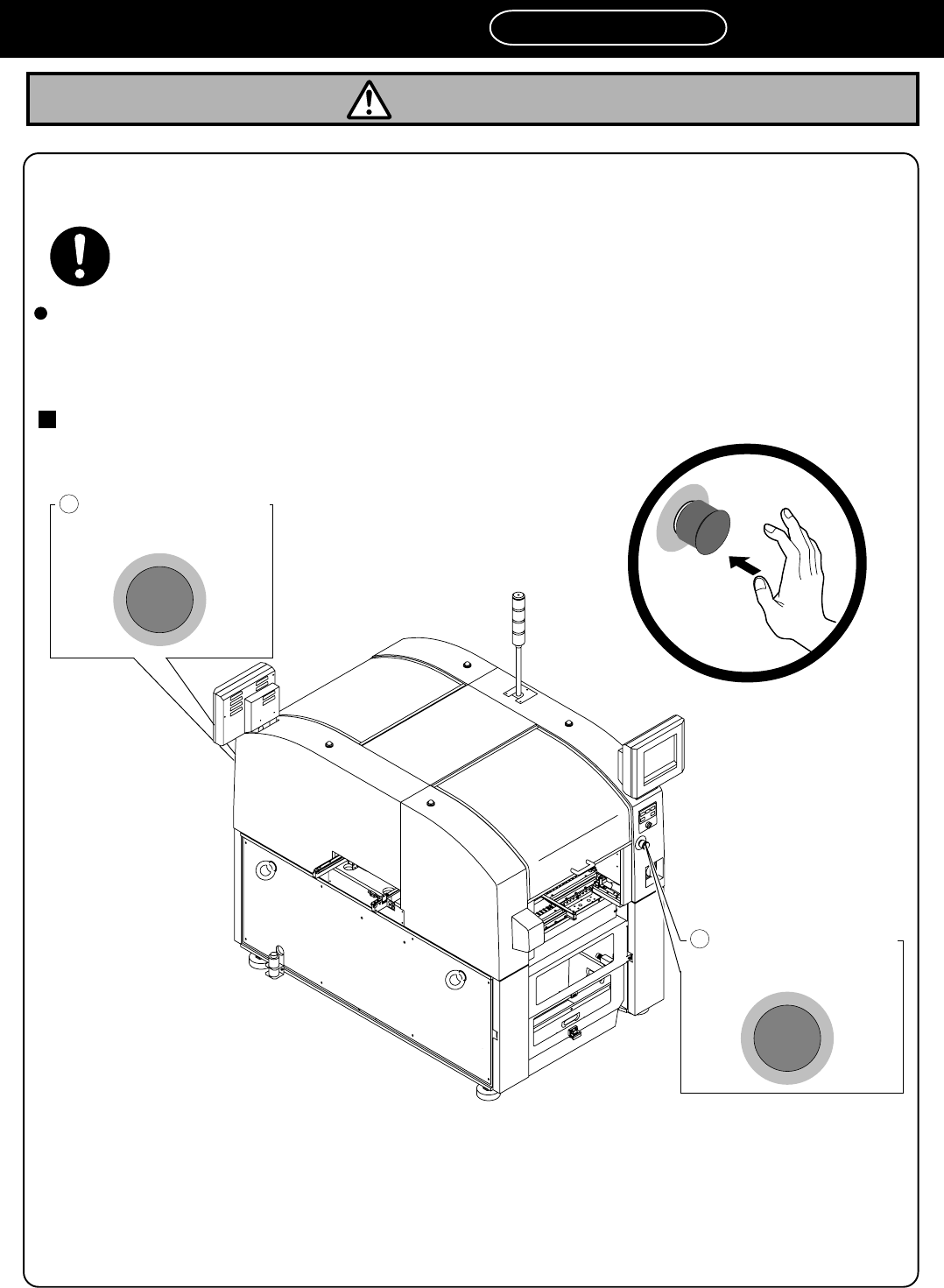
There are two emergency stop buttons on CM201-D/DU/DH/DS. Pressing any one of them stops operation.
Press the nearest
one.
Remove the cause of the danger or abnormality, then re-start operation.
To reset the emergency
stop button, pull the button.
M107E
1
Emergency stop button
(At the front side)
2
Emergency stop button
(At the rear side)
CM201-D/DU/DH/DS (As for the explanation, the illustration of CM201-DH is used.)
4V4C-AA00
WARNING
444C-E-XXA00-A03-03
Page 4
SAFETY PRECAUTIONS
Be sure to observe
M107E
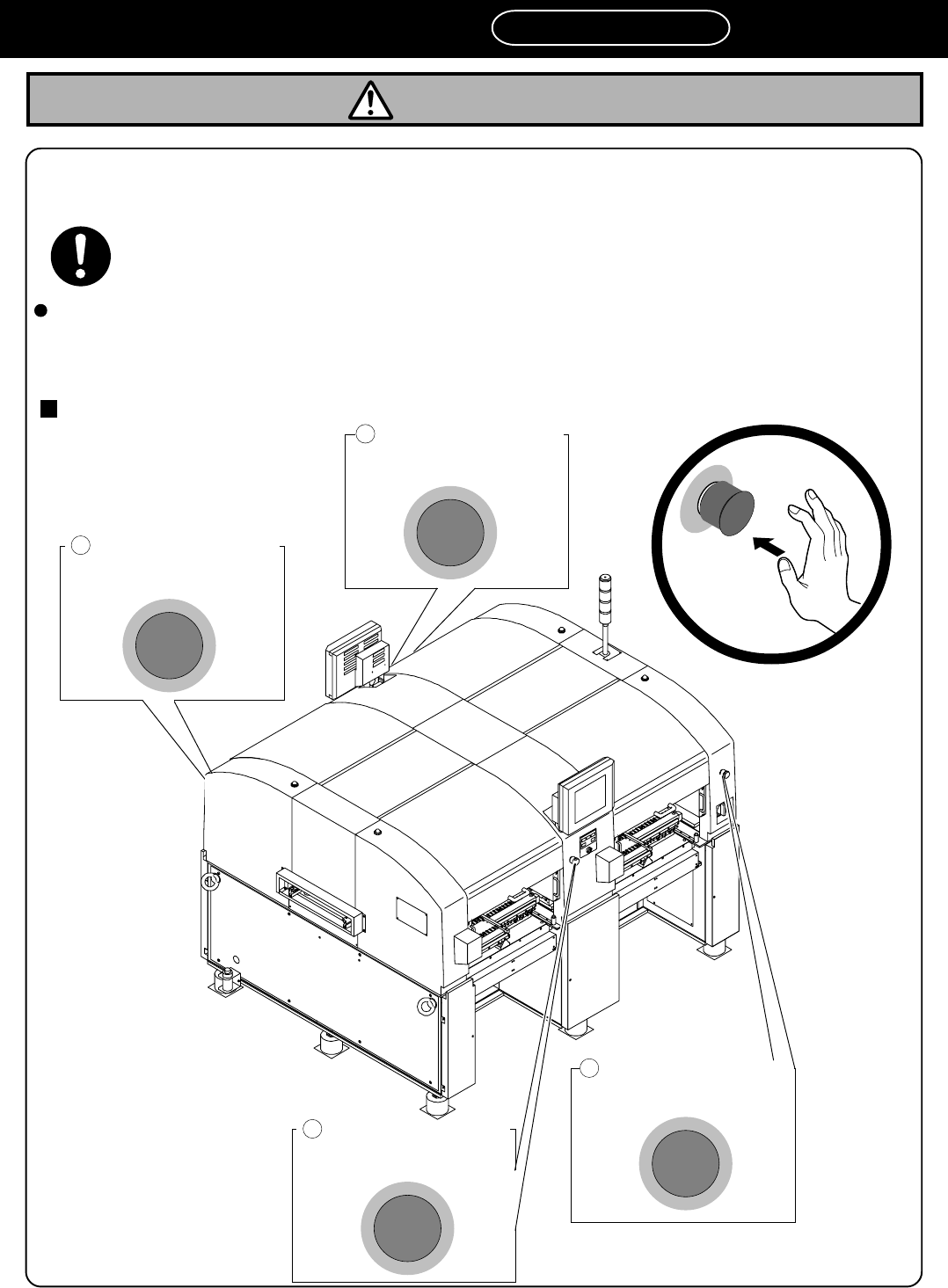
CM202-D/DU (As for the explanation, the illustration of CM202-DU is used.)
1
Emergency stop button
(At the front right)
2
Emergency stop button
(At the front center)
4
Emergency stop button
(At the rear center)
3
Emergency stop button
(At the rear right)
If you sense any danger or abnormality, press an emergency stop button to
stop the machine.
If you continue to operate the machine in a dangerous or abnormal state, a breakdown or an
accident will occur.
There are four emergency stop buttons on CM202-D/DU. Pressing any one of them stops operation.
Press the nearest
one.
Remove the cause of the danger or abnormality, then re-start operation.
To reset the emergency
stop button, pull the button.
4Q4C-901E
WARNING
444C-E-XXA00-A03-01
Page 5
SAFETY PRECAUTIONS
Be sure to observe
WARNING
If you sense any danger or abnormality, press an emergency stop button to
stop the machine.
If you continue to operate the machine in a dangerous or abnormal state, a breakdown or an
accident will occur.
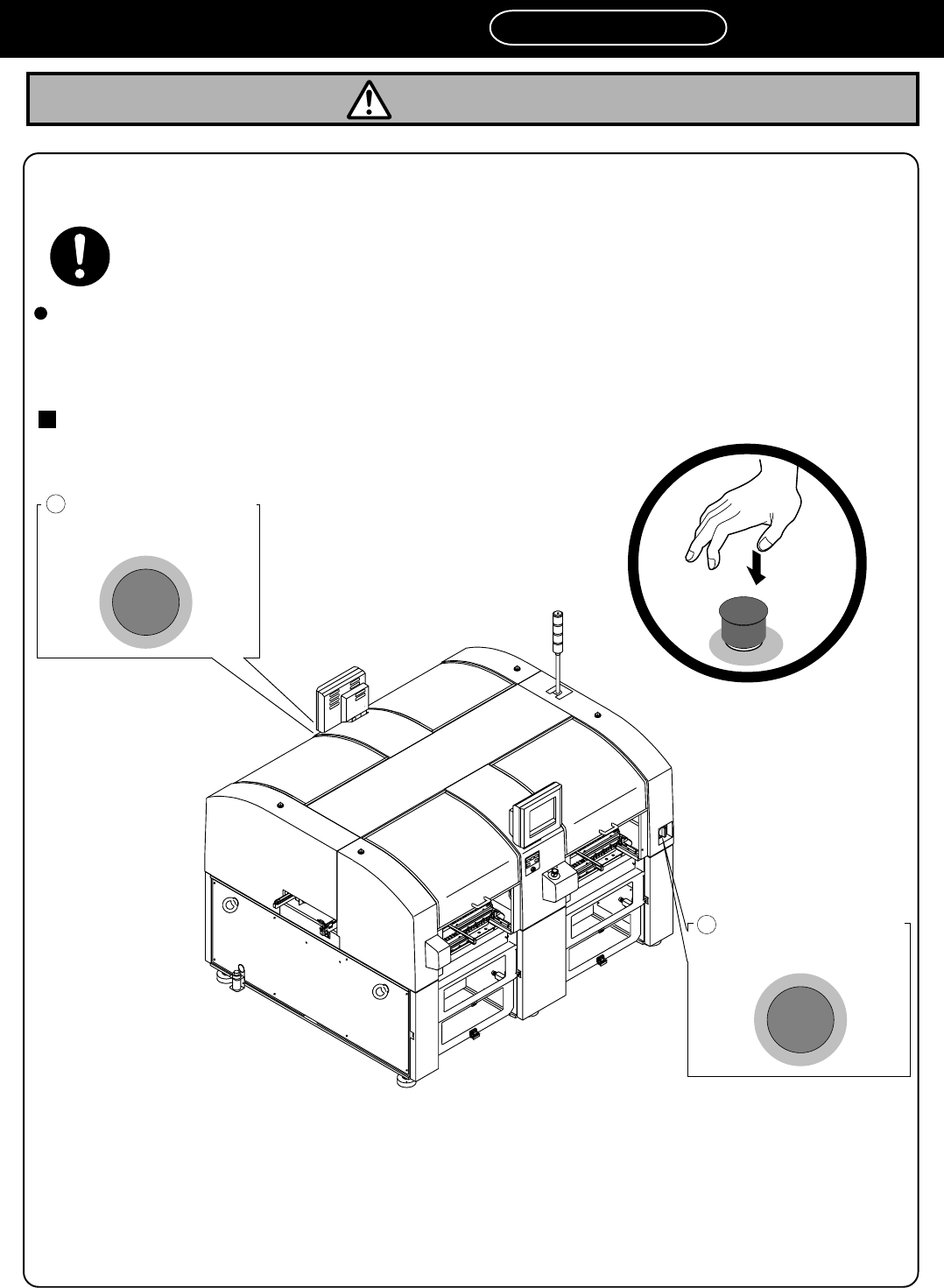
There are two emergency stop buttons on CM202-DH/DHU/DK/DS. Pressing any one of them stops operation.
Press the nearest
one.
Remove the cause of the danger or abnormality, then re-start operation.
To reset the emergency
stop button, pull the button.
CM202-DH/DHU/DK/DS (As for the explanation, the illustration of CM202-DH is used.)
2
Emergency stop button
(At the rear side)
1
Emergency stop button
(At the front side)
4U4C-AA00
M107E
444C-E-XXA00-A03-03