444CEMM1 - 第58页
Page 46 HOW TO SEE DESCRIPTION FOR OPERA TION The description depends on each page, but the basic structure is as follows. 1-1-1 Starting Production 1. Press Production . •“ Return to origin ” for all axes are carried ou…
Page 45
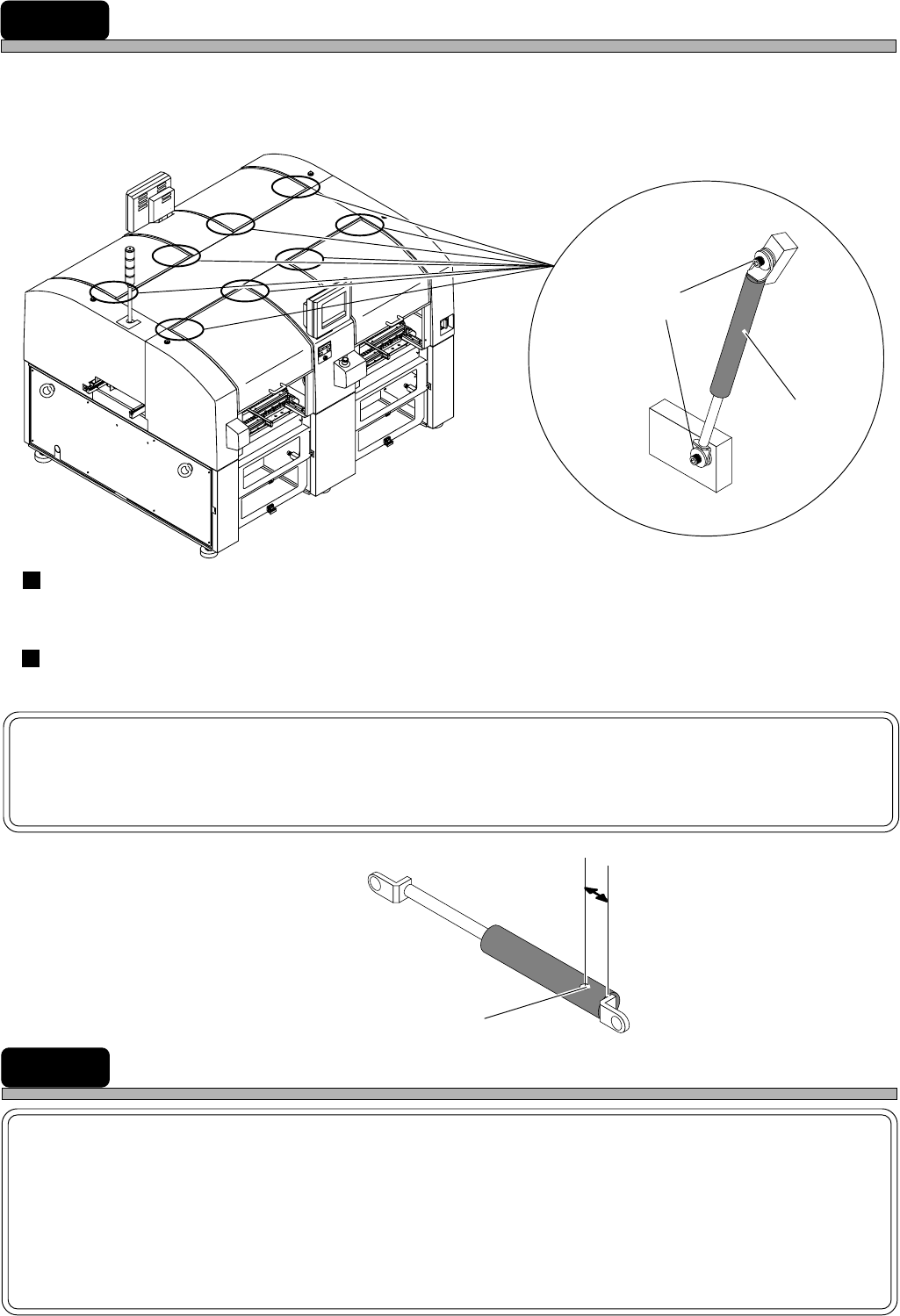
DISPOSING OF THE AIR SPRING
This machine uses the air spring to open/close covers. It is very dangerous to dispose of it as it is,
because high-pressure air is sealed into it. Before disposing of it, be sure to bleed it of the air.
Removing the air spring
Turn the bolt with hexagonal hole counterclockwise, and remove the spring.
Discharging of the air spring
Drill the spring and discharge the air in it completely.
NOTICE
As crashed chips and oil discharge when the air is coming out, use safety glasses
for protection.
1B4C-442E
1D4C-406E
4U4C-AB00
Bolt with hexagonal hole
Air spring
Position to drill the air spring
15 mm to 20 mm
Hole
Position to use the air spring
ABOUT DISPOSAL OF COMPONENTS CONTAINING MERCURY
NOTICE
This product has a fluorescent lamp that contains a small amount of mercury.
It also contains lead in some components. Disposal of these materials may be
regulated in your community due to environmental considerations.
For disposal or recycling information please contact your local authorities, or the
Electronics Industries Alliance.
444C-E-XXA00-A05-01
Page 46
HOW TO SEE DESCRIPTION FOR OPERATION
The description depends on each page, but the basic structure is as follows.
1-1-1 Starting Production
1. Press
Production
.
•“Return to origin” for all axes are carried out.
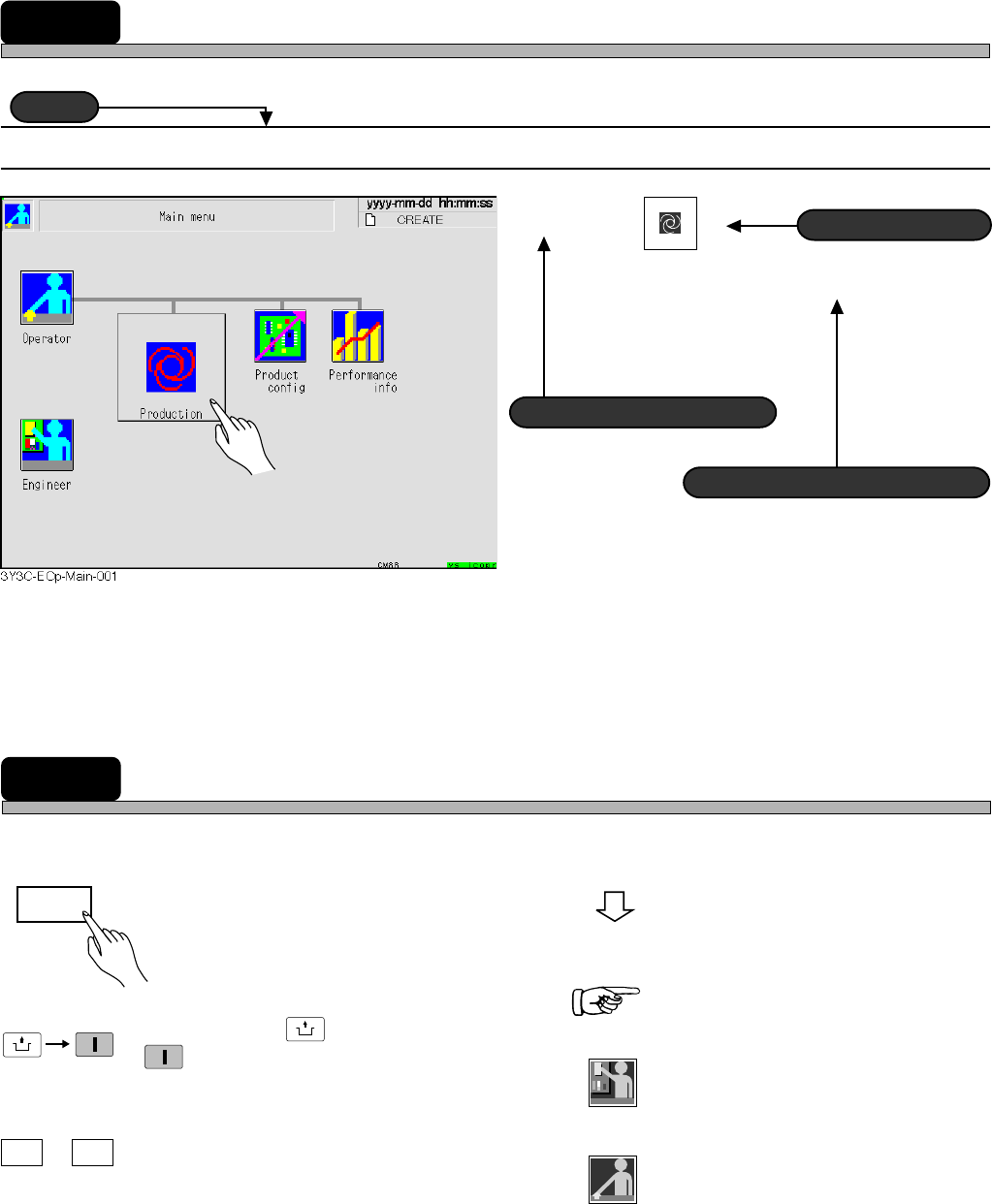
MARKS USED IN THIS MANUAL
In this manual, the following mark are used for description.
Title
Title
Actual operation
Actual operation
Supplementary description
Supplementary description
Operation step number
Operation step number
: Shows operation flow.
: Shows a reference item.
: Shows the operation for engineers.
:Shows the operation for operators.
: Shows pressing a key on the touch
panel.
: Means pressing
UNLOCK
and then
START
on the operating panel within
2 seconds.
: Means pressing B key while
holding A key.
UNLOCK
START
A B
+
Engineer
Return
Operator
444C-E-XXA00-A05-01
Page 47
NOTICE
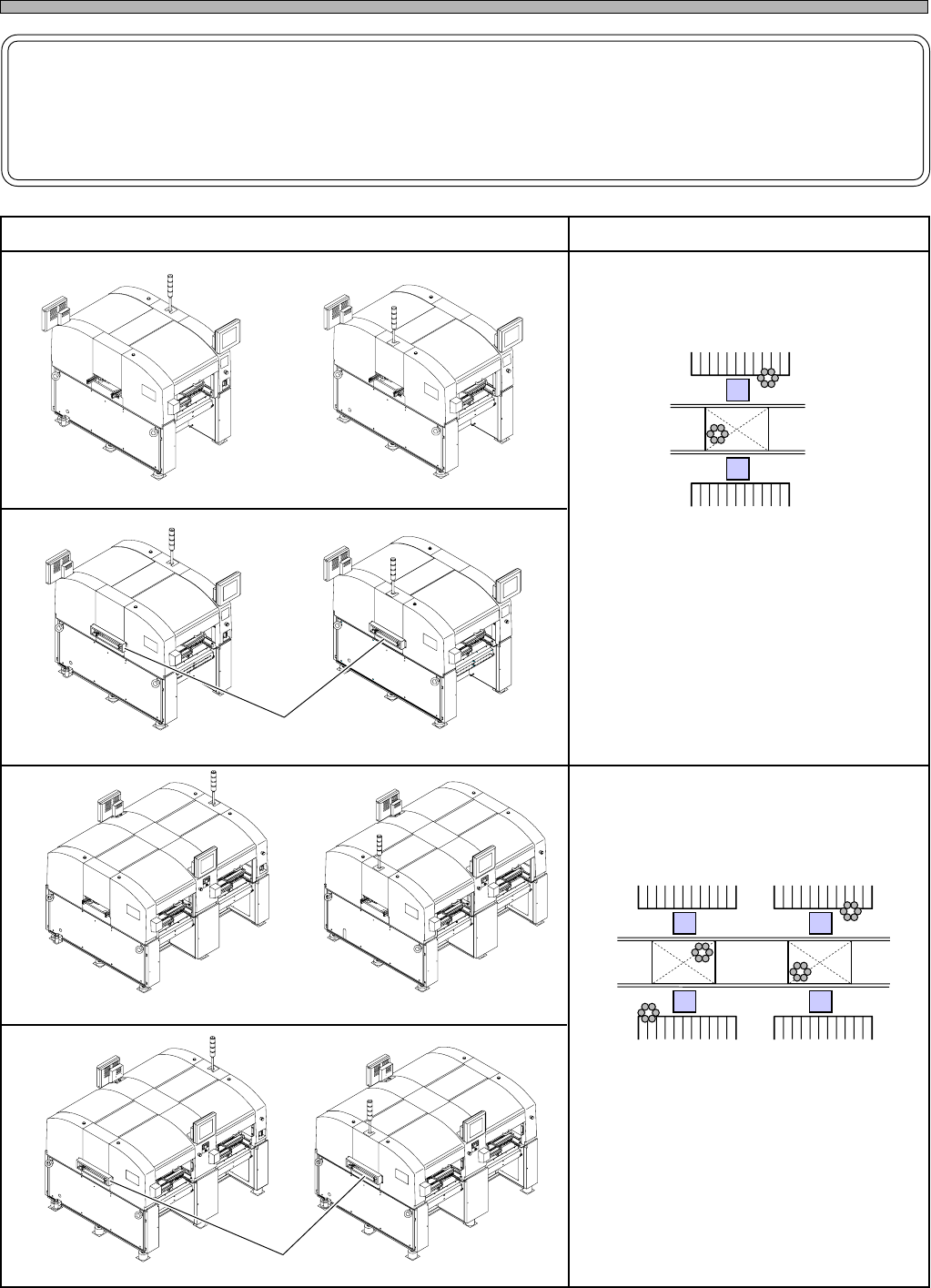
This manual is created for CM201-D, CM201-DU, CM201-DH, CM201-DS, CM202-D,
CM202-DU, CM202-DH, CM202-DHU, CM202-DK, CM202-DS.
Therefore it mainly uses the illustrations and screens of CM202-DH for description.
HOW TO SEE DESCRIPTION FOR OPERATION
It has two sets of mounting stage.
• It mounts two boards at the same time.
• Up to 104 feeders can be set.
CM201-D
Front view
Rear view
It has a set of mounting stage.
• It mounts boards one by one.
• Up to 52 feeders can be set.
444C-101E
444C-102E
4F4C-AA00
4F4C-AB02
External view Features
Front view
CM201-901E
Rear view
CM201-902E
CM201-DU
CM202-D
Front view
Rear view
444C-AA00 444C-AB00
Front view
4Q4C-901E
Rear view
4Q4C-902E
CM202-DU
Conveyor cover
Conveyor cover
444C-E-XXA00-A05-00