444CEMM1 - 第66页
Page 1-4 Outline of Maintenance 7. Press Finish . • The message for checking appear . 8. Press Ye s . •“ Run T ime ” is reset, and the run time item to the next period is calculated. •“ History ” is renewed. ∗ Past maint…
Page 1-3
REGULAR
MAINTENANCE
1
Outline of Maintenance
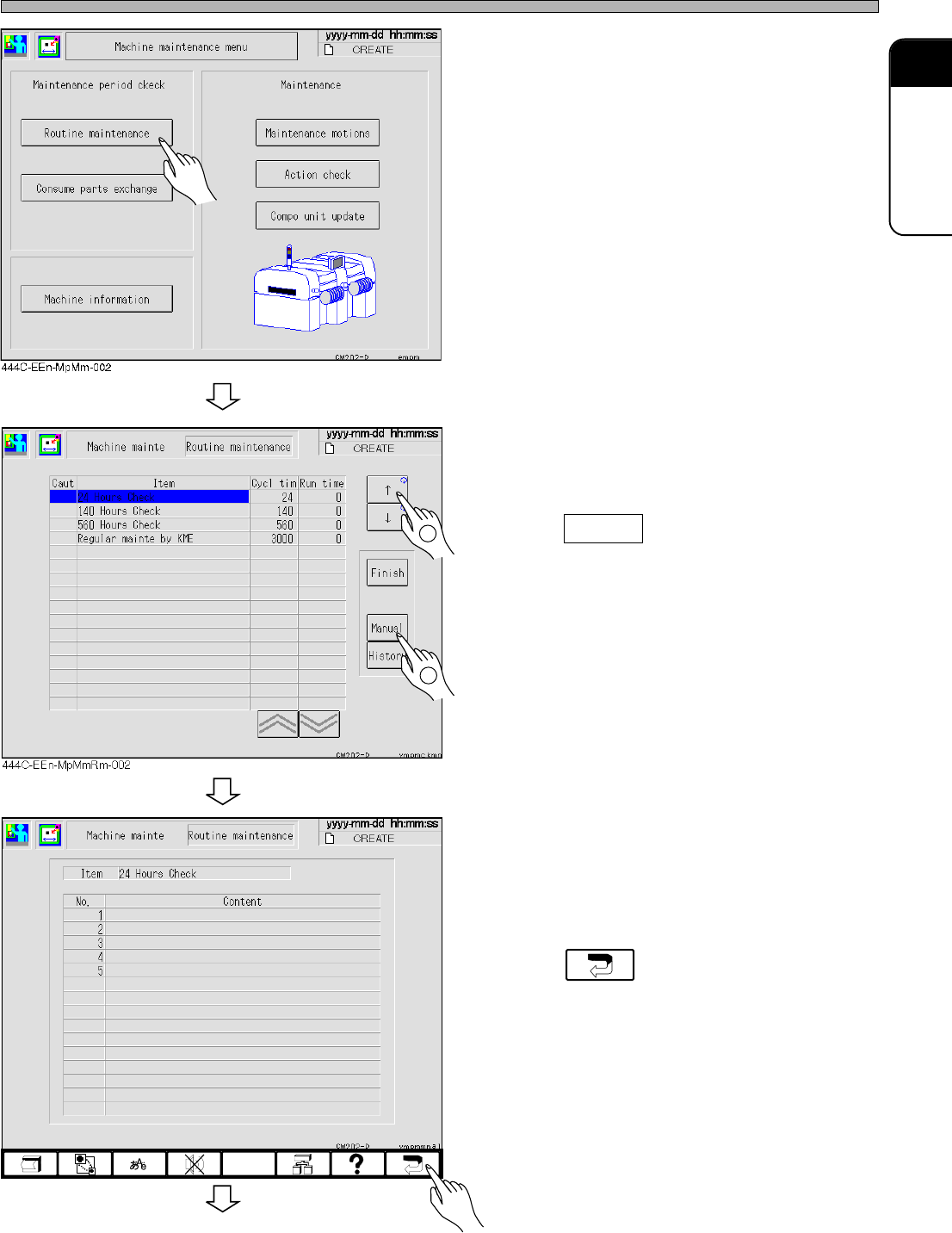
3. Select the button which corresponds
to the blinking item at the “Main
Menu” screen.
∗ For “Regular Maintenance by KME,” select
“Routine Maintenance.”
4. Using the arrows on the right side of
the touch panel, move the cursor to
the line item which is blinking and
press Manual .
• Contents of item blinking on the “Main Menu”
screen is displayed on the screen for “Manual.”
5. Check the contents of the line item.
∗ Carry out the maintenance.
6. Press .
2
1
To the next page
444C-EEn-MpMmRm-004
444C-E-MMA01-A01-02
Page 1-4
Outline of Maintenance
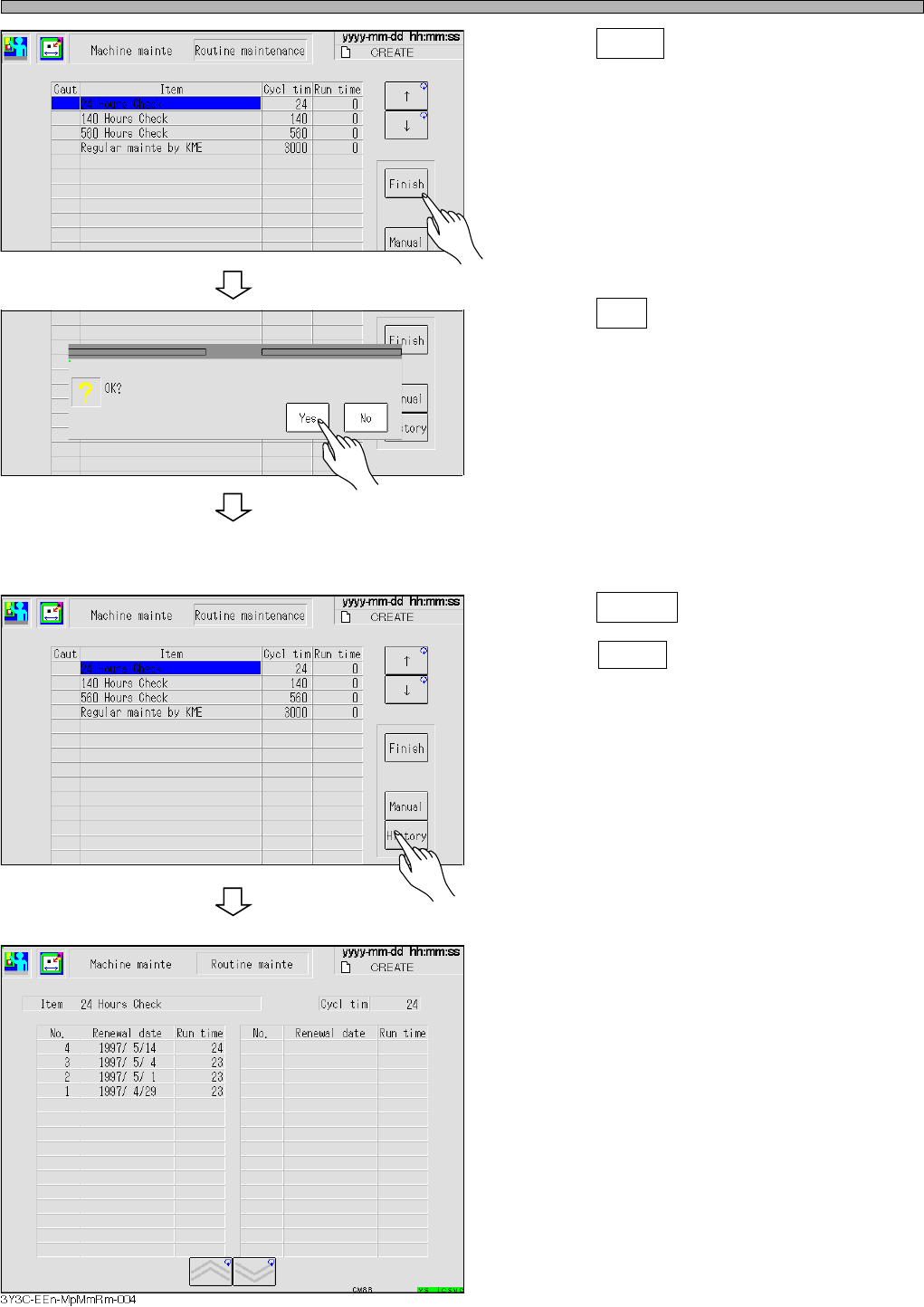
7. Press Finish .
• The message for checking appear.
8. Press Yes .
•“Run Time” is reset, and the run time item to
the next period is calculated.
•“History” is renewed.
∗ Past maintenance history can be checked.
9. Press History .
∗ Press History on the “Routine Maintenance”
screen.
• The “History” screen of selected item is dis-
played.
∗ Check the history information.
• The history information is displayed in descen-
dent order.
444C-E-MMA01-A01-01
444C-EEn-MpMmRm-002
444C-EEn-MpMmRm-001
444C-EEn-MpMmRm-002
Page 1-5
REGULAR
MAINTENANCE
1
Outline of Maintenance
1-1-2 Maintenance Motions
This machine has “Maintenance Motions” in the program of the machine. Using this mode makes
such maintenance as cleaning or lubricating easier and more effective.
Entering the maintenance motions
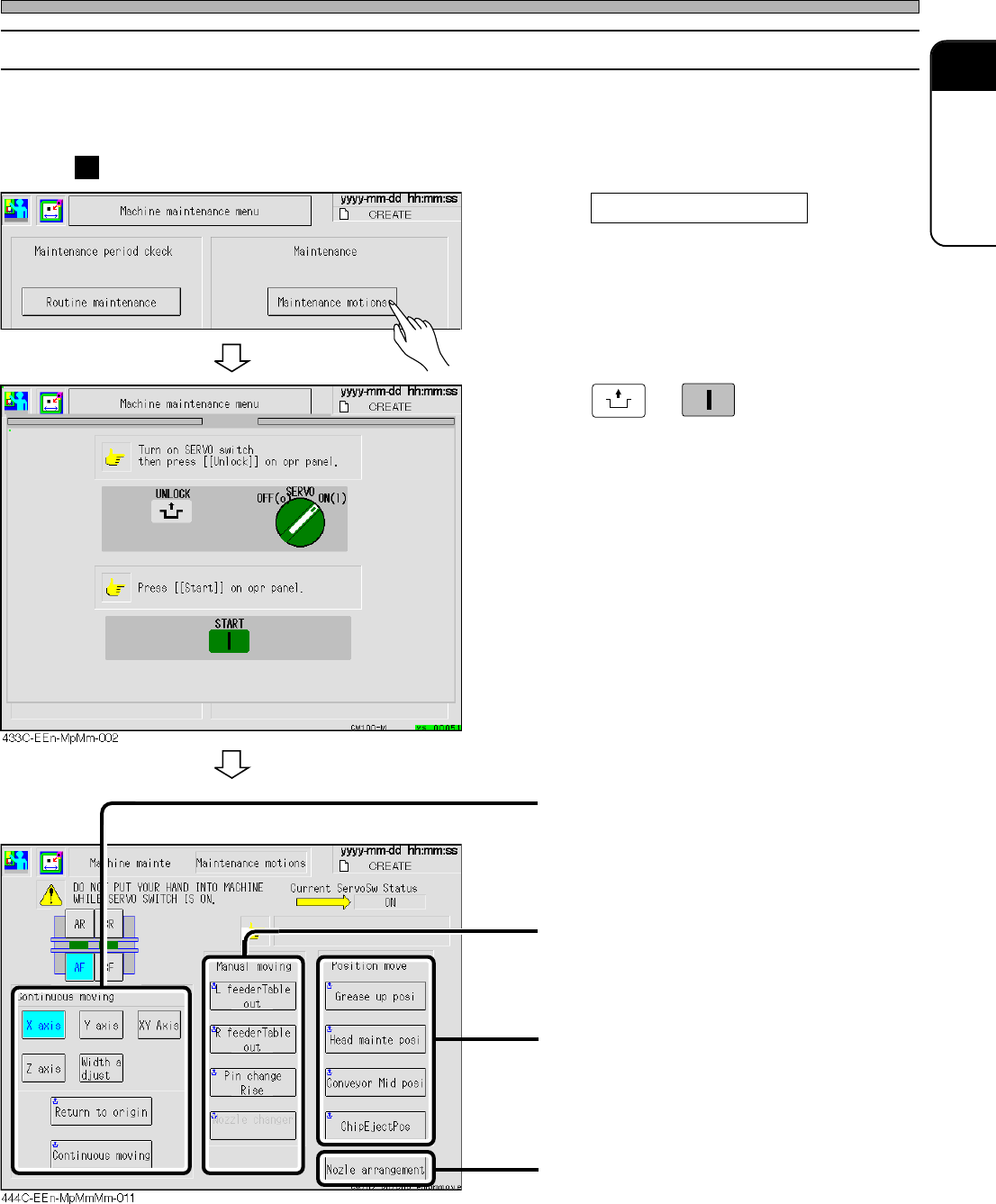
1. Press Maintenance motions .
2. Press
UNLOCK
→→
→→
→
START
.
• Each axis returns to the origin, and the “Main-
tenance Menu” screen appears.
“Continuous Moving”
The axis or unit to which the grease is applied
automatically moves, and the grease is spread
to whole of stroke.
“Manual Moving”
Each unit moves separately for safer and more
effective maintenance.
“Position Move”
Each axis and unit moves to the
maintenanceposition.
“Nozzle Arrangement”
The nozzle arrangement and the setting
position are checked for the nozzle mainte-
nance.
∗ Details of using each key are described in the manual.
444C-E-MMA01-A01-03
444C-EEn-MpMm-001