444CEMM1 - 第73页
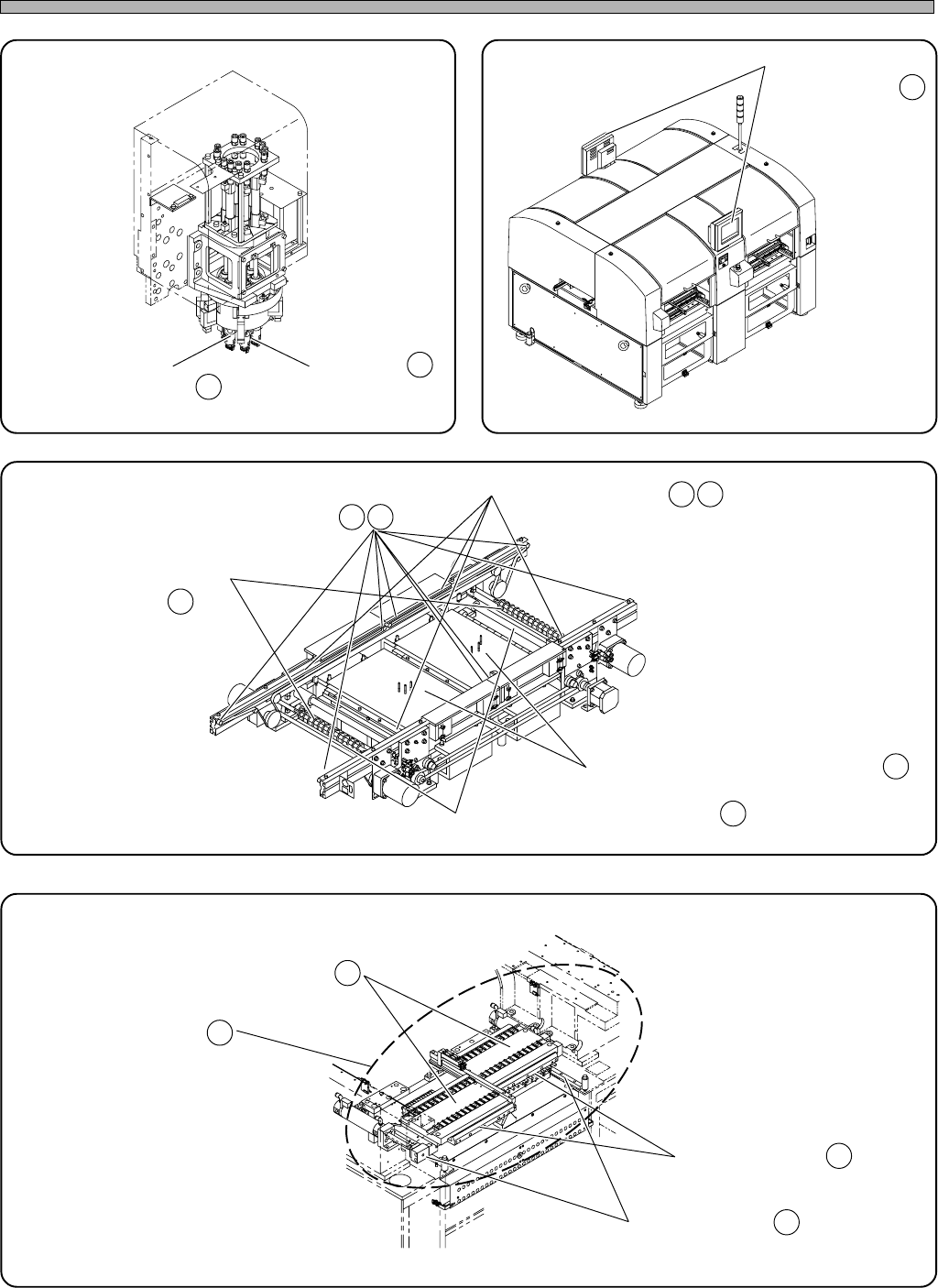
Page 1-11 REGULAR MAINTENANCE 1 Outline of Maintenance 1 1. Used tape box (option) 100NC0AA 10. Line camera 444C-403P 13. Unit for double tape feeder (option) 444C-509P 12. Cutting unit (option) CM201-D/DU and CM202-D/DU…
Page 1-10
7. Color touch panel
8. Board conveyor
4U4C-AA00
0306C0AA
6. Transfer head
010DC0AA
9. Tape feeder table
150FC0AA
Outline of Maintenance
1) Nozzle shaft
support bearing
2) Air pass
1) Touch panel face
1) Support pin batch exchange table
2) Board transfer belt
3) Roller
4) Width adjustment
ball screw
5) Width adjustment linear shaft
1) Tape feeder setting face
2) Surroundings
3) Projection bush
4) Linear bearing
Ch
Gr
Cl
Ch
Cl
Gr
Ex
Ch
Ex
Gr
444C-E-MMA01-A01-02
Cl
Gr
Ch
Cl
∗∗
∗∗
∗ This illustration shows the one for CM202-DH.
∗∗
∗∗
∗ This illustration shows the one for CM202-DH.
∗∗
∗∗
∗ This illustration shows the one for CM202-DH.
∗∗
∗∗
∗ This illustration shows the one for CM202-DH.
Page 1-11
REGULAR
MAINTENANCE
1
Outline of Maintenance
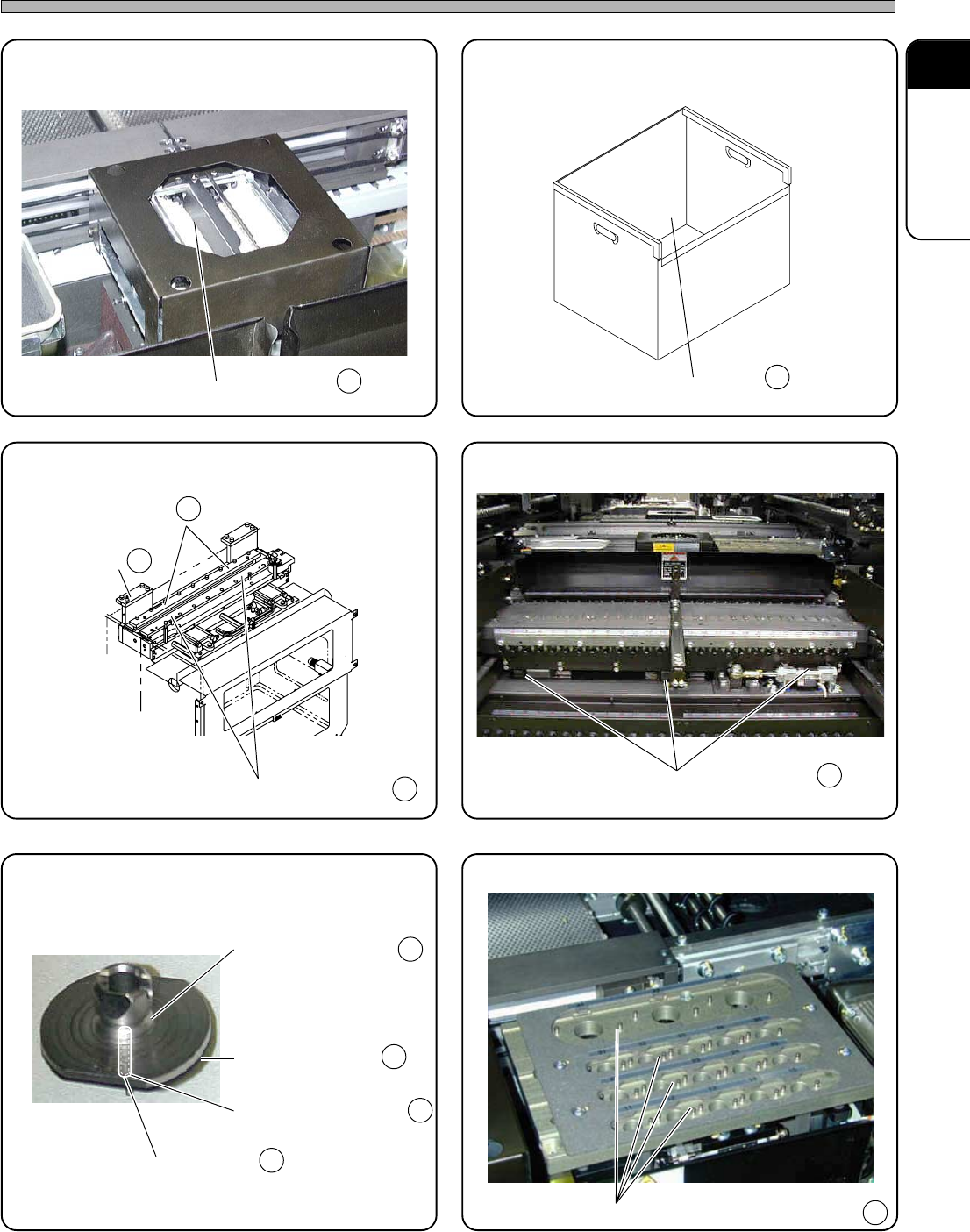
11. Used tape box (option)
100NC0AA
10. Line camera
444C-403P
13. Unit for double tape feeder (option)
444C-509P
12. Cutting unit (option)
CM201-D/DU and CM202-D/DU are options.
4U4C-010E
15. Nozzle changer (option)
444C-487P
14. Nozzle (option)
444C-513P
1) Cover glass
2) Fixed blade
2) Movable blade
1) Nozzle tip
2) Nozzle pickup hole
3) Nozzle taper face
4) Nozzle reflector
1) Inside
1) Linear bearing
1) Contact face of the nozzle reflector
Cl
Ex
Cl
Cl
Cl
Gr
Gr
Ex
Cl
Cl
Cl
444C-E-MMA01-A01-05
1) Left-side slide
block
∗∗
∗∗
∗ This picture shows the one for CM202-DH.
Page 1-12
Outline of Maintenance
1-1-5 Machine Information
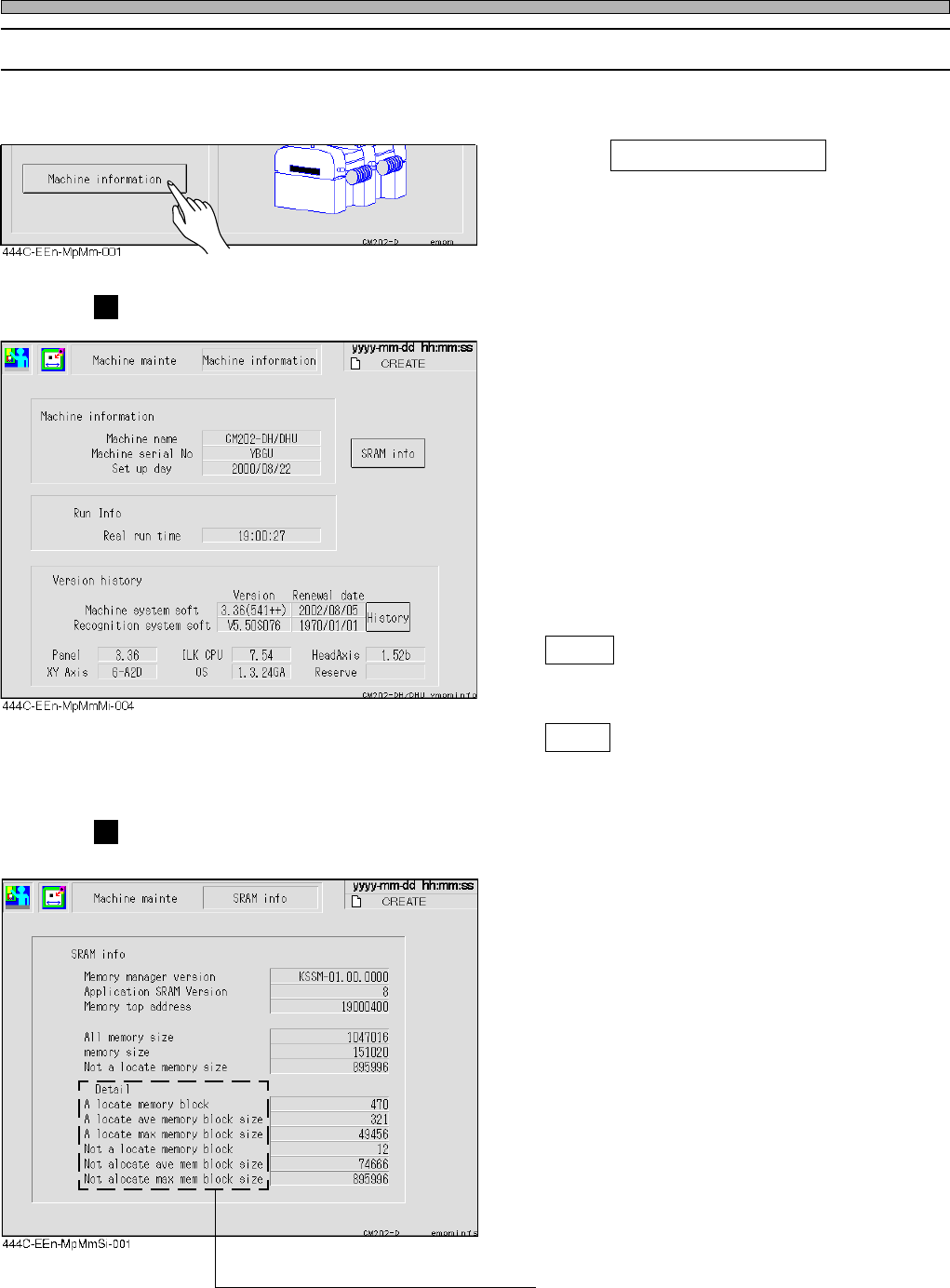
You can check each type of information related to the machine at the “Machine Information” screen.
1. Press Machine information at the
“Machine maintenance menu” screen.
Machine information
Machine information
The machine name, machine serial number,
and the setup date are displayed.
Run information
The sum of the production time since the
machine set up date is displayed.
Version history
The version of the current machine system
software and recognition system software and
the date when they are installed, and other
version information are displayed.
History
You can check the updated history of the
machine system and the recognition system.
SRAM
Memory usage can be checked.
SRAM Information
Memory usage is displayed.
Memory Manager Version
The version of the memory management
engine is displayed.
Application SRAM Version
The version managed by the application is
displayed.
Memory Top Address
The head address of the available memory is
displayed.
All Memory Size
The size of the available memory is displayed.
Memory Size
The total size of the memory used currently is
displayed.
Not a Locate Memory Size
The total size of the unused memory is dis-
played.
∗ The detail items display the detailed contents
of the memory usage for maintenance.
444C-E-MMA01-A01-04