444CEMM1 - 第75页
Page 1-13 REGULAR MAINTENANCE 1 Outline of Maintenance V ersion history The updated history of the machine system and recognition system is displayed. The machine system or recognition system is displayed at the line ite…
Page 1-12
Outline of Maintenance
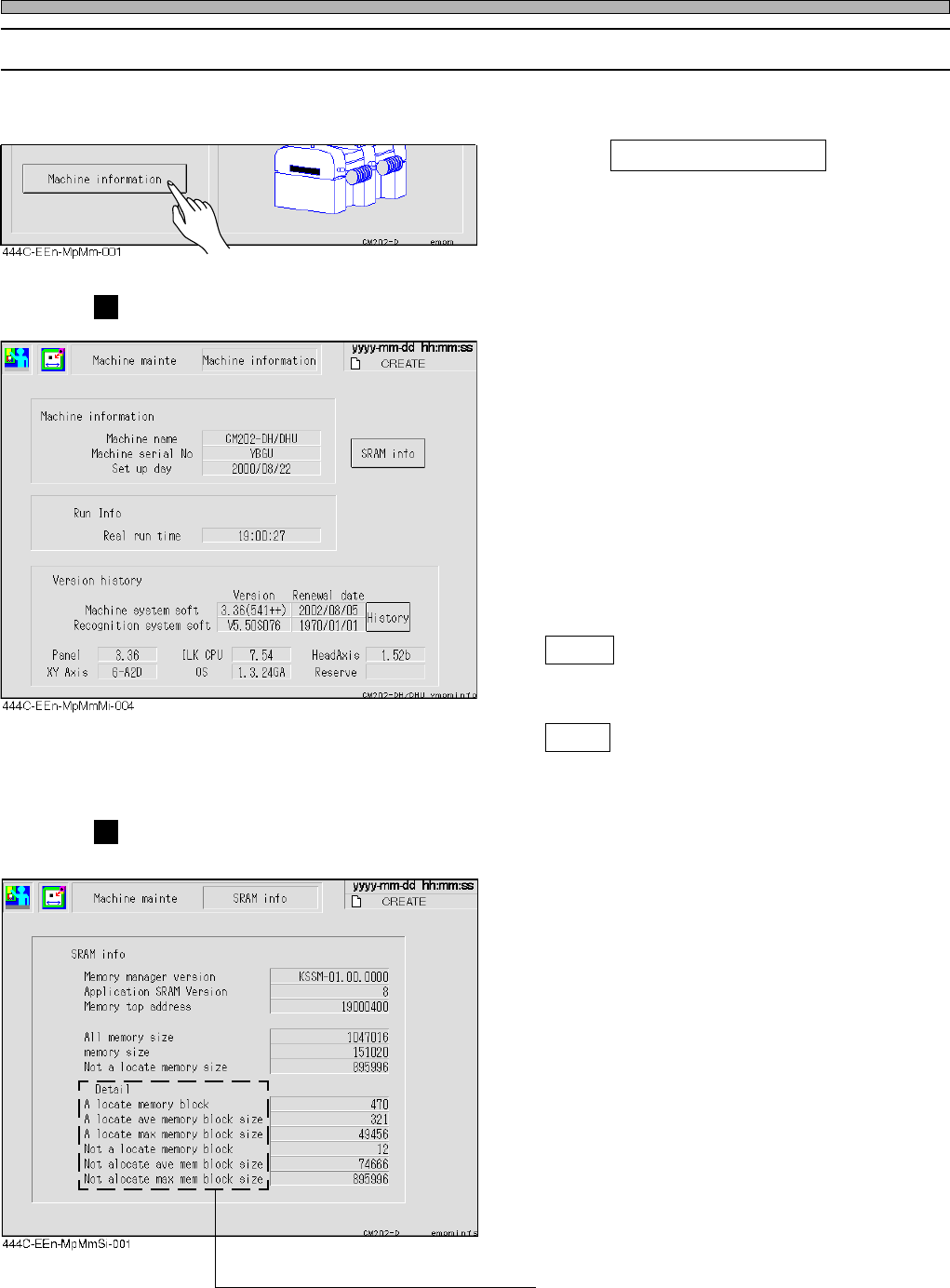
1-1-5 Machine Information
You can check each type of information related to the machine at the “Machine Information” screen.
1. Press Machine information at the
“Machine maintenance menu” screen.
Machine information
Machine information
The machine name, machine serial number,
and the setup date are displayed.
Run information
The sum of the production time since the
machine set up date is displayed.
Version history
The version of the current machine system
software and recognition system software and
the date when they are installed, and other
version information are displayed.
History
You can check the updated history of the
machine system and the recognition system.
SRAM
Memory usage can be checked.
SRAM Information
Memory usage is displayed.
Memory Manager Version
The version of the memory management
engine is displayed.
Application SRAM Version
The version managed by the application is
displayed.
Memory Top Address
The head address of the available memory is
displayed.
All Memory Size
The size of the available memory is displayed.
Memory Size
The total size of the memory used currently is
displayed.
Not a Locate Memory Size
The total size of the unused memory is dis-
played.
∗ The detail items display the detailed contents
of the memory usage for maintenance.
444C-E-MMA01-A01-04
Page 1-13
REGULAR
MAINTENANCE
1
Outline of Maintenance
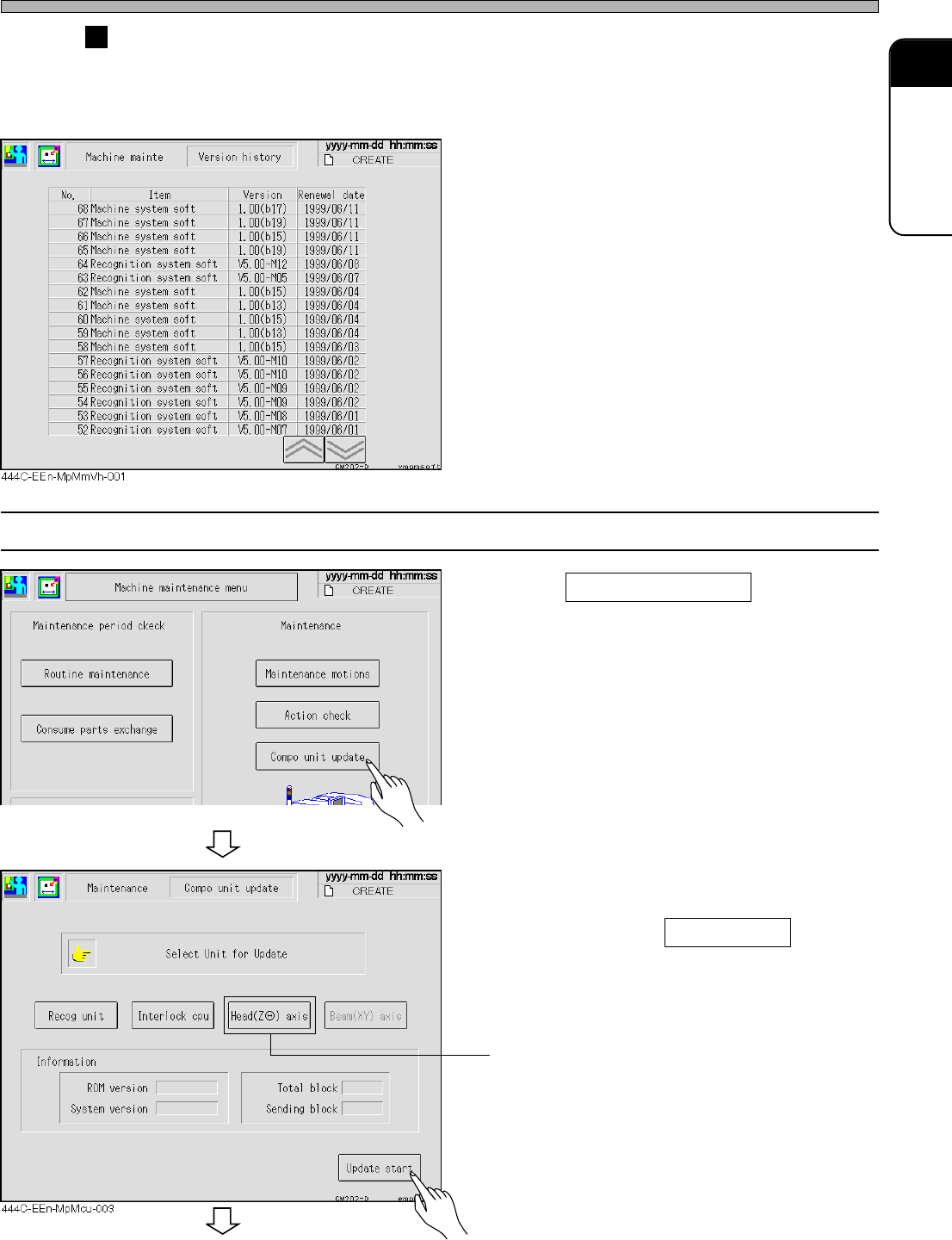
Version history
The updated history of the machine system and recognition system is displayed.
The machine system or recognition system is displayed at the line item, and the date when it is
updated and that version No. appears in descendent order.
1-1-6 Component Unit Update (Update of Each Board System)
1. Press Compo unit update at the “Ma-
chine maintenance menu” screen.
2. Select the contents to be installed,
and insert the corresponding floppy
disk, then press Update start .
• The program software of the head axis driver
can be installed.
444C-E-MMA01-A01-02
444C-EEn-MpMm-002
To the next page
Page 1-14
Outline of Maintenance
3. Press Yes .
• The update is started.
• The message “Update complete“ is displayed
when the update finishes successfully.
∗ The message “Restart the system“ is displayed
when the installation is complete successfully.
Turn on the power of the machine again.
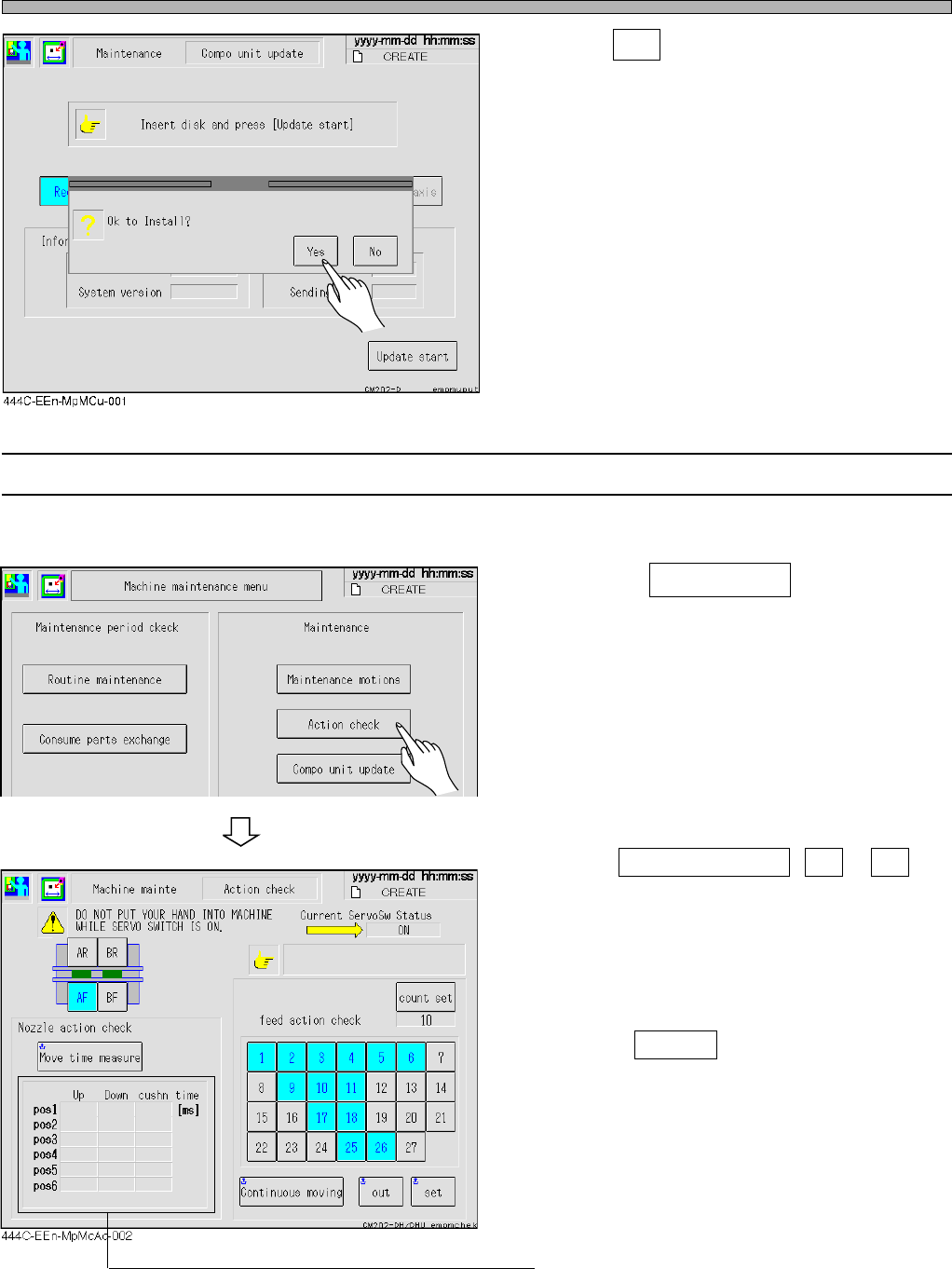
1-1-7 Action Check
The feeder sending can be checked.
1. Press the Action check on the “Ma-
chine maintenance menu” screen.
∗ Choose the feeder address that is a target for
movement.
The target for movement is a light blue and
highlighted.
• Select Continuous moving , Out or Set
and check the feeder sending of the moving
target address.
• The continuous moving repeats out and set
reserved count.
• It is possible to set from 1 to 100 times by
pressing count set .
∗ The moving time of the nozzle cylinder is
measured.
444C-E-MMA01-A01-04
444C-EEn-MpMm-002