00198788-01_UM_SSI_DE_EN.pdf - 第53页
5 CAN ID mode and presettings 5.1 CAN ID mode User Manual / Bedienungsanleitung SIPLACE Single Slot Interface 05/2021 53 5 CAN ID mode and presettings 5.1 CAN ID mode The SSI can be seen as a docking station with 1 track…
4 Operation
4.6 Tasks for Setup Center
52 User Manual / Bedienungsanleitung SIPLACE Single Slot Interface 05/2021
Scanning a barcode
The SSI supports safe and reliable feeder kitting. The SSI offers the same safety mechanisms as a
docking station with regard to the tape and foil status.
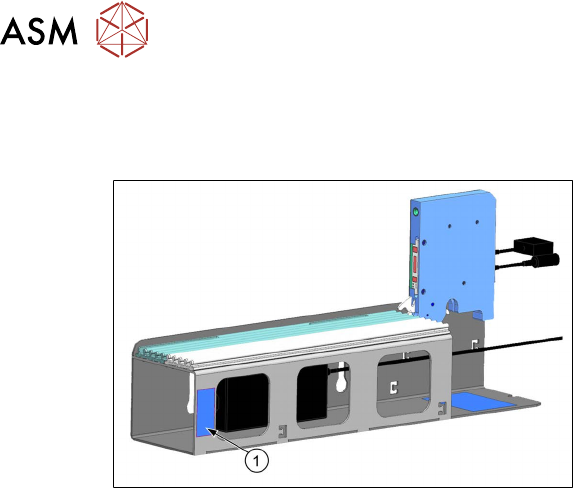
The SSI barcode (1) is located on the side of
the SSI frame.
For details see the user manual "ASM Setup Center 9.8", section "Offline feeder kitting with Single
Slot Interface".
5 CAN ID mode and presettings
5.1 CAN ID mode
User Manual / Bedienungsanleitung SIPLACE Single Slot Interface 05/2021 53
5 CAN ID mode and presettings
5.1 CAN ID mode
The SSI can be seen as a docking station with 1 track. Using a CAN bus cable, up to 4 SSIs can
be connected to the CIN box via a CAN bus. A different CAN ID must be set for each individual SSI
within the CAN bus so that the devices can be detected clearly.
5.2 Setting the CAN ID
The SSI CAN ID is set on the board using the DIP switch. The preset CAN ID is Hex 400.
WARNING
Unplug the mains connector from the power supply before opening the SSI.
When working with settings on the board, disconnect the SSI to protect the sensitive elec-
tronics assemblies.
NOTICE
Modified settings on the board will only be imported when the SSI is rebooted.
Settings defined on the board will only be imported when the SSI is rebooted. Booting will
occur as soon as the SSI is connected to the power supply.
To set the CAN ID, proceed as follows:
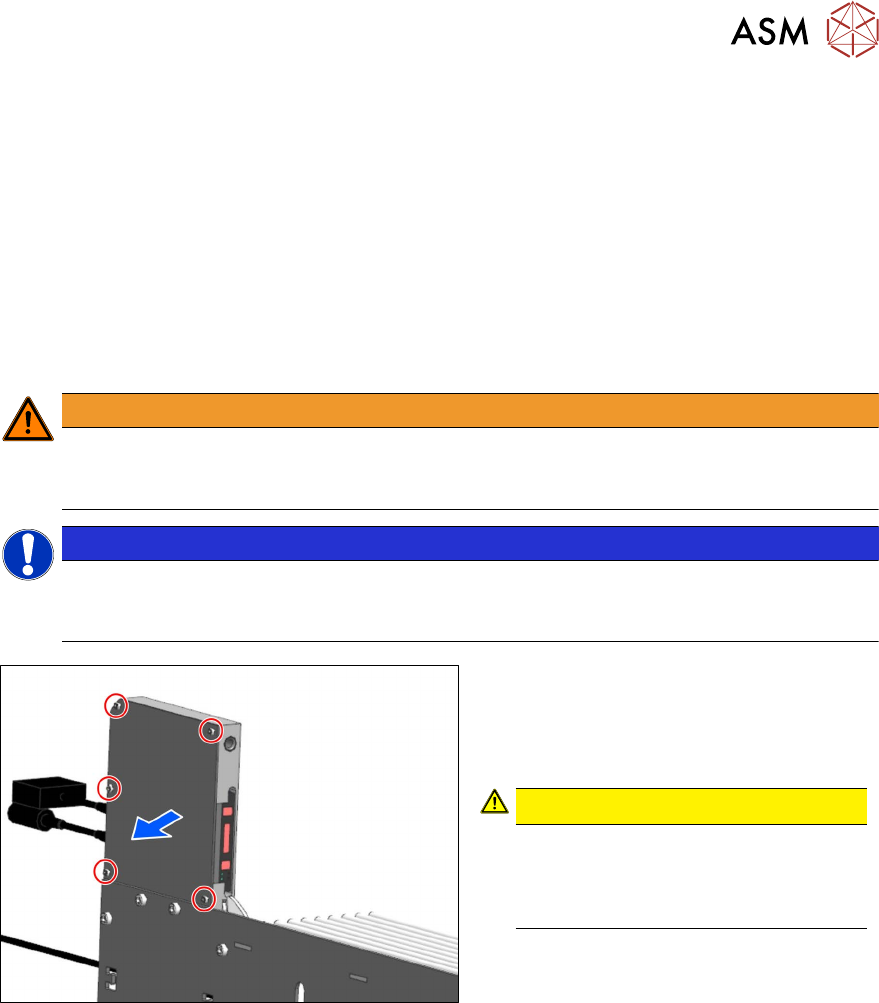
► Remove the five the M3x6 hexagon
socket-head screws (see red outline):
► Remove the cover.
CAUTION!
ESD-sensitive electronics.
Observe the ESD regulations.
Use an ESD-safe workplace and ESD-
safe tools.
.
5 CAN ID mode and presettings
5.2 Setting the CAN ID
54 User Manual / Bedienungsanleitung SIPLACE Single Slot Interface 05/2021
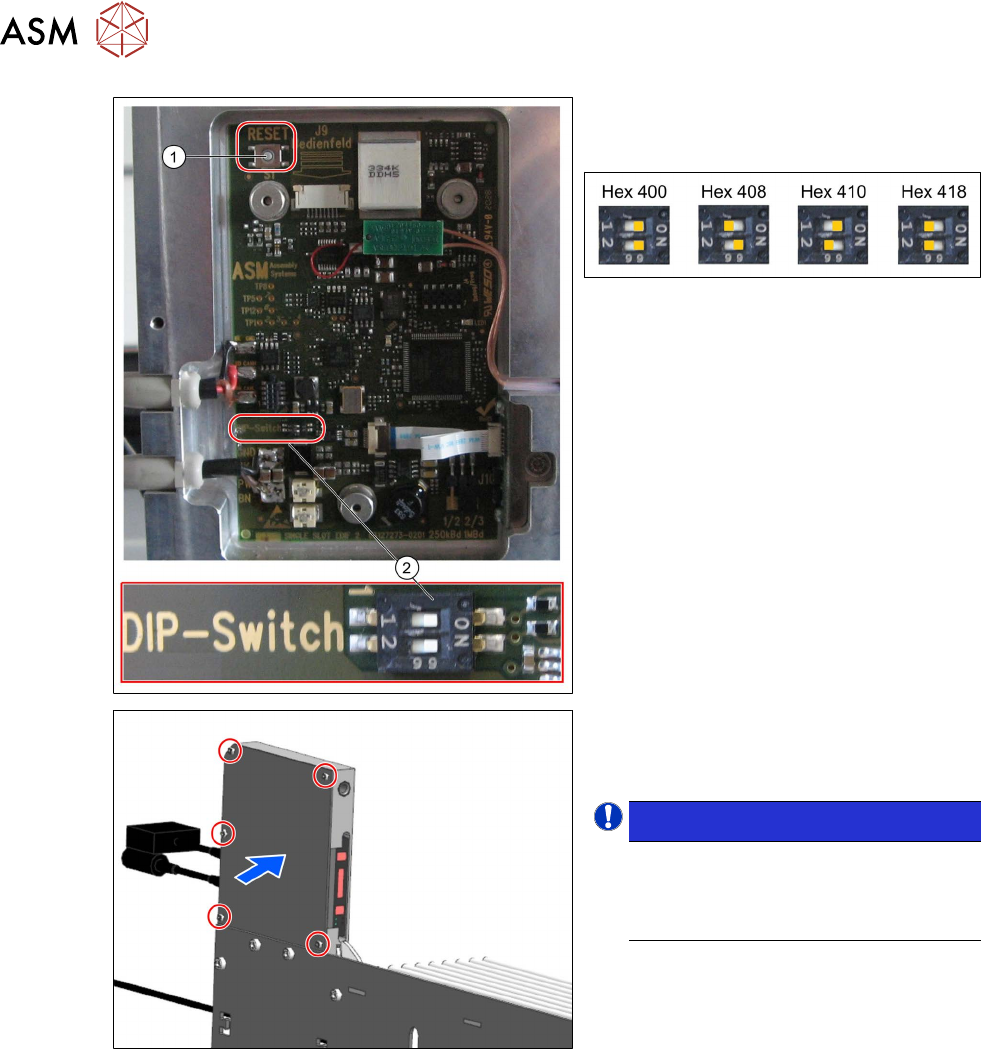
► Set the required CAN ID at the DIP
switch (2)
.
The following CAN IDs are possible:
Hex 400 is preset in the delivery state.
► If the SSI is not recognized straight
away:
press the reset button (1)
at the top left
of the board.
► Close the panel.
► Tighten the previously removed five
hexagon socket-head screws.
NOTICE!
The changed settings will only be
imported when the SSI is rebooted
i.e. when the SSI is reconnected to
the power supply.
.