OM-1352-003_w.pdf - 第44页
5-3 Tg1357-ID-SO 0703-003 5.1.2 Selection of T est Mode A test mode can be selected for the flux dispensing unit. Open the "T est Mode" window (second page). Fig. 15 "T est Mode" Window (Second Page) T…
5-2
Tg1357-ID-SO
0703-003
Intvl setup
"Stop" and "Rotation" in the interval action during the machine stop,
are set.
[2] Dtctn of the comp left on rot disk
This section sets the detection mode when the component is left on the
drum (rotational disk).
Vac snsr
:
The detection is performed using the vacuum sensor.
Comp Rcg :
The detection is performed in the component
recognition test.
[3] Flux reload setup
This button sets whether the automatic flux reload is performed or not.
Disable :
Automatic flux reload is not performed.
Enable :
Automatic flux reload is performed.
Notice
The flux automatic suplly is not available in this unit
.
5.1 "Operation" Menu
5-3
Tg1357-ID-SO
0703-003
5.1.2 Selection of Test Mode
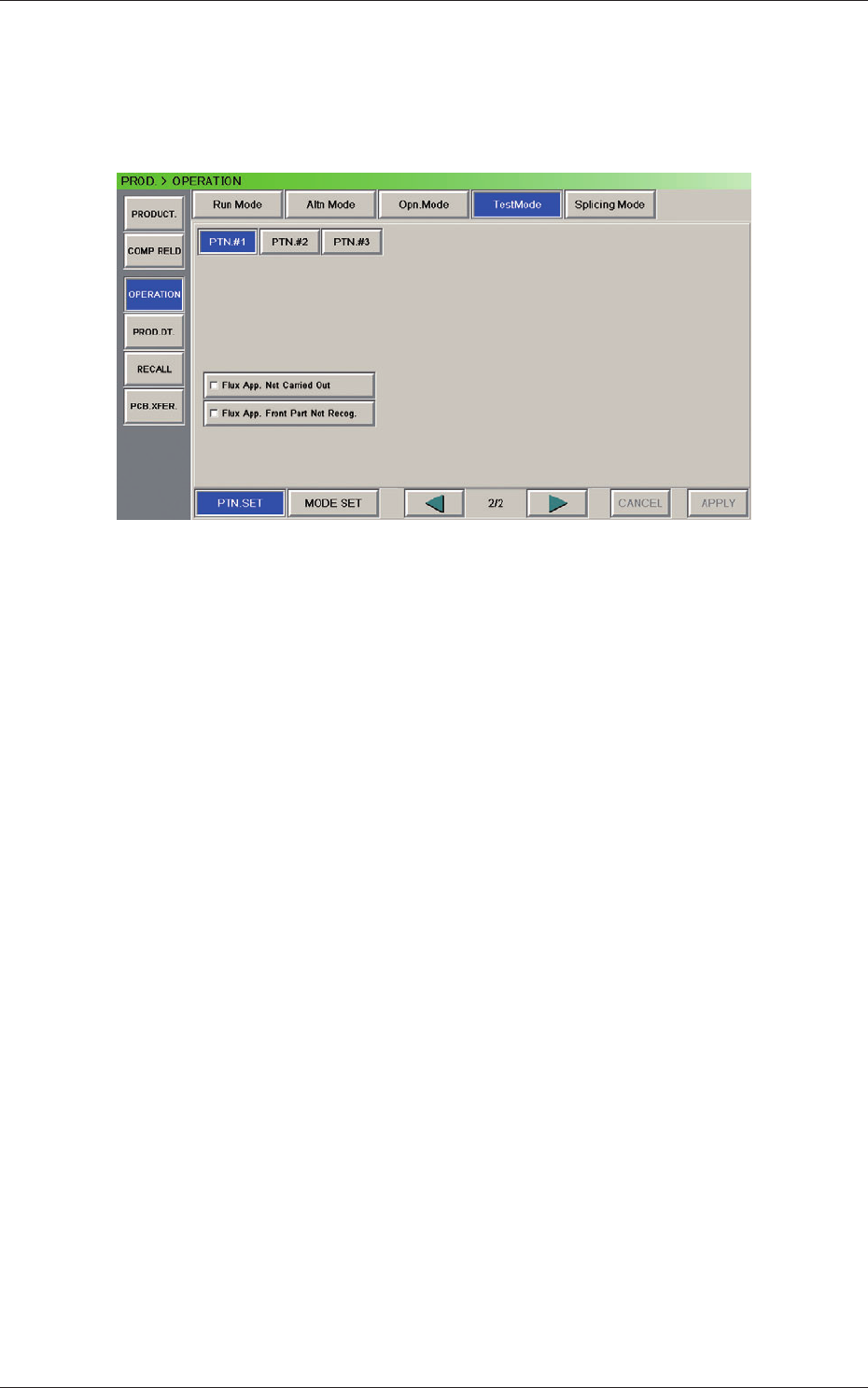
A test mode can be selected for the flux dispensing unit.
Open the "Test Mode" window (second page).
Fig. 15 "Test Mode" Window (Second Page)
Test Run Pattern
This section sets the test run contents.
The items related to the flux dispensing unit are as follows.
Flux App. Not Carried Out
Flux App. Front Part Not Recog.
5.1 "Operation" Menu
5-4
Tg1357-ID-SO
0703-003
5.2 Component Recognition Test
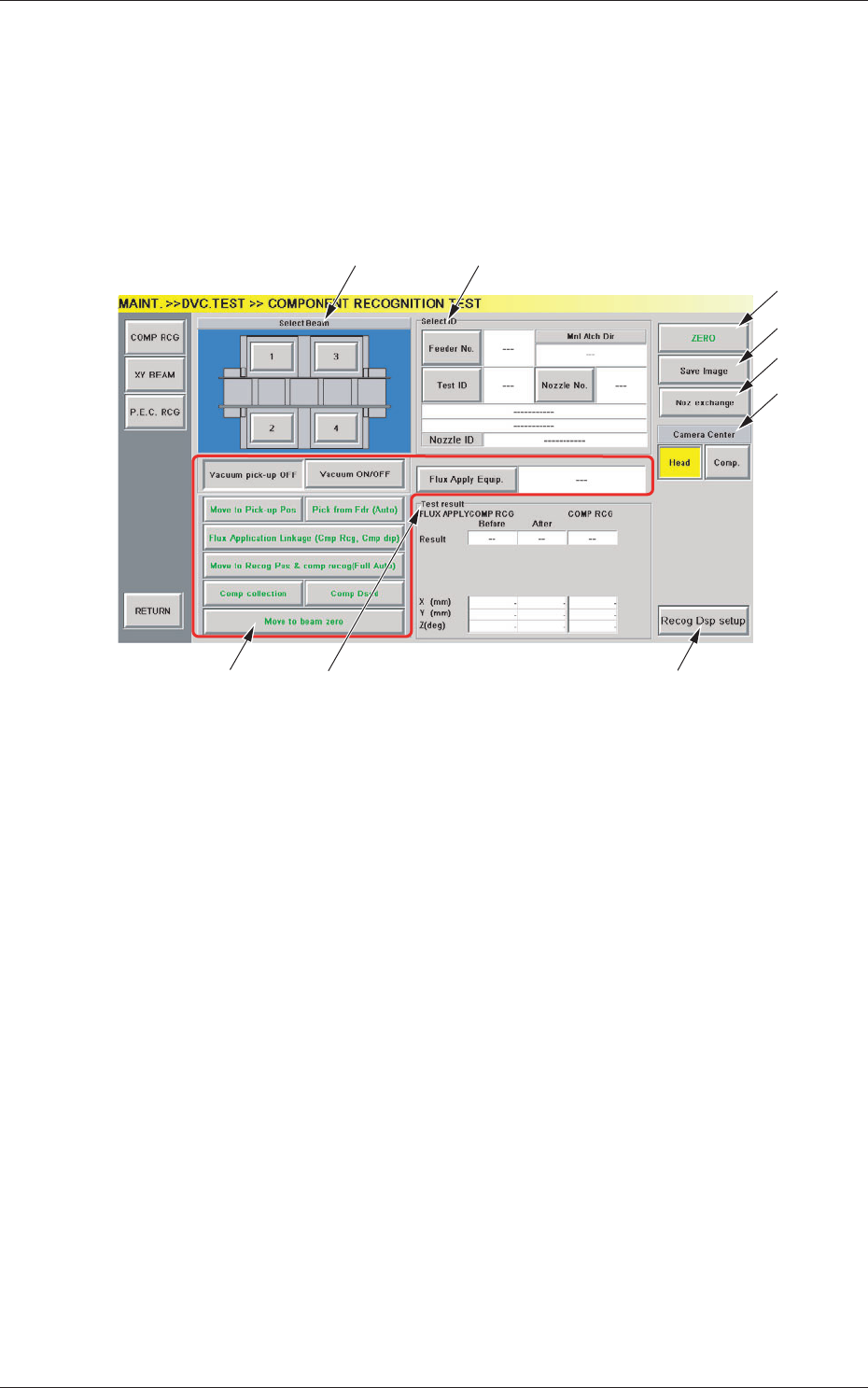
This window enables you check whether or not the component designated
using a test ID can normally be recognized.
When the [COMP RCG] button on the "DVC. TEST" submenu bar is
pressed, the "COMPONENT RECOGNITION TEST" window opens.
[3]
[4]
[1] [2]
[9]
[5]
[6]
[7]
[8]
Fig.16 "COMPONENT RECOGNITION TEST" Window
[1] Beam Selection Buttons
Each X/Y beam in the graphic image of the machine is provided with a
button function.
Select the X/Y beam on which a component recognition test must be
performed.
[2] "Select ID" Group Box
The following buttons and text boxes are arranged and used to display
the specified values.
[Feeder No.] Button
When pressed, this button opens the "Feeder No." selection
window, enabling you to specify the feeder from which test
components should be picked up.
[Test ID] Button
When pressed, this button opens the "Test ID Selection
" window,
enabling you to specify the component ID for the recognition
test.
5.2 Component Recognition Test