00193688-03.pdf - 第55页
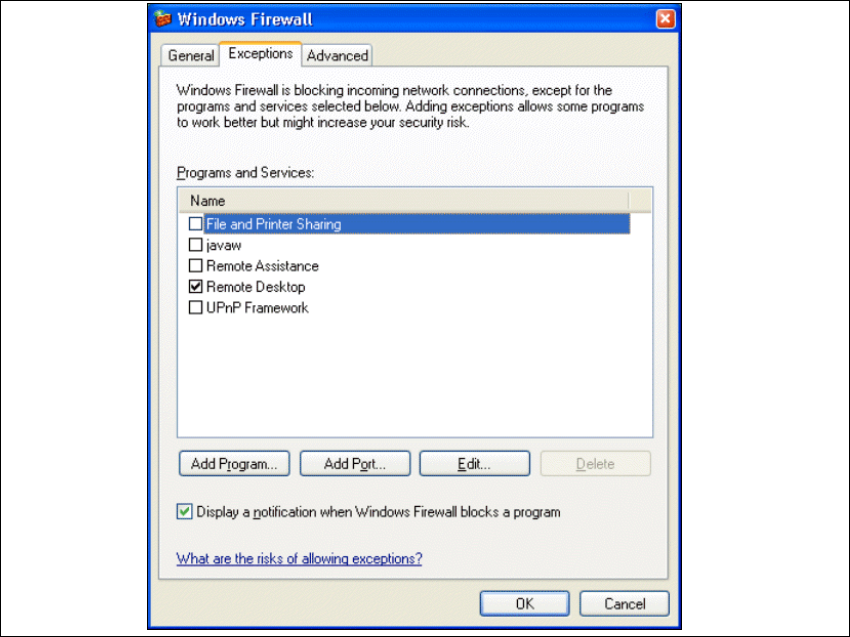
Installation and Configuration Guide SIPLAC E Explorer 3 Installing SIPLACE Explorer Edition 02/2005 EN 3.6 Tomcat Configuration 55 3 Fig. 3 - 43 Windows firewall - exceptions → Click on the Add Program button.
3 Installing SIPLACE Explorer Installation and Configuration Guide SIPLACE Explorer
3.6 Tomcat Configuration Edition 02/2005 EN
54
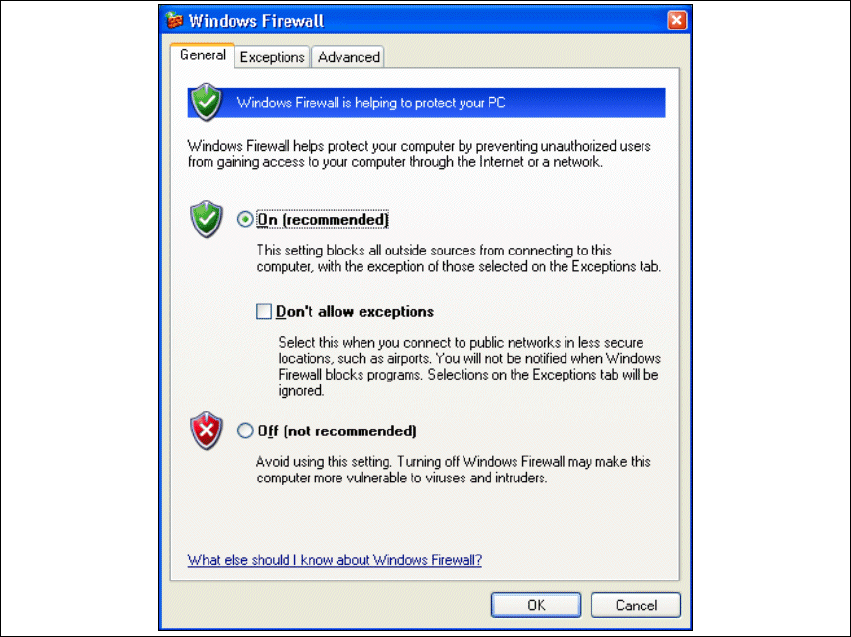
→ The Windows Firewall dialog box will open:
3
Fig. 3 - 42 Windows firewall
→ Select the Exceptions tab.
Installation and Configuration Guide SIPLACE Explorer 3 Installing SIPLACE Explorer
Edition 02/2005 EN 3.6 Tomcat Configuration
55
3
Fig. 3 - 43 Windows firewall - exceptions
→ Click on the Add Program button.
3 Installing SIPLACE Explorer Installation and Configuration Guide SIPLACE Explorer
3.6 Tomcat Configuration Edition 02/2005 EN
56
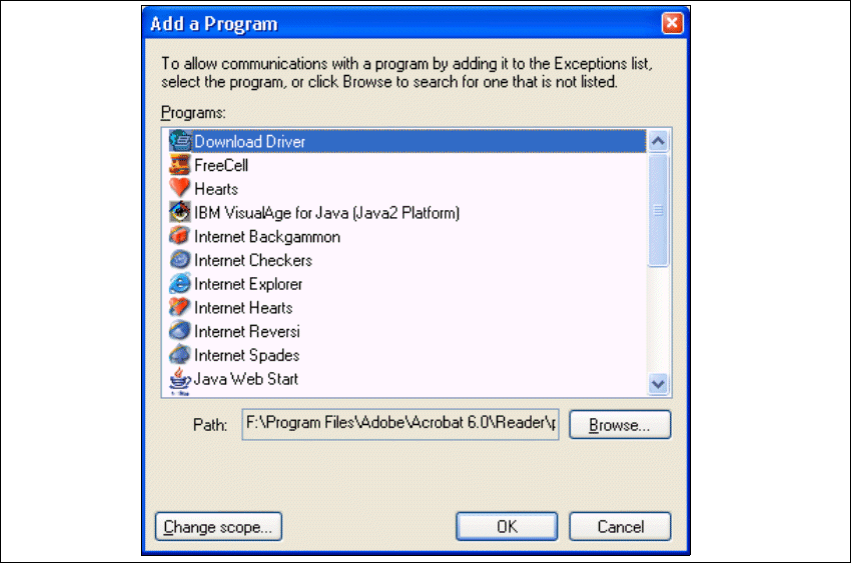
→ The Add a Program dialog box will open:
3
Fig. 3 - 44 Add a program
→ Specify the path in which the Tomcat.exe file is stored, by using the Browse button.