00193688-03.pdf - 第86页
4 Configuration Installation and Configuration Guide SIPLACE Explorer 4.1 Standard Monitoring Application (SMA) Edition 02/2005 EN 86 4.1.2.3 Step 2 - Sel ect Configuration T ype → Y ou can select one of the following co…
Installation and Configuration Guide SIPLACE Explorer 4 Configuration
Edition 02/2005 EN 4.1 Standard Monitoring Application (SMA)
85
NOTE
Follow these steps and note that you may skip steps 5-8 and do the required configurations
later. 4
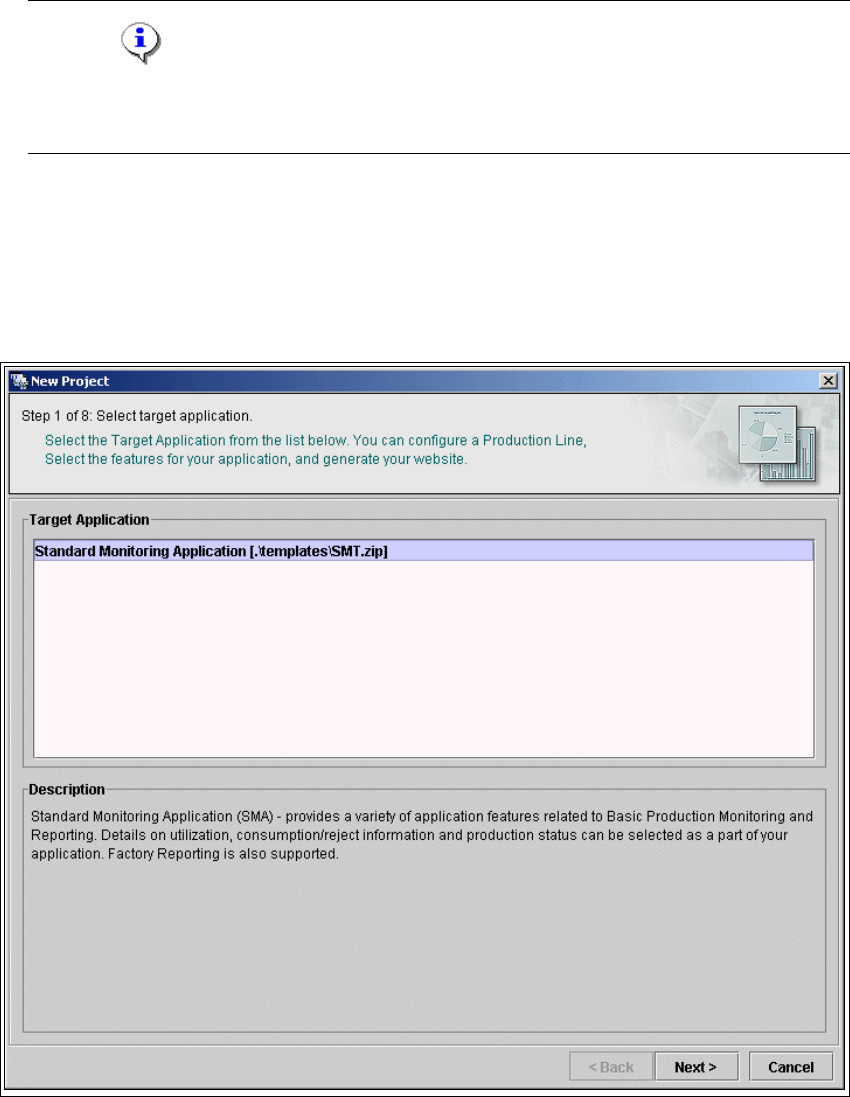
4.1.2.2 Step 1- Select Target Application
→ Select the required target application (this defines a set of templates needed to create a
customized application). The description field provides an explanation of the target application
concerned, helping you to make your selection from the list of Target Applications.
4
Fig. 4 - 24 Step 1: Select target application
→ Once you have selected the desired application click on the Next button to continue with the
next step.
4 Configuration Installation and Configuration Guide SIPLACE Explorer
4.1 Standard Monitoring Application (SMA) Edition 02/2005 EN
86
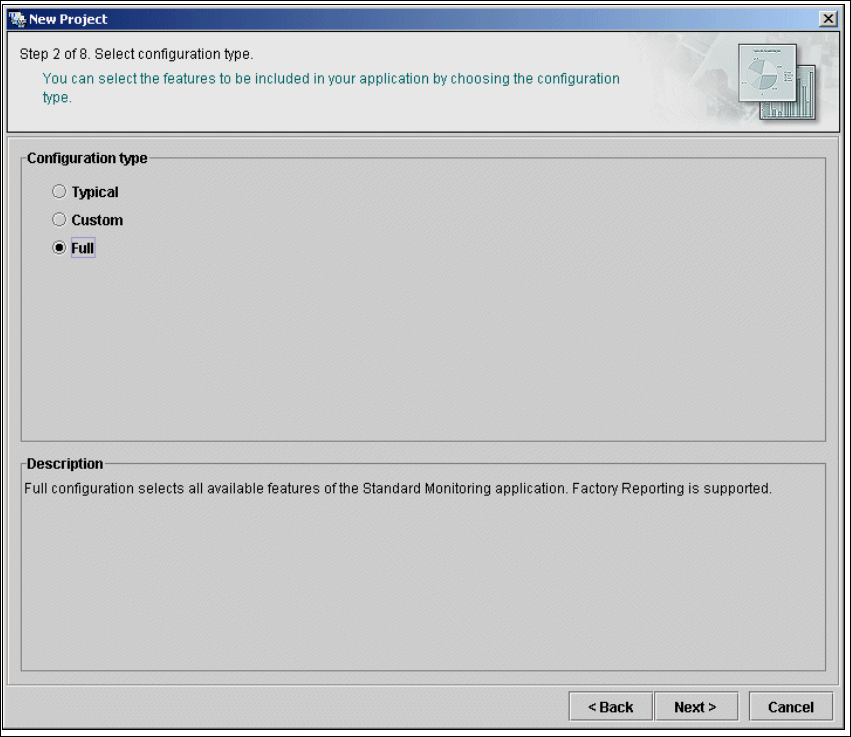
4.1.2.3 Step 2 - Select Configuration Type
→ You can select one of the following configuration types for the application to be created:
–Typical
the new application will include features required for Factory Reporting.
–Custom:
allows the user to choose the features to be included in the new application. All features
valid for the equipment in the production line are available for selection (see below).
– Full:
all features valid for the equipment in the production line will be included in the new
application.
4
Fig. 4 - 25 Step 2: Select configuration type
→ Select the required configuration type and click on the Next button to continue with the next
step.
Installation and Configuration Guide SIPLACE Explorer 4 Configuration
Edition 02/2005 EN 4.1 Standard Monitoring Application (SMA)
87
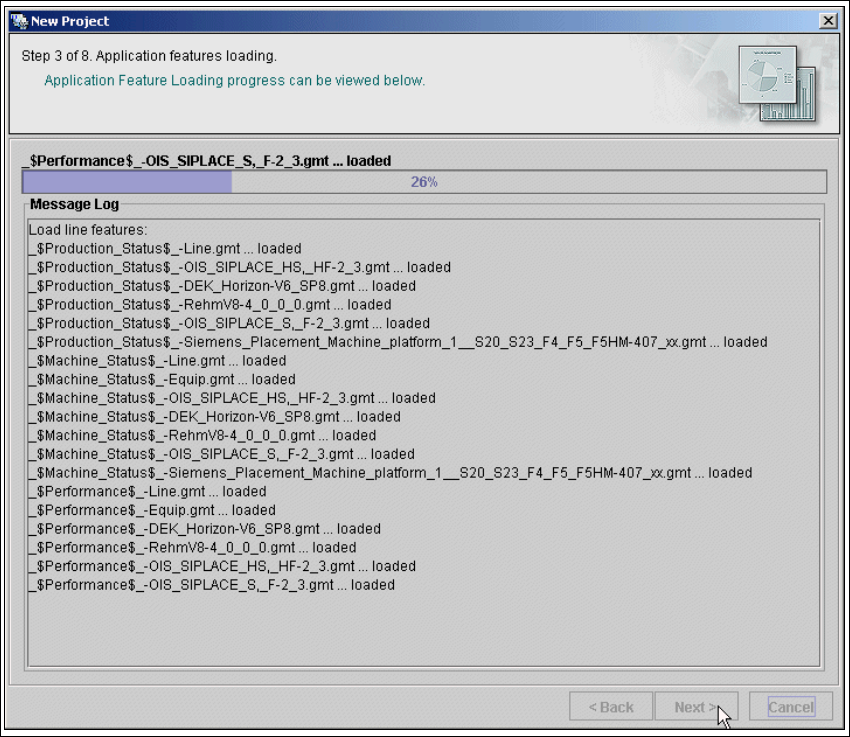
4.1.2.4 Step 3 - Application Features Loading
→ The selected target application will be loaded with all features.
4
Fig. 4 - 26 Step 3: Application features loading
→ Click on Next to continue with the next step.