00193688-03.pdf - 第88页
4 Configuration Installation and Configuration Guide SIPLACE Explorer 4.1 Standard Monitoring Application (SMA) Edition 02/2005 EN 88 4.1.2.5 Step 4 - Confi gure Production Line → This is where you can configure your pro…
Installation and Configuration Guide SIPLACE Explorer 4 Configuration
Edition 02/2005 EN 4.1 Standard Monitoring Application (SMA)
87
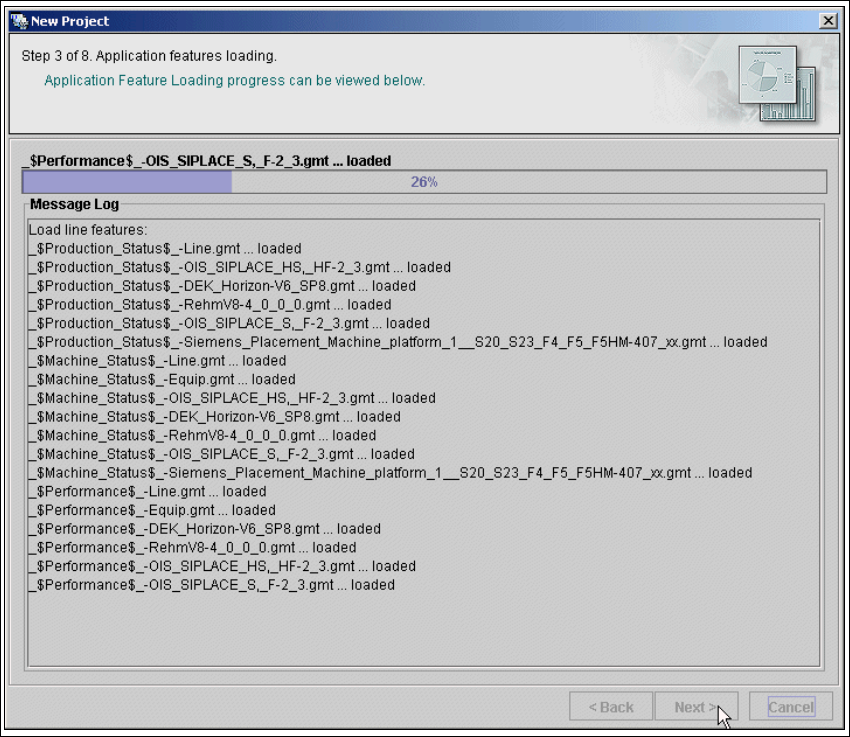
4.1.2.4 Step 3 - Application Features Loading
→ The selected target application will be loaded with all features.
4
Fig. 4 - 26 Step 3: Application features loading
→ Click on Next to continue with the next step.
4 Configuration Installation and Configuration Guide SIPLACE Explorer
4.1 Standard Monitoring Application (SMA) Edition 02/2005 EN
88
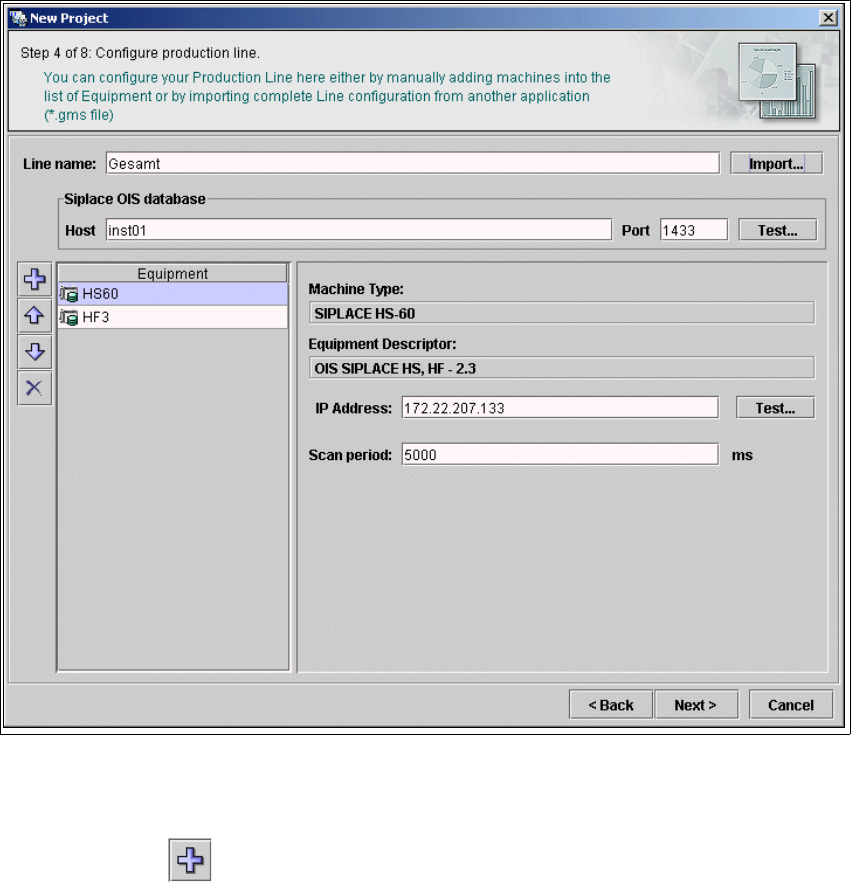
4.1.2.5 Step 4 - Configure Production Line
→ This is where you can configure your production line. Enter the line name and specify
parameters to access the SIPLACE OIS database (if available).
→ If you have another application which has been configured for your production line, you can
import the line configuration from that existing application (.gms file). The equipment
information will be populated from this imported data.
4
Fig. 4 - 27 Step 4: Configuring the production Line
→ To manually specify all the machines in your production line, you need to repeat the procedure
for each machine in the line:
– Click on the icon. The Select Equipment Descriptor and Name dialog box will
appear.
– Select the equipment description and edit the name for the selected machine.
Installation and Configuration Guide SIPLACE Explorer 4 Configuration
Edition 02/2005 EN 4.1 Standard Monitoring Application (SMA)
89
→ You will need to specify the 'machine properties' for each machine in the line, as follows:
– Select the machine from the Equipment list on the left.
– Specify the machine properties from the window on the right.
→ For each type of equipment, you will be presented with a different box of properties. You will
need to specify the following values:
– IP address
– The IP address and scan period for equipment available via SIPLACE OIS database. We
recommend a scan period of at least 60 secs.
→ When all machines in the production line have been defined, click on the Next button to
continue with the next step.