OM-1606-006w_GT-28x.pdf - 第104页
OM-1606 6-2 6. Splicing 1009-002 6.2. Setting in the Main Machine before Splicing Operation Notice When the splicing operation is to be performed, the splicing setting in the machine body is required. Reference Refer to …
OM-1606
6. Splicing
6-11009-002
6. Splicing
The taping components can be supplied to the tape feeder without stopping
automatic operation by splicing during operation.
6.1 Preparation of Splicing
When the splicing operation is to be performed, the splicing setting in the machine
body is required before beginning the splicing operation.
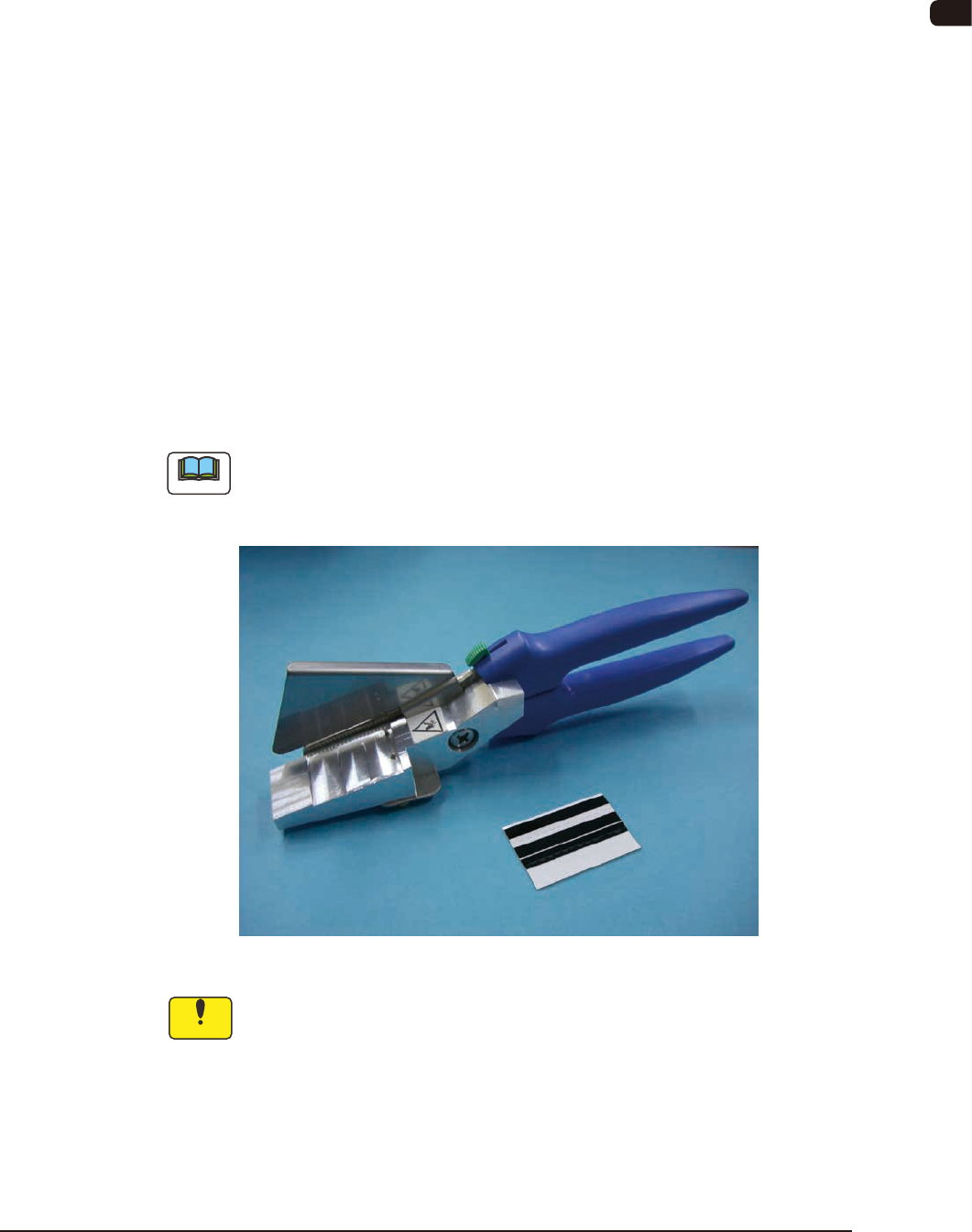
The tape cutting jig and splicing tape are required for the splicing operation,
The selection of the splicing tape depends on the tape width for the taping.
•
Tape Cutting Jig with a Mirror
028A0011 : For a tape of 8 to 32 mm width
•
Splicing Tape
G -S038-07 : For a tape of 8 mm width
G -S038-02 : For a tape of 12 mm width
G -S038-03 : For a tape of 16 mm width
G -S038-04 : For a tape of 24 mm or more width
Note
When the splicing of tape of 12 or 16 mm width is performed, backing tape is
required.
For tape of 12 and 16 mm width : 10896-96-430
Tape Cutting Jig and Splicing Tape FF1
Notice
The warranty period of the splicing tape is one year from the time when
the tape is shipped from our company.
Store the splicing tape in the place where the temperature is 30 °C or
less and the sunlight does not hit directly.
When the splicing tape is stored in the place where the temperature is
more than 40 °C or the sunlight hits directly, the adhesive strength of the
splicing tape might be degraded even within the warranty period.
OM-1606
6-2
6. Splicing
1009-002
6.2. Setting in the Main Machine before Splicing Operation
Notice
When the splicing operation is to be performed, the splicing setting in the
machine body is required.
Reference
Refer to "4.2.8 Splicing" in Chapter 1, Volume 2 in the Instruction Manual for
the Main Machine, for the description of the "Splicing" window.
6.2.1 Setting in the Splicing Stop and Warning Mode
Procedure
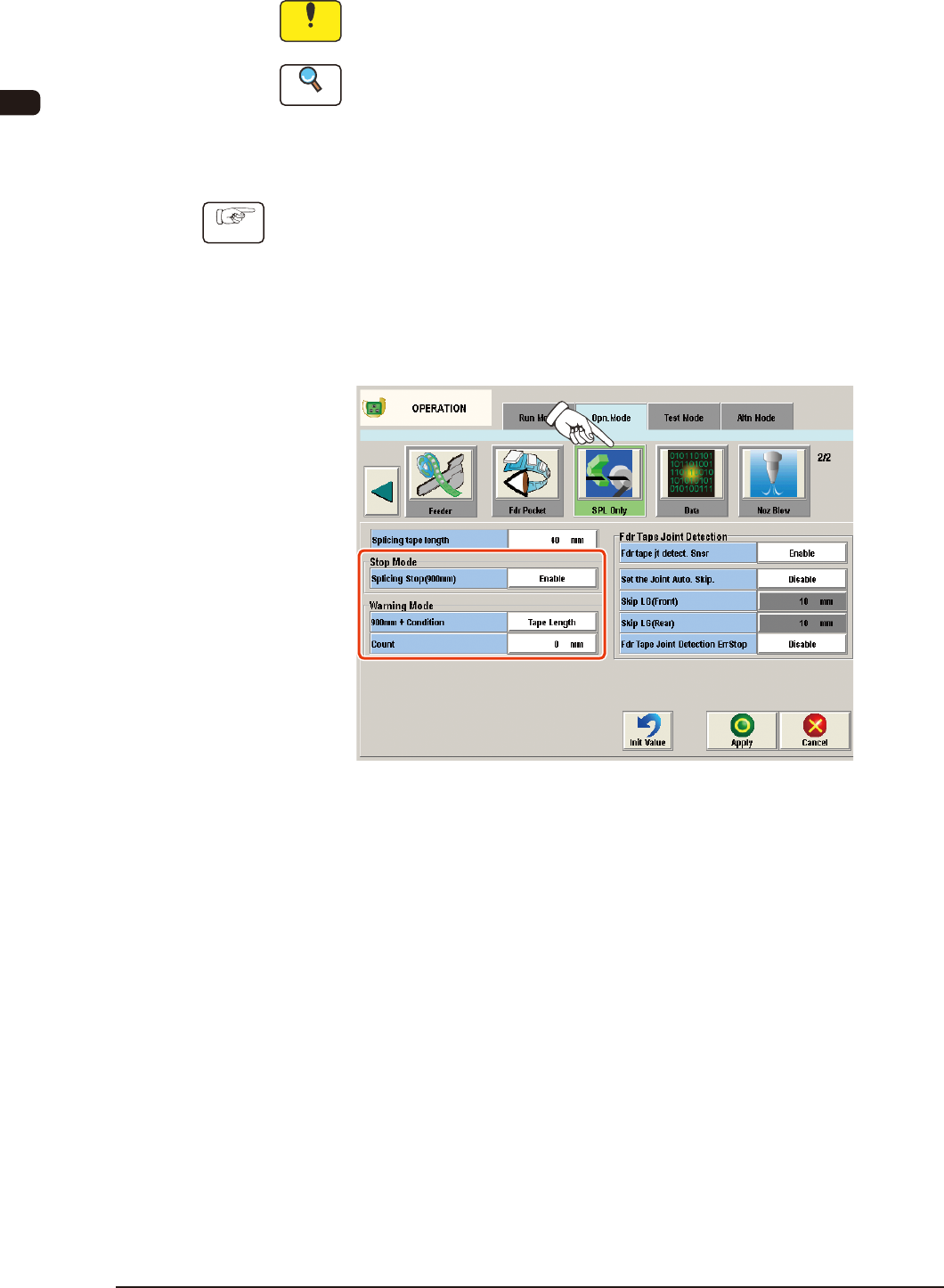
(1) Press the [Opn. Mode] tab in the "AUTO OPN" window.
(The "Opn. Mode" tab sheet will appear.)
(2) Press the [Opn. Mode] tab and press the [SPL Only] button on the "Opn.
Mode" tab sheet.
(The "Splicing" window will appear.)
"SPL Only" Window FF2
(3) Select "Enable" in the "Splicing Stop (900 mm)" selection box in the "Stop
Mode" group box.
OM-1606
6. Splicing
6-31011-003
(4) Set the timing to indicate the "Splicing Warning".
•
Specied with [Tape Length (mm)]
Note
The "Splicing Warning" is not indicated with a remaining tape length of
900 mm or less.
(4.1) Select "Tape Length" in the Warning Mode "90 mm + Condition"
text box.
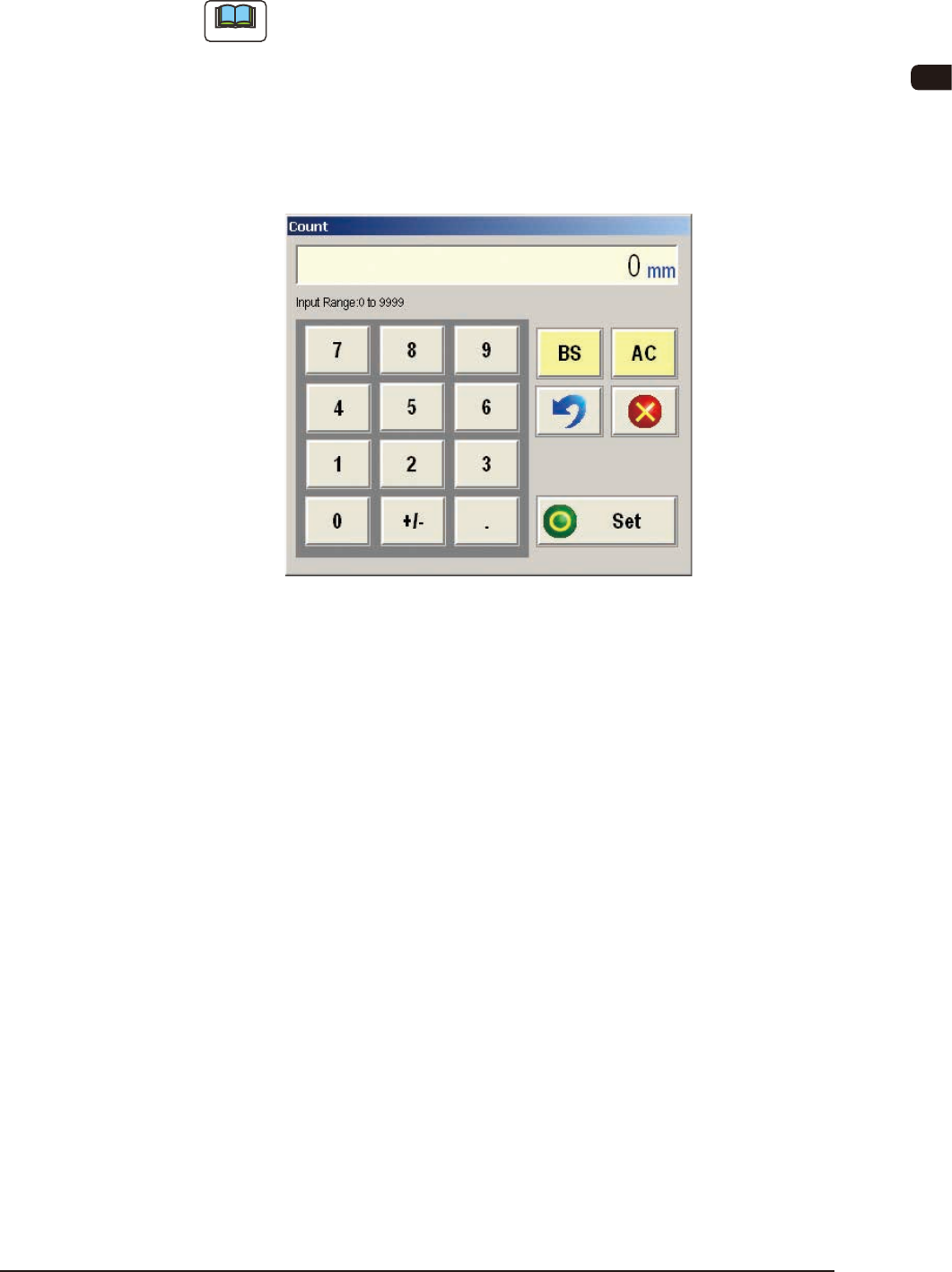
(4.2) Press the [Count] button.
(The "Count" input window will appear.)
"Count" Input Window FF3
(4.3) Enter the tape length.
Input Range
: 0 to 9999 mm
(4.4) Press the [Set] button to dene the entered values.
•
Specied with [PCB Count]
(4.1) Select "PCB Count" in the Warning Mode "90 mm + Condition" text
box.
(4.2) Press the [Count] button.
(The "Count" input window will appear.)
(4.3) Enter the number of PCBs to be produced.
Input Range
: 0 to 9999 PCBs
(4.4) Press the [Set] button to dened the entered values.
(5) Press the [Apply] button.
(The entered values will be applied.
When the [Cancel] button is pressed, the set values are cancelled.)