OM-1606-006w_GT-28x.pdf - 第78页
OM-1606 3-8 3. T ape Feeder Attachment and Detachment Procedures 0908-001
OM-1606
3. Tape Feeder Attachment and Detachment Procedures
3-7
3.2 Tape Feeder Detachment Procedure
CAUTION
Do not drop the tape feeder, when attaching or
detaching.
Some tape feeder models are rather heavy.
In the case that the feeder is removed with one hand, your
hand might not be able to support the feeder weight when
it is removed from the base, which might cause a fall of
the feeder.
Falling of a tape feeder might cause an injury on your feet
or damage to the feeder.
Hold such feeder with your both hands one by one and
take care not to drop it.
Procedure
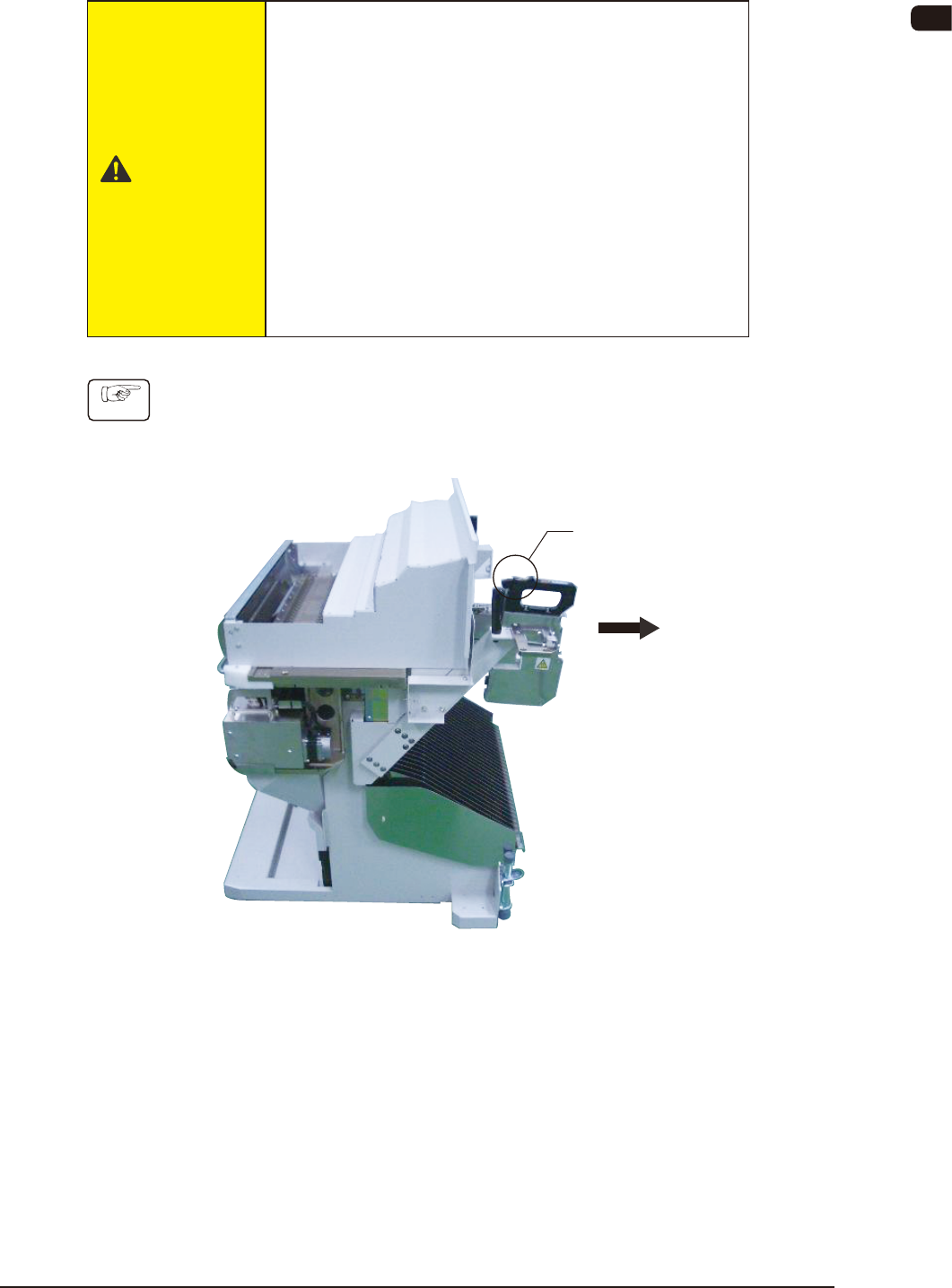
(1) Press the clamp cancel lever.
(2) Draw the tape feeder carefully to this side.
Clamp Cancel Lever
FC5
0908-001

OM-1606
3-8
3. Tape Feeder Attachment and Detachment Procedures
0908-001
OM-1606
4-1
4. Operation Panel
4. Operation Panel
On the operation panel, the following displays and operations are available.
•
Display of the set pitch
•
I/O status display for the sensor, etc.
•
Display of the selected lane
•
Subject Lane Selection
•
Tape Feeding
•
Feed Pitch Setting
•
Display of the error codes
•
Tape returning operation
•
Display of the splicing guide
•
Cover Tape Take-up Operation
4.1 Name and Function of Each Section on Operation Panel
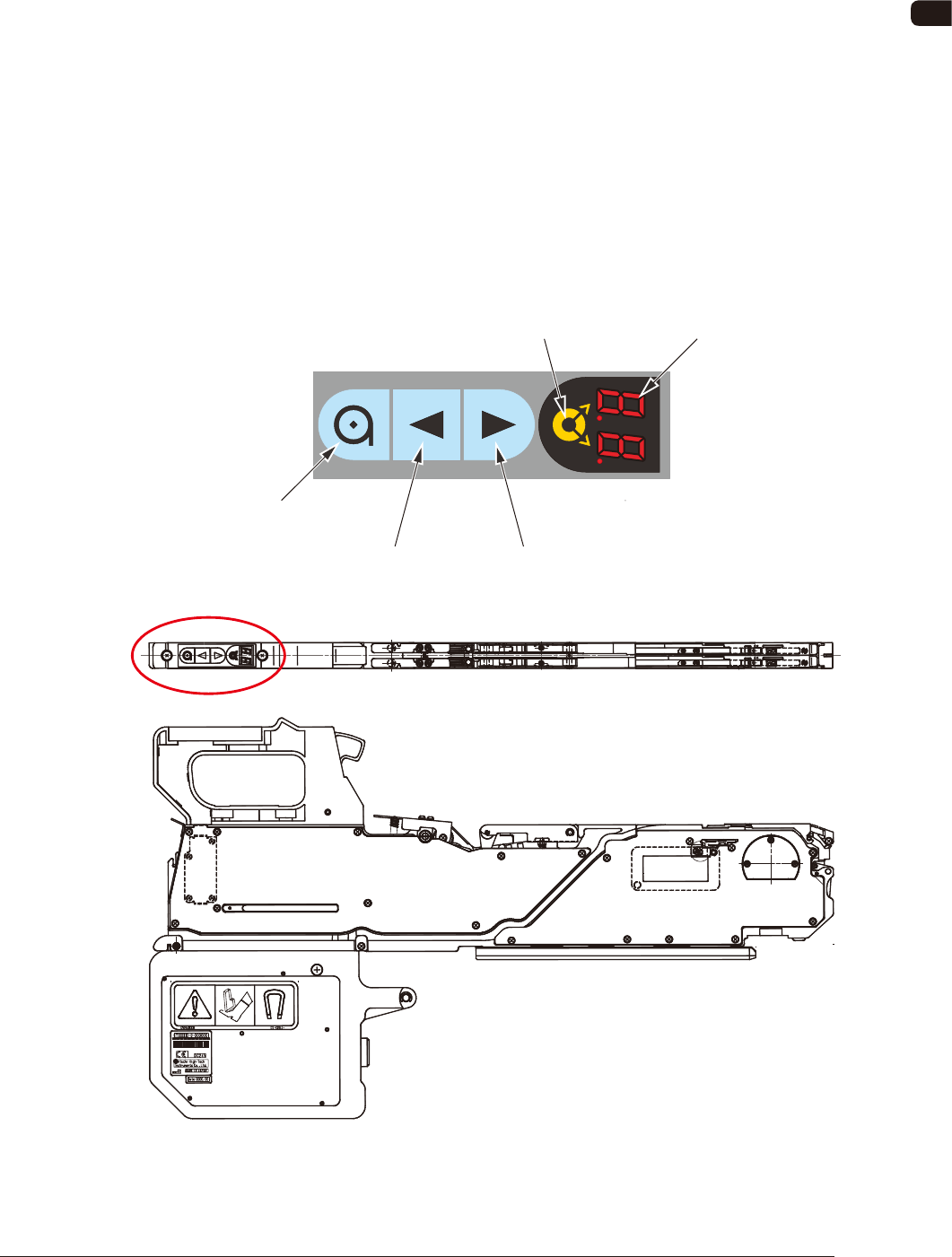
The tape feeder operation buttons and indicators are arranged integrally on the
operation panel.
Operation Panel
Digital IndicatorLane Selection Button
Forward ButtonBackward Button
Take-up Button
FD1
0908-001