OM-1606-006w_GT-28x.pdf - 第88页
OM-1606 4-10 4. Operation Panel Lane 2 Cover Tape Take-up Tension Detection Sensor Lane 1 Cover Tape Take-up Tension Detection Sensor Lane 2 Sprocket Home Position Detection Sensor Lane 1 Sprocket Home Position Detection…
OM-1606
4-9
4. Operation Panel
4.2.10 I/O Status Indication for Sensor, etc.
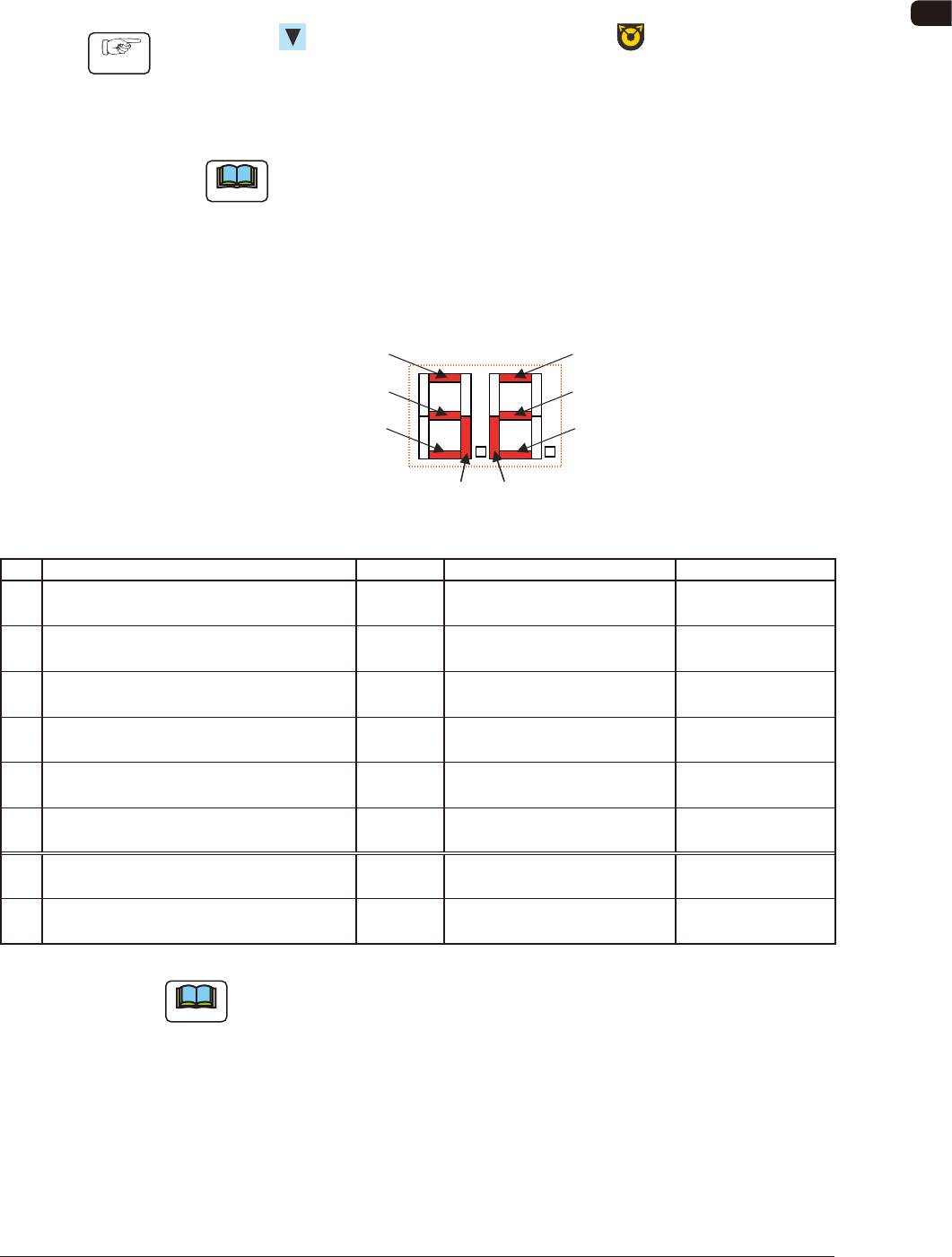
This function uses seven-segment indicator as the status indicator for the sensor
attached to the feeder.
Procedure
(1) Press the button and within 2 seconds, press the button and keep this
condition (two buttons are being pressed) for 2 seconds.
After the above operation for 2 seconds is conrmed, the mode transfers to
the I/O status indication mode.
Note
When this mode is to be ended, breaking the feeder power supply or
performing the mode transfer operation from this mode (above operation)
returns to the general display mode.
The items corresponding to each of the seven segments and I/O (Sensor and
Signal) are as follows.
Seven Segments
[1]
[7] [8]
[2]
[3]
[4]
[5]
[6]
FD3
No. Sensor/Signal Name Lighting Status Remarks
1 Lane 1 Joint Detection Sensor ON (Low) E/R
(Light Emitted and Received)
Only for GD Type
2 Lane 1 Cover Tape Take-up Tension Detection
Sensor
ON (Low) E/NR
(Light Emitter and Not Received)
3 Lane 1 Sprocket Home Position Detection
Sensor
ON (Low) Magnetic Pole Detection Only for
GD-28081,28083 Type
4 Lane 2 Joint Detection Sensor ON (Low) E/R
(Light Emitted and Received)
Only for GD Type
5 Lane 2 Cover Tape Take-up Tension Detection
Sensor
ON (Low) E/NR
(Light Emitter and Not Received)
6 Lane 2 Sprocket Home Position Detection
Sensor
ON (Low) Magnetic Pole Detection Only for
GD-28081,28083 Type
7 Connection Conrmation Signal
(Output Signal to the Mounter Main Machine)
ON (Low)
8 READY Signal
(Output Signal to the Mounter Main Machine)
ON (Low)
TD1
Note
The layout of the seven segments in the display section is arranged as the order
of the sensor arrangement on the feeder.
0907-001
OM-1606
4-10
4. Operation Panel
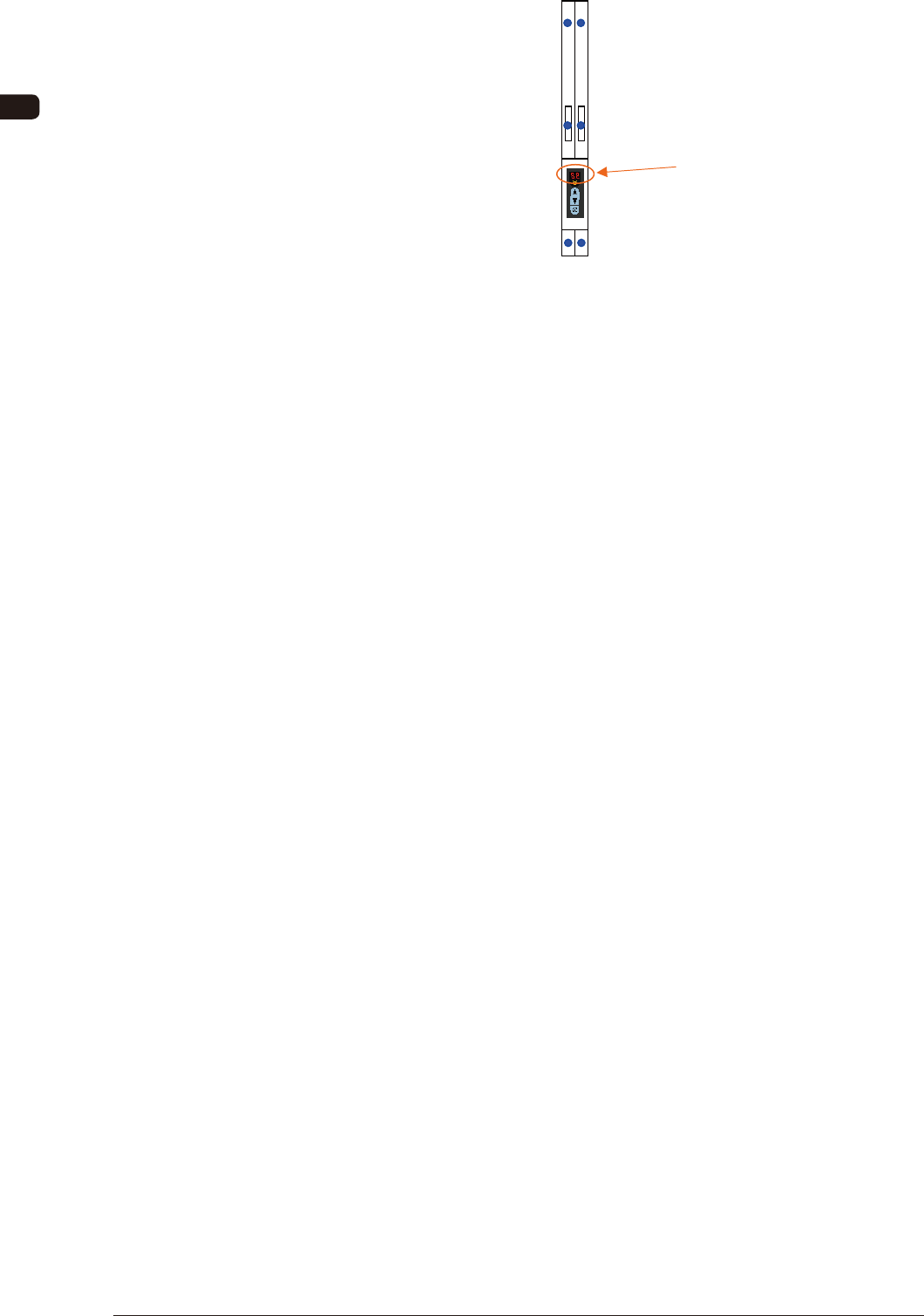
Lane 2 Cover Tape Take-up
Tension Detection Sensor
Lane 1 Cover Tape Take-up
Tension Detection Sensor
Lane 2 Sprocket Home Position
Detection Sensor
Lane 1 Sprocket Home Position
Detection Sensor
Lane 2 Joint Detection Sensor
Lane 1 Joint Detection Sensor
Seven Segments
FD4
0907-001
OM-1606
4-11
4. Operation Panel
4.3 Error Codes and Splicing Guide
If any error occurs during tape feeder operation, an error code is displayed on the
digital display.
Also, the guide for the splicing is displayed.
•
Error codes are divided into two classi cations: one is
feeder operation error
with prex of "E", and the other is
servo alarm system error
with prex of
"A".
•
Flashing
error code is indicated.
•
In the case of dual tape feeder, to guide to the lane where any errors occur, dot
indication
is
turned on
.
4.3.1 Feeder Operation Error Codes
[Detection Description] Even when the cover tape take-up motor is operating continuously
for 1 second, the cover tape tension detection sensor does not show
ON (E/NR) condition.
[Cause and Remedy]
•
Cover tape not set correctly.
⇒
Is the cover tape set correctly in the take-up gear ?
•
Cover tape has been damaged.
⇒
Set again and see the result.
•
Tape clogged at the cover tape housing section.
⇒
Is the cover tape housing section blocked with cover tape ?
(Open the cover and take it up)
•
The take-up gear does not rotate smoothly because of dirt or
something adhered.
⇒
Clean and maintain it to enable smooth rotation.
[Check Items]
•
Does the cover tape take-up motor smoothly rotate ?
⇒
Motor breakdown (disconnection, wear of the brush or commutator, or damage
to the shaft)
•
Does the cover tape tension detection sensor perform correctly ?
(Disconnection or breakdown)
•
Breakdown of control PCB.
(Breakdown of driving circuit step section)
E0 Cover Tape Take-up Error
0907-001