00196283_Install_WinXP_unattended_CD.pdf - 第21页
Installation Manual for Windows XP (unattended setup) CD V3.0 02/2011 US+DE Installationsanleitung für Windows XP (unattended setup) CD V3.0 21 5.9 Windows XP network settings Within this dialog, general network paramete…
Installation Manual for Windows XP (unattended setup) CD V3.0 02/2011 US+DE
Installationsanleitung für Windows XP (unattended setup) CD V3.0
20
5.8 Windows XP Professional Licensing
In the following setup steps you have to enter all necessary parameters for the installation and
configuration of Windows XP Professional, because this Windows XP version is a special version for
SIPLACE.
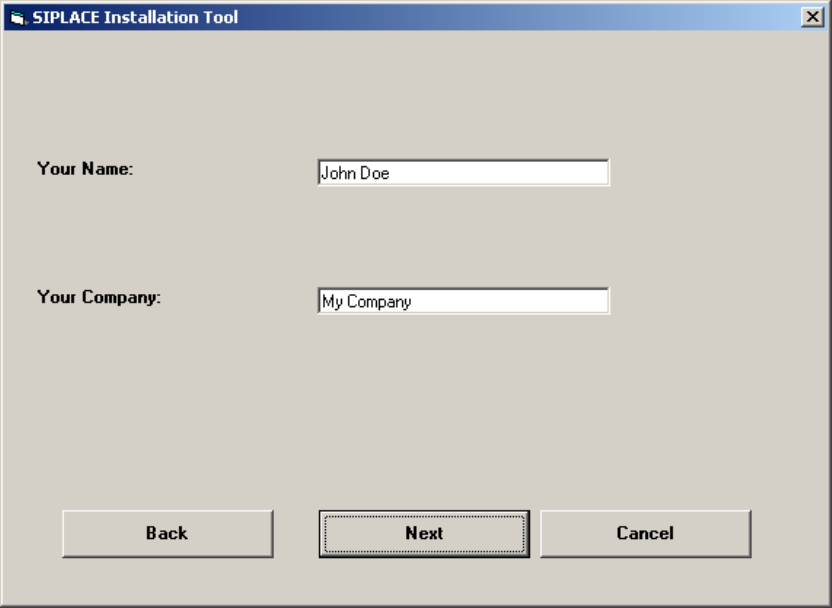
Fig. 5-8: Licensing
→ Please enter the user name (not the administrator name).
→ Please enter the name of your Company.
→ Click the Next button.
Installation Manual for Windows XP (unattended setup) CD V3.0 02/2011 US+DE
Installationsanleitung für Windows XP (unattended setup) CD V3.0
21
5.9 Windows XP network settings
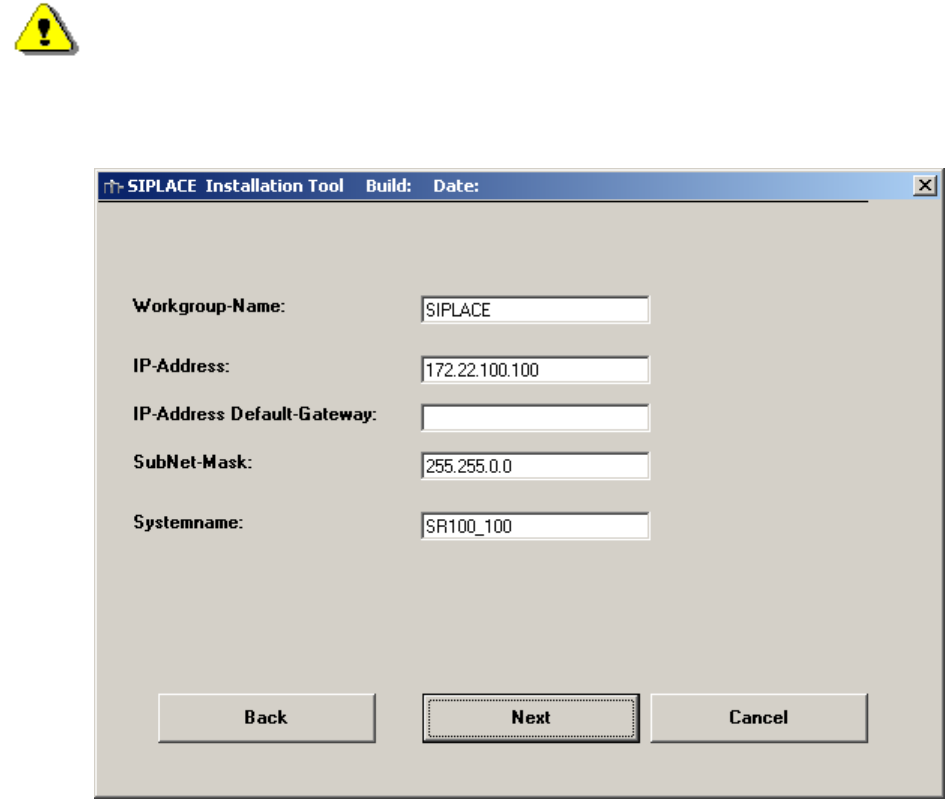
Within this dialog, general network parameters of the computer will be configured. The following data
are required:
• Workgroup Name: SIPLACE
You can enter any name you want, except the name of the station computer.
• IP address: not fixed
For the station computers use a unique station IP address number (172.x.x.x)
• IP address Gateway: not fixed
• Sub net mask: not fixed
Please use the default data for the station computer
.
• System name: should be well defined in the network.
Warning:
If the system name exists in the current network, a random name will be used for this
system!
Fig. 5-9: Network settings
→ Please enter the data.
→ Click the Next button.
Installation Manual for Windows XP (unattended setup) CD V3.0 02/2011 US+DE
Installationsanleitung für Windows XP (unattended setup) CD V3.0
22
5.10 Network settings for communication partners
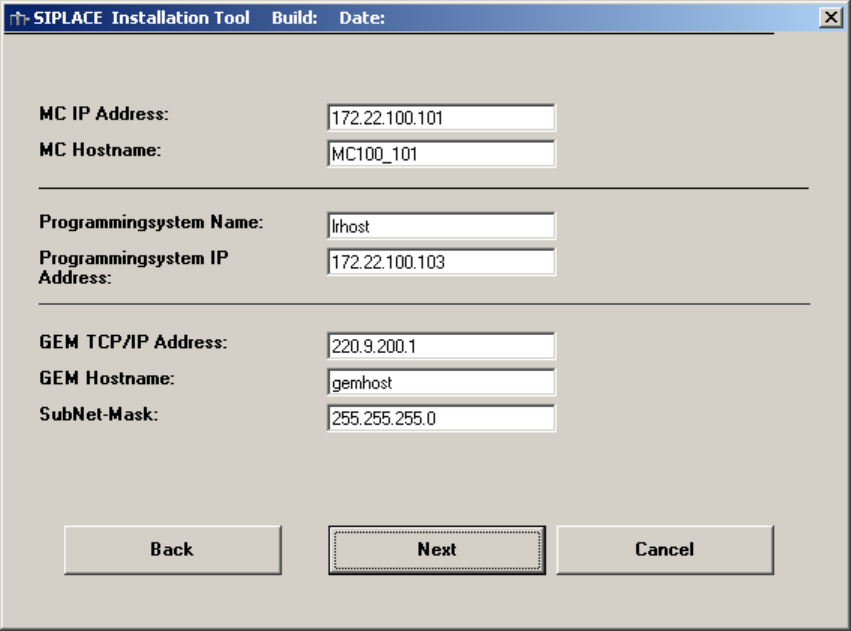
Here the communication partners of the station computer will be detected. You have to enter the
following data:
• MC Host name: mchost
• MC TCP/IP address: not fixed
Please use an address from the same network segment as the station computer.
• Programming system name (SIPLACE C Pro): Sipro01s01
• SIPLACE C Pro TCP/IP address: not fixed
Please use an address from the same network segment as the station computer.
• GEM Host name: gemhost
• GEM TCP/IP address: not fixed
Don’t change the default data if no GEM option installed
• GEM Sub net mask: not fixed
Don’t change the default data if no GEM option installed
Fig. 5-10: Network settings
→ Please enter the data.
→ Click the Next button.
5.11 Touch screen type selection
If you selected the installation for the SIPLACE Product “station computer” you have to configure the
Touch Screen.