Besi JTF2 Traystak Feeder.pdf - 第50页
Retrofit instructions: Besi JTF2 (Traystak feeder) SIPLAC E S-25 HM / S-27 HM / HS-50 / HS-60 / HF -series / X-series 11/2006 Edition 50 2.9.2 Working on the component trolley : Remove the feeder fixing on the component …
Retrofit instructions: Besi JTF2 (Traystak feeder) SIPLACE S-25 HM / S-27 HM / HS-50 / HS-60 / HF-series / X-series
11/2006 Edition
49
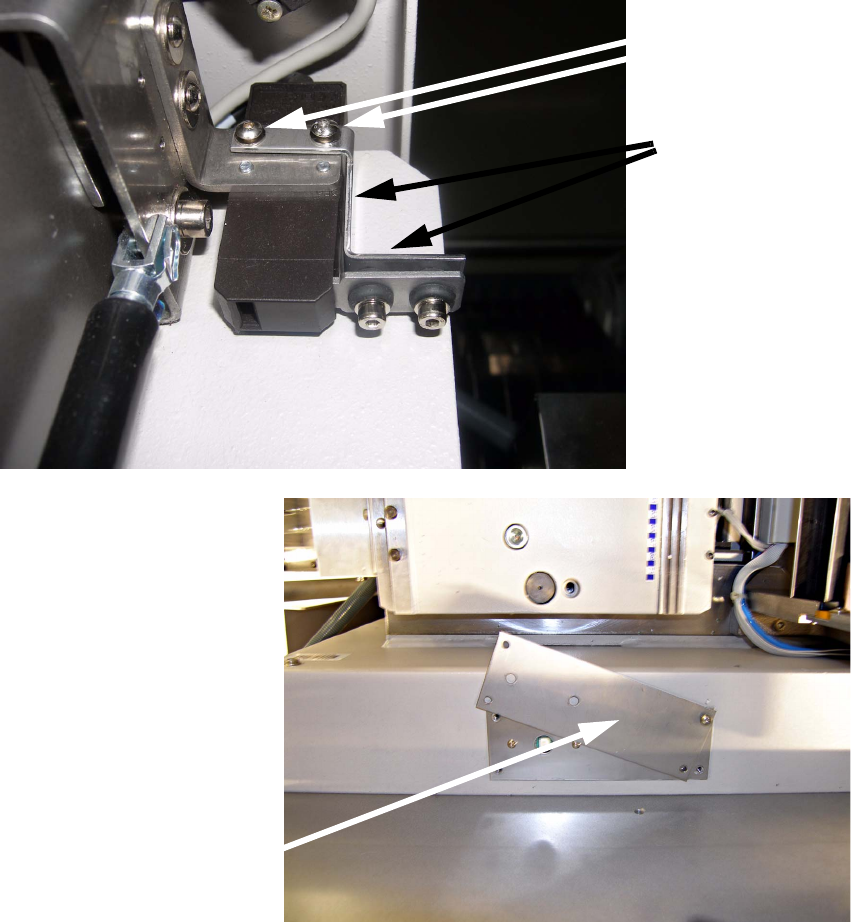
: Fit the small cover plate over the switch for the feeder cover flap. If necessary,
remove the contact of the Schmersal switch from the feeder cover and fit it on the retaining
bracket provided.
Plug the contact into the Schmersal switch and the retaining bracket using two screws
M4x5 mm.
2
2
: Dock the component trolley into the placement machine and screw it on firmly
--> Risk of head crash
Cover plate
Screws
M4x5 mm
Bracket
Retrofit instructions: Besi JTF2 (Traystak feeder) SIPLACE S-25 HM / S-27 HM / HS-50 / HS-60 / HF-series / X-series
11/2006 Edition
50
2.9.2 Working on the component trolley
: Remove the feeder fixing on the component trolley if present.
2.9.3 Software
: Switch on the machine and switch to the SITEST program.
: Deactivate the relevant nozzle changer under Gantries.
2
2
2
2
2
Retrofit instructions: Besi JTF2 (Traystak feeder) SIPLACE S-25 HM / S-27 HM / HS-50 / HS-60 / HF-series / X-series
11/2006 Edition
51
2.10 Retrofit the SIPLACE HF-series / X-series
2.10.1 Work at the location
: Dock the component trolley out of the placement machine.
: Shut down the placement system and switch it off.
2
: Remove the nozzle reject bin and component reject bin.
: Remove all nozzle changers fitted at this location.
2
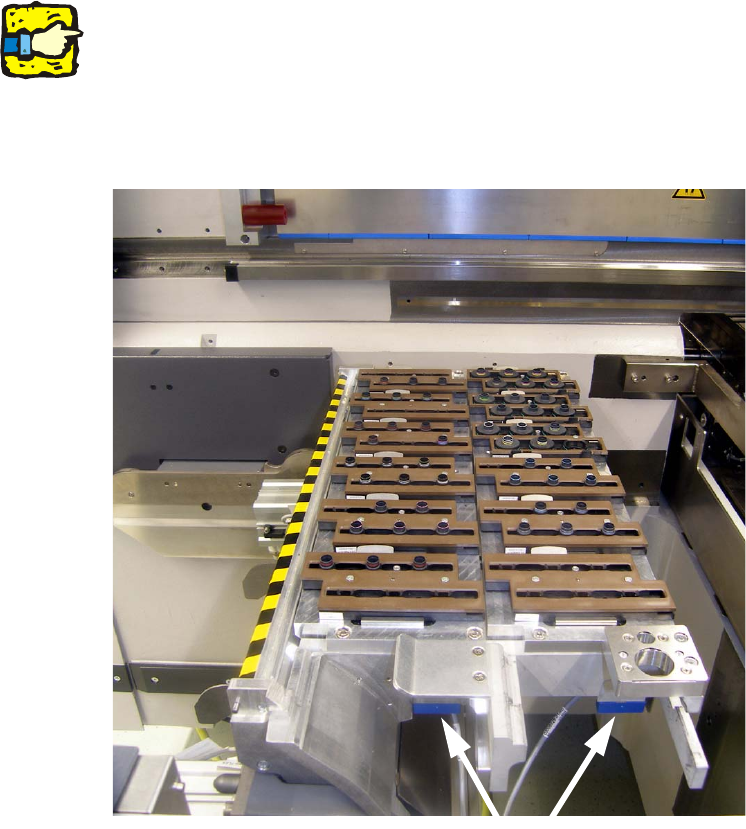
If the reject bin sensor option is installed, it must be removed and refitted later. 2
2
: Close the air connections.
: Stow the unused cables in the cable duct.
2
Reject bin sensor