00196642-01 - AI BE-Kamera 38 CPP_de_en.pdf - 第18页
6 Assembly Assembly Instruction SIPLACE X Series Edition 09/2009 18 5.2 Scope of Delivery – Component camera, typ e 38 for CPP head [001 19783-xx] 5.3 Required T ools – T orx screwdriver [03078400-xx] – Extension/straigh…
Assembly Instruction 5 Short Reference
Edition 09/2009
17
5 Short Reference
5.1 Overview
5
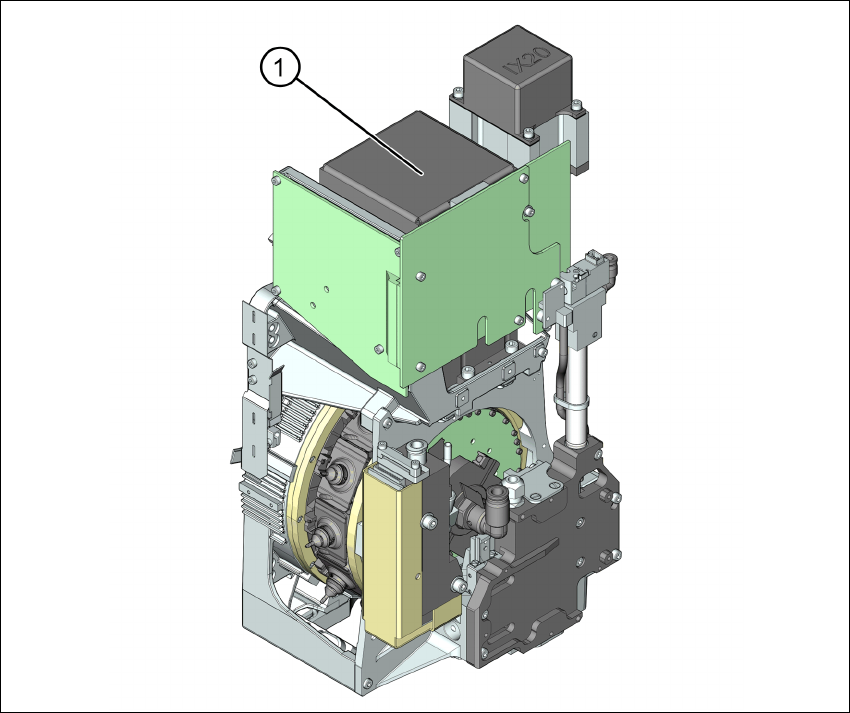
Fig. 5.1.1 Overview
(1) Component camera on the CPP head
6 Assembly Assembly Instruction SIPLACE X Series
Edition 09/2009
18
5.2 Scope of Delivery
– Component camera, type 38 for CPP head [00119783-xx]
5.3 Required Tools
– Torx screwdriver [03078400-xx]
– Extension/straight TX20 [03073256-xx]
– Bit holder for Torque Vario-S screwdriver [03078706-xx]
6 Assembly
6.1 Preparatory Work
X Complete all placement operations at the machine.
X Shut down the Windows operating system properly, since otherwise problems during a restart
or data loss may occur.
X Switch the machine off at the main switch.
X Disconnect the machine from the power supply system.
X Secure the machine to prevent reactivation and indicate that service work is being carried out.
Assembly Instruction 6 Assembly
Edition 09/2009
19
6.2 Dismantling the Placement Head
6
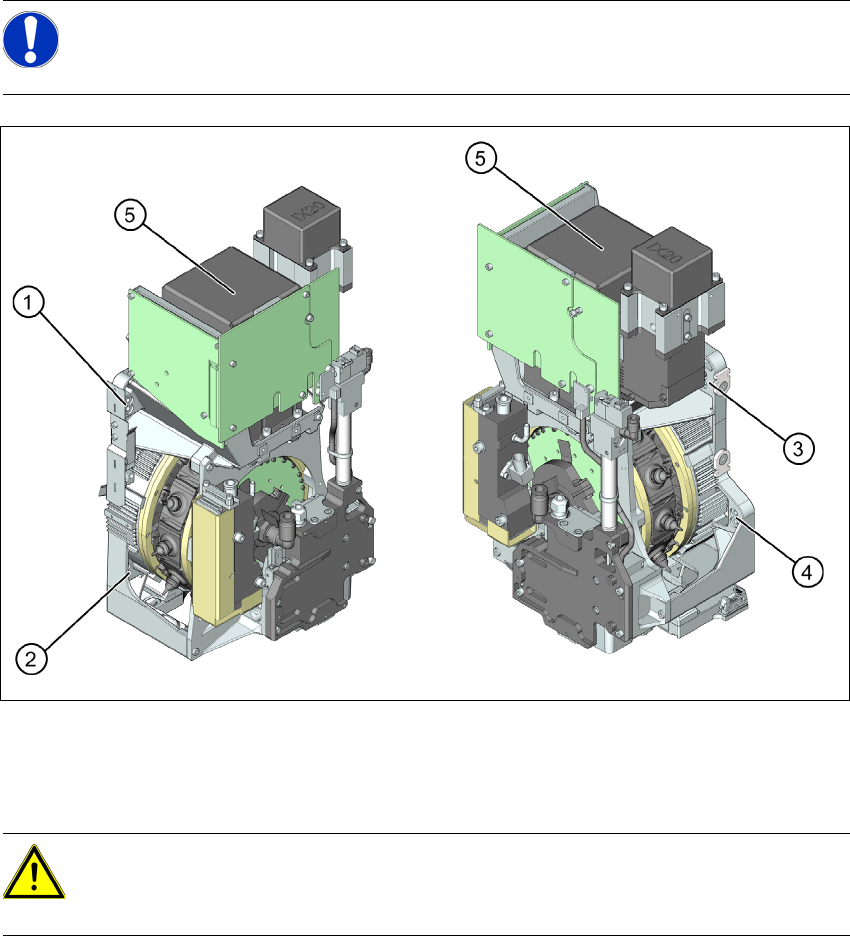
Fig. 6.2.1 Dismantling the placement head - view from the right and the left
1 to 4: Fixture holes (two each, depends on installation height).
5: Component camera
X Disconnect the pneumatic connection from the placement head.
X Disconnect the flat ribbon cable from the placement head (intermediate distributor).
X Loosen the screws fastening the strain relief on the component camera cable and carefully
unplug the cable. While unplugging the cable, press the clamps on both sides of the
connector.
X Loosen all four fastening screws with a long Torx screwdriver.
NOTE:
For further information on exchanging the placement head please refer to the Service
Manual of the relevant machine.
CAUTION: Take great care when dismantling the placement head!!
The component sensor prisms, underneath the placement head, could be damaged.
X Never place the CPP head down on the component sensor.