3_AVS-V2_MCT-UM-internal_EN_07-2019 - 第102页
ASM AVS - U SER M ANUAL P AGE 102 OF 182 5.2.24.2.2 Delete project To dele te a p roje ct, clic k wi th the righ t mo use butto n o n the de sire d pr ojec t and cho ose »D e- lete P roje ct…« Aft er y ou have con firme …
ASM AVS - USER MANUAL
PAGE 101 OF 182
5.2.24.2 Existing Projects
Existing projects can still be edited
Click with the right mouse button on the dedicated project.
The functions in this pop up menu are depending on the state of the project.
If you click on the project to get the project name highlighted, the right side of the window
will show you all the information of the project
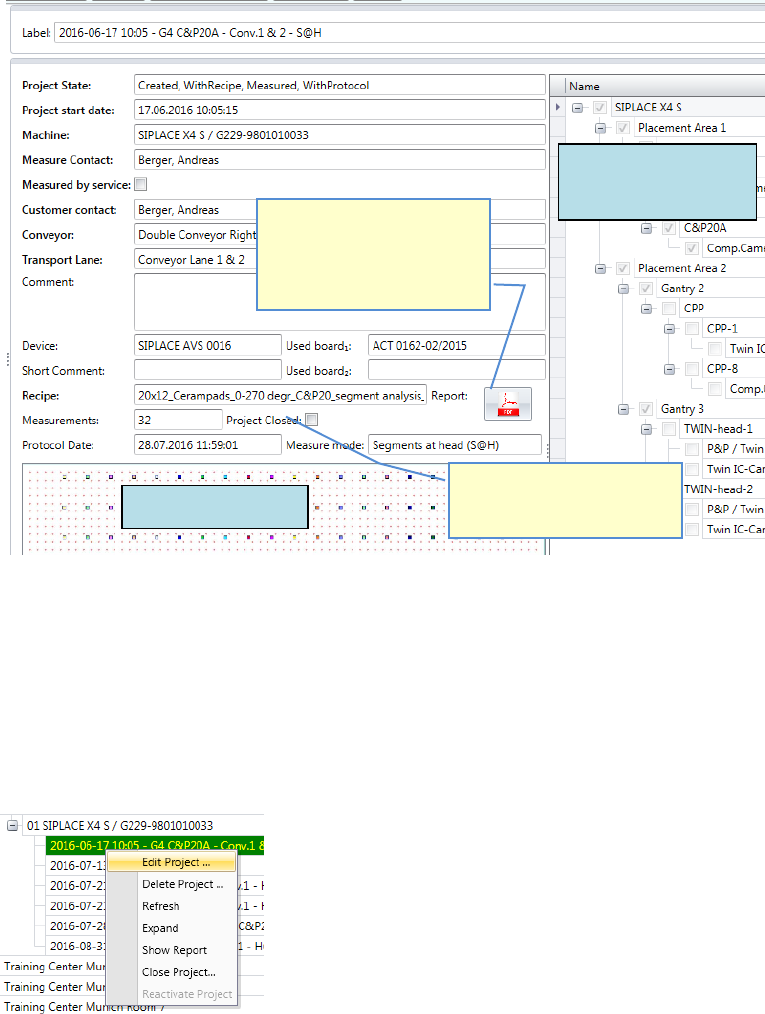
5.2.24.2.1 Edit an existing project
It is possible to edit projects at any time, as long as they are not marked as finished.
Click with the right mouse button on the project in the structure tree and
choose the function »Edit Project…«
If a Report in PDF-format is
available in the project folder,
this button is active and can
be used as a button to open
the report.
Recipe Layout
machine and
specification
If the project is already
closed, you cannot continue
with new measurements.
ASM AVS - USER MANUAL
PAGE 102 OF 182
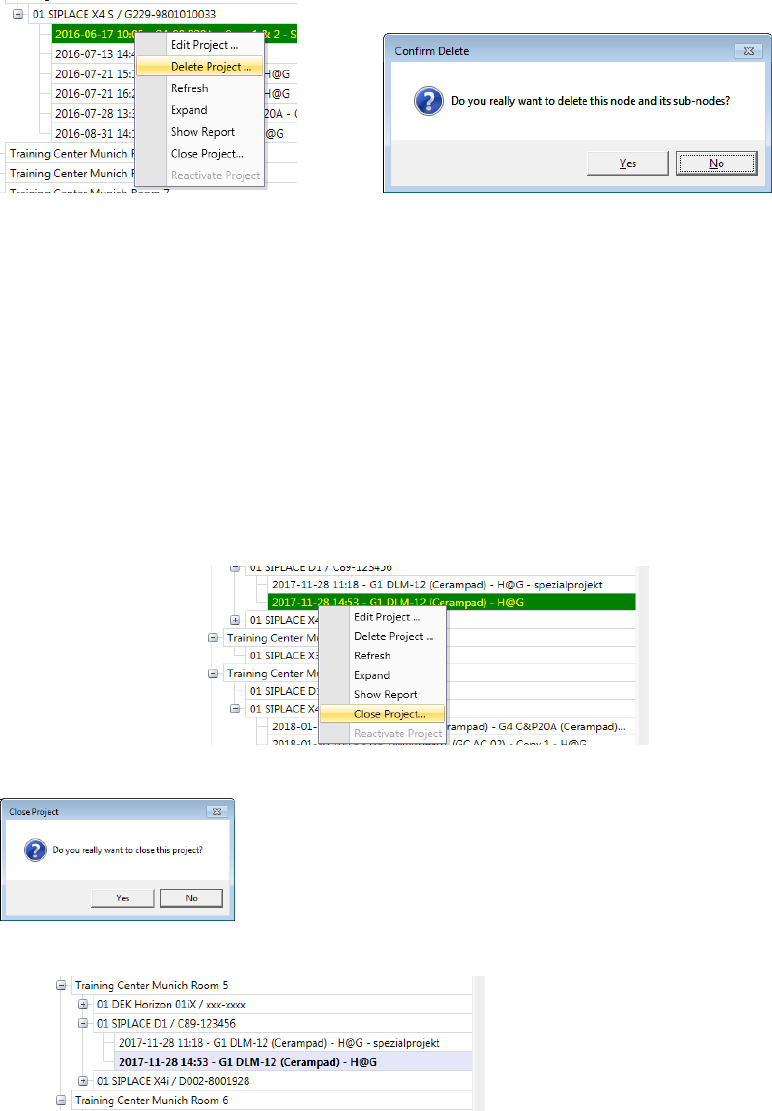
5.2.24.2.2 Delete project
To delete a project, click with the right mouse button on the desired project and choose »De-
lete Project…«
After you have confirmed the confirmation prompt, the project in the
database and the folder in the data directory will be deleted.
5.2.24.2.3 Mark a project as closed
If you finished a project by creating a report and you decide, that the project is going to be
the one, whose report you hand out to the customer, you can mark this project as closed.
Click with the right mouse button in the structure tree on the project and
choose the function »Close Project…«
A confirmation prompt will appear.
1. The project name in the tree will be highlighted in bold fond.
2. The report (pdf-file) in the project folder is going to be copied to the folder
C:\AVS\reports\Customer name\....
ASM AVS - USER MANUAL
PAGE 103 OF 182
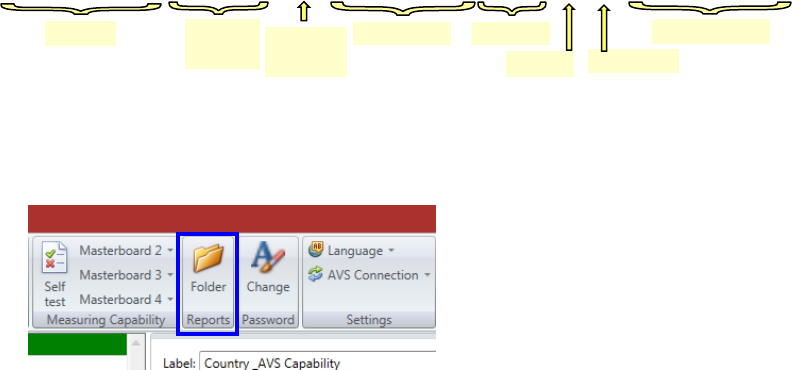
3. The file name is going to be changed to the following format:
The generated reports can then be picked up in this folder.
There is a direct access to the folder from the AVS software.
Click on “Folder” in the menu and select there the folder for the respective customer.
For clarity, you can then delete or move the files. The originals are still in the respective project
folder, but there they are named only with date and time (i.e. the project name).
Line
Machine
type
Conv.-Track
Maschine ID
Gantry
Serial No.
Date and Time
Project-
Type
TC-MUC_Room 5_SIPLACE D1_MCT_MID-00001234_SN-C89_G1_SC__2017-11-28 14-53.pdf