3_AVS-V2_MCT-UM-internal_EN_07-2019 - 第134页
ASM AVS - U SER M ANUAL P AGE 134 OF 182 1. Hig hlig ht r ow ( blue ) 2. Hig hlig hted row s can be mov ed w ith the arro w butt ons. 1. Sel ect (des elect ) en try with chec k bo x 2. All sel ecte d en trys can be dele …
ASM AVS - USER MANUAL
PAGE 133 OF 182
5.3.2.10 »Current Results« – »Report«:
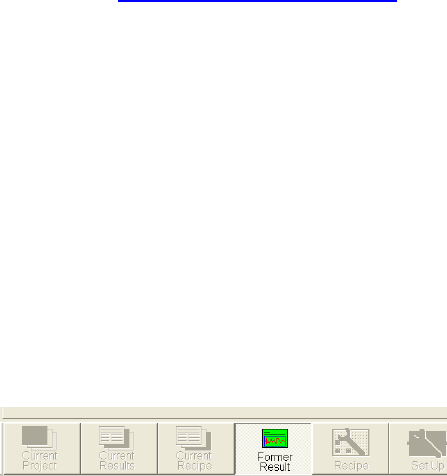
In this window all results are listed which are selected to be a part of the final
certificate (report).
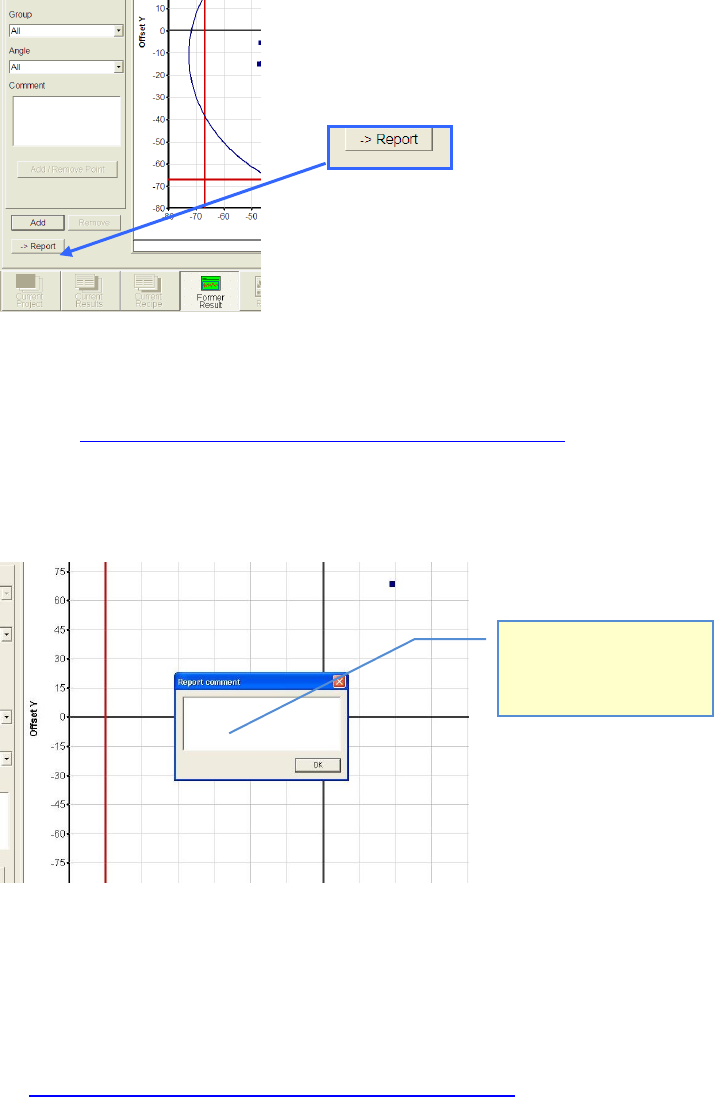
This list will be created and filled by pushing the »→ Report« Button.
In each partial view where this button is active the shown result can be added to the report.
See also 4.3.2.3 »Current Results«, selecting the result display
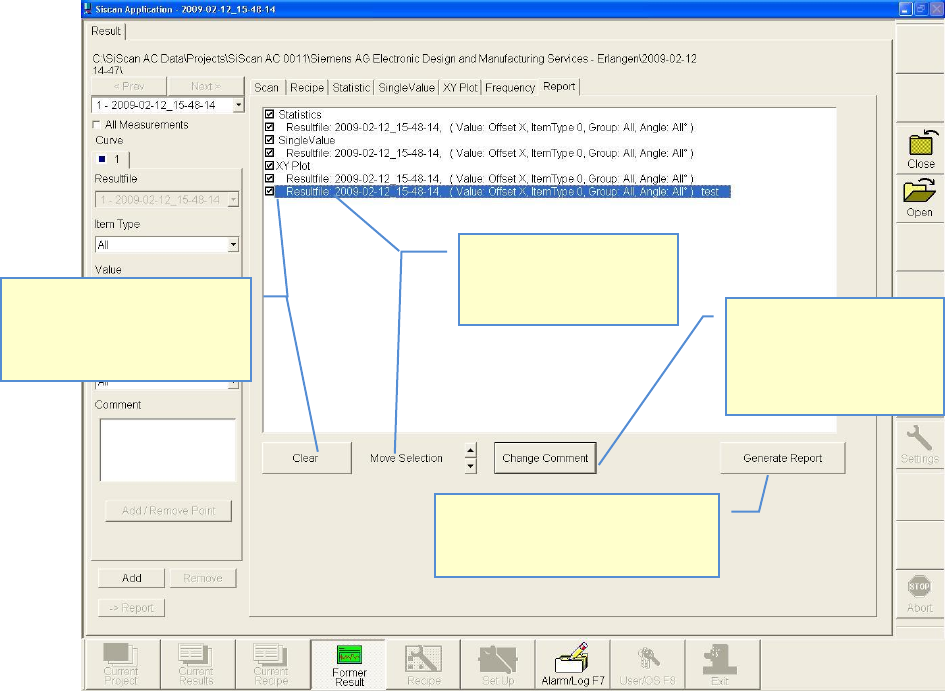
After Click on the » → Report« Button, a dialog to to insert the comment, appears.
This comment is going to be placed, directly after the selected table or graph.
Specials:
• If you choose only one group, instead of “All Groups” in the »Statistic« view, because, e.g.,
you like to see the result of one single head, out of a placement from four heads (see
4.3.2.3 »Current Results«, selecting the result display) then, a special design is going to be
used in the report.
Some parts of the standard statistic view will be obsolet then.
Hier können Sie zur ausge-
wählten Tabelle, bzw.
Grafik, einen Kommentar
hinzufügen.
ASM AVS - USER MANUAL
PAGE 134 OF 182
1. Highlight row (blue)
2. Highlighted rows can be
moved with the arrow
buttons.
1. Select (deselect) entry with
check box
2. All selected entrys can be
deleted by the Clear-Button
Certificate will be generated as an
Adobe Acrobat PDF-File and must be
saved in the project path.
1. Highlight row (blue)
2. Clicking the button
“Change Comment”, the
comment to the graph or
the table can be changed.
ASM AVS - USER MANUAL
PAGE 135 OF 182
5.3.3 »Current Recipe«
The recipe (measuring plan) which belongs to the project can be seen here,
but it cannot be changed.
The functions for the navigation within the recipe can be used.
See also link 4.3.5 »Create/change recipes«.
5.3.4 »Former Result«
Using the main view »Former Result« a comparison between 2 measurements can be done.
Thereby the measurement in »Current Results« which should be compered, must be selected via
the windows file structure window and can`t be searched by the ASM AVS software.
The interpretation of the statistical significance of such a comparative analysis is the responsibil-
ity of the user
The advantage of this function is, that 2 results can be opened and the
respective partial views can be compared by toggling the view in the “main view bar”