3_AVS-V2_MCT-UM-internal_EN_07-2019 - 第158页
ASM AVS - U SER M ANUAL P AGE 158 OF 182 7.1.2.4 Plattform 2 ab SW 502.xx und Platform 2+ bis 605.xx As o f v ers ion 502 o f t he softwa re, the st ruct ure o f t he file FK_O FF.m a is alw ays i den tica l. The came ra…
ASM AVS - USER MANUAL
PAGE 157 OF 182
7.1.2.3 Platform 2 with 501.xx software
This software is only used on the early HS50 machines.
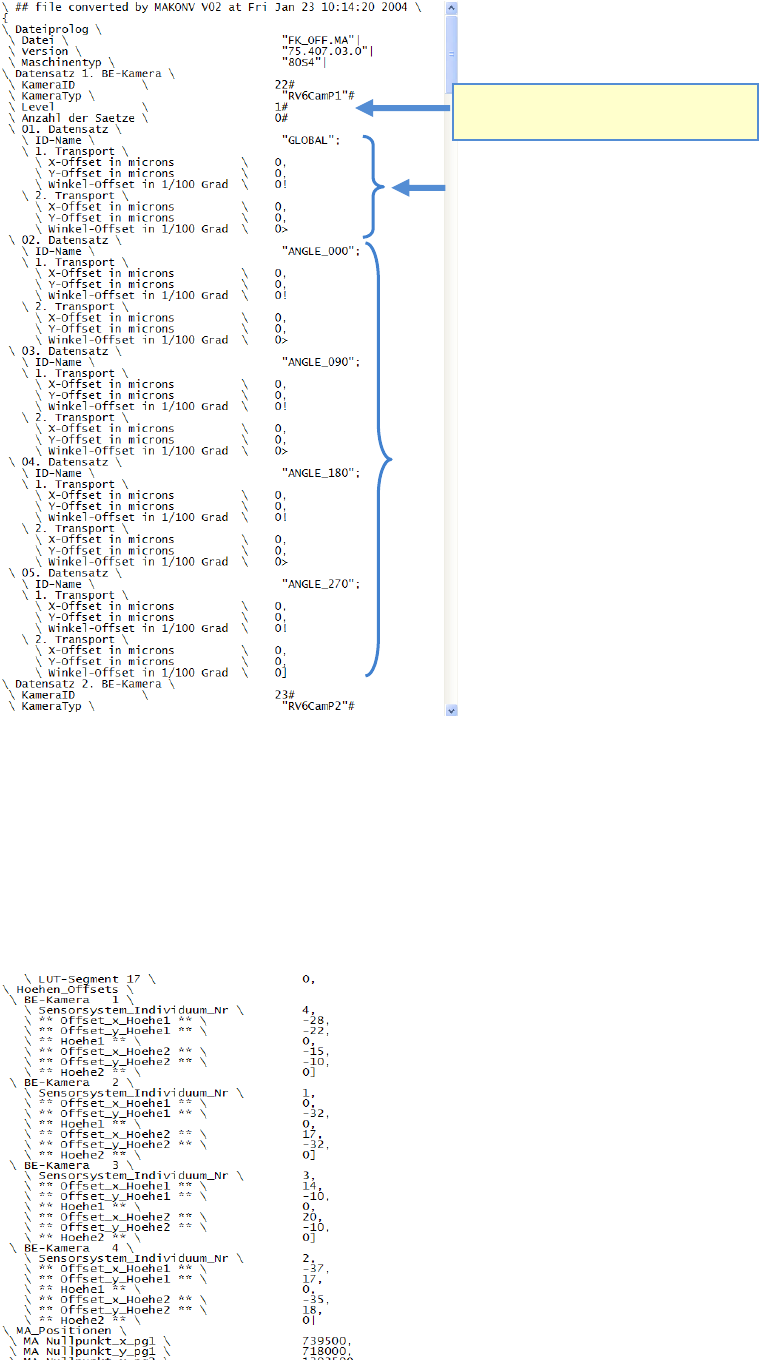
The global offset of a gantry, in other words the MEAN value can be corrected in the file Re-
al.ma.
In this file, the values can be found immediately following the camera data.
MA-Daten \ Hoehen-Offsets \
Make sure, that camera type and gantry
number are correct!
Entry for the global (gantry) offset for
both conveyor lanes.
Angle group offsets.
ASM AVS - USER MANUAL
PAGE 158 OF 182
7.1.2.4 Plattform 2 ab SW 502.xx und Platform 2+ bis 605.xx
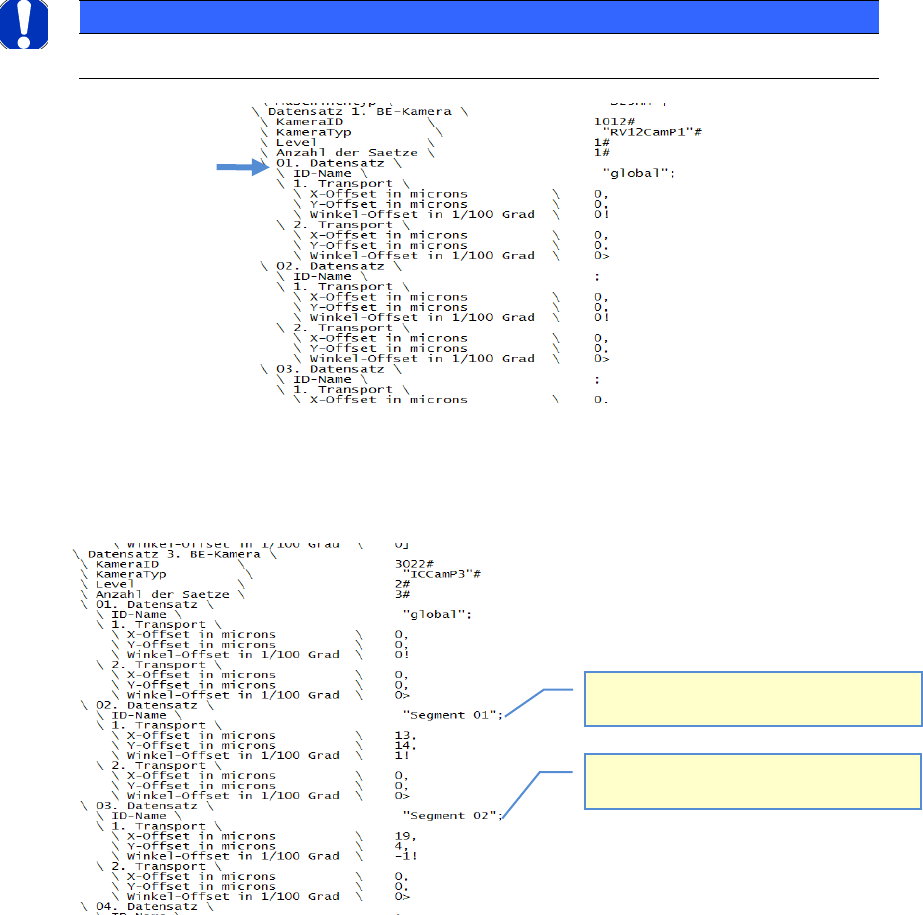
As of version 502 of the software, the structure of the file FK_OFF.ma is always identical.
The camera ID is a four-digit number.
The first two digits from the left are used to identify the gantry. The last two digits correspond to
the SST camera type (Sensor System Type).
For example: 2023 refers to an SST23 camera on gantry 2.
3033 refers to an SST33 camera on gantry 3…..
Record 01 always has the ID name "global".
The offset correction must be entered here.
All other records of a dataset are irrelevant and are not used to calculate the placement position.
NOTICE
Correction of angle group offset is unfortunately not possible on platform 2 and 2+ machines!
In the case of stationary cameras (SST33, 36, 25, 20, 22), the records are structured as follows.
Record 01 is identified as "global" as usual. In this case, however, no offset is entered here.
Instead, this is entered in record 02 for segment 01 and in record 03 for segment 02.
Record 02: The offset for segment 1 of the
Twin Head is entered here.
Record 03: The offset for segment 2 of the
Twin Head is entered here.
ASM AVS - USER MANUAL
PAGE 159 OF 182
7.1.2.5 Platform 3 as of SW 701.xx
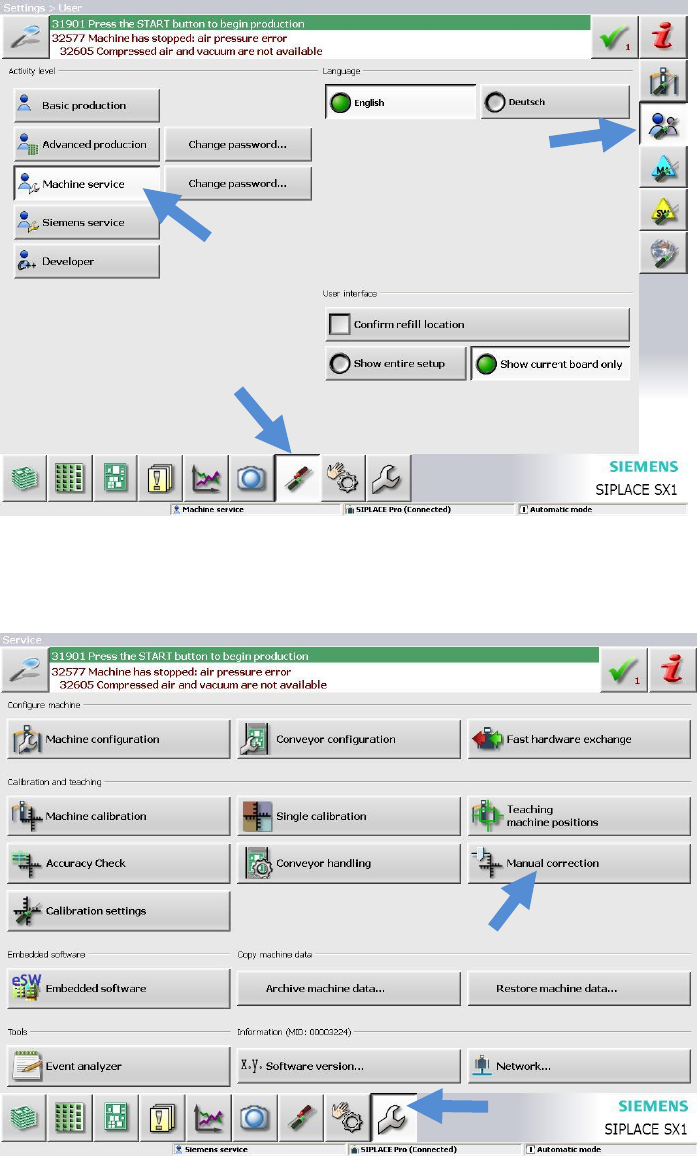
As of version 701 of the software, the offset correction values can be entered using the sta-
tion software GUI. It is no longer necessary to correct files directly under Windows.
Switch to "Service Level".
Then switch to the "Service" view.
Click "Manual correction".
Select the appropriate line in the following view (below).