3_AVS-V2_MCT-UM-internal_EN_07-2019 - 第160页
ASM AVS - U SER M ANUAL P AGE 160 OF 182 Sel ect the line re gardi ng co nvey or t rac k ( row 1 ), Head – segme nt (row 2) a nd cam era t ype (ro w 3) . A w indow a ppears , i n wh ich you c an ente r t he me asur ed Of…
ASM AVS - USER MANUAL
PAGE 159 OF 182
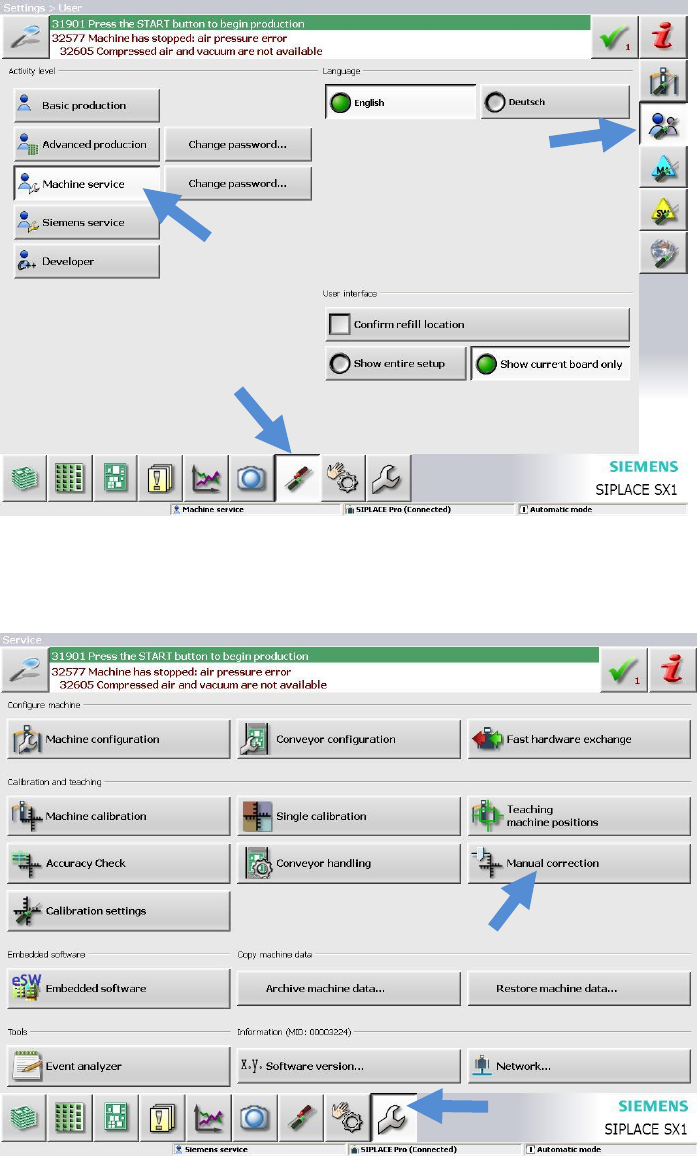
7.1.2.5 Platform 3 as of SW 701.xx
As of version 701 of the software, the offset correction values can be entered using the sta-
tion software GUI. It is no longer necessary to correct files directly under Windows.
Switch to "Service Level".
Then switch to the "Service" view.
Click "Manual correction".
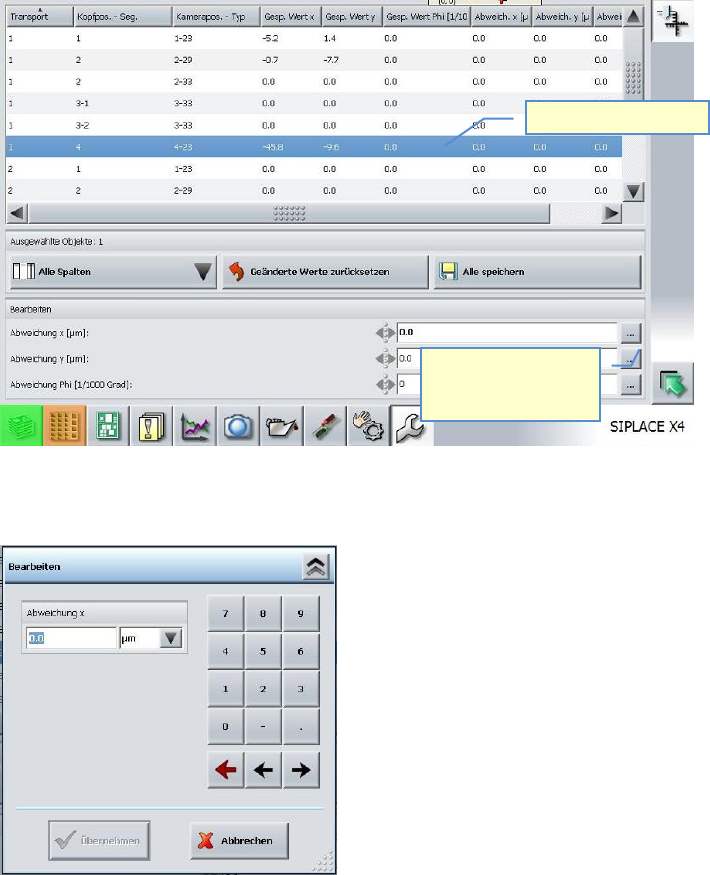
Select the appropriate line in the following view (below).
ASM AVS - USER MANUAL
PAGE 160 OF 182
Select the line regarding conveyor track (row 1), Head – segment (row 2) and
camera type (row 3).
A window appears, in which you can enter the measured Offset including prefix.
These values are then appearing in the column „Deviation…“
With »Save« the values are going to be calculated with the values in „saved values…..“.
1. Spalte auswählen.
2. An der Achse die
korrigiert werden
soll, hier klicken
ASM AVS - USER MANUAL
PAGE 161 OF 182
7.1.2.6 Platform 0 -> SPLACE S15, F3
On machines from the generation S15, F3, two possibilities are existing, to correct the meas-
ured offset.
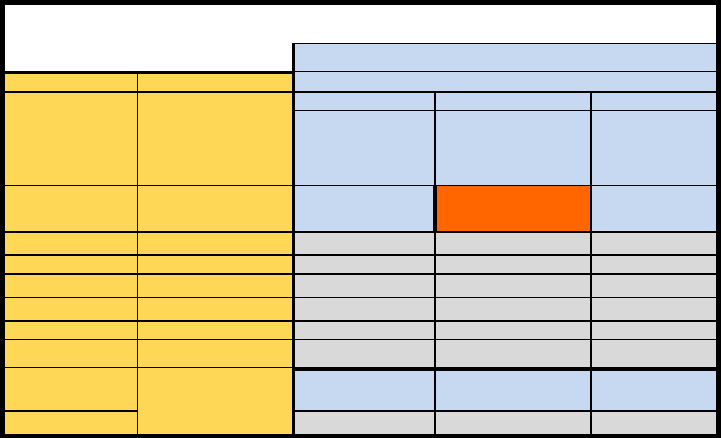
Method 1: In the „real.ma“-file, the offset is going to be corrected on the camera, resp.
at the zero point correction of the axis. The disadvantage of this method is,
that the offset will be automatically overwritten by the next calibration in
Sitest.
The correct sequence of the entries must also be observed with this method.
Gantry 2 must be changed first. The board camera offset must be corrected for this gantry
and for the RV head on F3 machines.
Values are entered in µm, which means that no conversion is required before entry.
For gantry 1 (S15 only), the offset correction is entered under the zero point correction for
the relevant axis in the file Real.ma.
Because this value is entered in digits rather than µm, the measured value must be converted
to digits beforehand by dividing it by 2.5.
S15 / F3
Real.ma
Methode 1
SW-Version (alle)
Global
machine type
head
X / Y Portal 2
X / Y Portal 1
Winkel
Real.ma /
Kamera_Offset_
Real.ma \
Achsparameter 1 \
Portal 1 \
Nullpunktkorrektur
Real.ma /
Kamera_Offset_
Winkel
special
Korrektur in Digit !
X0 = Xgem / 2,5
S15
RV12-Kopf
X
new
= X
alt
- X
0
X
neu
= X
alt
- X
0
F3
RV12-Kopf
X
neu
= X
alt
- X
0
IC-Kopf
X
neu
= X
alt
+ X
0
O
neu
= O
alt
- O
0
G2
Kopf 3
X
neu
= X
alt
- X
0
Kopf 1 und 2
Kopf-Offset in Re-
al.ma
X
neu
= X
alt
+ X
0