3_AVS-V2_MCT-UM-internal_EN_07-2019 - 第163页
ASM AVS - U SER M ANUAL P AGE 163 OF 182 7.2 Co rrec tio ns of O ffs et v alue s on DE K pr in ters 7. 2.1 WHER E to ad ju st ? After the first pla te was measured in the AVS, the captu red offset values for X-, Y- and T…
ASM AVS - USER MANUAL
PAGE 162 OF 182
Method 2: The measured offset is going to be correct with the help of a Batch-File. With this
Batch, the mapping data of the machine are going to be corrected. Thereby, each
single value of the mapping grid is going to be changed.
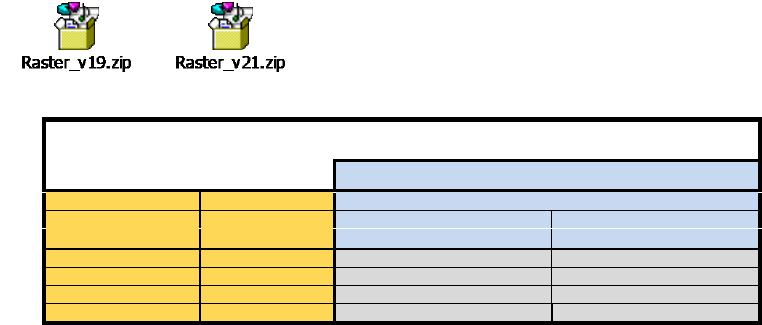
To correct the offset values in the raster-files automatically, for the MA-File Versions 19 and 21,
an application is existing.
Therefore copy the raster-files into the same folder as the application.
After you correct the offset values, using the Software application, the raster.*
files can be copied back to the station computer.
S15 / F3
Korrektur im Raster.p1, Raster.p2
Methode 2 mit Softwarehilfe
SW-Version MA-Daten ab Version 19
Global
machine type
head
X / Y
Winkel
Raster.px
Real.ma / bei Kameraoffset
S15
RV12-Kopf
Xneu = Xalt - X0
F3
RV12-Kopf
Xneu = Xalt - X0
IC-Kopf
Xneu = Xalt - X0
Oneu =Oalt - X0
ASM AVS - USER MANUAL
PAGE 163 OF 182
7.2 Corrections of Offset values on DEK printers
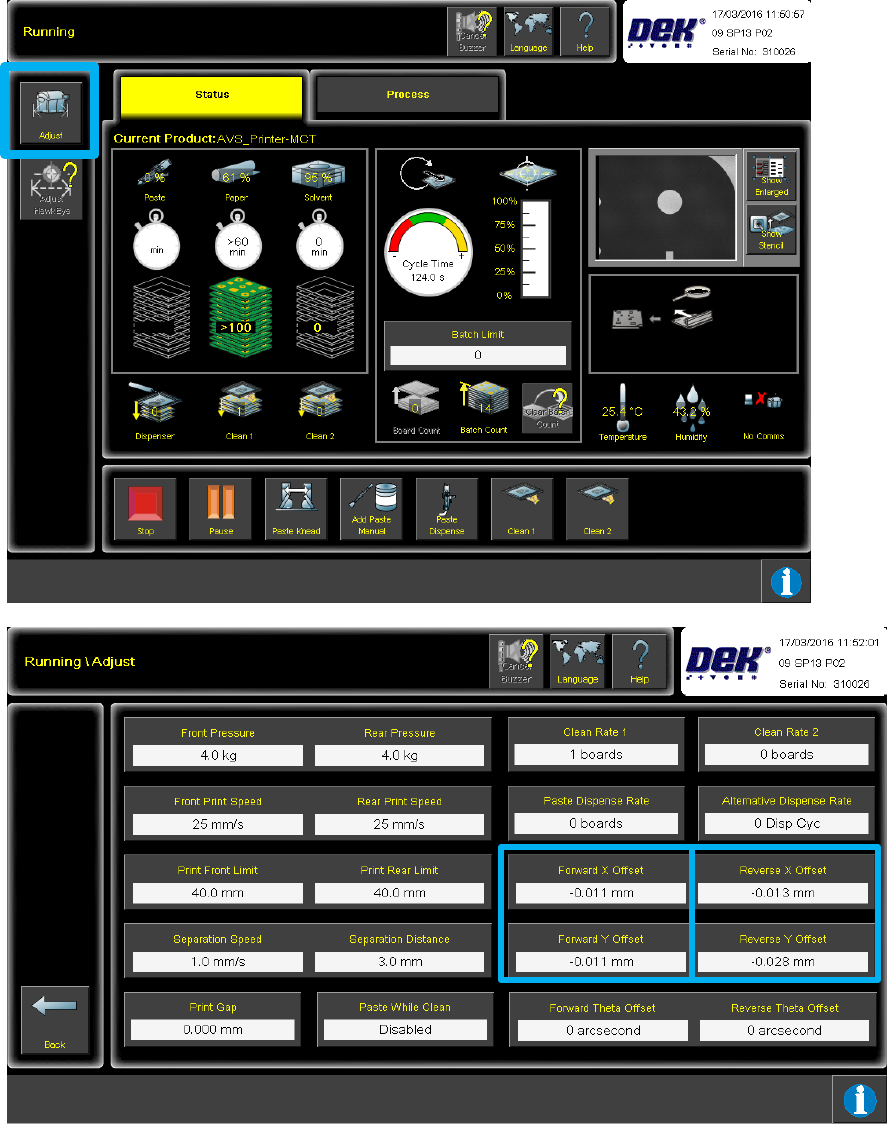
7.2.1 WHERE to adjust?
After the first plate was measured in the AVS, the captured offset values for X-, Y- and Theta,
each for both directions (back to front, front to back) can be obtained and be registered in the
printer from there.
Push the button "ADJUST" in the "Running" view, to go to the view "Running \ Adjust".

ASM AVS - USER MANUAL
PAGE 164 OF 182
7.2.2 HOW to adjust
• X-Off_new = X-Off_old – X-Off_measured
• Y-Off_new = Y-Off_old – Y-Off_measured
• Phi-Off_new = Phi-Off_old + Phi-Off_measured
NOTICE
Not Stop production run during Offset correction!
The machine reacts better to the offsets if they are entered via the ‘ADJUST’ button, during the run. If the
machine is stopped to enter the offsets the alignment actuators return to the rough alignment positions
which are then likely to be less accurate. If the machine is stopped a run of four prints may need to be
completed, without AVS measurement, to return the actuators back to the correct positions, to carry on
the test.
Once the plate has been printed and measured six times, and the offsets added to the machine,
another six measurements should now take place to check the offsets.
Ideally, all offsets should be less that 3um for X and Y, and less than 3asec for Theta. If they are not
the offsets measured during this second batch of six prints can be added to the existing offsets in
the machine.
If no offsets need to be added after this second batch of six prints, print and measure a further
fourteen plates, to give a total of twenty plates printed and measured.
Use these twenty prints to calculate the machine accuracy (ensure Printer Mode is set to Point to
Point) and create the final report.