3_AVS-V2_MCT-UM-internal_EN_07-2019 - 第29页
ASM AVS - U SER M ANUAL P AGE 29 OF 182 3.4 Ove rvi ew o f prep arati on and pos t pro cess ing wo rk on cu stom er sit e The fol low ing F low char ts a re s how ing t he neces sary step s fo r th e pr epar atio n o f a…
ASM AVS - USER MANUAL
PAGE 28 OF 182
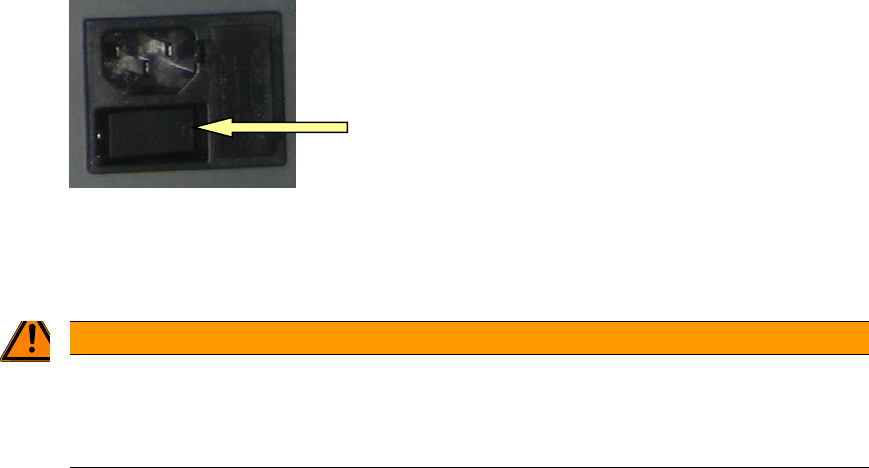
• Switch on the device at the power switch.
The computer boots automatically.
The ASM AVS device has no display and control equipment (monitor, keyboard or mouse).
WARNING
2TNo connection of the AVS to the customers network
Therefore, it is not permitted, to connect the »ASM AVS« device into the customer’s network (key-
word: virus protection).
The ASM AVS is controlled via a remote desktop connection to the service engineer's notebook.
Once the ASM AVS's computer has finished booting then it is possible to establish a Remote
Support connection on the notebook via the LAN.
3.3 Shutdown of ASM AVS
As the display and the control of the ASM AVS runs via a remote desktop connection, the operat-
ing system of the computer cannot be shut down via the powered »start menu«.
Alternative 1:
Press Alt+F4 together. Now you get a dialog, in which you can select the »Shut Down« mode and
confirm with OK. Wait approx. 1 minute and then turn off the device at the power switch.
Alternative 2:
Right Mouse Click into the task bar on the bottom of the ASM AVS screen and open the »Task
manager«.
Now you can »shut down« the ASM AVS computer via the »ShutDown« menu. Wait approx. 1
minute and then turn off the device at the power switch.
ASM AVS - USER MANUAL
PAGE 29 OF 182
3.4 Overview of preparation and post processing work on customer site
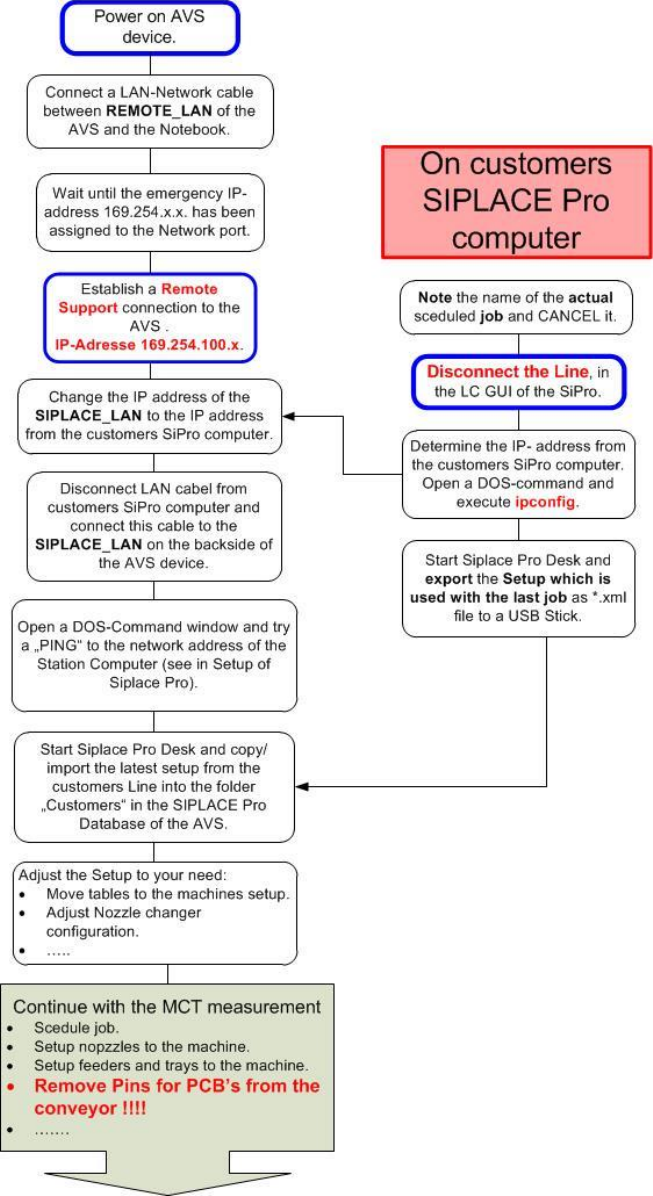
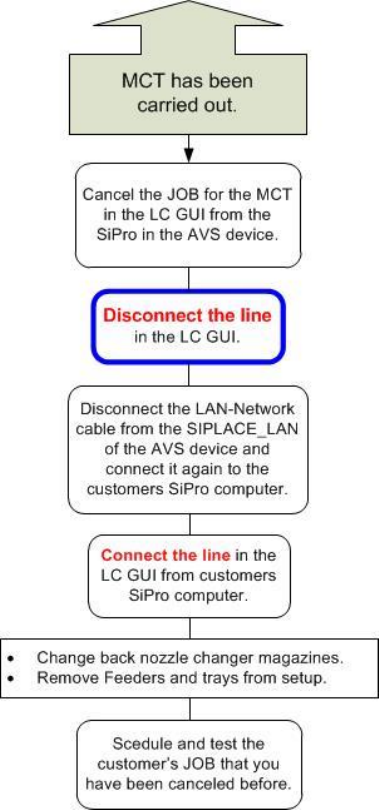
The following Flow charts are showing the necessary steps for the preparation of an MCT as well
as for the post processing work.
3.4.1 Preparation of an MCT on customer site
ASM AVS - USER MANUAL
PAGE 30 OF 182
3.4.2 Post processing work on customer site