3_AVS-V2_MCT-UM-internal_EN_07-2019 - 第35页
ASM AVS - U SER M ANUAL P AGE 35 OF 182 4.3 Imp ort of SI PLA CE Pro Dat a - P roc edur e Following is the descrip tion for the i m port of prin ted circuit board s (boards) and t ables (tables): • Start the SIP LACE Pro…
ASM AVS - USER MANUAL
PAGE 34 OF 182
4.2 SIPLACE Pro Data available in the SDC
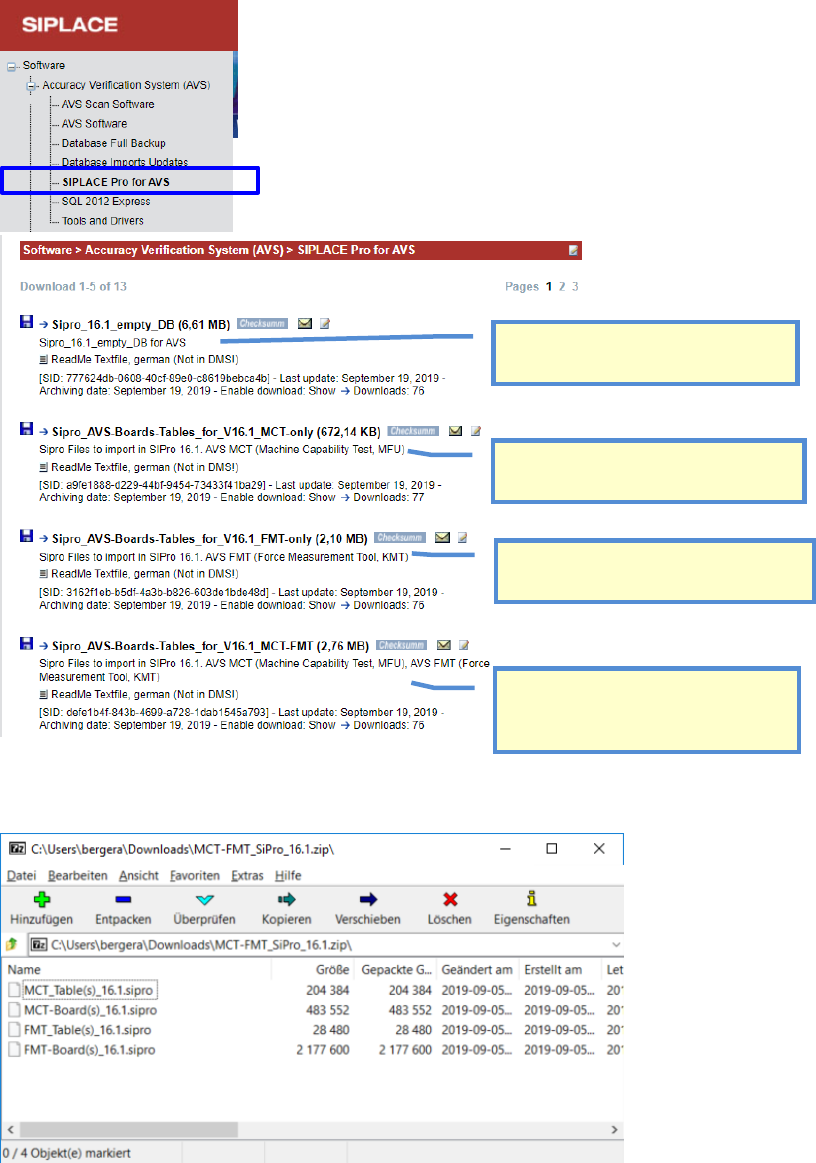
In the ASM AS Software Download Center (SDC) you can download the SIPLACE Pro data for AVS
according to the respective SIPLACE Pro version.
In the respective *.zip files for the respective software, in each case is a *.sipro file for printed cir-
cuit boards (boards) and one for tables (tables).
Example: Sipro_AVS-Boards-Tables_for_V16.1_MCT-FMT (2,76 MB)
Empty Database for respective Software
Version, to have a clean startup.
Data files to import, with Boards and
Tables for MCT measurements with AVS.
Data files to import, with Boards and
Tables for placement FORCE measure-
ments.
Data files to import, including all Boards
and Tables for MCT and placement
FORCE measurements.
ASM AVS - USER MANUAL
PAGE 35 OF 182
4.3 Import of SIPLACE Pro Data - Procedure
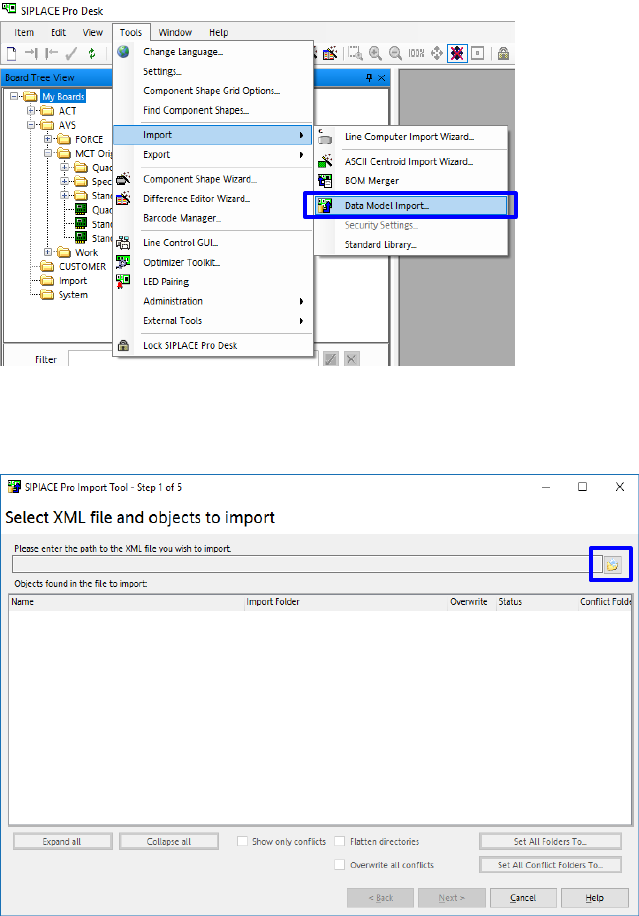
Following is the description for the import of printed circuit boards (boards) and tables (tables):
• Start the SIPLACE Pro Desktop software.
• Select Data Model Import:
Extras - Import - Data model import.
• Click on the folder button highlighted above.
4.3.1 Import of PCB’s in SIPLACE Pro
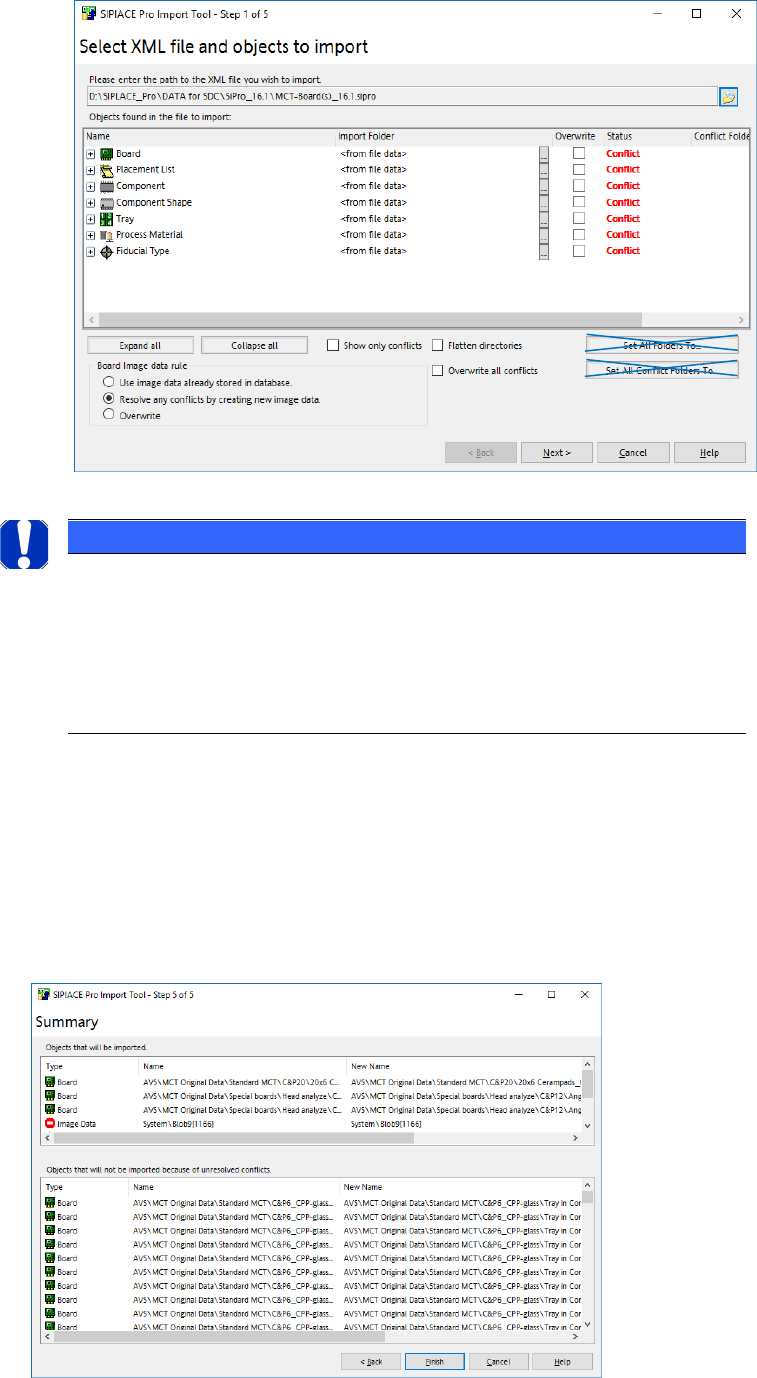
• Choose the *.sipro file according your Software Version.
• Choose the file with the Board descriptions „MCT-Board(s)….“.
• Click on „Open“.
ASM AVS - USER MANUAL
PAGE 36 OF 182
If AVS Data where already available:
• If you just want to Update the data, choose Overwrite and select the checkbox Overwite all
conflicts.
• If you are OK with your available Vision Data and you want to keep them save, choose “Use
image data already stored in database”.
• Click „Next“.
• Click „Finish“.
NOTICE
Import of Data
• Don’t change the target folder!
• Don’t activate the checkbox for reduced folders.
• To avoid duplicate entries, use the possibility of starting with an emp-
ty database and then import the actual * .sipro files!