3_AVS-V2_MCT-UM-internal_EN_07-2019 - 第38页
ASM AVS - U SER M ANUAL P AGE 38 OF 182 4.4 Ove rvi ew of AV S S IPLA CE Pro Da ta The Home folder is .. M yBoards\AVS\ .. There you find data f o r Force Measure ment (FORCE) and MCT (MCT Original Data). Boar ds for MCT…
ASM AVS - USER MANUAL
PAGE 37 OF 182
4.3.2 Import of Tables
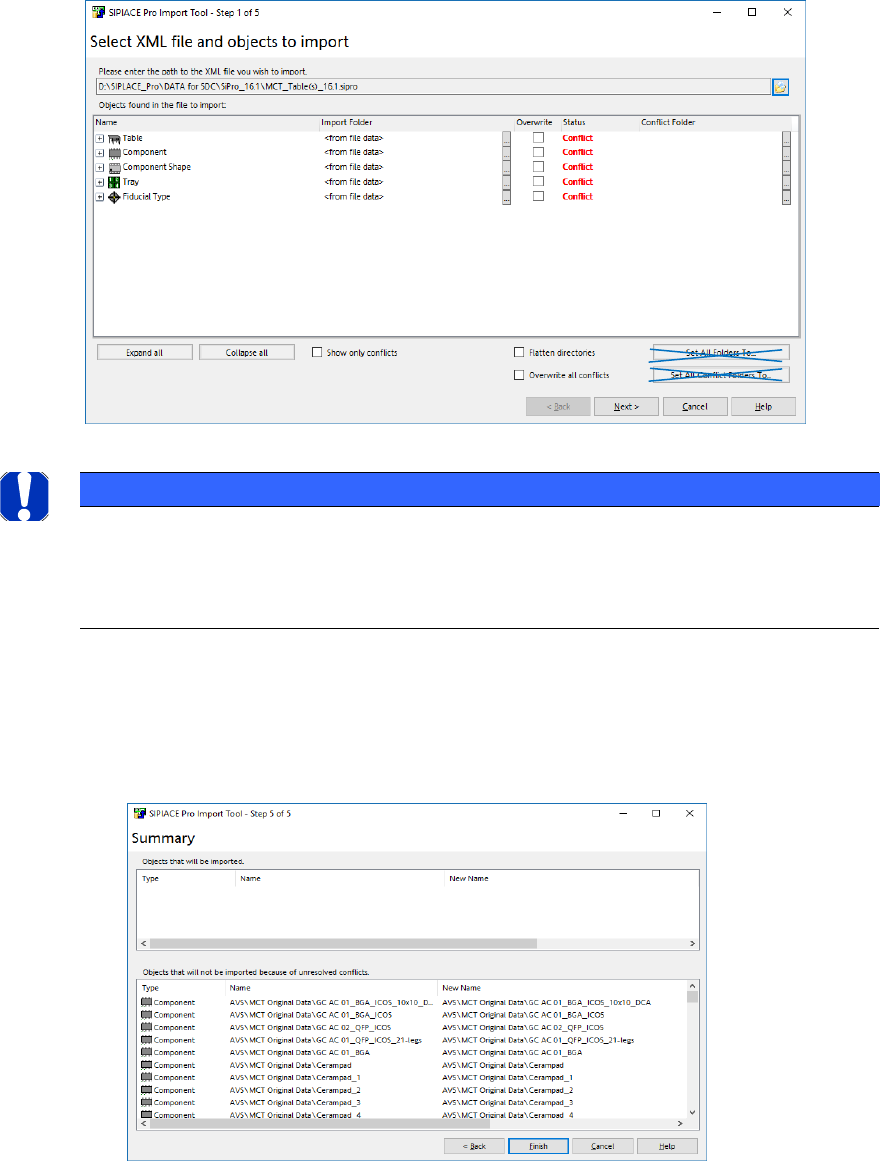
The process of importing tables is the same as importing PCB’s (see previous section).
• Choose the *.sipro file according your Software Version.
• Choose the file with the Table descriptions „MCT-Table(s)….“.
• Click on „Open“.
NOTICE
Import of Table Data
• Don’t change the target folder!
• Never activate „Flatten directories“.
• If you just want to Update the data, select the checkbox Overwite all conflicts.
If you are OK with your available Vision Data and you want to keep them save, don’t select
this checkbox.
• Click „Next“.
• Click „Finish“.
ASM AVS - USER MANUAL
PAGE 38 OF 182
4.4 Overview of AVS SIPLACE Pro Data
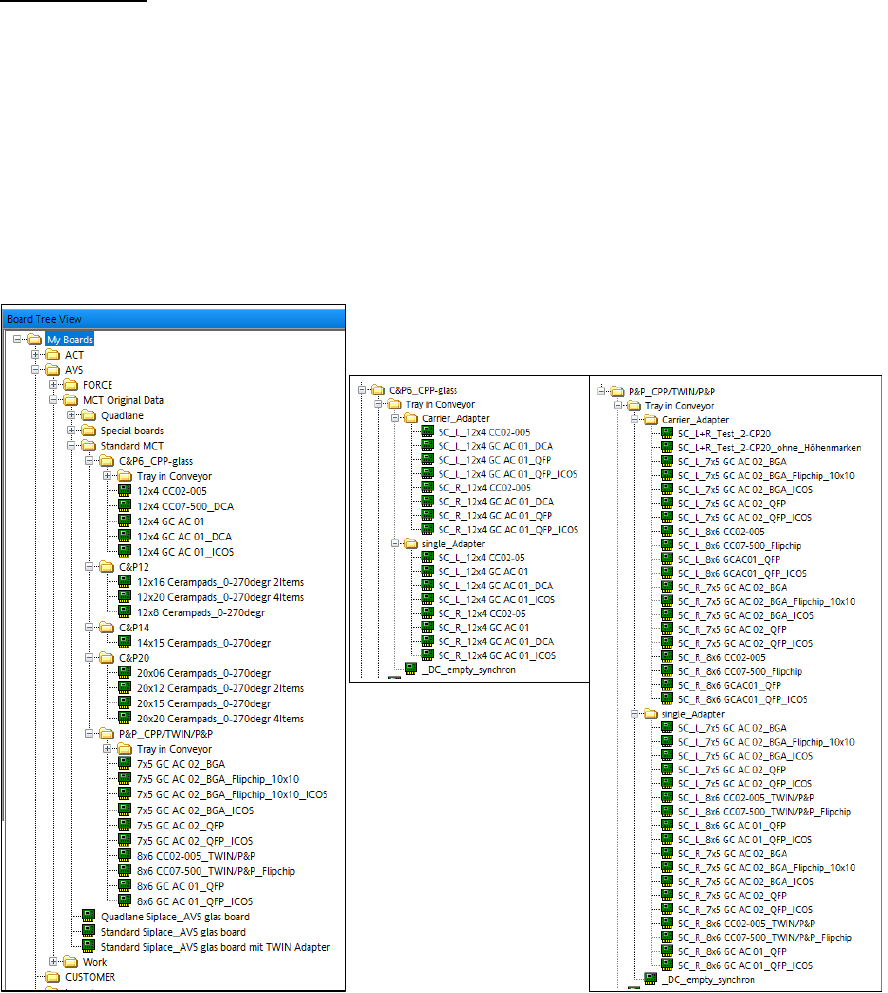
The Home folder is ..MyBoards\AVS\..
There you find data for Force Measurement (FORCE) and MCT (MCT Original Data).
Boards for MCT:
The folder “AVS\MCT Original Data” contains board descriptions for Standard MCT and Special
Boards. Descriptions for so called “Quadlane conveyors” should be no longer necessary.
The folder for “Standard MCT” has sub folders for the different Head-Types (regarding number of
nozzles on the head).
For head types, where you must use glass components from a tray, besides normal description,
board descriptions for the use of “Tray in Conveyor” is available.
Remember this only means the “Tray in Conveyor” function with single conveyor, because for
double conveyor you can use the normal board description.
ASM AVS - USER MANUAL
PAGE 39 OF 182
Tables for MCT:
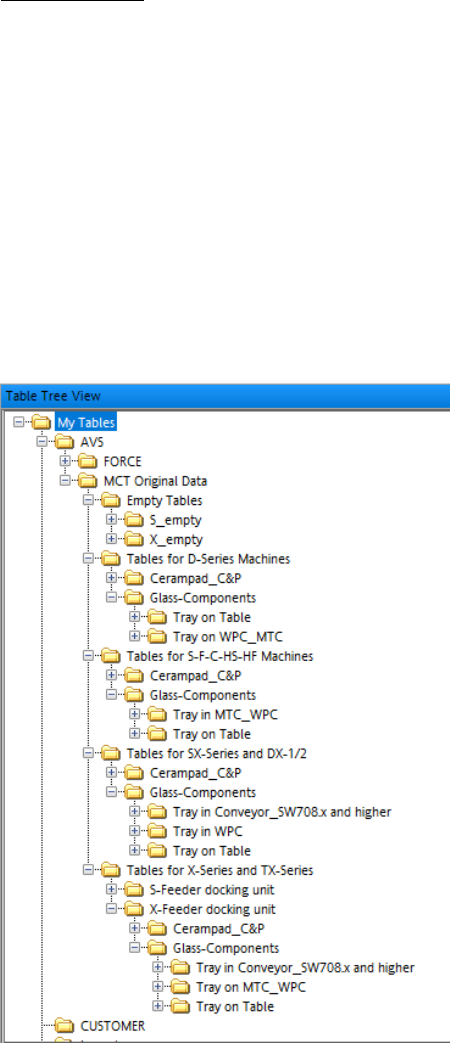
The folder “AVS\MCT Original Data” contains table descriptions as well, to make it more easy to fi-
nally configure the setup.
There is one folder with empty tables to clean up a setup copied from the customers line configu-
ration.
The structure for Tables is like follows:
Tables for machine types => Component Types =>
Then, in case of glass components in tray, the descriptions are sorted in “Tray on Table” and “Tray
on Tray Feeder”.
In case of machine types with Software 708.x and higher, there is also a folder for Tray in Conveyor
descriptions.