3_AVS-V2_MCT-UM-internal_EN_07-2019 - 第47页
ASM AVS - U SER M ANUAL P AGE 47 OF 182 5. 2.10 C han ge Us er Passw ord Her e yo u c an c hang e t he pa sswo rd. 5. 2.11 S ett ing th e Langu age Click on the Butt on “Language” in the Group Set tings of the menu bar. …
ASM AVS - USER MANUAL
PAGE 46 OF 182
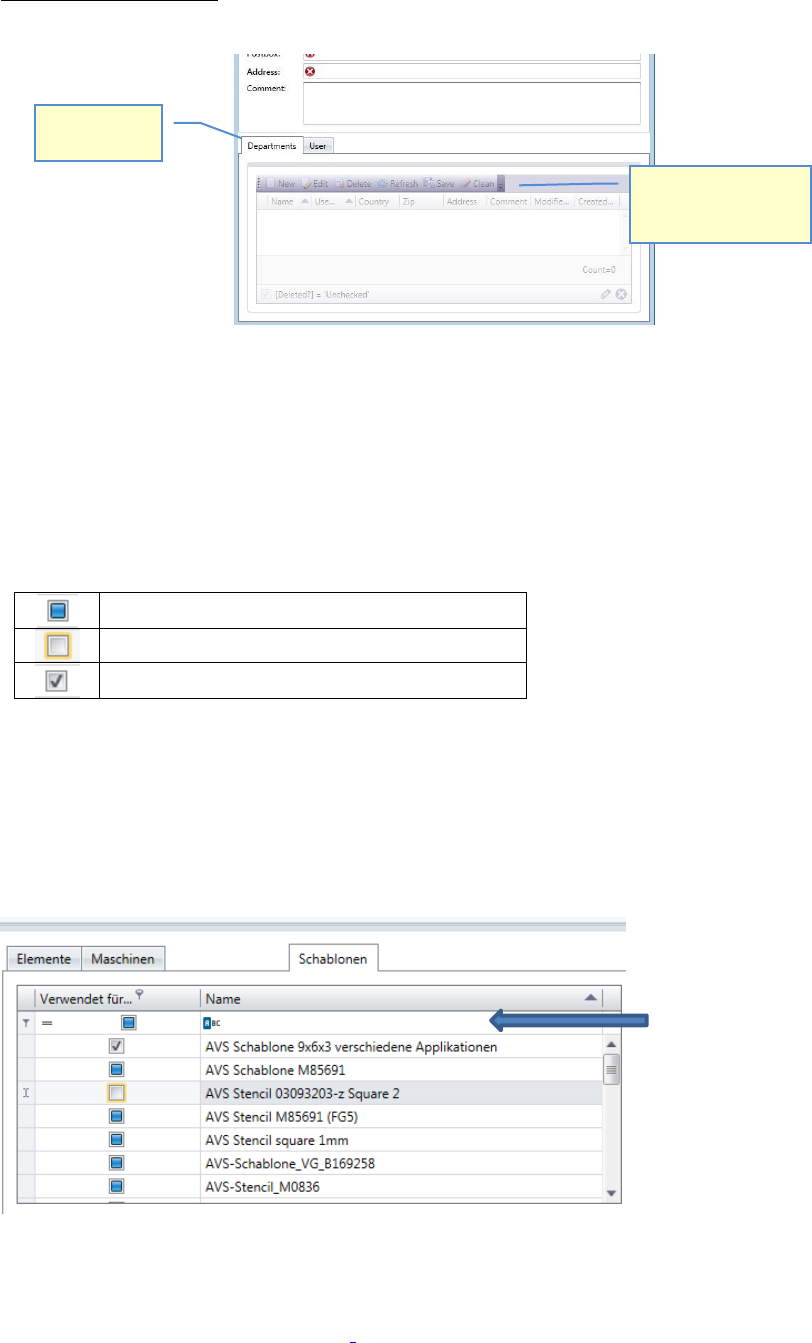
Bottom of the window:
Many views show an area at the bottom of the window, which shows you other relating data.
For the different Tabs there you have the possibility to get an overview of the relating data and
to add new relating data, if you miss them in the lists.
5.2.8 Tables with selection check boxes
The checkboxes in the selection tables has 3 status.
No selection has been made yet
Not assigned
Assigned
In each table there is a possibility of filtering in the first line.
This is especially helpful with check boxes, where you can filter for selected (assigned) entries.
For text fields, unfortunately, only the beginning text can be searched, it is not possible to search
for contained characters in the text.
5.2.9 Data Structure of the AVS Software
Details on the structure of the data in the AVS Software can be found in section „2_AVS-
V2_Software Installation_Edition_.....“.
Tabs with
relating data
You can directly add a
new, or edit valid
relating data.
Line for
filtering
ASM AVS - USER MANUAL
PAGE 47 OF 182
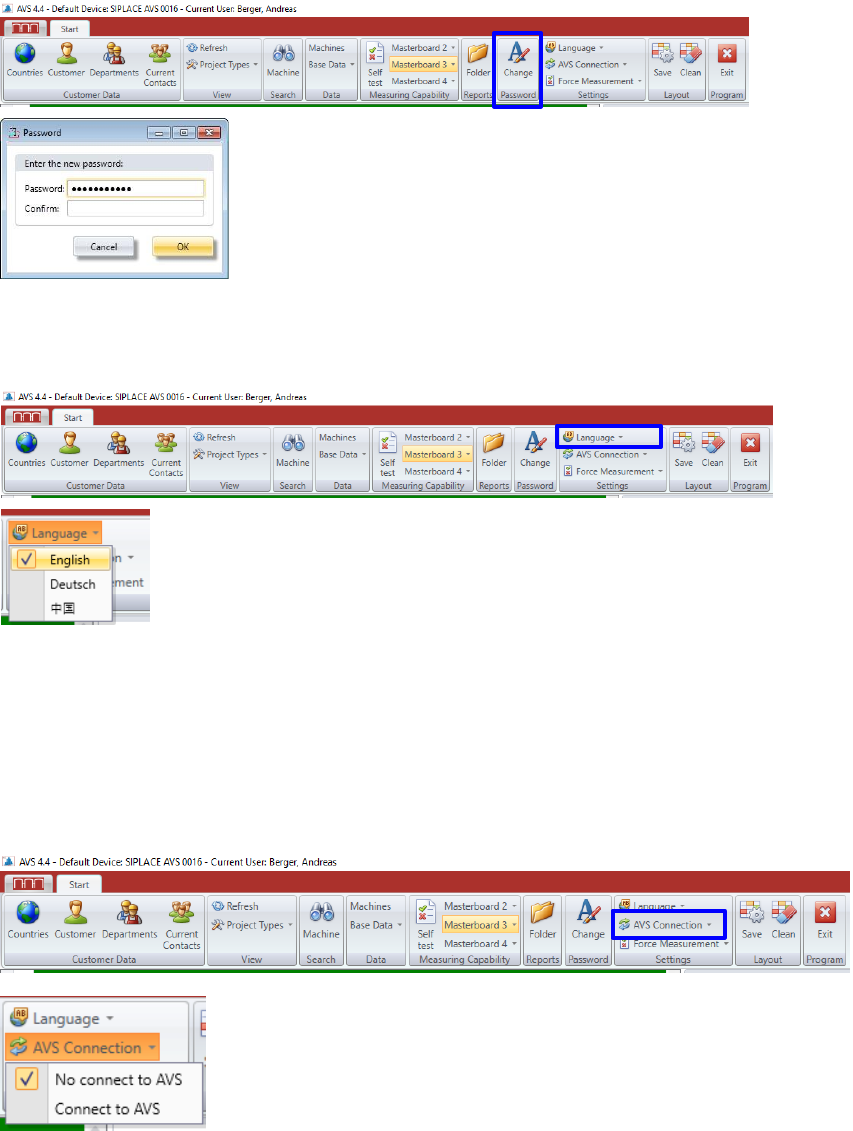
5.2.10 Change User Password
Here you can change the password.
5.2.11 Setting the Language
Click on the Button “Language” in the Group Settings of the menu bar.
5.2.12 AVS Connection
The AVS software can be installed on the AVS device as well as on another computer (e.g. work
notebook).
In order to operate the software on another computer, the connection to the device, i.e. to the
AVS_Scan software, must be interrupted.
It opens a list from which the desired language can be selected.
It is the language of the software interface.
It is currently available in 3 languages, with only English and German
fully available. The language of the later generated protocol is set in the
project.
ASM AVS - USER MANUAL
PAGE 48 OF 182
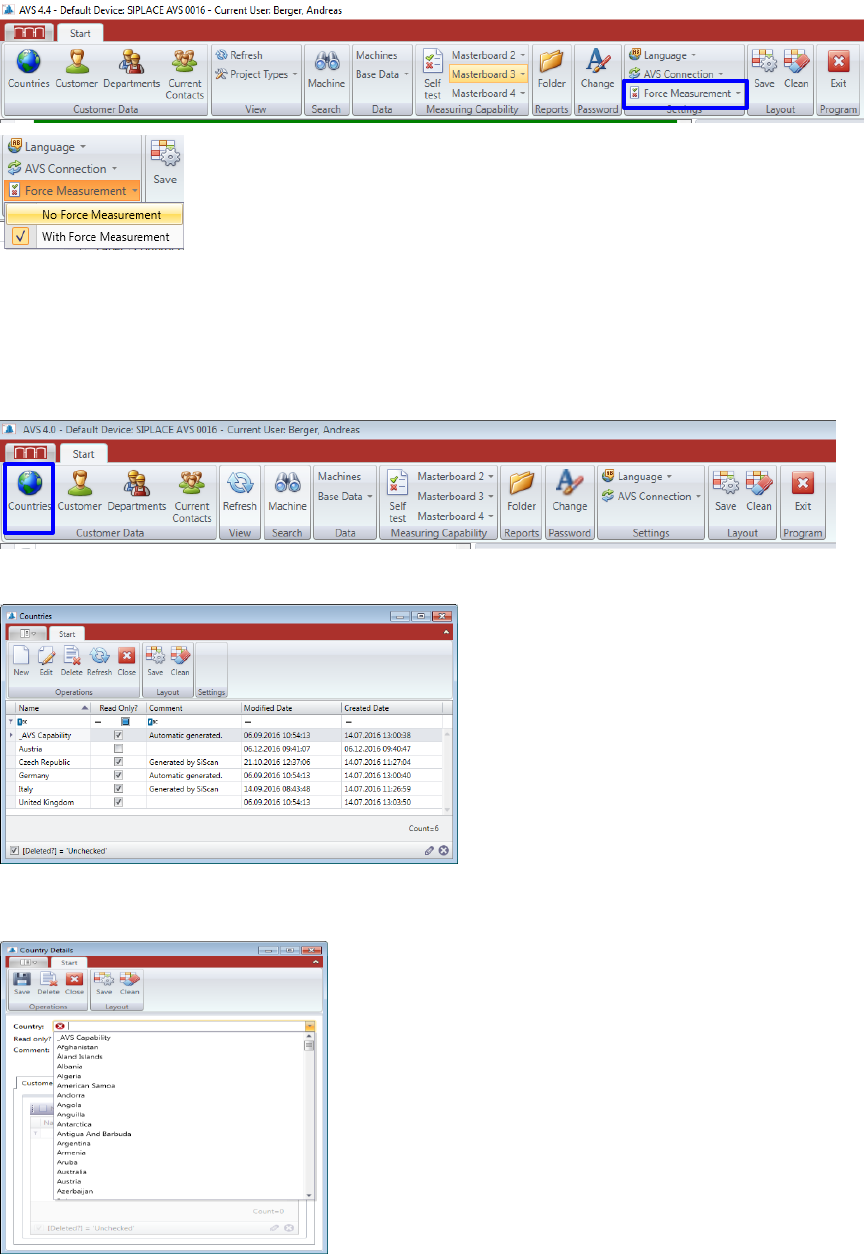
5.2.13 Placement Force Measurement
From the released software version 4.4.1.4, a setup with implemented placement force meas-
urement can also be installed.
The function of the force measurement can still be switched off for the entire software.
5.2.14 Countries
If a country is missed in the tree, it can be applied via the menu item "Countries”.
Click on the button "countries" in the menu bar.
The following window shows the list of all countries, which are already listed in the tree.
Here you can remove countries from the list and create “New” ones.
When applying new countries, you can select the country names from an existing list (standard