3_AVS-V2_MCT-UM-internal_EN_07-2019 - 第82页
ASM AVS - U SER M ANUAL P AGE 82 OF 182 Now yo u ca n con fig ure your ma chi ne, set ting the chec kbox es o n t he re lev ant h ead s, a nd c amer - as. Whe n yo u act iva te t he box “ Show ac tive only” , y ou ca n s…
ASM AVS - USER MANUAL
PAGE 81 OF 182
5.2.23 Creating, editing, moving machines
5.2.23.1 Edit/Create a machine
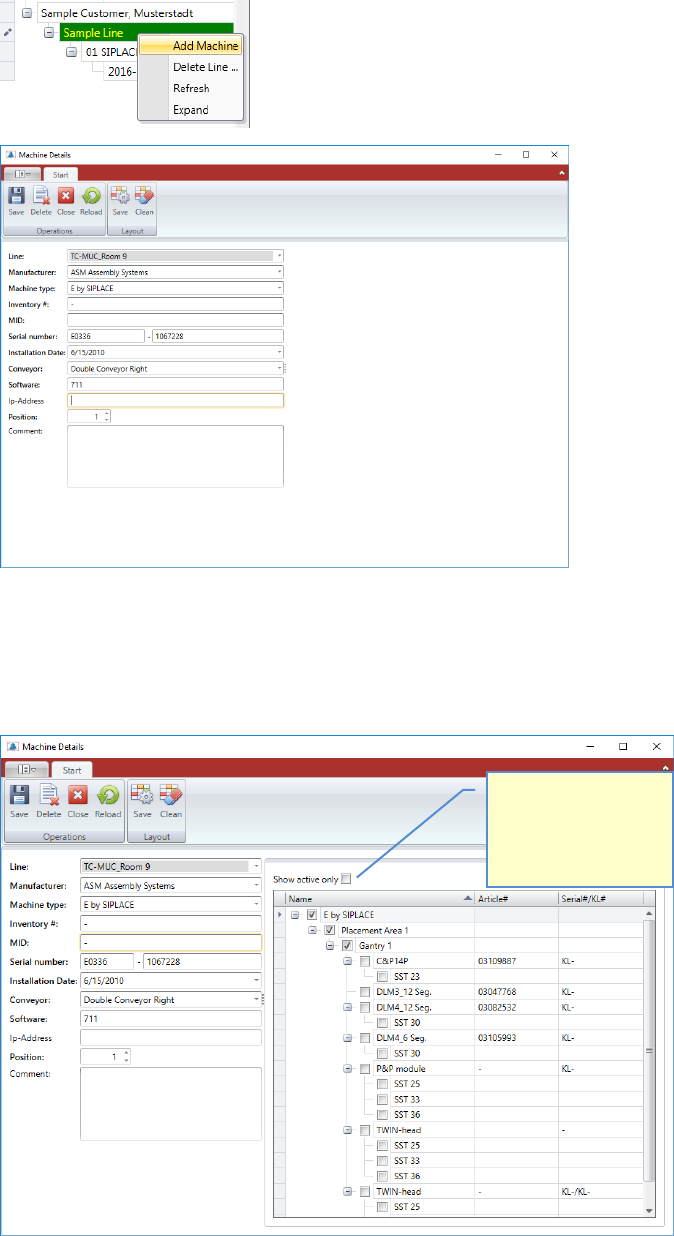
Create a Machine, either by using the Machine Menu, or right mouse click on the line in the
structure tree.
For the creation of a machine, the corresponding machine type must be available.
Fill out the base data on the left side of the window first.
Once you press the save button, you get the possible configuration of the selected machine
type, on the right side of the window.
Check this box, to see
the configuration of
your machine, without
all other possible
configurations.
ASM AVS - USER MANUAL
PAGE 82 OF 182
Now you can configure your machine, setting the checkboxes on the relevant heads, and camer-
as.
When you activate the box “Show active only”, you can see the configuration of your machine,
without all other possible configurations.
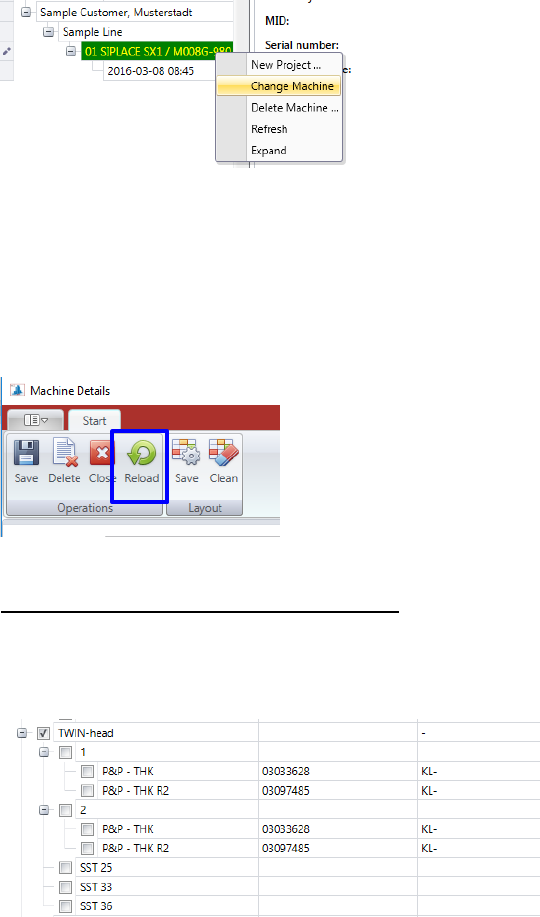
You can change a machine which is already existing, right-click on the corresponding machine
(machine number) and choose the »Change Machine« function.
The same “Machine Details” view is opening as shown above for the configuration of a new ma-
chine.
If machines have already been configured with older software versions of the AVS software, the
machine type data must be reloaded due to changes in the structure, in order then to be able to
select the actual machine configuration.
Use the button “Reload” therefore.
Special feature TWI head (head hierarchy):
If a TWIN-head, or any other head with head hierarchy selected, thus, after activating the check-
box, a substructure is opened in which the headers (modules), which are created in the header
hierarchy, are listed. These must then be selected accordingly.
The specification limits are set automatically depending on the corresponding machine
type/head/camera configuration.
ASM AVS - USER MANUAL
PAGE 83 OF 182
5.2.23.2 Moving a Machine
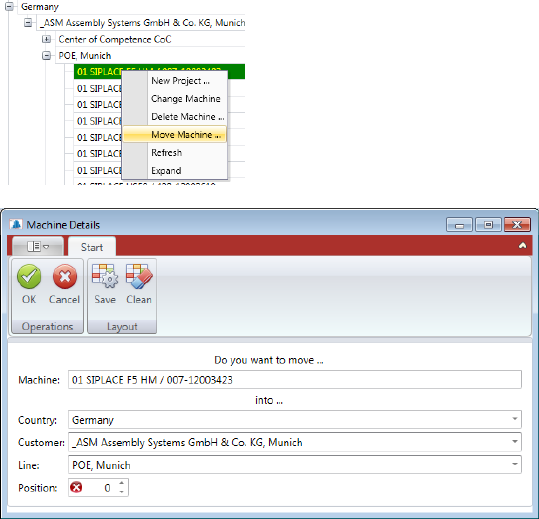
You can move a machine by right mouse click on it, choosing the function „Move Machine … „
in the Pop-up menu.
Now you can reassign "Country", "Customer", "Line" and the "Position" of the machine in the
line. Exit the dialog with "OK" and the machine will be moved to the desired location.