TS555R-UserGuide - 第13页
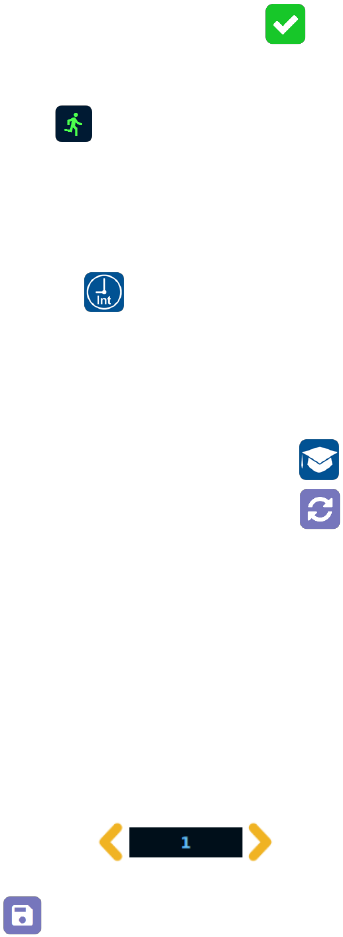
13 5. 3 .2 To run in Continuous Mode The controller can be setup to repeat the run continuously. 1. Touch the S etup icon to enter the setup screen 2. To uch the “Run Method” icon
12
4. Touch the Check Mark icon to save and exit
5. Press the foot switch to activate the “Timed” dispense cycle.
Alternately, touch the run icon on the display to activate the “Timed”
dispense cycle.
Note: The unit has an “Interrupt” mode feature. In this mode, the
“Timed” dispense cycle can be disrupted if the foot switch is released and
resumed when the Foot Switch is depressed again.
6. Touch the “Interrupt” icon to activate “Interrupt” mode. The icon should
turn to green color.
5.2.5 Teach Mode Setting
In the teach mode, the dispense time will be accumulated as long as the
foot switch is depressed. This is helpful in determining the required
dispense time when the dispense output is known.
1. Touch the “Teach” icon to enter the teach mode
2. Touch the “Time Reset” icon to set timer to zero
3. Press and hold down the foot switch, the dispense time will be accumulated
4. Release the foot switch when the desired amount of fluid has dispensed
5. Touch the “Timed” icon to transfer the accumulated dispense time to
“Timed” mode
6. The unit is now set to repeat this “Timed” cycle
5.3 Stored Program in Memory cell
The unit has 50 memory cells to store all dispense parameters. The controller can
activate all memory cells in sequence mode.
5.3.1 To store dispense parameters
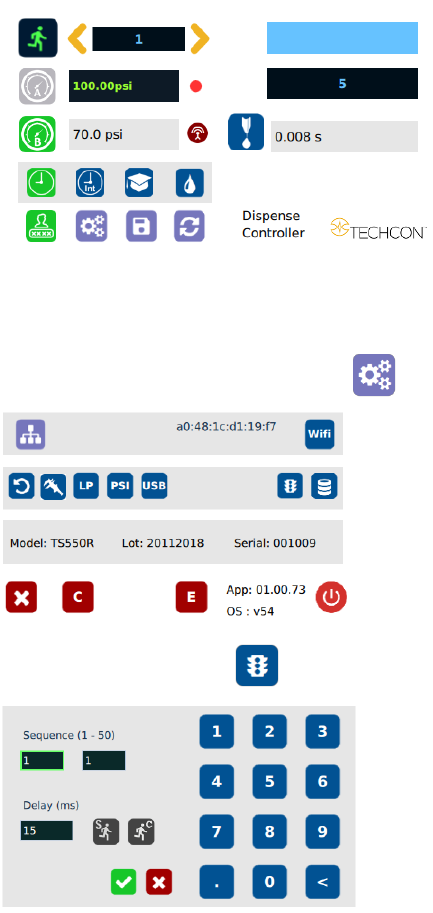
1. Touch the forward or backward arrow to select the desired memory cell.
2. Enter all the desired dispense parameters then touch the “Save” icon to save
the data
13
5.3.2 To run in Continuous Mode
The controller can be setup to repeat the run continuously.
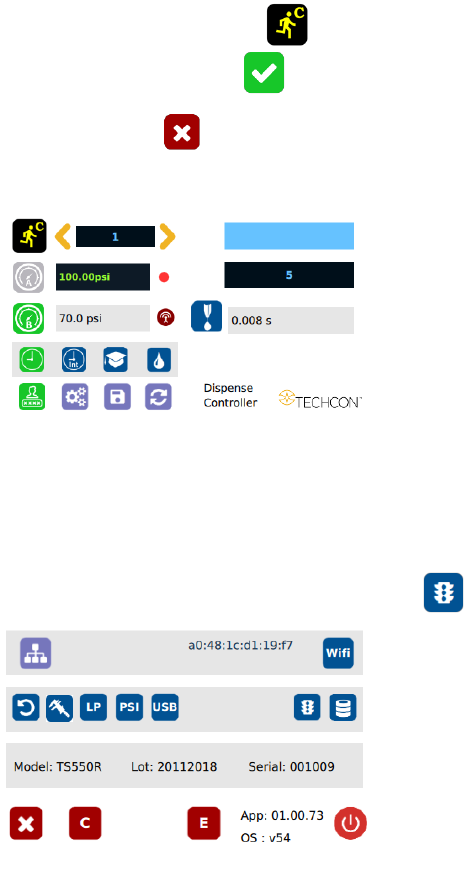
1. Touch the Setup icon to enter the setup screen
2. Touch the “Run Method” icon
14
3. Enter the delay time (ex. 5000 ms)
NOTE: The minimum delay time is 15ms
4. Touch the “Continuous Run” icon
5. Touch the Check Mark icon to save
6. Touch the X icon to exit
The screen will look similarly to the screen below:
Note: If the controller is set to activate memory cell 1 and the delay time is
set at 5000 ms, the controller will activate memory 1 continuously with
5000 ms delay between each activation.
5.3.3 To run in Single Sequence Mode
1. Touch the “Run Method” icon to enter sequence mode setup