Service Manual SIPLACE SmartFeeder.pdf - 第113页
7 Repairs to SmartFeeder 8 mm X / Xi 7.5 Pickup window Service Manual SIPLACE SmartFeeder 4 - 8 mm X / Xi SIPLACE SmartFeeder 2 x 8 mm X / Xi 11/2020 113 7.5.3 Removing the actuator ► Remove the pickup window (see 7.5.2 …
7 Repairs to SmartFeeder 8 mm X / Xi
7.5 Pickup window
112 Service Manual SIPLACE SmartFeeder 4 - 8 mm X / Xi SIPLACE SmartFeeder 2 x 8 mm X / Xi 11/2020
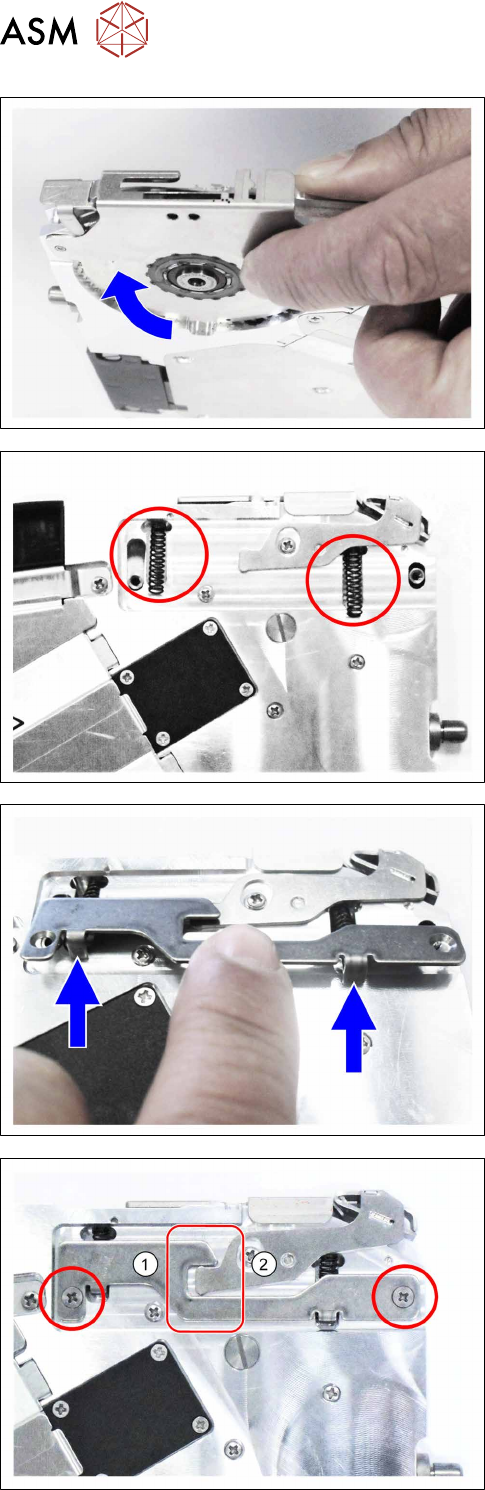
► Lift the pickup window slightly upwards and push
it into the prescribed position.
► Carefully place the feeder module with the left
side down on a stable, level and clean surface.
► Insert both pressure springs.
Make sure that the bottom ends of the pressure
springs are not inserted into the groove.
► Insert the nibs of the counterplate into the bottom
ends of the pressure springs.
► Carefully push the counterplate upwards, until
both of the counterplate nibs engage with the
pressure springs in the pickup window.
► Push the counterplate upwards even more, until
the threaded holes of the pickup window are
completely visible in the holes of the counter-
plate.
Make sure that you do not get the counter-
plate(1)
and the actuator(2) jammed against one
another in the marked area.
► Fix the counterplate into place with the two Phil-
lips screws marked.
7 Repairs to SmartFeeder 8 mm X / Xi
7.5 Pickup window
Service Manual SIPLACE SmartFeeder 4 - 8 mm X / Xi SIPLACE SmartFeeder 2 x 8 mm X / Xi 11/2020 113
7.5.3 Removing the actuator
► Remove the pickup window (see7.5.2 "Fitting the
pickup window" [}111]).
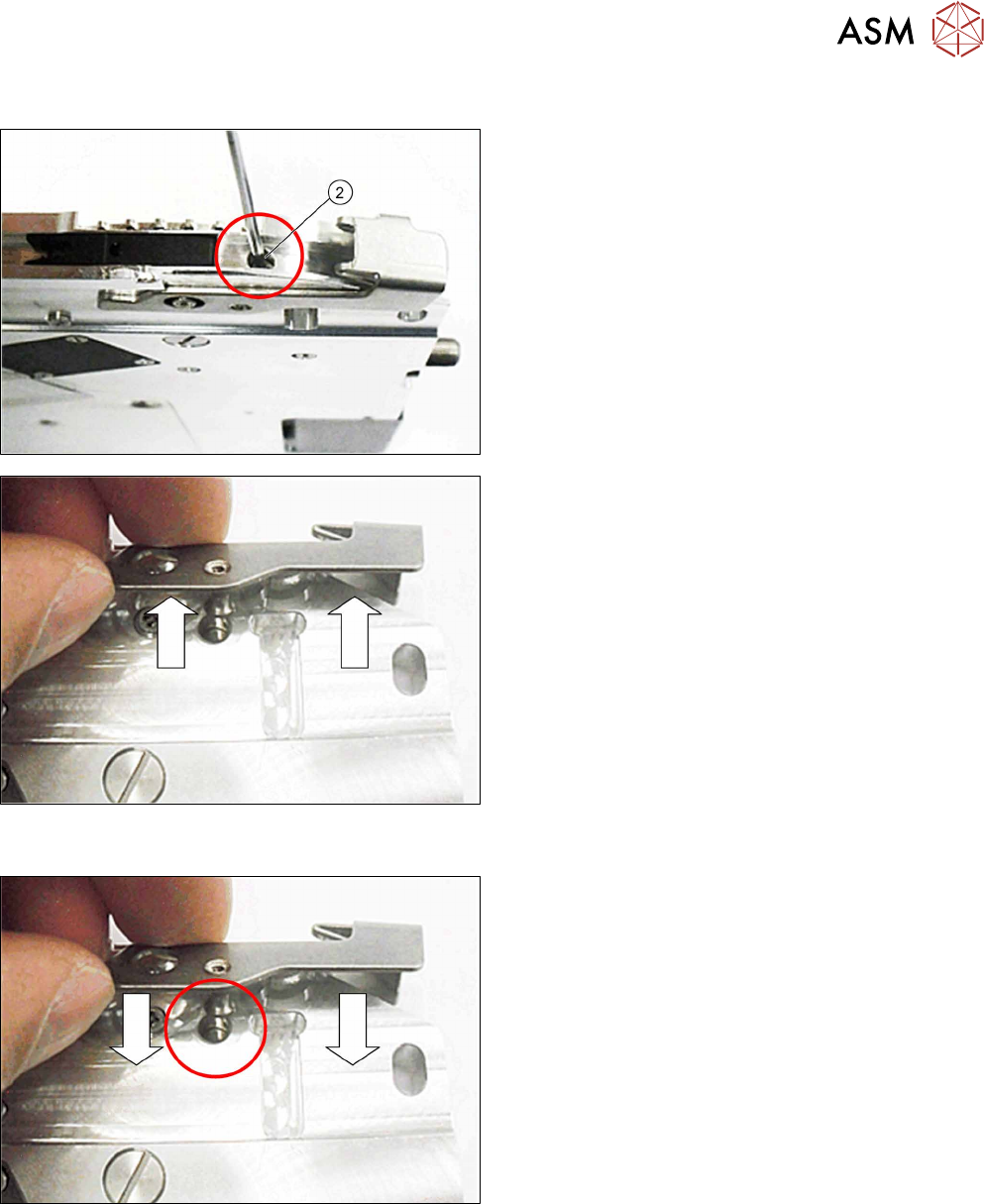
► Remove the fitting screw shown in the diagram.
Use a 1.5mm Allen key.
► Pull the actuator on the righthand side of the
feeder module out of the base unit.
7.5.4 Fitting the actuator
► Push the actuator on the righthand side of the
feeder module into the base unit as shown.
During this, push the actuator axis into the hole
shown in the diagram.
7 Repairs to SmartFeeder 8 mm X / Xi
7.5 Pickup window
114 Service Manual SIPLACE SmartFeeder 4 - 8 mm X / Xi SIPLACE SmartFeeder 2 x 8 mm X / Xi 11/2020
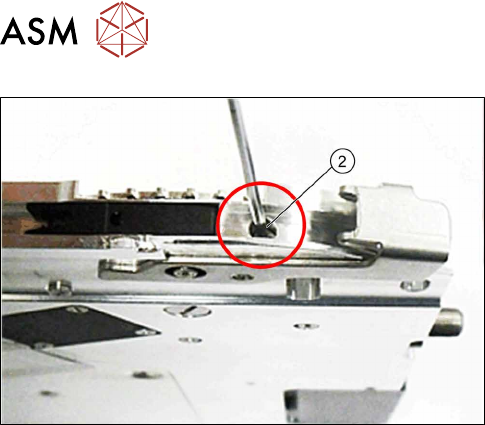
► Fasten the actuator axis with a fitting screw
Use a 1.5mm Allen key for this.
► Fasten the pickup window (see 7.5.2 "Fitting the
pickup window" [}111]).