YSD_Users_E.pdf - 第102页
2-42 2 Basic operation n Monitor: Badmark T he [Badmark] tab screen shows the results after badmarks such as "Board, block", "Local" and "P oint" badmarks were recognized. Monitor Badmark 64…
2-41
2
Basic operation
n
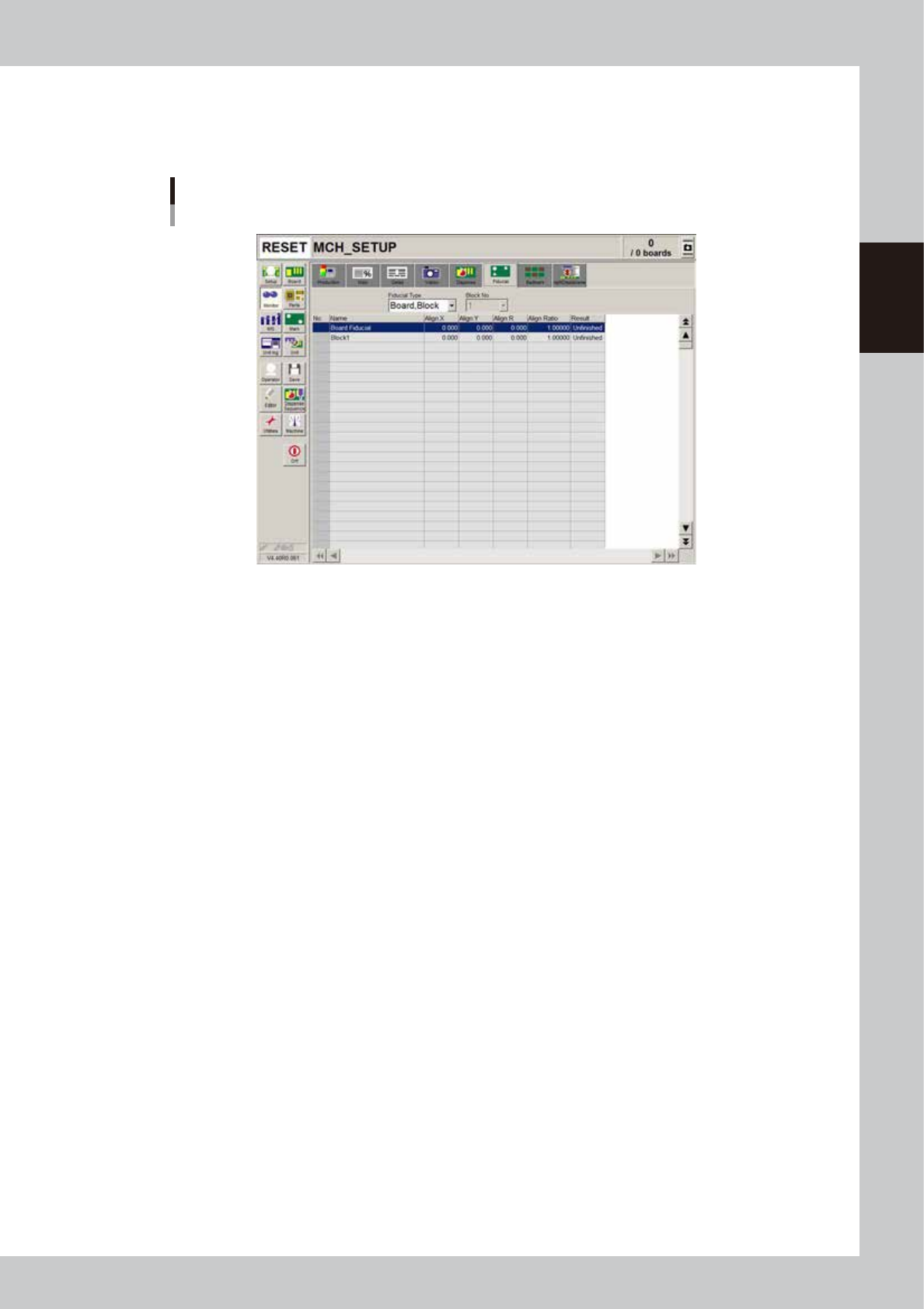
Monitor: Fiducial
The [Fiducial] tab screen shows the results after fiducial marks such as "Board, block", "Local" and "Point" fiducial marks
were recognized.
Monitor
Fiducial
64221-N7-00
• Align X, Y, R
Shows the difference between the recognition results and the board data input values, by plus or minus values.
• Align Ratio
Shows the rate of expansion of the board, calculated by using the X, Y, R offset values.
• Result
Shows the recognition results as a "Pass" or "Unfinished ". The "Unfinished" message changes to "Pass" after the mark is
recognized successfully.
2-42
2
Basic operation
n
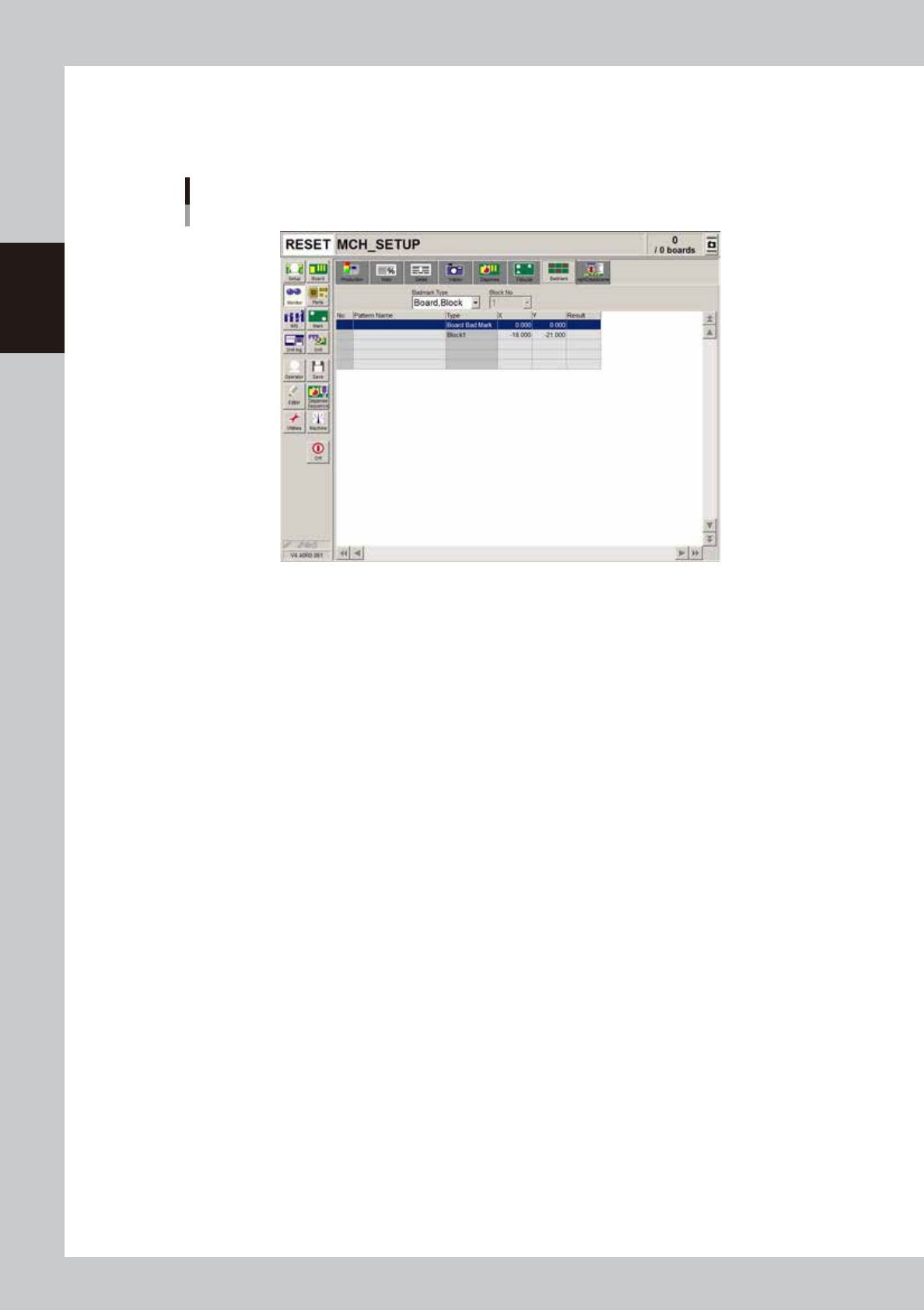
Monitor: Badmark
The [Badmark] tab screen shows the results after badmarks such as "Board, block", "Local" and "Point" badmarks were
recognized.
Monitor
Badmark
64222-N7-00
• X, Y
Shows the board data input values (by taking block offset amount into account).
• Result
Makes an "OK" or "NG" decision based on the badmark recognition result.
OK : Work is performed when no badmark is recognized.
NG : Work is not performed when a badmark is recognized.
2-43
2
Basic operation
n
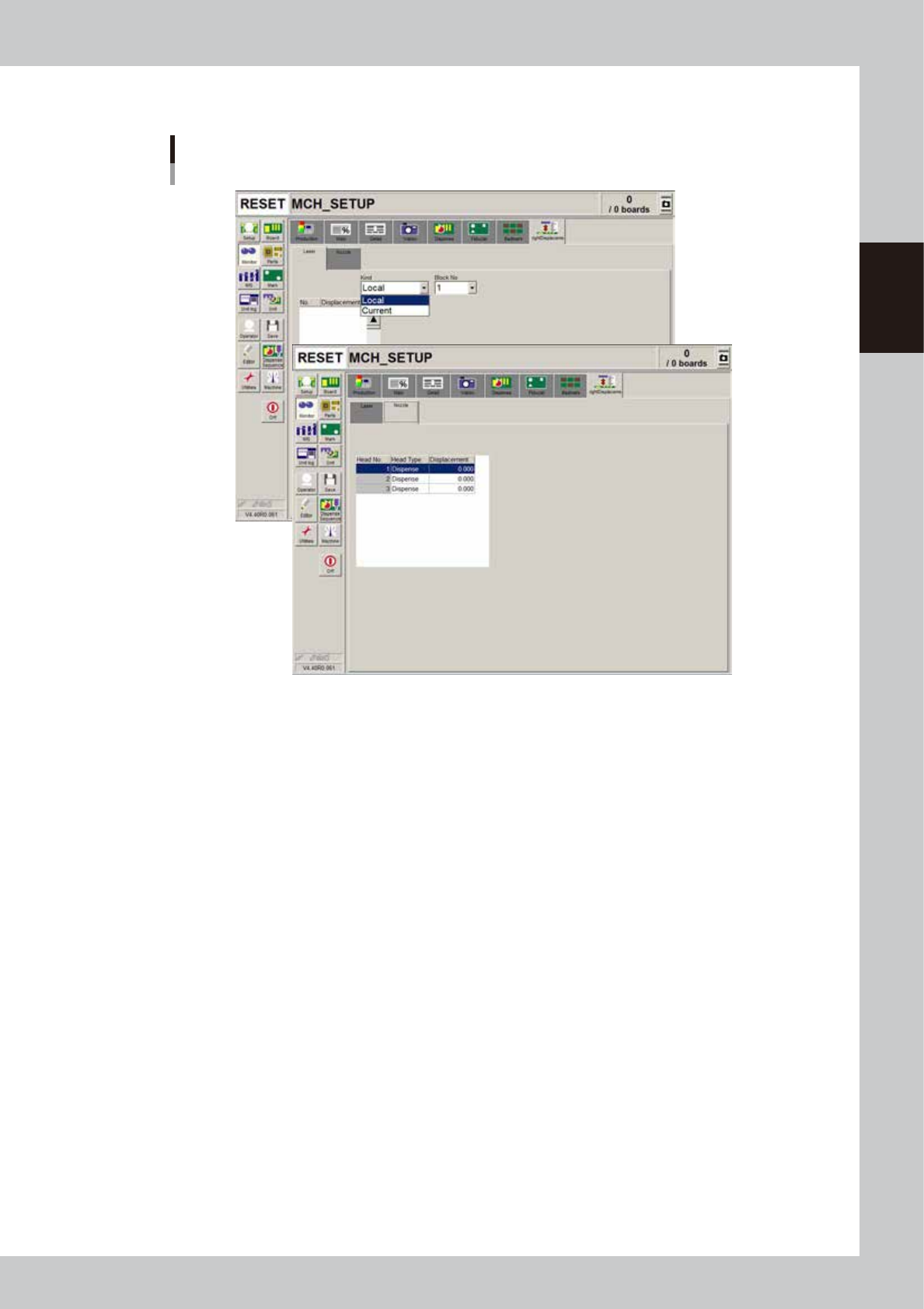
Monitor: Height Displacement
Monitor
Height Displacement
64225-N7-00
n
Laser
• Current
Shows the current height measured with the laser displacement meter. The sampling count depends on the machine data
setting. The displayed value is the offset from the zero reset point of the laser. When the zero reset point is equal to the
board surface height, the offset relative to the board surface height is displayed. The plus/minus directions are the same
as those for the Z-axis of the head.
• Local
Shows the average value calculated by dividing the measurement results by the sampling count. The "No." indicates the
"No." shown in the "Height" column on the [Board]-[Dot Dispense] tab. The displayed value is the offset from the zero
reset point of the laser.
When the zero reset point is equal to the board surface height, the offset relative to the board surface height is displayed.
The plus/minus directions are the same as those for the Z-axis of the head.
n
Nozzle
• Height
Shows the dispense nozzle height offset measured with the [Nozzle Length] button in the "Utility" group box of the Setup
screen.
The displayed values are the offset relative to the reference height set as machine data.