YSD_Users_E.pdf - 第112页
2-52 2 Basic operation 4.3 Laser displacement meter 4.3.1 Initialization T he laser displacement meter can be initialized (reset to zero) at a specified position. T o do this, open the Setup screen and press the [Reset L…
2-51
2
Basic operation
5
Pass the paper through the paper guides.
Referring to the figure at the right, pass the paper in order through the guides as shown at the Step2.
n
NOTE
To pass the paper through the roller section, push the roller against the feeding reel.
6
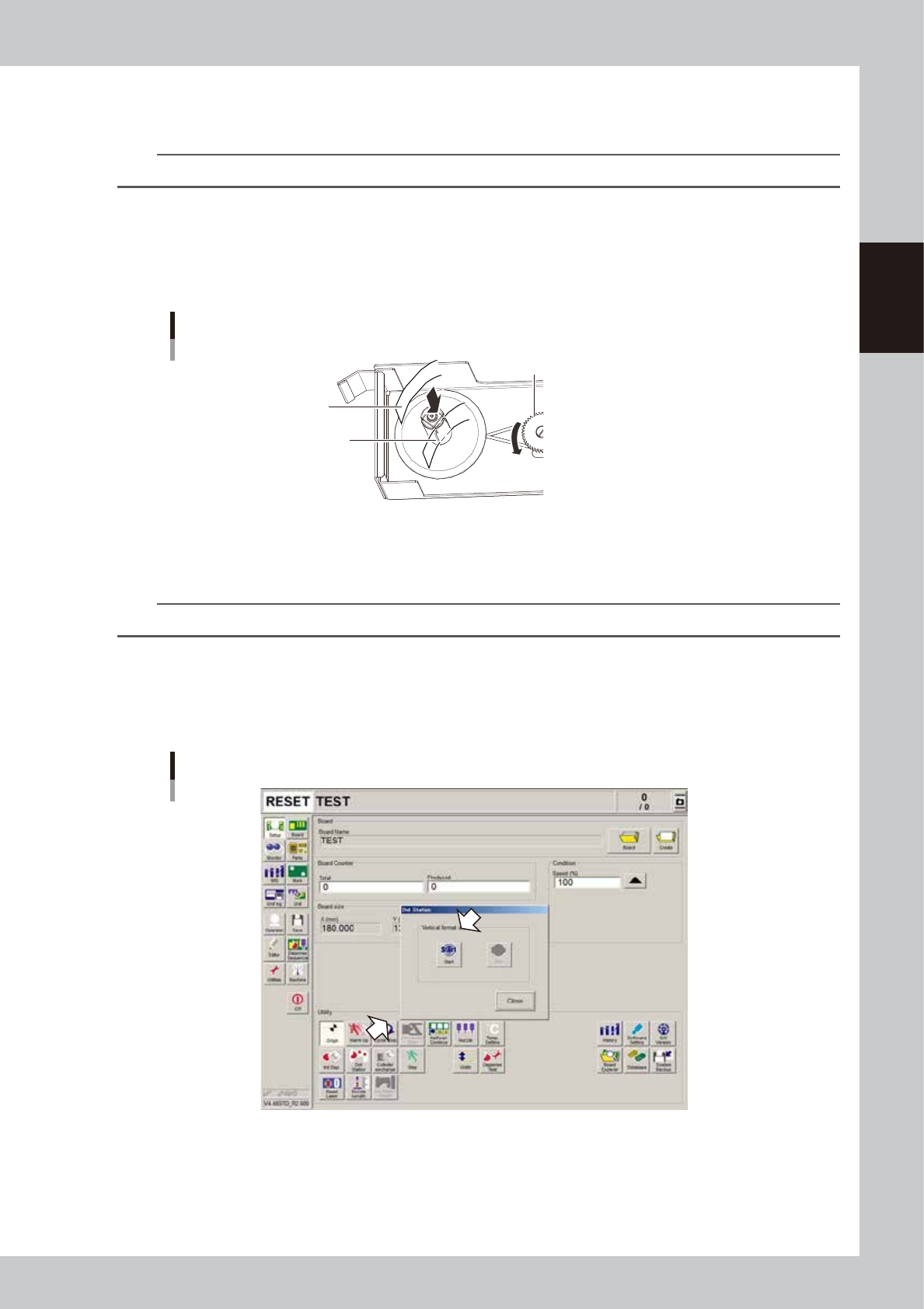
Insert the end of the paper into a slit in the shaft.
1. Insert the end of the paper into a slit in the shaft of reel 2.
2. Rotate the gear on which the reel drive belt is fit so that reel 2 rotates counterclockwise two or three
turns. Reattach reel 1 to hold the paper.
Inserting the paper into the reel
Paper
Sit
Gear
63216-N7-00
7
Reattach the paper feed unit.
Install the paper feed unit in the original position.
n
NOTE
If the diffuser section gets dirty, it should be dry-wiped with a cleaning wipe.
8
Advance the paper manually.
On the Setup screed, press the [Dot Station] button to open the “Dot Station” dialog box, and press the
[Start] button to advance the paper to take up the slack in the paper. After the slack is taken up, press
the [Stop] button and close the dialog box.
Advancing the dot station paper
64243-N7-00
2-52
2
Basic operation
4.3 Laser displacement meter
4.3.1 Initialization
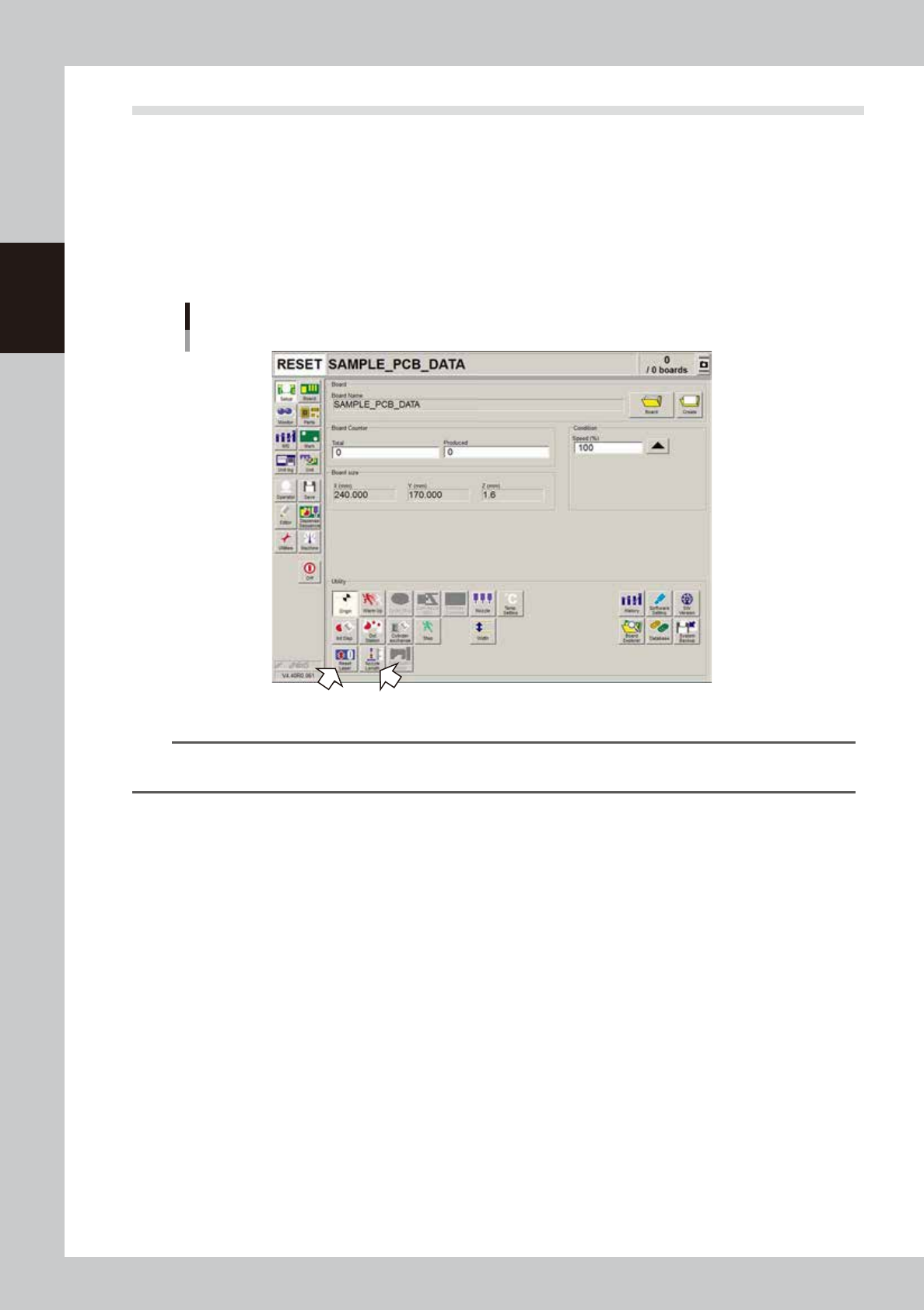
The laser displacement meter can be initialized (reset to zero) at a specified position. To do this, open the
Setup screen and press the [Reset Laser] button under "Utility". Then move the laser displacement meter to the
position where you want to set "zero point" for the laser.
When the dispense nozzle has been replaced or after the power is turned on, always reset the laser
displacement meter to zero with the [Reset Laser] button. In addition, use the [Nozzle Length] button on the
Setup screen to measure the dispense nozzle length with a touch sensor.
[Reset Laser] and [Nozzle Length] buttons
64244-N7-00
n
NOTE
When using board data specified for use with the laser displacement meter, an error message will appear if you
attempt to start automatic operation without resetting the laser displacement meter to zero.

Chapter 3 Q & A
Contents
1. Troubleshooting 3-1
1.1 Typical errors and troubleshooting 3-1
1.2 Mark recognition errors 3-4
1.3 Conveyor operation errors 3-4
1.4 Other errors 3-5
2. Handling dispensing errors 3-6
3. Reducing paper consumption 3-10
3.1 Predispensing interval setting 3-10
4. Low-liquid sensor functions 3-11
4.1 Remaining amount detection angle setting 3-11
4.1.1 Adjusting the low-liquid sensor (angle setting) 3-12
4.1.2 Making the settings 3-14