YSD_Users_E.pdf - 第130页
4-2 4 Making the dispensing stable 2. Dispensing test function 2.1 Over view T his function does predispensing according to the predispense information specified in advance, and sho ws a list of the results on the operat…
4-1
4
Making the dispensing stable
1. Making the dispensing stable
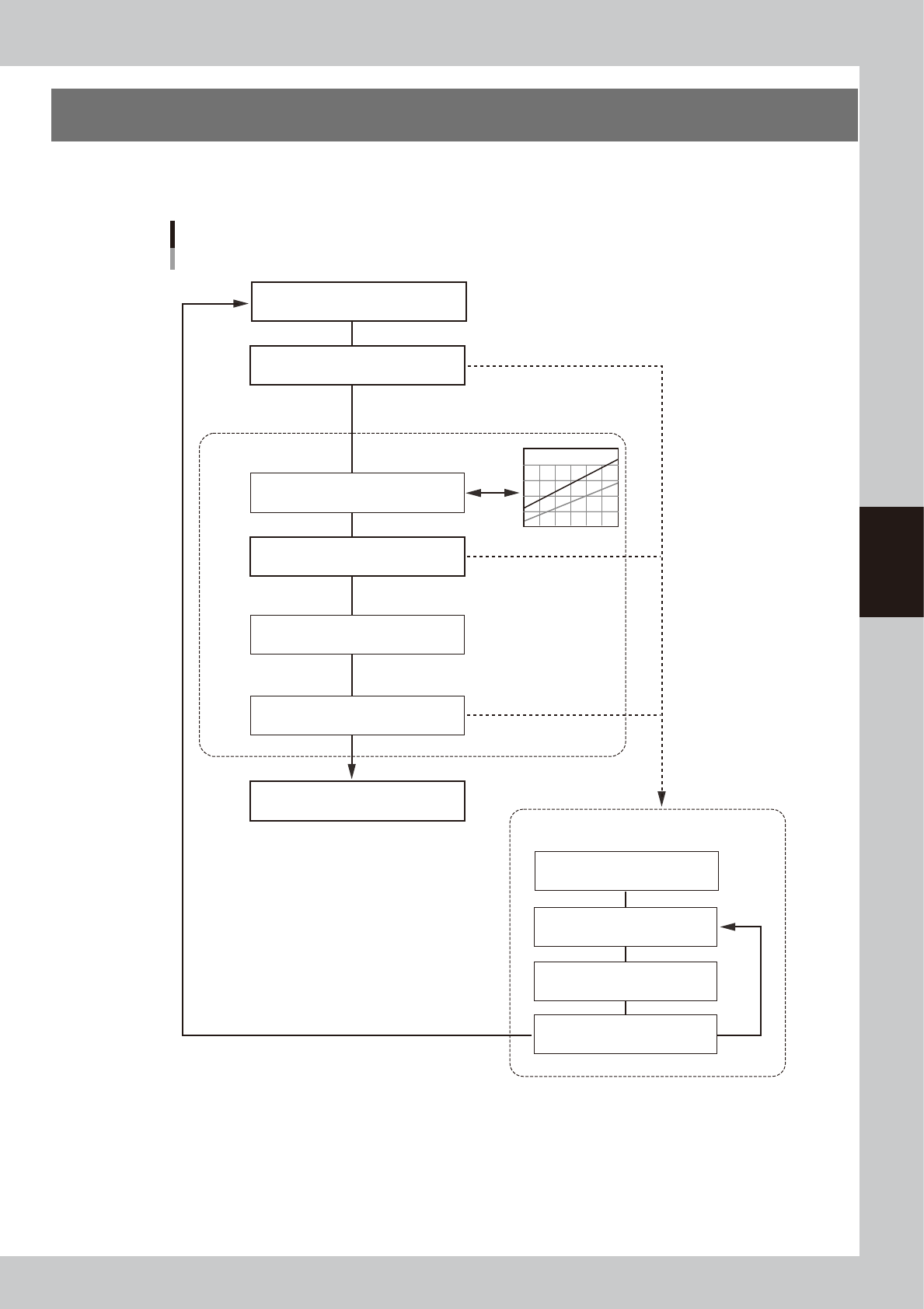
The flowchart below shows the process up to stable dot dispensing.
(Optional dot station is used)
Flowchart for dot dispensing
Correction type
Liquid amount correction
Pressure adjustment
Calculation
Out of setting range
Out of setting range
Out of correction range
Within correction range
Correct dispensing amount
Check dispensing amount
Check dispensing amount
(for check)
Predispense
Check correction limit *
Perform dispensing test
(without correction)
Adjust pressure manually
Check standard pressure
Check dispensing amount
Out of correction range
Within correction range
Predispense
(for correction amount check)
Dispense dots
* This function is enabled when set to “Use” by machine
data setting.
63406-N7-00
4-2
4
Making the dispensing stable
2. Dispensing test function
2.1 Overview
This function does predispensing according to the predispense information specified in advance, and shows a
list of the results on the operation screen to make it easier to check the dispensing state and set the correct air
pressure. Optimal dispensing can easily be maintained by using this function to check and adjust the
dispensing state such as before starting daily production or when a recognition error occurs during operation.
The object here is a dispensing test so that unlike normal predispensing, there is no offset (correcting)
operation. The dispensing test can be started with the dedicated button on the Setup screen while in a reset
state, or started from the screen for selecting the next action that appears after a predispensing recognition
error occurs during automatic operation.
If making a specified number of dispensings at any liquid amount, see “4.1 Dispensing test (adjustment
screen)” in Chapter 6 for information on how to make the desired dispensing settings.
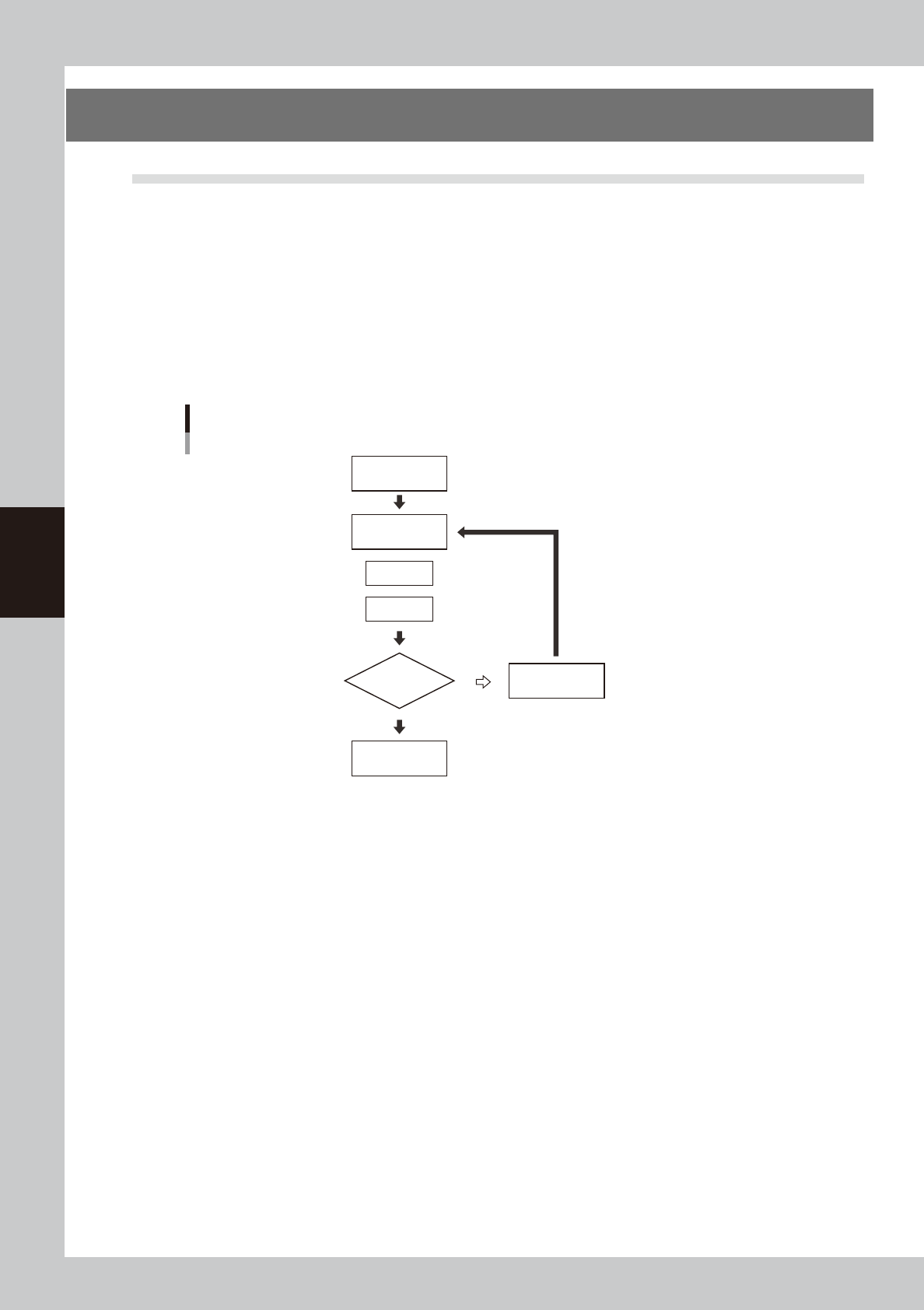
Dispensing test flowchart
Perform
dispensing test
Start
End
Dispense
Area is large ⇒ Lower air pressure
Area is small ⇒ Raise air pressure
Recognize
Check recognized
results
Adjust air pressure
NG (fail)
OK (pass)
63400-N7-00
4-3
4
Making the dispensing stable
2.2 Performing a dispensing test
Use the following procedure to perform a dispensing test.
1
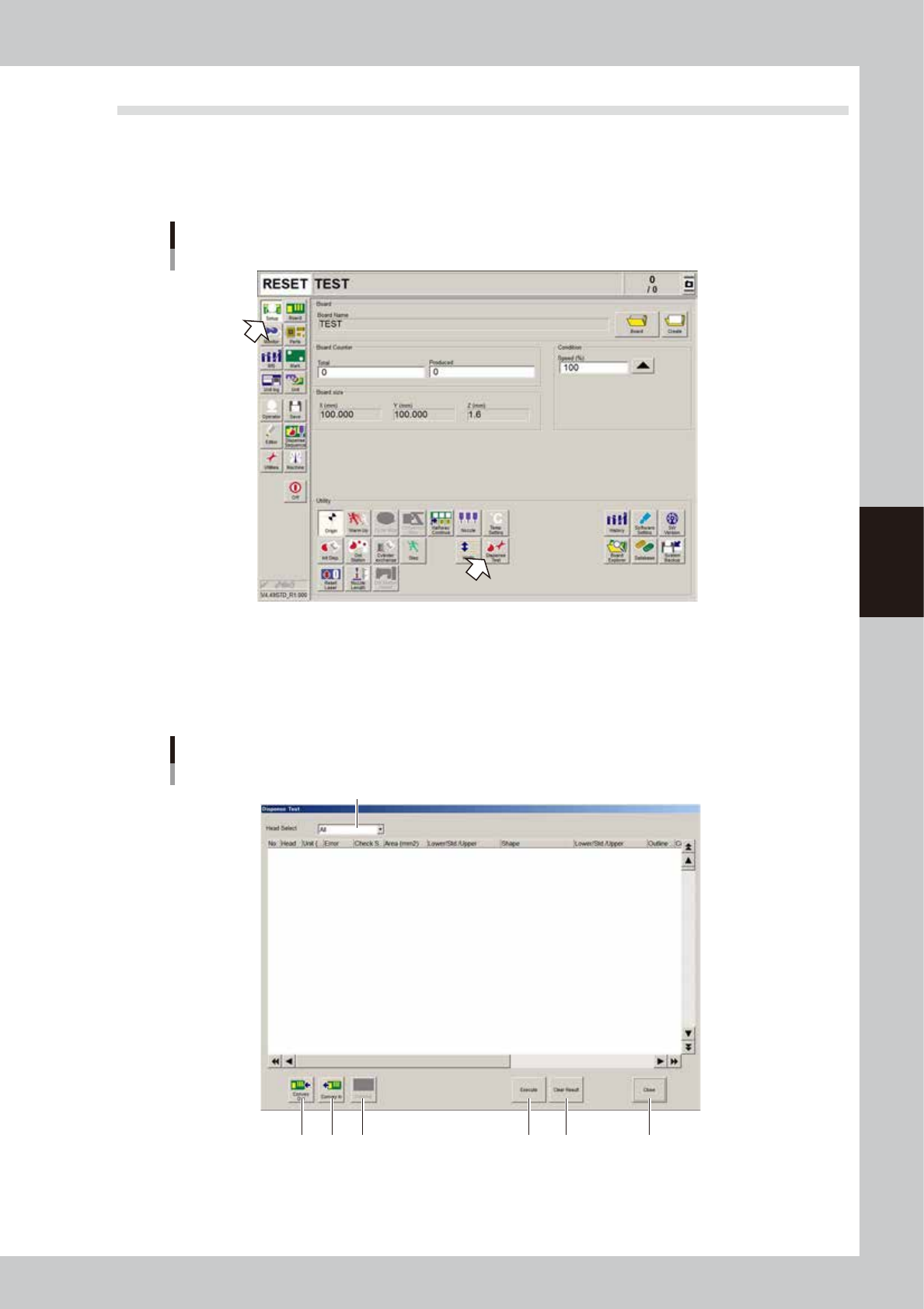
Open the “Dispense Test” window.
On the Setup screen, press the [Dispense Test] button.
Dispensing test
64400-N7-00
2
Perform a dispensing test.
To dispense liquid on the dot station, press the [Execute] button.
To dispense liquid on a board, press the [Conveyor In] button to set a board in position, and then press
the [Execute] button.
”Dispense Test” window
1
2 3 54 6 7
64401-N7-00