YSD_Users_E.pdf - 第135页
4-7 4 Making the dispensing stable 2 Pr ess the [Dispense T est] button. The “Dispense T est” window will appear . ”Select action” screen Step2 Step4 64404-N7-00 3 Perform a dispensing test. When the test is finished, ad…
4-6
4
Making the dispensing stable
2.3 Starting a dispensing test during automatic operation
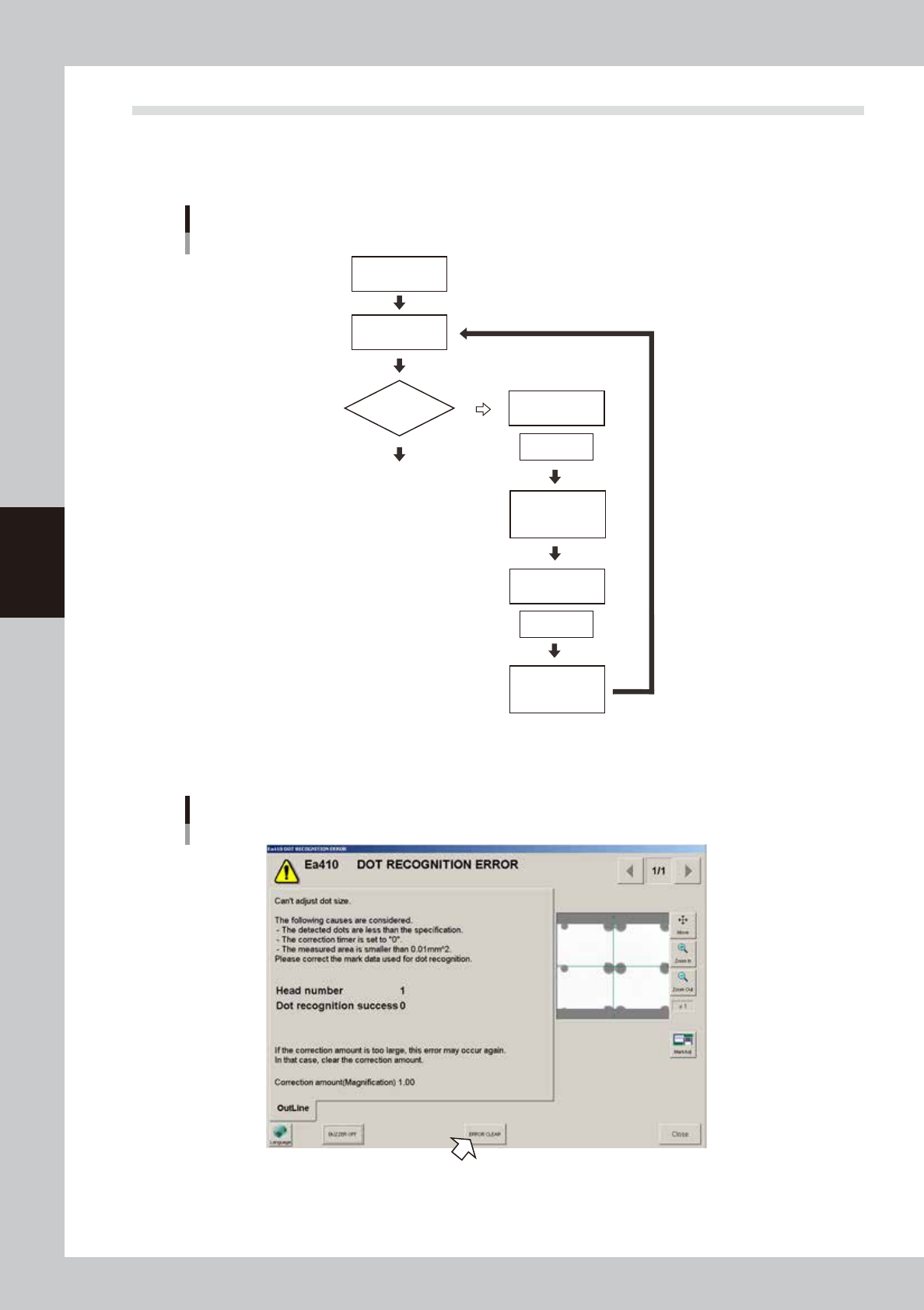
If a dot recognition error occurs during predispensing, perform a dispensing test with the following procedure.
Dispensing test cannot start unless the machine is equipped with a dot station or the predispensing is set to “On
dot station”.
Flowchart when error occurs
Predispense
Start operation
Dot dispensing
Perform
dispensing test
Select action
(dispensing test)
Select action
(retry)
Clear error
Adjust
air pressure
Check recognition
results
Recognition error
NG (fail)
OK (pass)
63401-N7-00
1
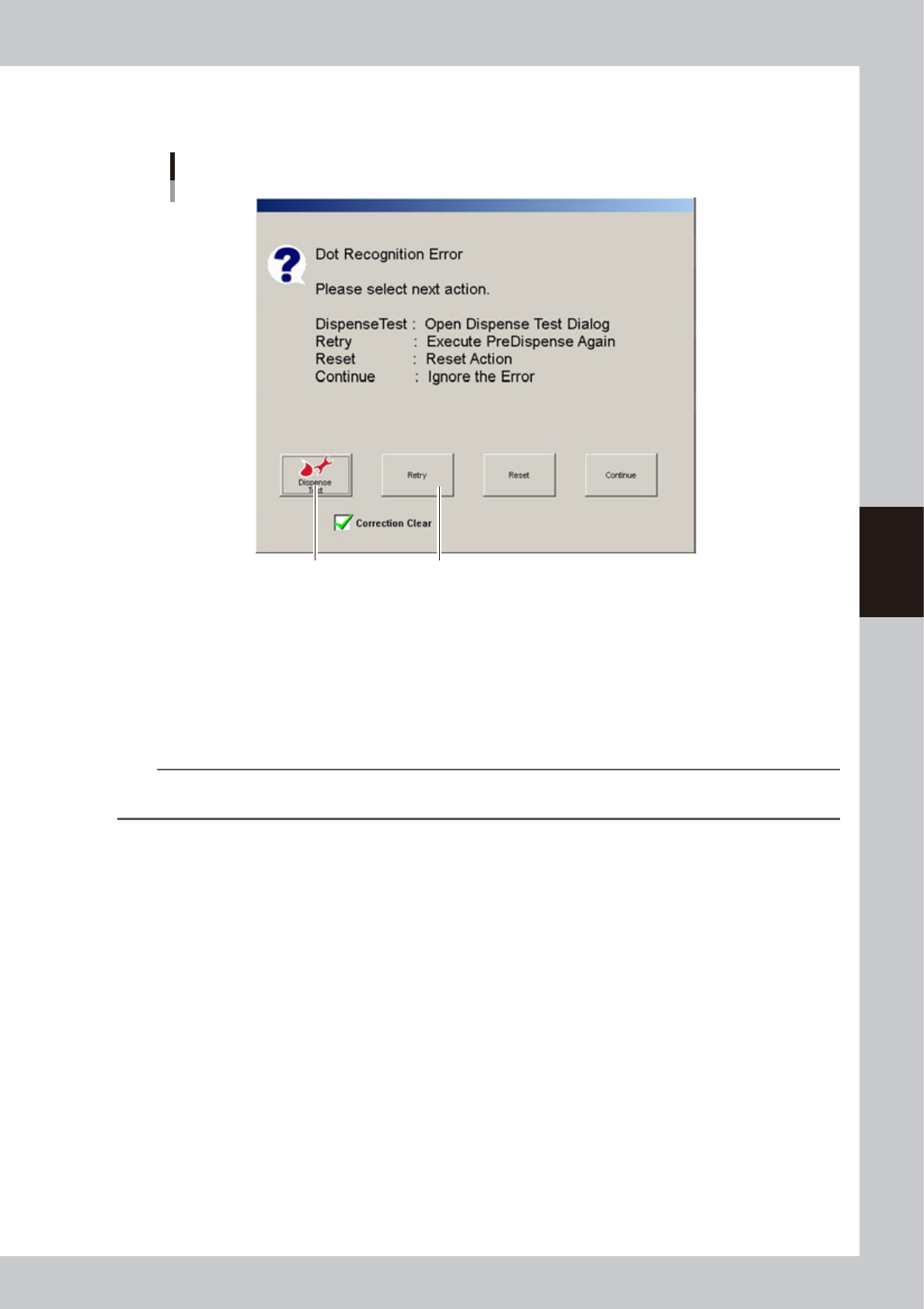
Press the [ERROR CLEAR] button.
Dot recognition error
64403-N7-00
4-7
4
Making the dispensing stable
2
Press the [Dispense Test] button.
The “Dispense Test” window will appear.
”Select action” screen
Step2 Step4
64404-N7-00
3
Perform a dispensing test.
When the test is finished, adjust the air pressure as needed. For more details, see “2.2 Performing a
dispensing test” in this chapter. When the adjustment is complete, press the [Close] button to return to
the “Select action” screen.
4
Press the [Retry] button.
Press the [Retry] button to perform predispensing again.
n
NOTE
After making correction by predispensing, make sure that a check is placed in the “Clear correction amount” check
box and then press the [Retry] button.
4-8
4
Making the dispensing stable
3. Creating the predispensing information
Normally, dispense correction is perform by predispensing to ensure that dispensing liquid is smooth and
stable before starting dot dispensing. This information is called predispense information. The procedure for
creating the predispense information is described below.
3.1 Using the dispense correction function
The dispense correction function corrects changes over time in the dispensing dot size formed by the dispenser
machine, by increasing or decreasing the dot dispensing air output time based on the average area of the
sample dots obtained by the predispensing test. This function works properly in combination with the optional
dot station. If the predispensing is performed on a board, this function can be used only when dot recognition
on the board is sufficiently stable. This section describes an example of use with the dot station.
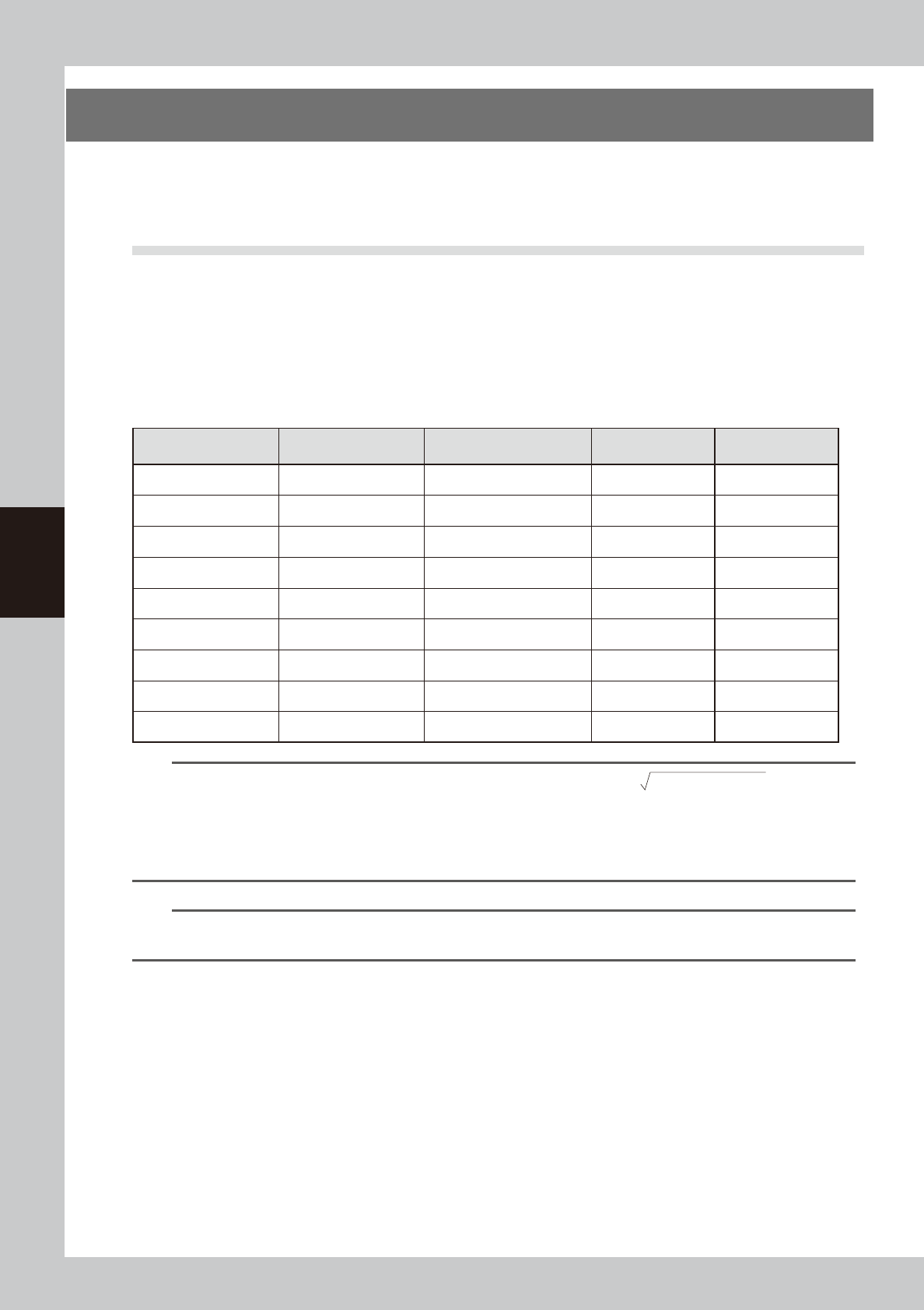
For the settings for each nozzle, refer to the table below.
n
Nozzle settings (YAMAHA default values)
Nozzle/ No. of
dispensings
Nozzle inner diameter
[mm]
Standard area [mm
2
]
(when liquid amount is 20)
Mark No. Correction type
111 (2-point) 0.4 0.19 11 Type 11
112 (2-point) 0.5 0.29 12 Type 12
113 (2-point) 0.9 0.95 13 Type 13
114 (1-point) 0.4 0.19 14 Type 14
115 (1-point) 0.8 0.75 15 Type 15
116 (1-point) 1.5 2.65 16 Type 16
11A (2-point) 0.4 0.19 20 Type 20
11B (1-point) 1.0 1.18 21 Type 21
11C (1-point) 1.3 1.99 22 Type 22
TIP
• The dot diameter can be found from the dot area size, using the calculation of
(dot area /3.14x2)
.
• Refer to the following values to find the liquid amount for each part
1608 chip Dot diameter of about 0.6 mm (Area 0.28 mm
2
)
2012 or larger chips Dot diameter of about 0.8 mm (Area 0.50 mm
2
)
SOP Dot diameter of about 1.0 mm (Area 0.79 mm
2
)
n
NOTE
The standard area is set using the liquid amount for the main dispensing as a general guide, so change if needed.
(YAMAHA default value for liquid amount is 20.)