YSD_Users_E.pdf - 第144页
4-16 4 Making the dispensing stable 6 Set the vision par ameters. Open the [Mark]-[Vision] tab and set the vision parameters as needed. Bonding adhesive and solder do not reflect light, so set the “Sur face Type” paramet…
4-15
4
Making the dispensing stable
3
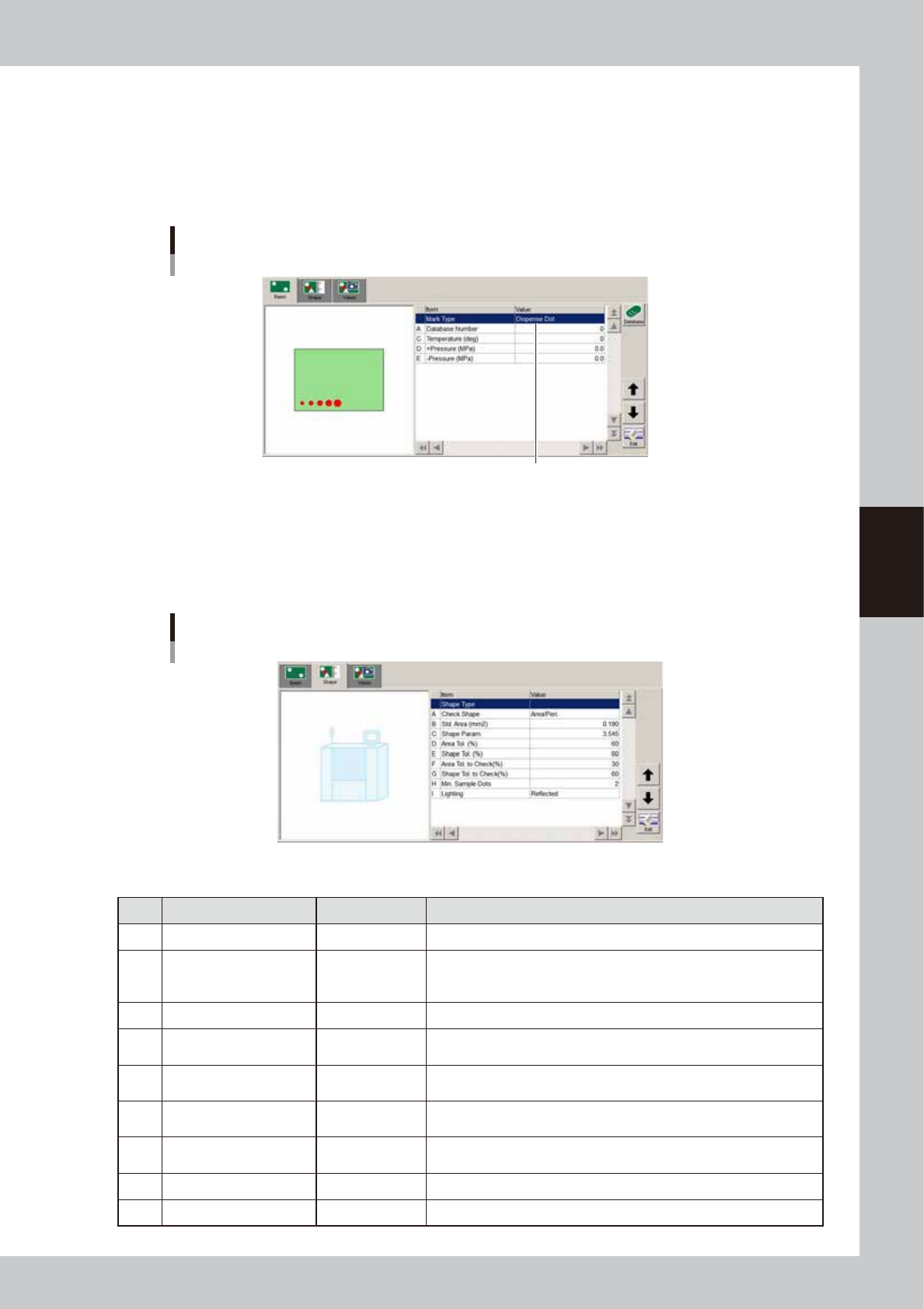
Set the “Mark Type” parameter to “Dispense Dot”.
1. Open the [Mark]-[Basic] tab.
2. Set “Mark Type” to “Dispense Dot”.
4
Set each parameter.
Set the "Temperature", "+Pressure" and "-Pressure" parameters.
Mark type information screen
Set to "Dispense Dot".
64432-N7-00
5
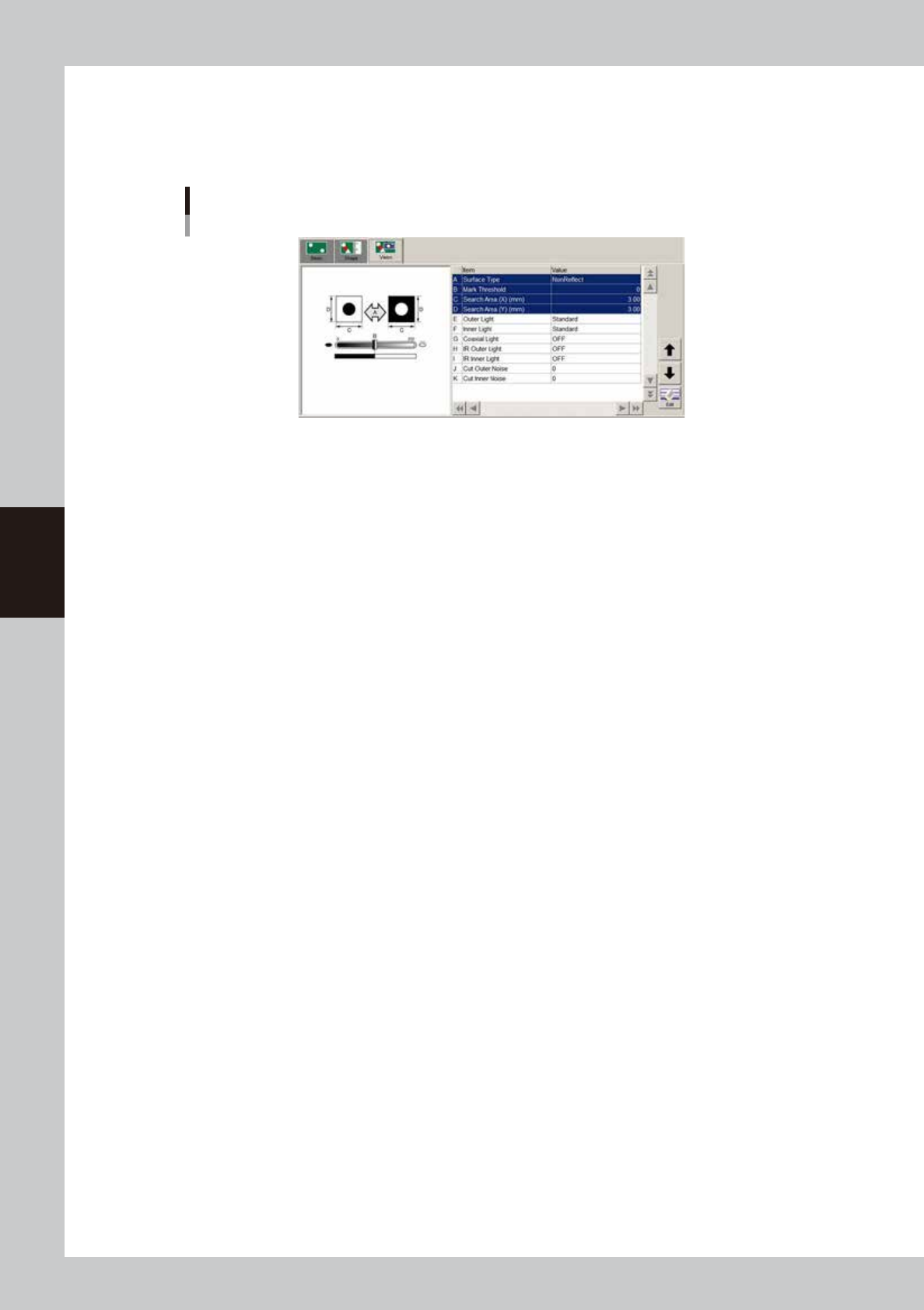
Set the mark shape information.
Open the [Mark]-[Shape] tab and make the necessary settings.
The following is an example of settings for Type 111 nozzle. For more details on each parameter, see
“
n
Mark shape information”.
Mark shape information
64433-N7-00
n
Example of settings for Type 111 nozzle
Parameter Setting Description
A Check Shape Area/Peri. In most cases, use “Area/Peri.” to check the shape.
B Std. Area (mm
2
) 0.190
Enter the main dispensing amount as the area.
For the settings for other nozzles, see “
n
Nozzle settings” in “3.1 Using
the dispense correction function” in this chapter.
C Shape Param 3.545 Set to “3.545” when the Check Shape” parameter is set to “Area/Peri.”.
D Area Tol (%) 60
In most cases, set to 60%. Change the setting as needed, according to
the dot recognition state.
E Shape Tol (%) 60
In most cases, set to 60%. Change the setting as needed, according to
the dot recognition state.
F
Area Tol. To Check
(for check) (%)
30
In most cases, set to 30%. Set the allowable tolerance for dot
recognition after correction.
G
Shape Tol. To Check
(for check) (%)
40
In most cases, set to 40%. Set the allowable tolerance for dot
recognition after correction.
H Min. Sample Dots 2 Set to “2” since Type 111 is a 2-point dispensing nozzle.
I Lighting Reflected In most cases, set to “Reflected”.
4-16
4
Making the dispensing stable
6
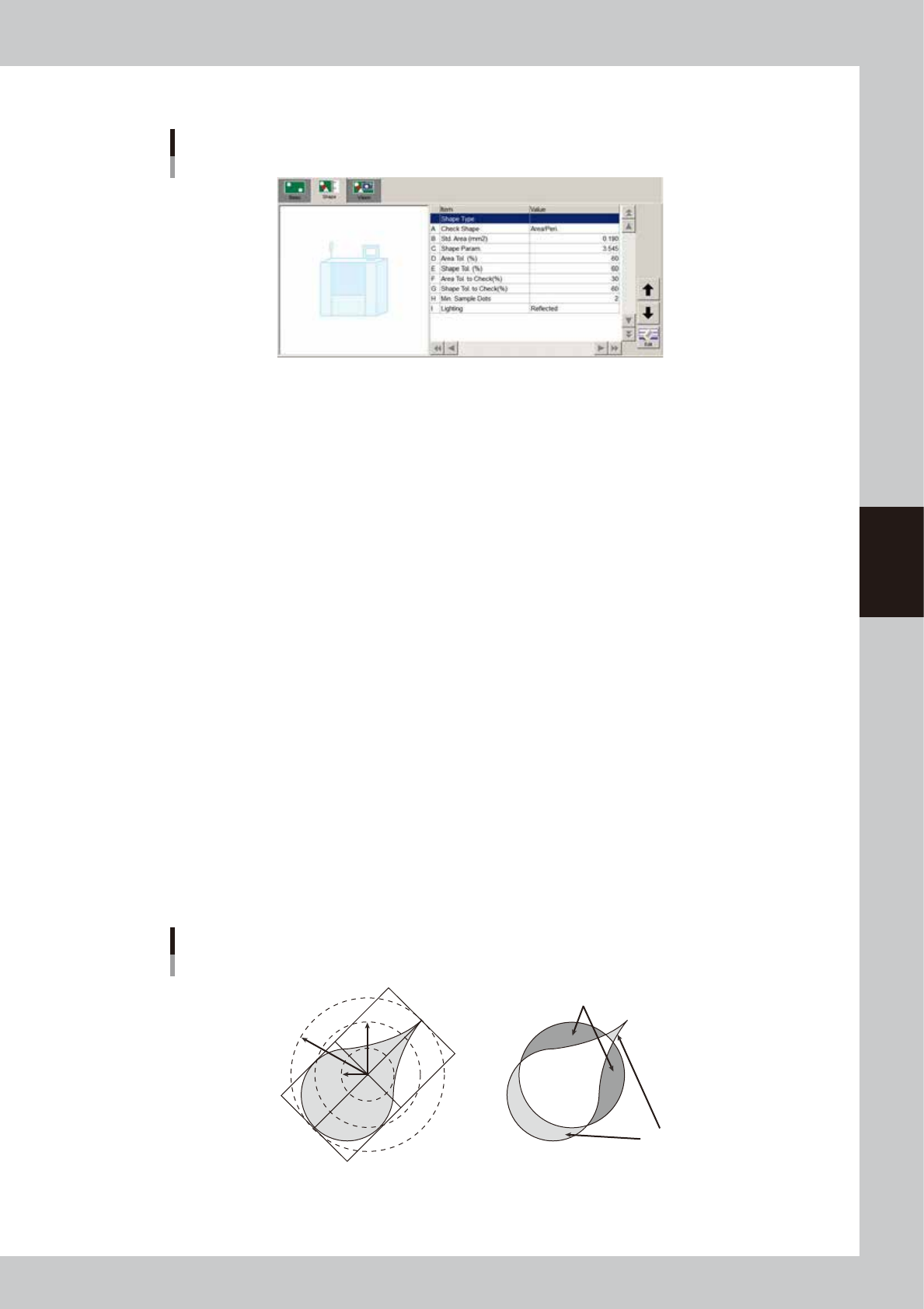
Set the vision parameters.
Open the [Mark]-[Vision] tab and set the vision parameters as needed. Bonding adhesive and solder do
not reflect light, so set the “Surface Type” parameter to “NonReflect”. Set the other parameters in the
Mark Adjust mode. For details on each parameter, see “
n
Mark recognition information”.
Mark shape information
64434-N7-00
4-17
4
Making the dispensing stable
n
Mark shape information
Mark shape information
64435-N7-00
A: Check Shape
Normally, set this parameter to “RoundLevel”.
• Area/Peri.
This uses a formula of (dot perimeter /
√
dot area) to calculate the shape and checks whether this calculated value is
within the shape tolerance range that is specified on the basis of the shape constant set in the mark information.
The calculated value of (dot perimeter /
√
dot area) should uniformly approach 3.545 in the case of circle, and should
approach 4.000 in the case of square, so this value allows determining whether the dot is near the target shape or not.
• RoundLevel
This checks the shape based on the inscribed and circumscribed circles surrounding the dot in order to check whether
a cobwebbing occurs.
The intermediate radius R { (Rmin + Rmax) / 2 } is found from the radius of the inscribed circle (Rmin) and the radius
of the circumscribed circle (Rmax) for the recognized dot, and then checks are made as to whether the radius of the
inscribed circle and the radius of the circumscribed circle are within the shape tolerance range that is specified on the
basis of the intermediate radius.
When the minimum radius is smaller than the intermediate radius (R) x (1 – shape tolerance / 100), it is out of the
tolerance.
When the maximum radius is larger than the intermediate radius (R) x (1 + shape tolerance / 100), it is out of the
tolerance.
If the dot approaches a perfect circle, then the maximum radius and minimum radius are near the intermediate radius.
• Matching
This finds the area of irregularities (concavities/protrusions) overlapped on a perfect circle (circle with an area
equivalent to the dot)
Area of protrusion (Area1) = Area of section (blue color) sticking out from perfect circle
Area of concavity (Area2) = Area of section (red color) not outside of dot within perfect circle
Area of dot (AreaDot) = Area of perfect circle
The area ratio of irregularities (concavities/protrusions) is then obtained by (Area1 + Area2) / AreaDot and is checked
as to whether it is within the shape tolerance.
When approaching a perfect circle, the area ratio of irregularities is a value of nearly 0 (=0%).
When deviating from a perfect circle, it is a value near 1 (=100%).
Shape check method
RoundLevel Matching
Area1
Area2
Rmax
Rmin
R
63409-N7-00