YSD_Users_E.pdf - 第164页
4-36 4 Making the dispensing stable 4.3 Machine data setting T his section describes the machine data setting for position correction dispensing. ([Machine] - “Setting” - “Machine Data” - “Precision” - “P os Correct Disp…
4-35
4
Making the dispensing stable
4.2 Setting method
Follow these steps to make setting.
1
Open the position correction dispense data screen.
Press the [Board] button and select the [Pos. Cor. Disp.] tab.
2
Create position correction dispense data.
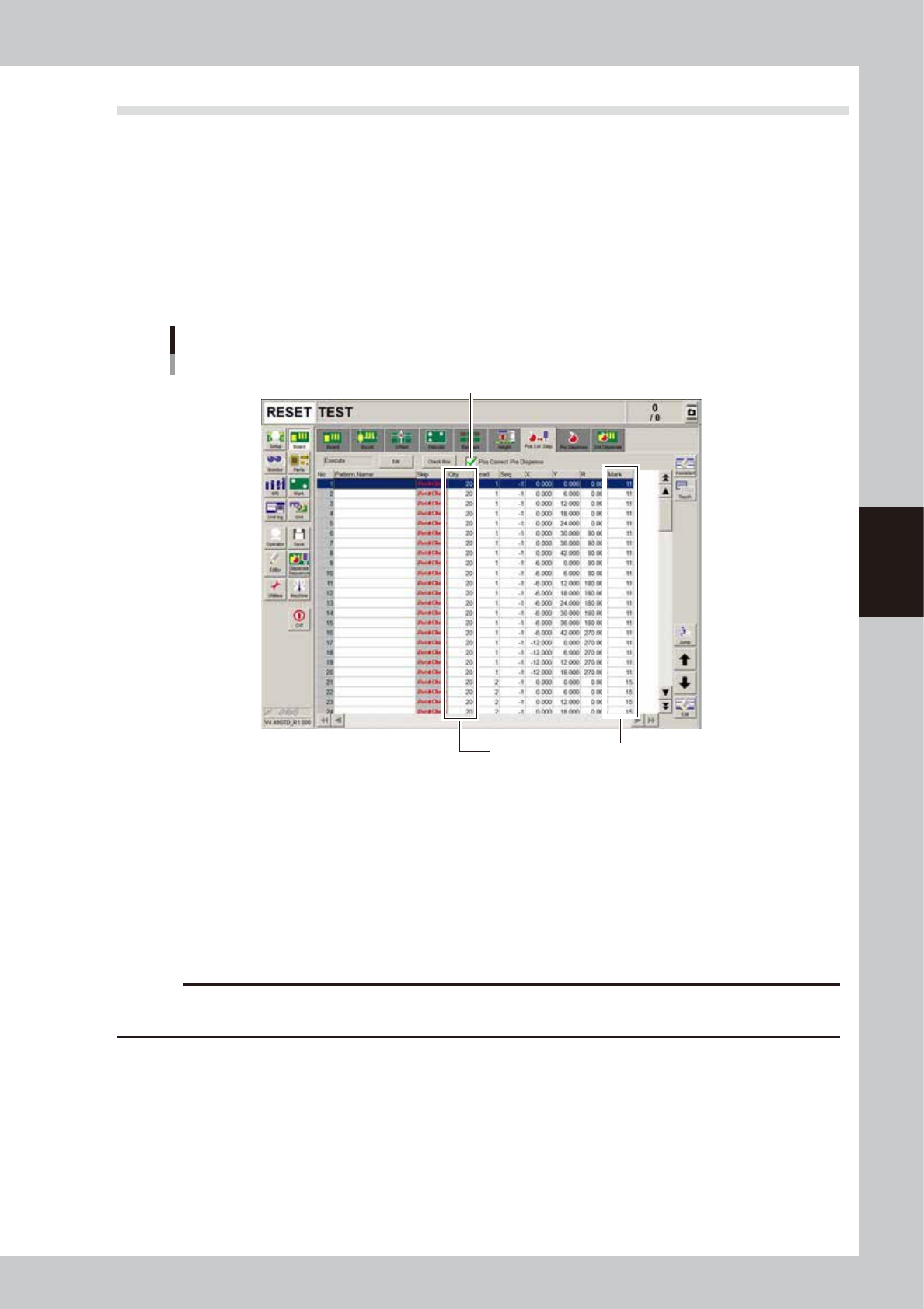
Create the data at 4 angles (0/90/180/270) for each head used to dispense dots. Copy the coordinates
of the board data (YSD_96001_3HEAD.ygx) and enter the liquid amount and mark No. according to the
predispensing conditions. If not using predispensing, enter the dispensing liquid amount and mark
values.
“Pos. Cor. Disp.” tab screen
Step3
Make a match with predispensing data
64405-N7-00
n
To copy
1. Open board data that has already been created.
2. Open the [Board] – [Pos. Cor. Disp.] tab screen and press the [Assistant] button.
3. Move the cursor to the start row of the range you want to copy and press the [Row Selection] button.
4. Click the last row of the range you want to copy and press the [Copy] button.
5. Open the board data where you want to paste the data.
6. Open the [Board] – [Pos. Cor. Disp.] tab screen and press the [Assistant] button.
7. Move the cursor to the start row where you want to paste the data, and press the [InsPaste] button.
c
CAUTION
Create the number of data (“Dot&Check” in “Skip” column) that is more than “Minimum Sample Num” specified on
the [Machine] - “Pos Correct Dispense” screen.
3
Place a check in the “Pos Correct Pre Dispense” check box.
Before correcting the dispensing position, perform predispensing in most cases. This is possible only when
the dot station is used as the predispensing location.
4-36
4
Making the dispensing stable
4.3 Machine data setting
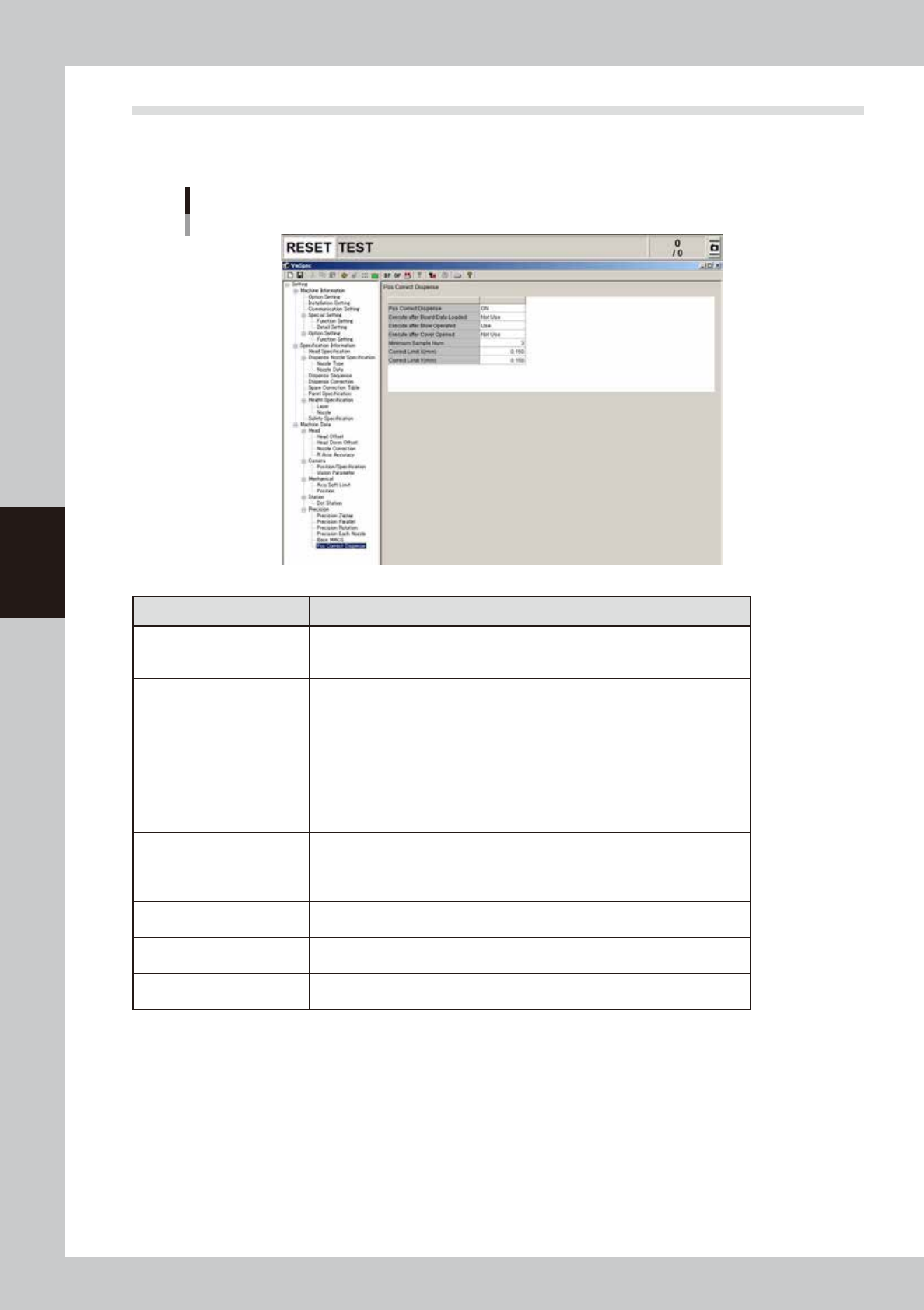
This section describes the machine data setting for position correction dispensing. ([Machine] - “Setting” -
“Machine Data” - “Precision” - “Pos Correct Dispense”)
Machin data setting
64406-N7-00
Parameters Description
Pos Correct Dispense
Set whether to use the position correction dispense function.
OFF: Does not use this function.
ON: Uses this function. (Default setting)
Execute after Board Data
Loaded
Set whether to execute position correction dispensing at the start of automatic
operation immediately after board data is loaded.
Not Use: Does not execute. (Default setting)
Use: Executes.
Execute after Blow Operated
Set whether to execute position correction dispensing at the start of automatic
operation after operating the [Dispense] button on the [Unit]-[Head] screen or
the [Dispense]-[Head: button on the [Setup]-[Replace Syringe] screen.
Not Use: Does not execute.
Use: Executes. (Default setting)
Execute after Cover Opened
Set whether to execute position correction dispensing at the start of automatic
operation after opening/closing the safety cover.
Not Use: Does not execute. (Default setting)
Use: Executes.
Minimum Sample Num
Set the number of samples necessary to perform position correction.
Setting: 3 (Default setting)
Correct Limit X (mm)
Determine the upper limit of the correction amount X (absolute value).
Setting: 0.150 (Default setting)
Correct Limit Y (mm)
Determine the upper limit of the correction amount Y (absolute value).
Setting: 0.150 (Default setting)
4-37
4
Making the dispensing stable
5. Dot station (option)
The dot station is used as a dummy board where the dispenser head preapplies adhesive or solder paste,
in order to perform dot feedback and prevent variations in the dispensing dot size which may be caused
by a change in the liquid surface. The dot station can also be used during dispensing work to make the first
application from the head uniform after it has not been in use for a long time. A roll of special paper is used
as the dummy board, which is automatically rolled up. When the dot station is installed to the dispenser
machine prior to shipping, the default setting has already been made.
5.1 Dot station setup
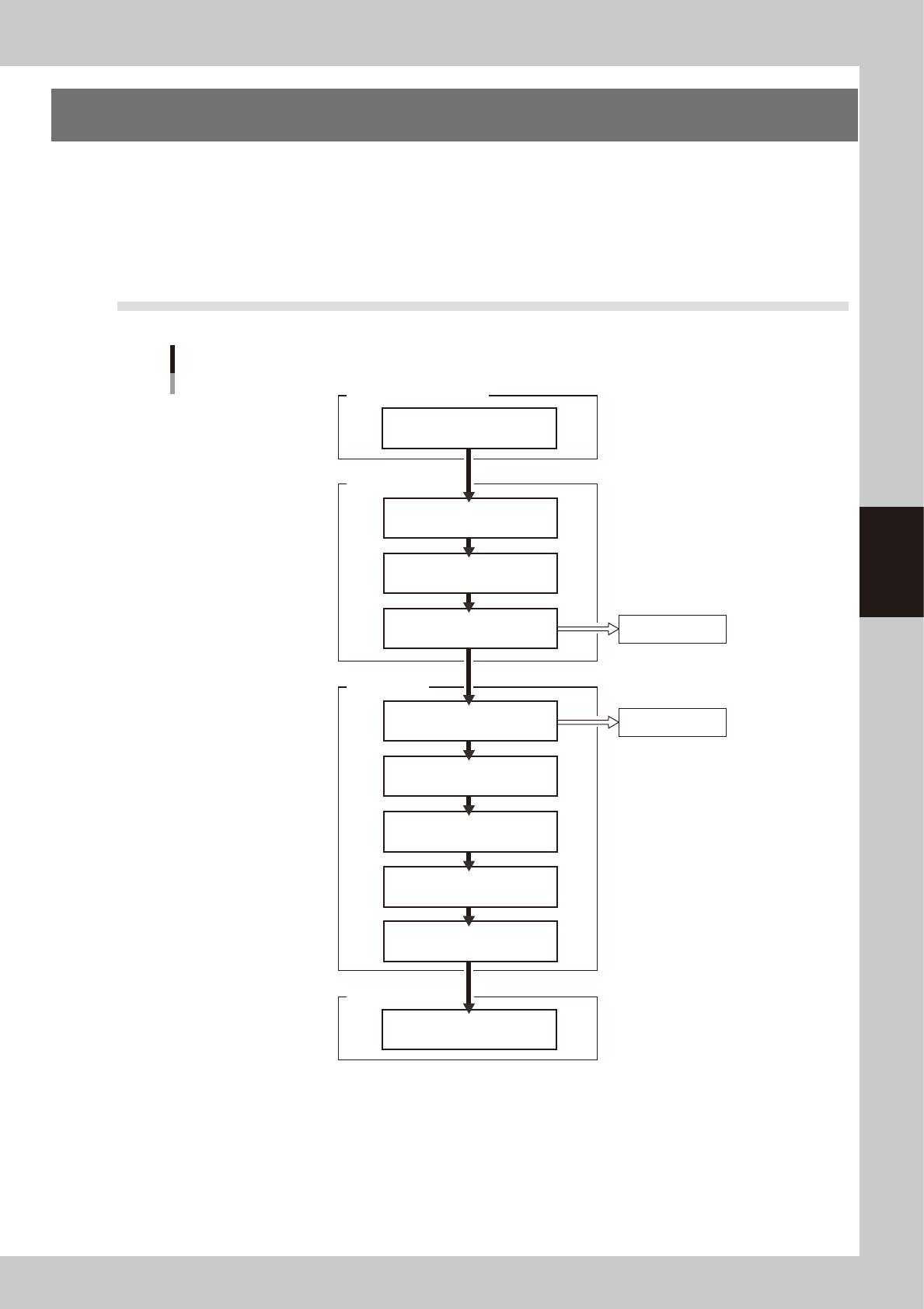
Setup flow
Paper feed check
Low liquid alarm
Set "Dot Station" function
Enter predispensing
coordinates
Enter pitch and number of
predispensing dots
Set paper feed timer
Machine Position
Option Configuration
Set maximum liquid
quantity
Dot Station
Set "Refresh Dispense"
Board parameters
Set dot feedback conditions
Set predispensing timer
Enter number of
predispensing dots
Set dot size difference
63404-N7-00