YSD_Users_E.pdf - 第176页
4-48 4 Making the dispensing stable 5.4 Dispense correction retries When dispensing starts after a long stop time, the liquid dispensing gets worse and the dispensing dot radius gets smaller . Consequently recognition er…
4-47
4
Making the dispensing stable
5.3.2 Setting method
To use this function, the following parameters must be set in the VmSpec window that opens with the
[Machine] button.
1
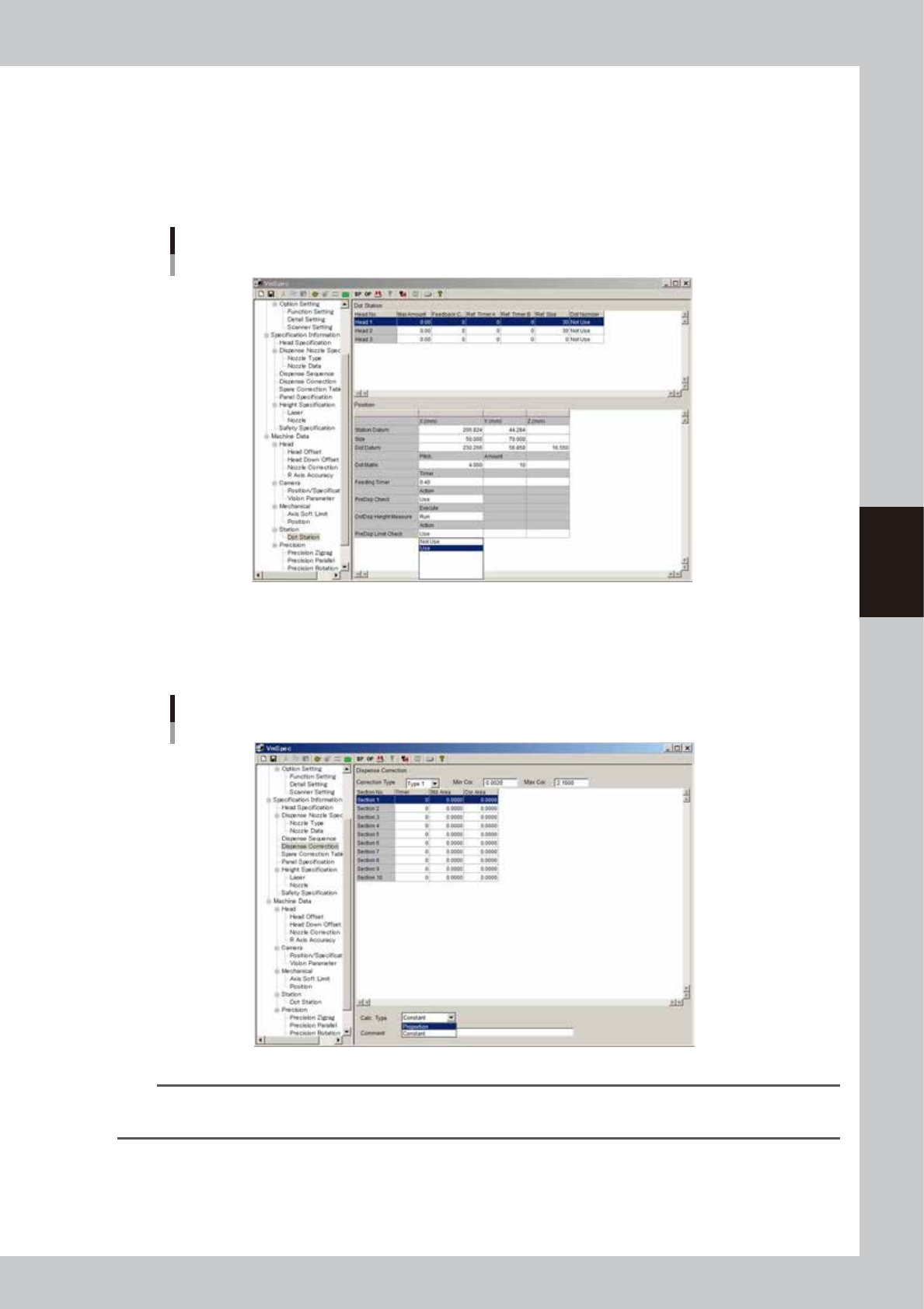
Make the dot station settings.
In the VmSpec window, open “Dot Station” and set the “PreDsp Check” parameter to “Use”.
“PreDsp Limit Check” parameter
64424-N7-00
2
Make the dispense correction settings.
In the VmSpec window, open “Dispense Correction” and enter the “Min Cor.” and “Max Cor.” limits to
set the correction range.
“Dispense Correction”
64425-N7-00
TIP
Dispense correction limit check does not work when the maximum correction is set to “0”.
The range between the minimum and maximum correction limits must be larger than 1.0000.
4-48
4
Making the dispensing stable
5.4 Dispense correction retries
When dispensing starts after a long stop time, the liquid dispensing gets worse and the dispensing dot radius
gets smaller. Consequently recognition errors are prone to occur in position correction dispensing or
predispensing. This retry function automatically performs retries to prevent machine stoppage when errors
occur in position correction dispensing and predispensing on the dot station. If the correction amount is still
wrong even after repeating a specified number of retries, then an error message appears and the machine stops.
n
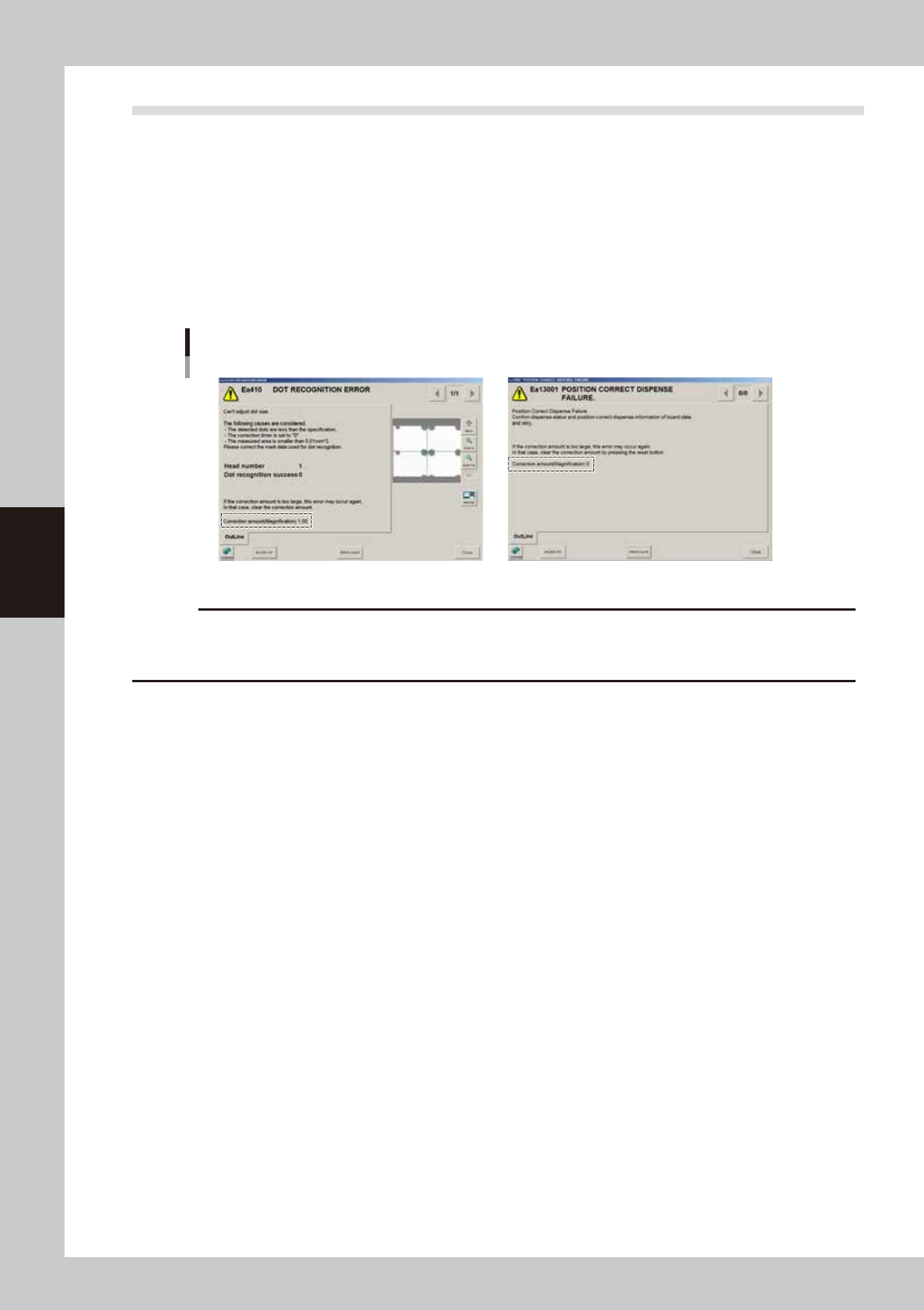
Error message
The following message appears if the retry count is exceeded.
A correction amount (magnification scale) appears, so check this magnification scale, and if the correction was too large,
then clear the correction amount and run the retries.
Retry over error
64448-N7-00
c
CAUTION
Though it rarely happens, the correction amount might sometimes be excessive due to a dispensing point that is
recognized as an extremely large or small dot. In this case, excessive correction is applied when the liquid is
dispensed, causing the recognition to fail.
4-49
4
Making the dispensing stable
n
Clearing the correction amount
To clear the correction amount when a recognition error occurs in position correction dispensing:
If the message “Ea13001: Position Correct Dispense Failure” appears, press the [RESET] button on the operation panel.
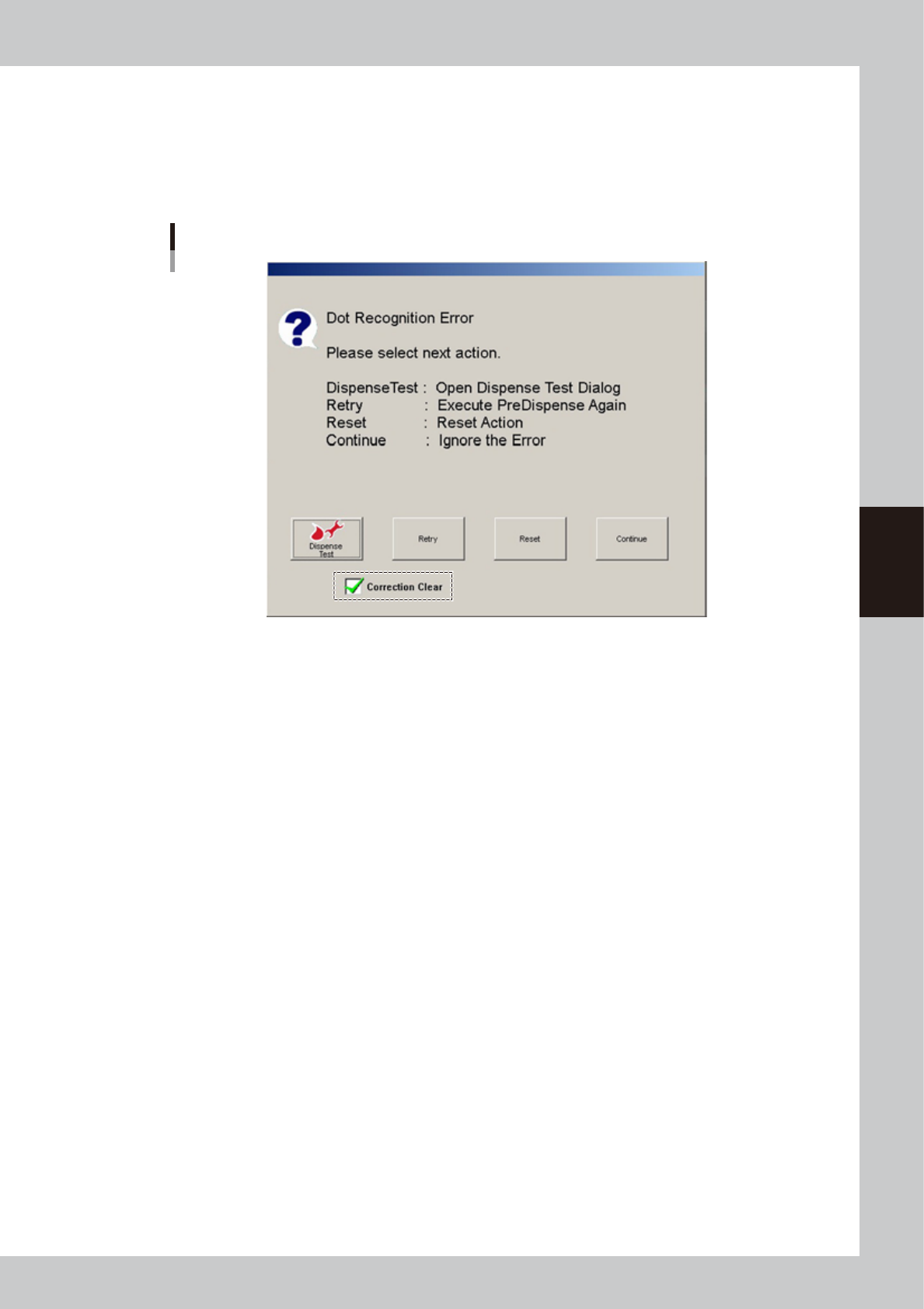
To clear the correction amount during predispensing retry:
On the retry selection screen, place a check in the “Correction clear” check box and then press the [Retry] button or
press the [Reset] button.
Retry selection screen
64449-N7-00