YSD_Users_E.pdf - 第179页
4-51 4 Making the dispensing stable 6. Editing a dispense sequence If the diameter of dots dispensed on the board is not constant or if adhesive stringing occurs or dots are slanted, you must edit the dispense sequence t…
4-50
4
Making the dispensing stable
5.4.1 Setting method
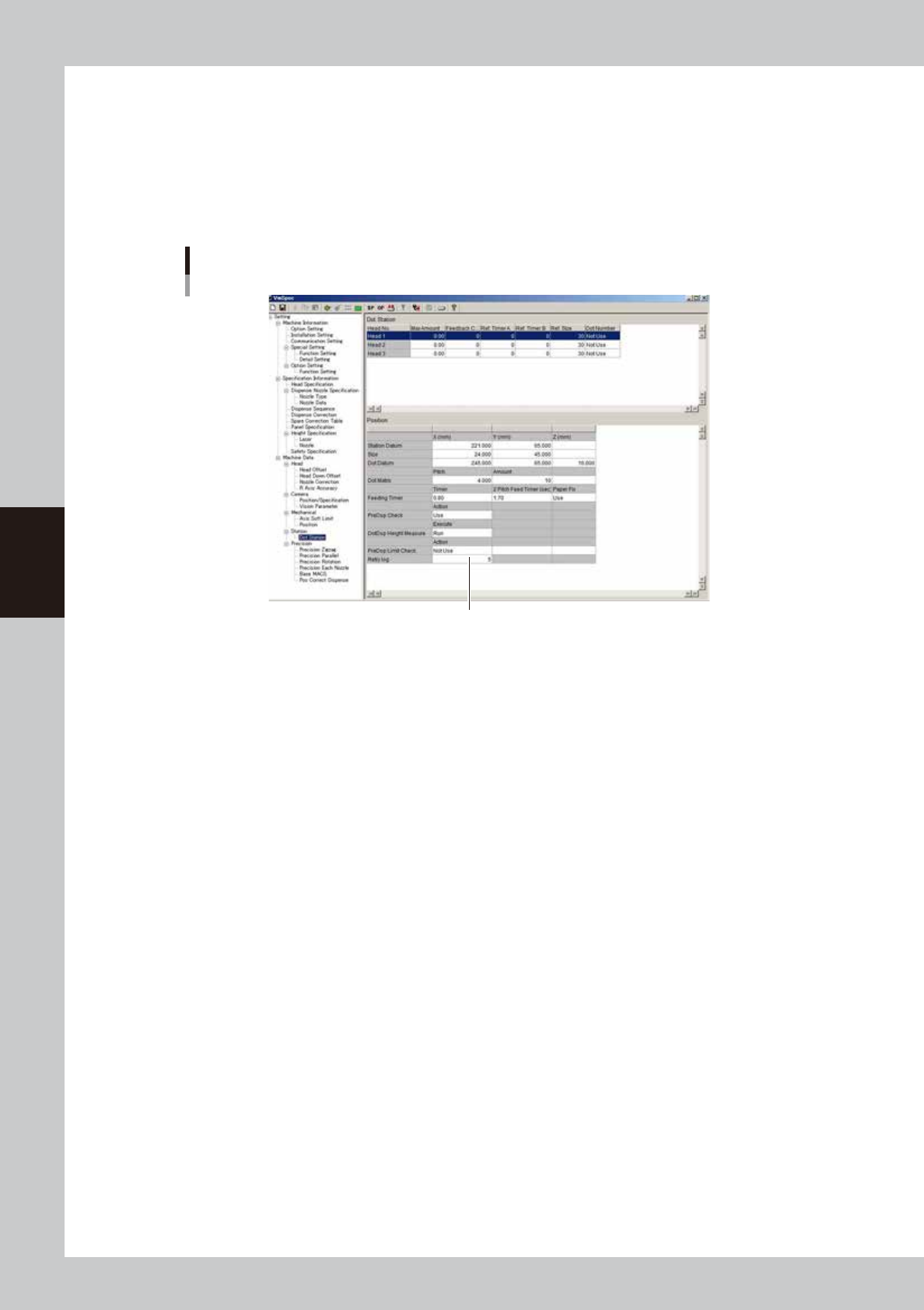
Make the machine data setting to use this retry function.
Enter the retry count.
On the [Machine] - “Machine Data” – “Dot Station / Position” screen, enter the retry count in “Retry
log”.
The setting range is 0 to 14. If set to “0”, no retry will be performed. (Recommended retry count: 5)
Retry count
Enter the retry count.
64450-N7-00
4-51
4
Making the dispensing stable
6. Editing a dispense sequence
If the diameter of dots dispensed on the board is not constant or if adhesive stringing occurs or dots are
slanted, you must edit the dispense sequence to perform stable dot dispense.
This section explains how to edit the dispense sequence.
6.1 Performing a predispensing test
Dispensing dot conditions usually differ depending on the type of adhesive. To maintain optimum dispensing,
we recommend performing a predispensing test with the default settings and then check the current conditions
regarding the following points.
• Does the stopper make proper contact with the board?
• Does adhesive stringing occur when the nozzle moves up?
• Are dispensed dots uniform in size and shape?
If any of the above symptoms occur, edit the dispense sequence. This will enable stable dispensing operation.
6.2 Editing the dispense sequence
The dispense sequence is used to eliminate variations in dispensing that occurs due to component and adhesive
type or to improve cycle time by changing the dispense timing and ascent speed. This will allow the machine
to perform stable dispensing on the board.
n
NOTE
Before editing, we recommend making a system backup or making a note of the settings so that you can restore
them when needed.
1
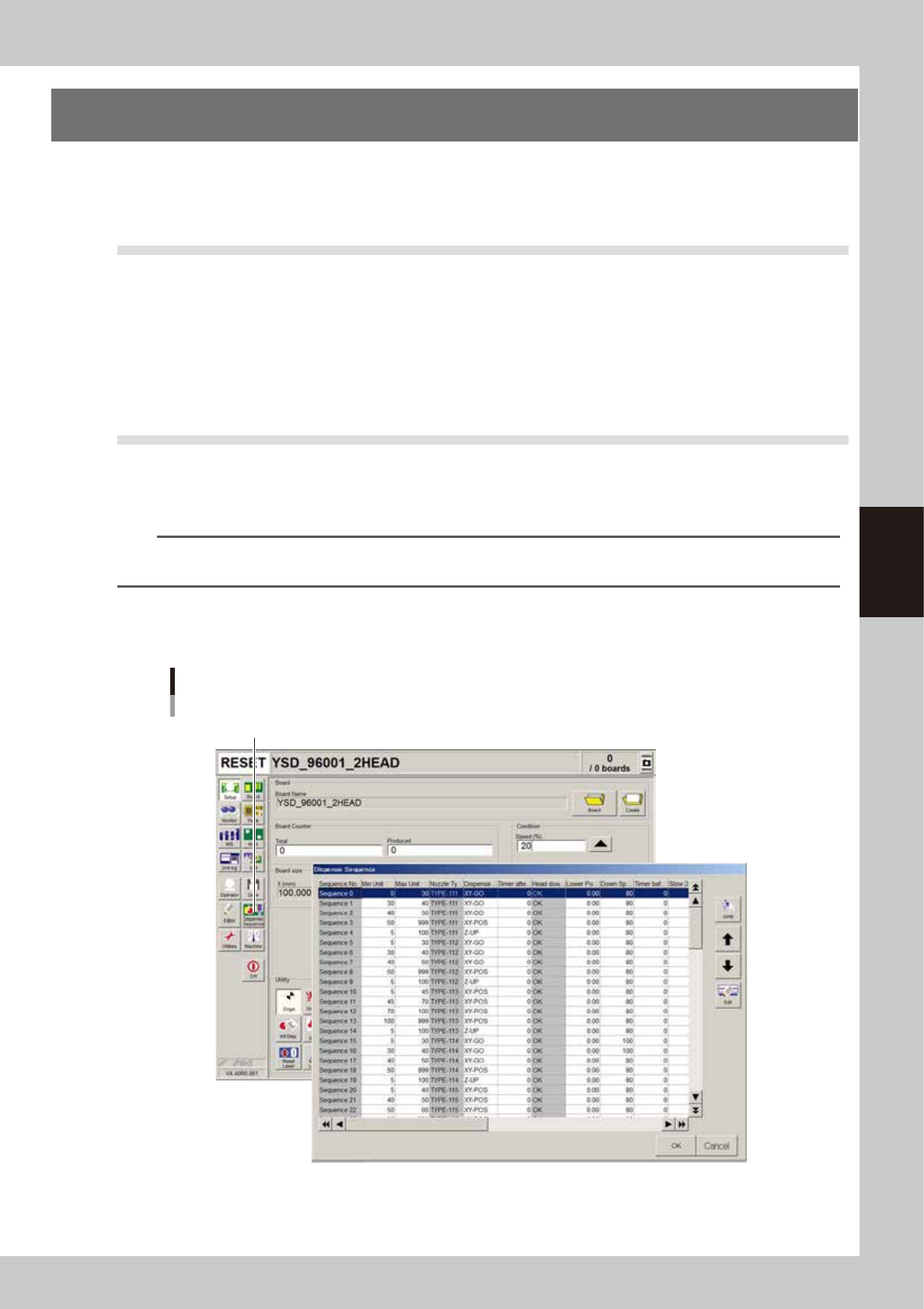
Open the dispense sequence edit screen.
Press the [Dispense Sequence] button on the Setup screen.
Setup screen
[Dispense Sequence] button
64451-N7-00
4-52
4
Making the dispensing stable
2
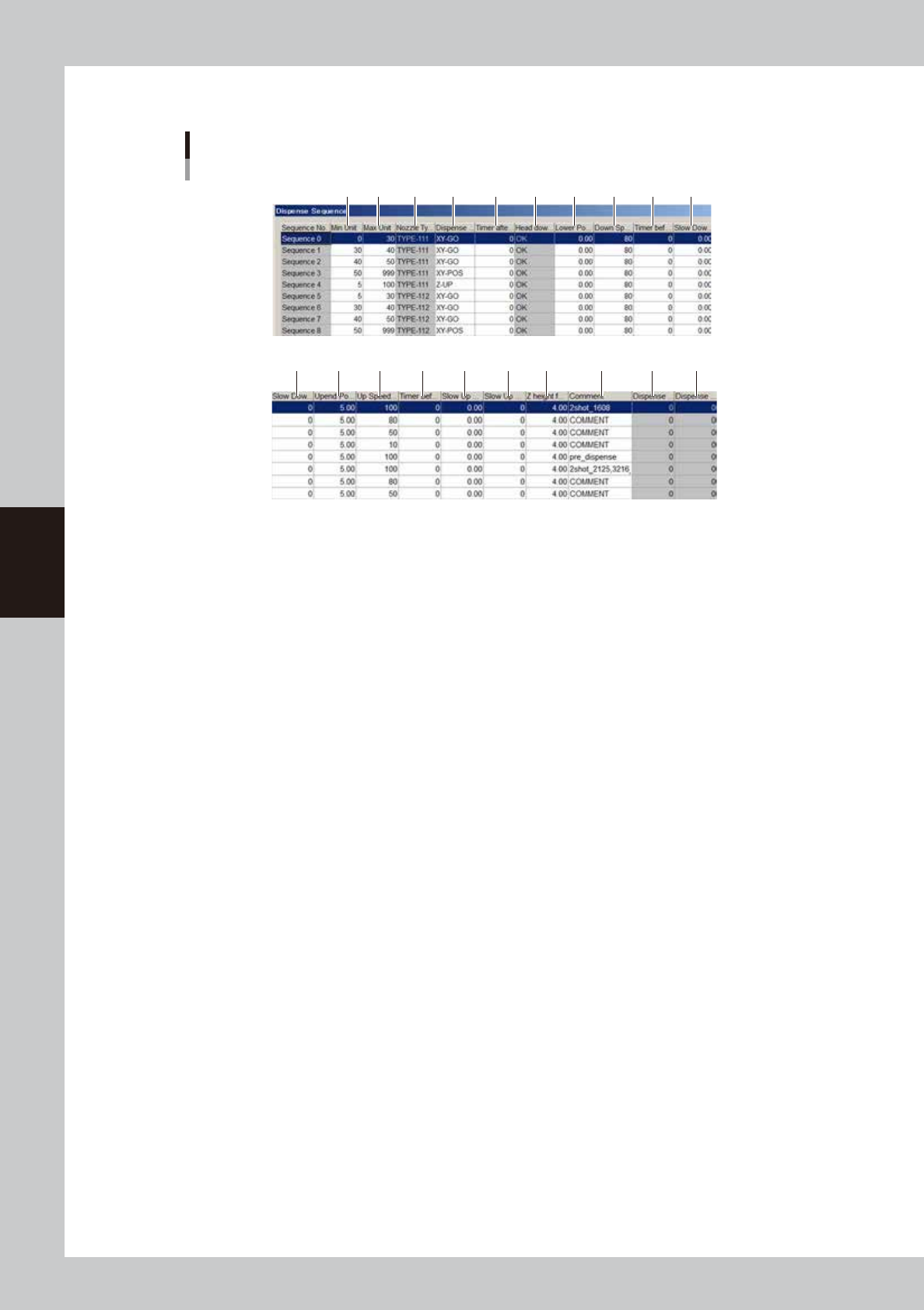
Edit the dispense sequence.
Dispense sequence
1
11 12 13 14 15 16 17 18 19 20
2 3 4 5 6 7 8 9 10
64452-N7-00
1. Min Unit
Set the minimum liquid quantity to be used for the dispensing action of this sequence number.
2. Max Unit
Set the maximum liquid quantity to be used for the dispensing action of this sequence number.
3. Nozzle Type
Specify the nozzle type to be used for sequence dispense.
4. Dispense start trigger
Set the operating timing of the valve used to dispense adhesive.
Five kinds of timing can be set (XY-GO, XY-POS, Z-DOWN, Z-LOW, Z-UP).