YSD_Users_E.pdf - 第209页
5-20 5 Creating the board data 4.3.1 Pitch distribution function T his function allows you to create block offset data at a specified pitc h by entering the block pitc h and the number of blocks. 1 Start the Editor . 1. …
5-19
5
Creating the board data
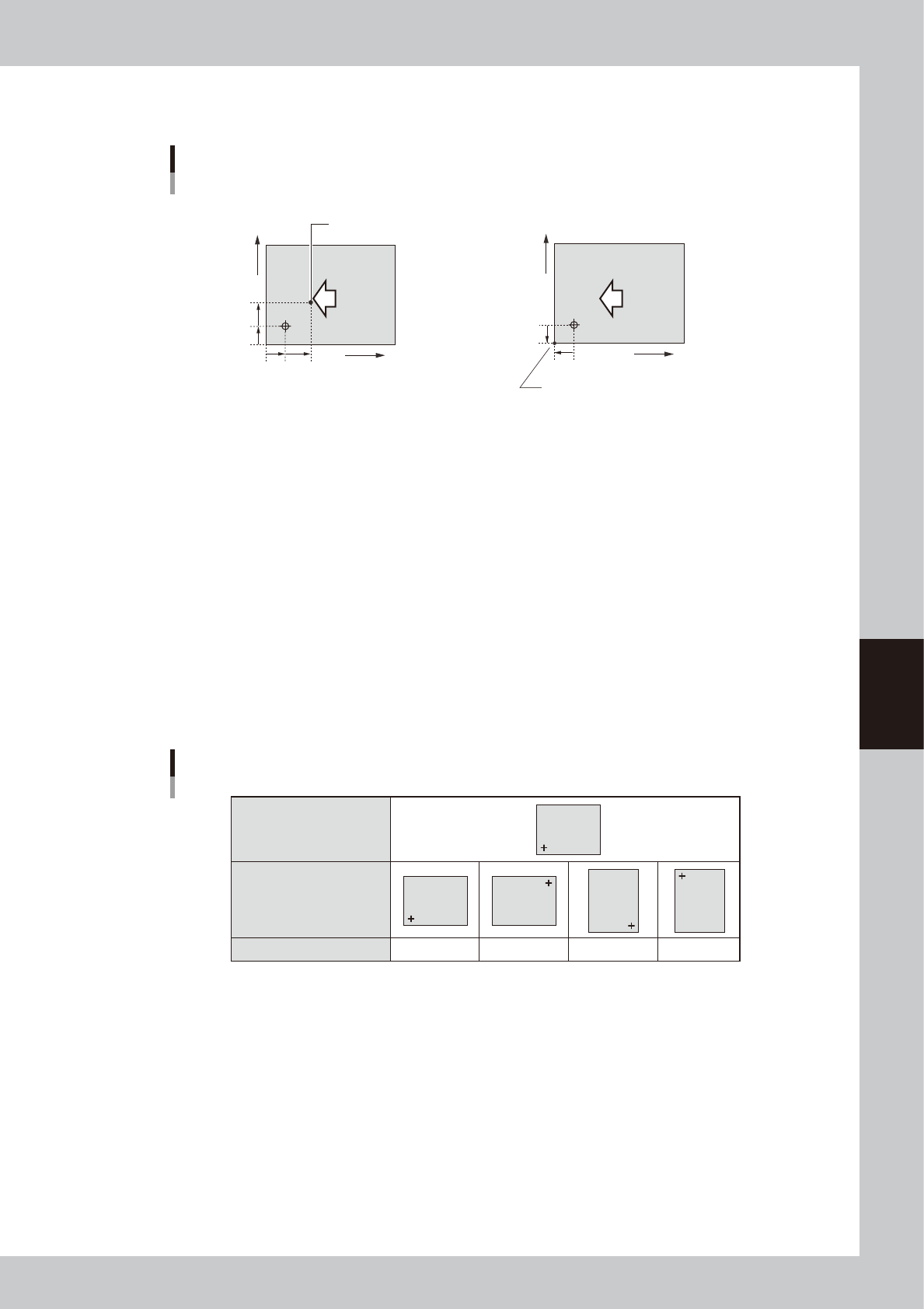
When setting the board origin at another position as shown below, enter the position relative to the coordinates
at X=5 mm and Y=5mm.
When setting the board origin
at this point, enter "X=7.00" and Y=7.00.
• Board origin ≠ Loce pin position
Board Origin
• Board origin ≠ Board corner
When setting the board origin at the corner of a
board in right-to-left flow (with the front rail fixed),
enter "X=-5.00" and Y=-5.00.
7mm
5mm
7mm
5mm
X
Y
Direction of
board flow
5mm
5mm
X
Y
Direction of
board flow
63506-N7-00
2. Pattern Name
Enter the block name.
3. Type
The board origin is specified on the top line, and block offset data on the second and subsequent lines.
4. Skip
Place a checkmark when not mounting components in this block.
5. XY
Enter the XY coordinates of the origin in each block relative to the board origin. You can use the [Teach] button to enter
the XY data or trace the specified data.
6. R
Enter the rotation angle of each block with respect to the reference block. You can use the [Teach] button to enter the R
data or trace the specified data.
Reference block direction
Block direction
R data
R data
0゚ 180゚ 90゚ -90゚
Block
Block
Block
Block
Block
63507-N7-00
7. Original Block No.
Shows the block No. that was automatically allocated to each block after block distribution (with note data) was
performed. For details on block distribution (with note data), refer to "2.2.1 Block offset distribution" in Chapter 7.
5-20
5
Creating the board data
4.3.1 Pitch distribution function
This function allows you to create block offset data at a specified pitch by entering the block pitch and the
number of blocks.
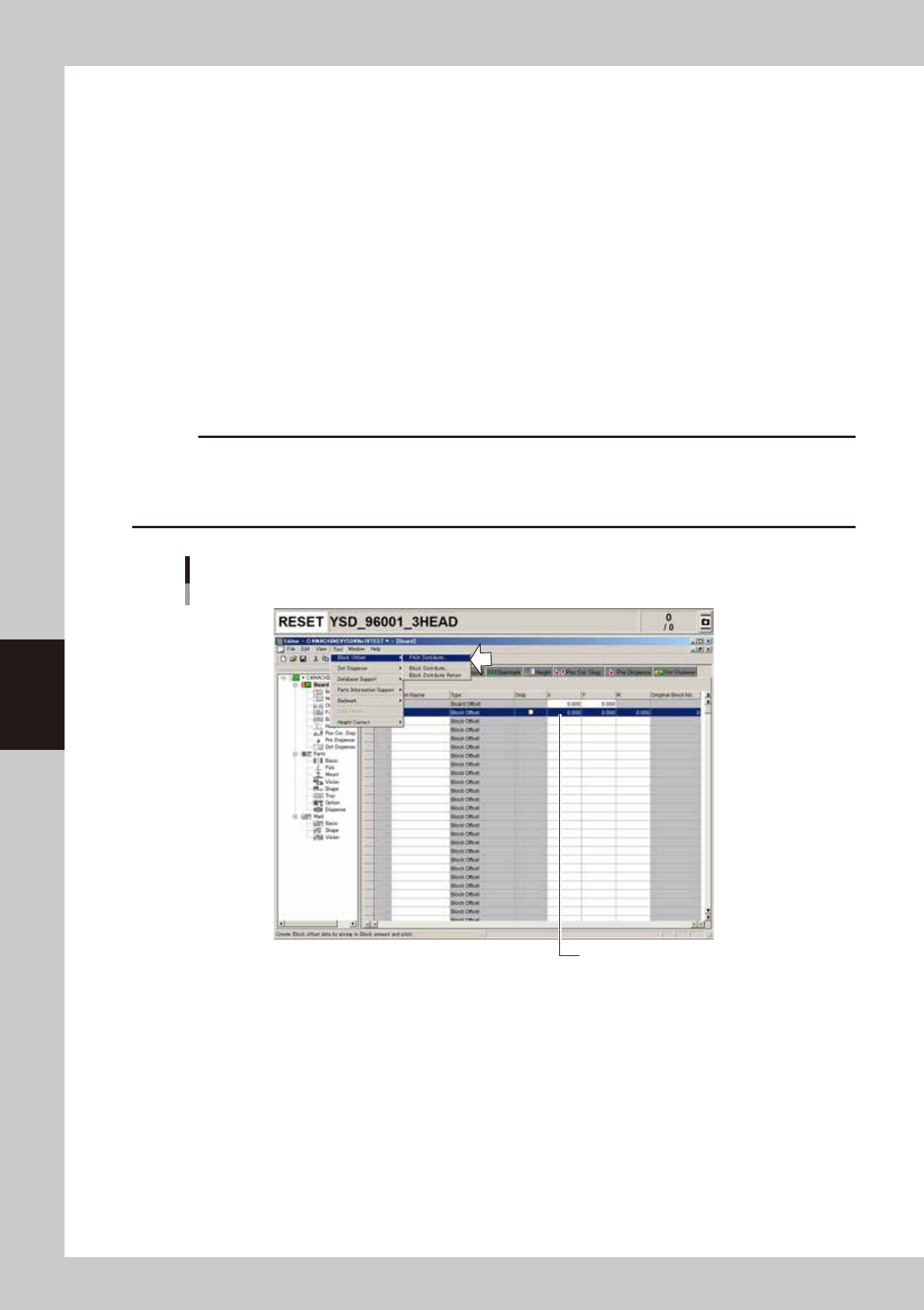
1
Start the Editor.
1. Press the [Editor] button on the Setup screen.
2. Select “Open Board Data” from the File menu or click the [Open Board Data] button on the toolbar.
The “Board data select” window appears.
3. Select the board data and click the [Select] button.
The selected board will be loaded and the Editor screen will appear.
2
Enter the block offset for block No.1.
Enter the XY coordinates in row No.1, which are used as the reference position for other blocks. You do
not have to enter these coordinates if the reference position is the same as the board origin position.
3
Perform pitch distribution.
Select "Block Offset" – "Pitch Distribute" from the Tool menu.
c
CAUTION
The following conditions must be met to perform pitch distribution.
• No offset data is entered for blocks other than block No.1.
• Offset coordinates after pitch distribution will be set within the range from -999.999 to 999.999.
• The number of blocks after pitch distribution does not exceed 512.
Selecting "Pitch Distribute" command
Offset data for block No.1
64508-N7-00
5-21
5
Creating the board data
4
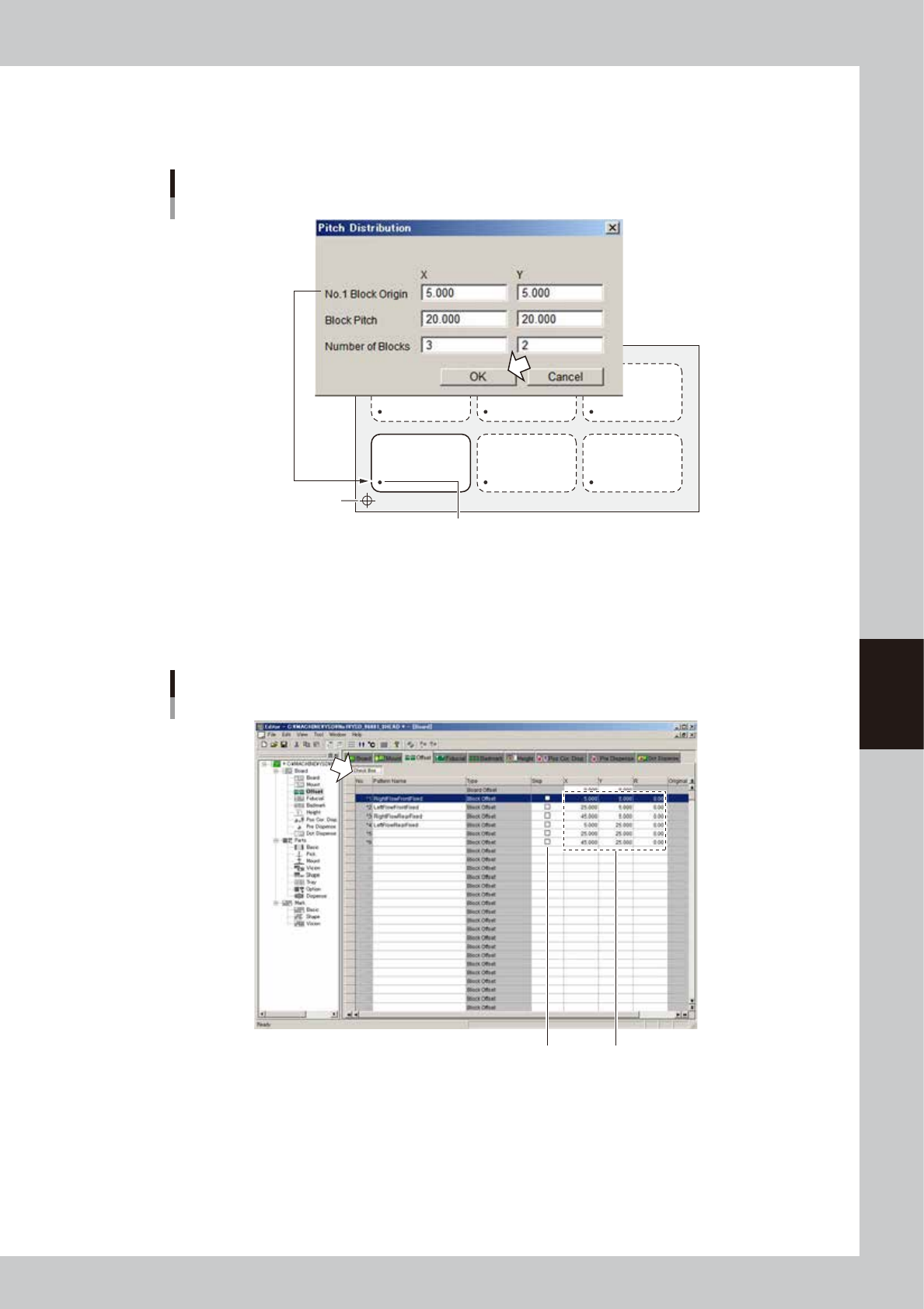
Enter the block pitch and the number of blocks.
Enter the block pitch and the number of blocks in the X and Y directions, then press the [OK] button.
Pitch distribution will start.
Offset data for block No.1
Pitch distribution settings
Board origin
X
Y
64509-N7-00
5
Check the distributed block offset data.
After pitch distribution is complete, the offset data distributed in each block is displayed, so check the
offset data. The "Skip" check boxes are all cleared after pitch distribution. If there are blocks where you
want to skip mounting components, press the [Check Box] button and then mark the "Skip" check box.
Block offset data after pitch distribution
Distributed block offset data
"Skip" check box
64510-N7-00