YSD_Users_E.pdf - 第216页
5-27 5 Creating the board data 4.5.1 Using the badmark functions T he badmark function permits the machine to cancel component mounting if the machine detects a badmark affixed to the specified position on a board. The m…
5-26
5
Creating the board data
4.5 Badmark parameters
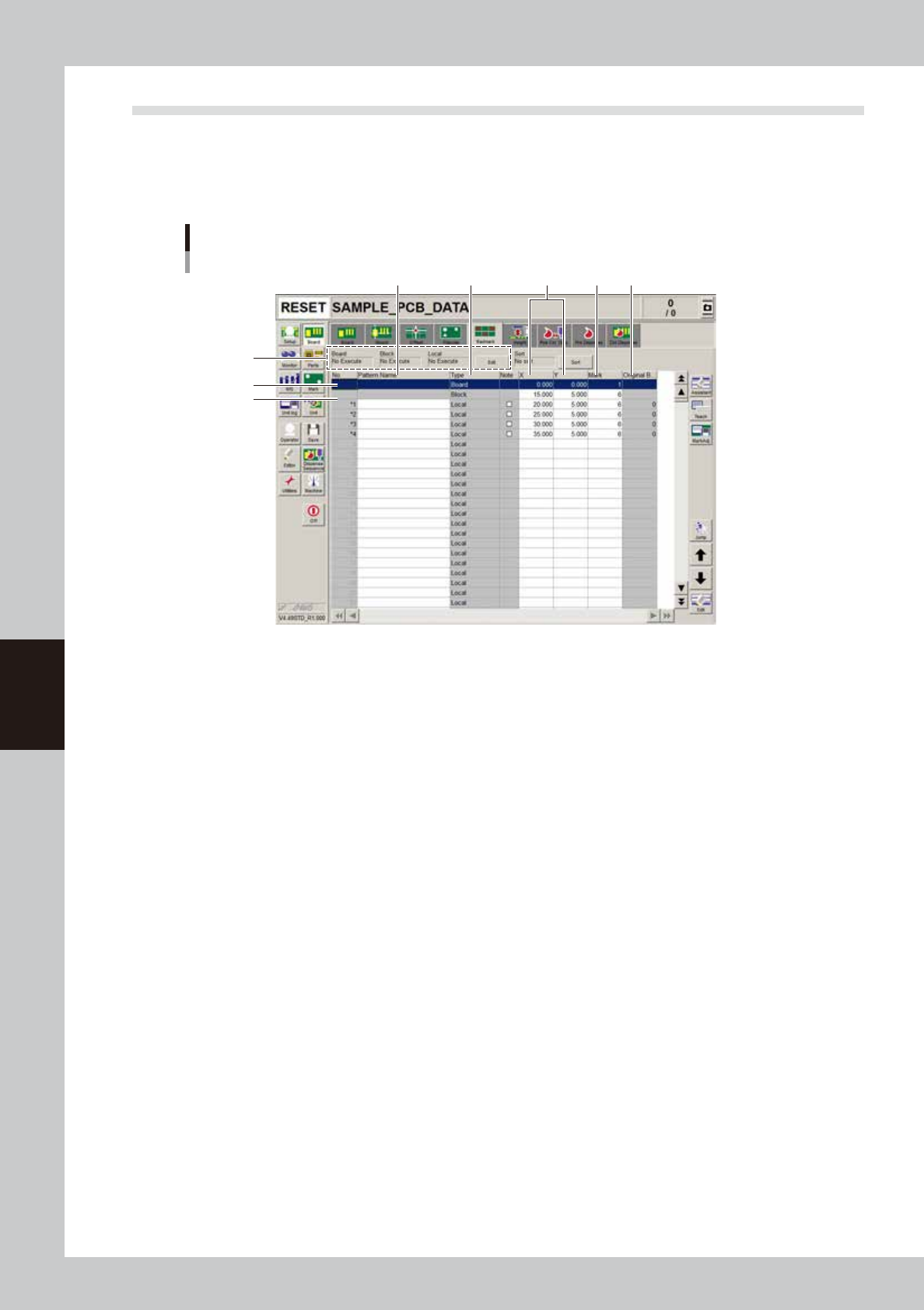
Selecting the [Badmark] tab opens the screen for setting badmark mark parameters and their coordinates. Set
these parameters as explained below when using the badmark function. Two or four badmarks are used as a
set, but it is okay if each mark is different in shape. Badmark mark data must be registered in the mark
information beforehand. (See “5. Creating the mark information” in this chapter.)
4
1
5 6 7
2
3
8
Syringe internal pressure selector
64312N7-00
1. Board, Block, Local
Badmark functions are broadly classified into three types: “Board” badmark function specified for a board, “Block”
badmark function specified for each block of a multi-block board, and “Local” badmark function related to mounting
data. The badmark function you want to use should be set to “Execute”. To change the setting, press the [Edit] button on
the right end.
2. Board
On the top line of the parameter grid set the board badmark data.
(For more details, see “3.5.1 Using the badmark function” in this section.)
3. Block
On the second line of the parameter grid set the block badmark data.
(For more details, see “3.5.1 Using the badmark function” in this section.)
4. Pattern Name
Enter the badmark name here. (No names can be entered on the top and second lines.)
5. Type
Badmark function types are specified here. (These cannot be changed.)
6. X1, Y1
Enter the XY coordinates of the badmark relative to the board origin in millimeters. You can perform teaching with the
[Teach] button.
7. Mark
Enter the mark No. for the badmark (mark No. registered as mark in the mark information).
8. Original Block No.
Shows the block No. that was automatically allocated to each block after block distribution (with note data) was
performed. For details on block distribution (with note data), refer to "2.2.1 Block offset distribution" in Chapter 7.
5-27
5
Creating the board data
4.5.1 Using the badmark functions
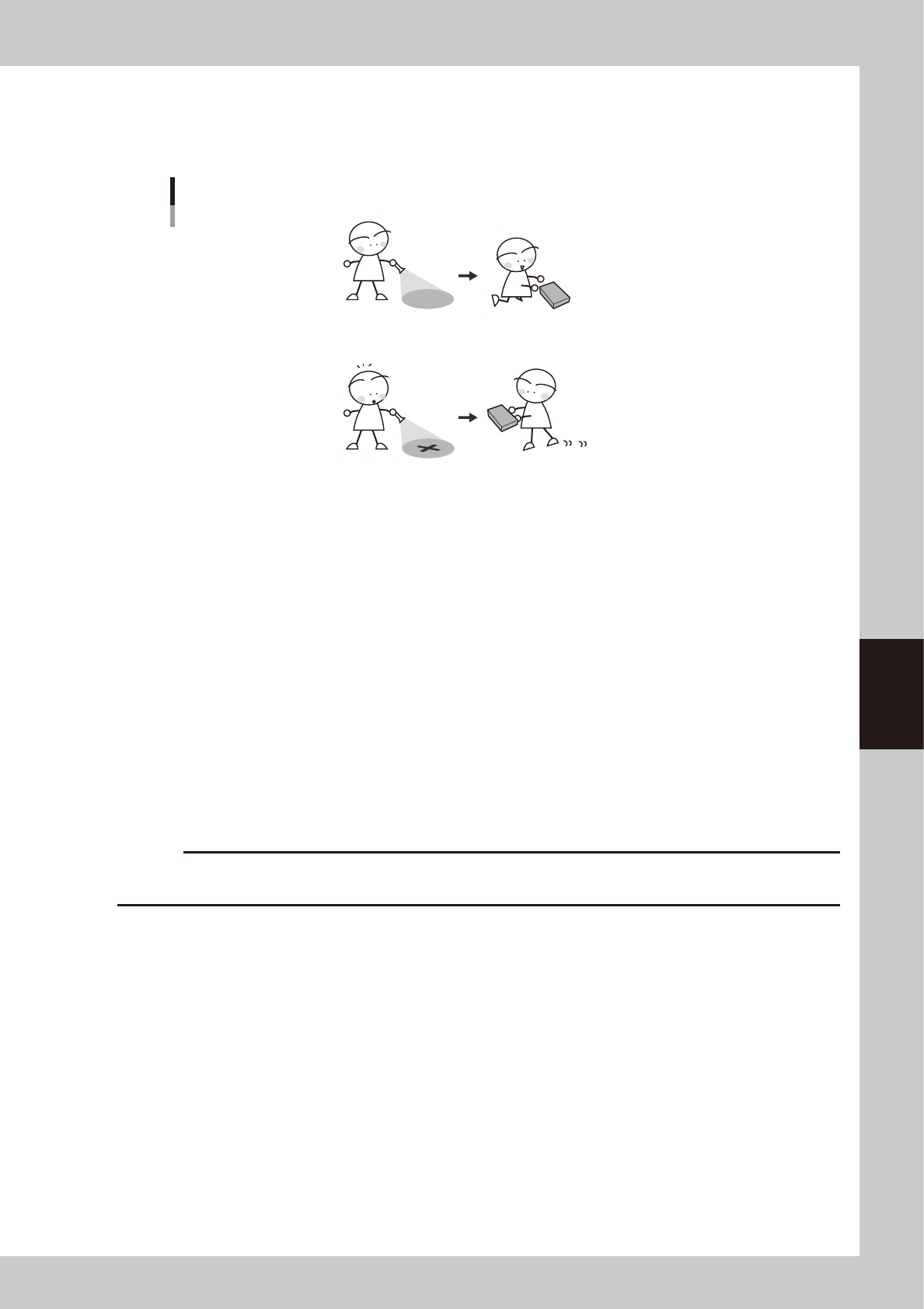
The badmark function permits the machine to cancel component mounting if the machine detects a badmark
affixed to the specified position on a board.
The machine mounts components when no badmarks are detected.
Badmark function
The machine skips mounting components when a badmark is detected.
63514-N7-00
Badmarks are broadly classified into two types: one is specified for the board data and the other is for the
mount data. These badmarks are further divided by their functions into “Board badmark”, “Block badmark” and
“Local badmark”.
Board badmark
A board badmark is affixed on a board and used to determine whether or not the machine searches for block badmarks
on the board. For example, when a multi-block board with no faulty blocks (no block badmarks) is fed to the machine, it
is a loss of time to search for block badmarks on that board. The board badmark function permits the machine to search
for block badmarks only when the board badmark is detected. If no board badmark is detected, the machine mounts
components on all blocks of the board without searching for block badmarks.
Block badmark
A block bad mark is affixed to each block which is defective. The machine mounts components only on blocks with no
badmark affixed. For example, if Block B is defective in a multi-block board consisting of 4 blocks (A, B, C and D), affix
a block badmark on Block B so that the block badmark function allows the machine to skip mounting on Block B.
Components will be mounted only on Blocks A, C and D.
c
CAUTION
The block badmark function can only be used for board data (i.e. multi-block board data that uses the block offset
function) for which block fiducial of the offset information has been set.
Local badmark
The local badmark function cancels component mounting by recognizing a badmark specified at a mounting point.
The flow chart below shows typical methods for setting a board badmark and block badmark.
5-28
5
Creating the board data
Badmark operation
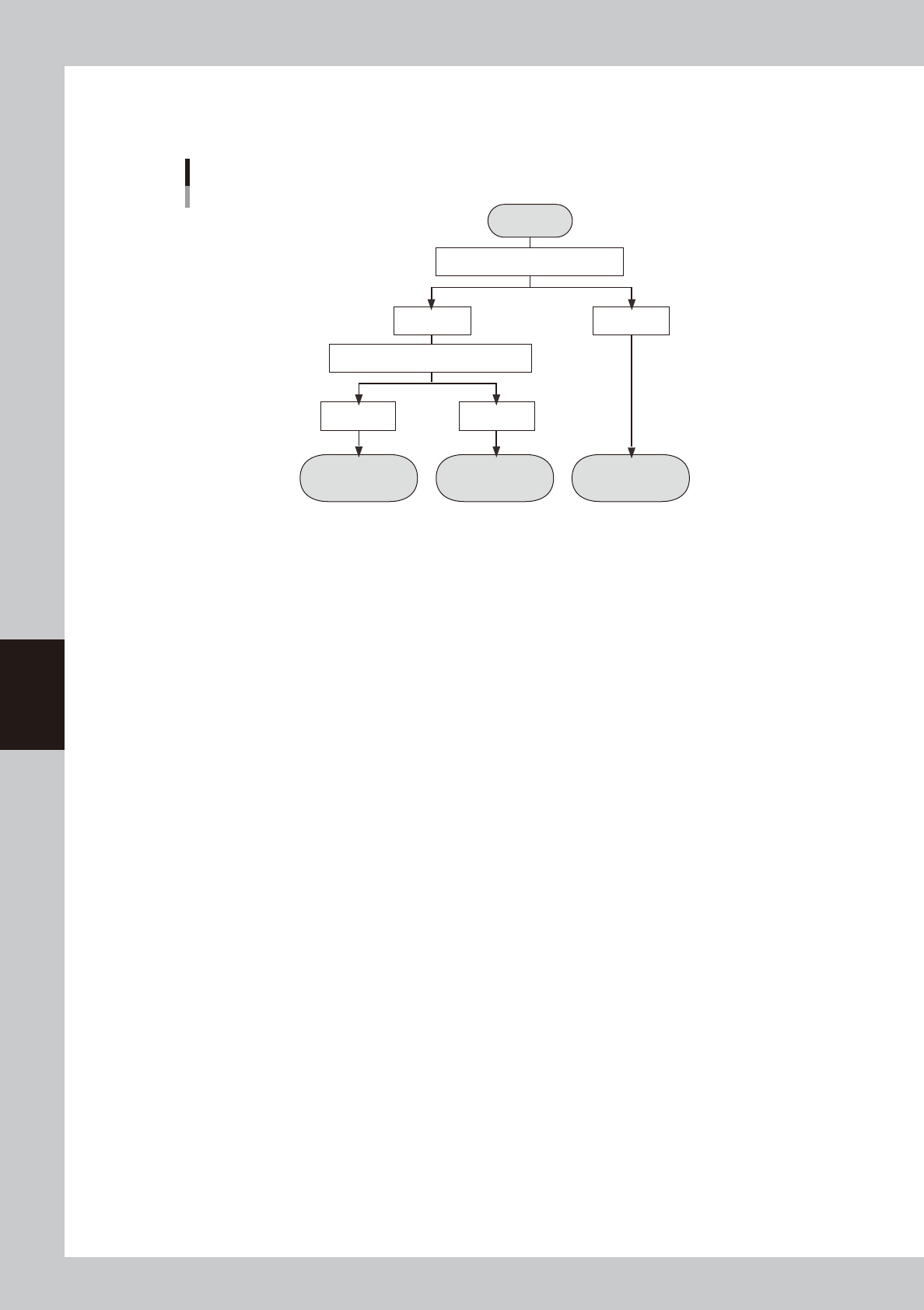
The flow chart below shows a flow of badmark operation when a board badmark and block badmark have been set.
Operation
not performed for
the block
Operation
performed for
the block
Operation
performed for
all blocks
Start
Search board badmark
Detected Not detected
Search block badmark
Badmark operation flows
Detected Not detected
63315-N7-00