YSD_Users_E.pdf - 第217页
5-28 5 Creating the board data Badmark operation T he flow chart below shows a flo w of badmark operation when a board badmark and bloc k badmark have been set. Operation not performed for the block Operation performed f…
5-27
5
Creating the board data
4.5.1 Using the badmark functions
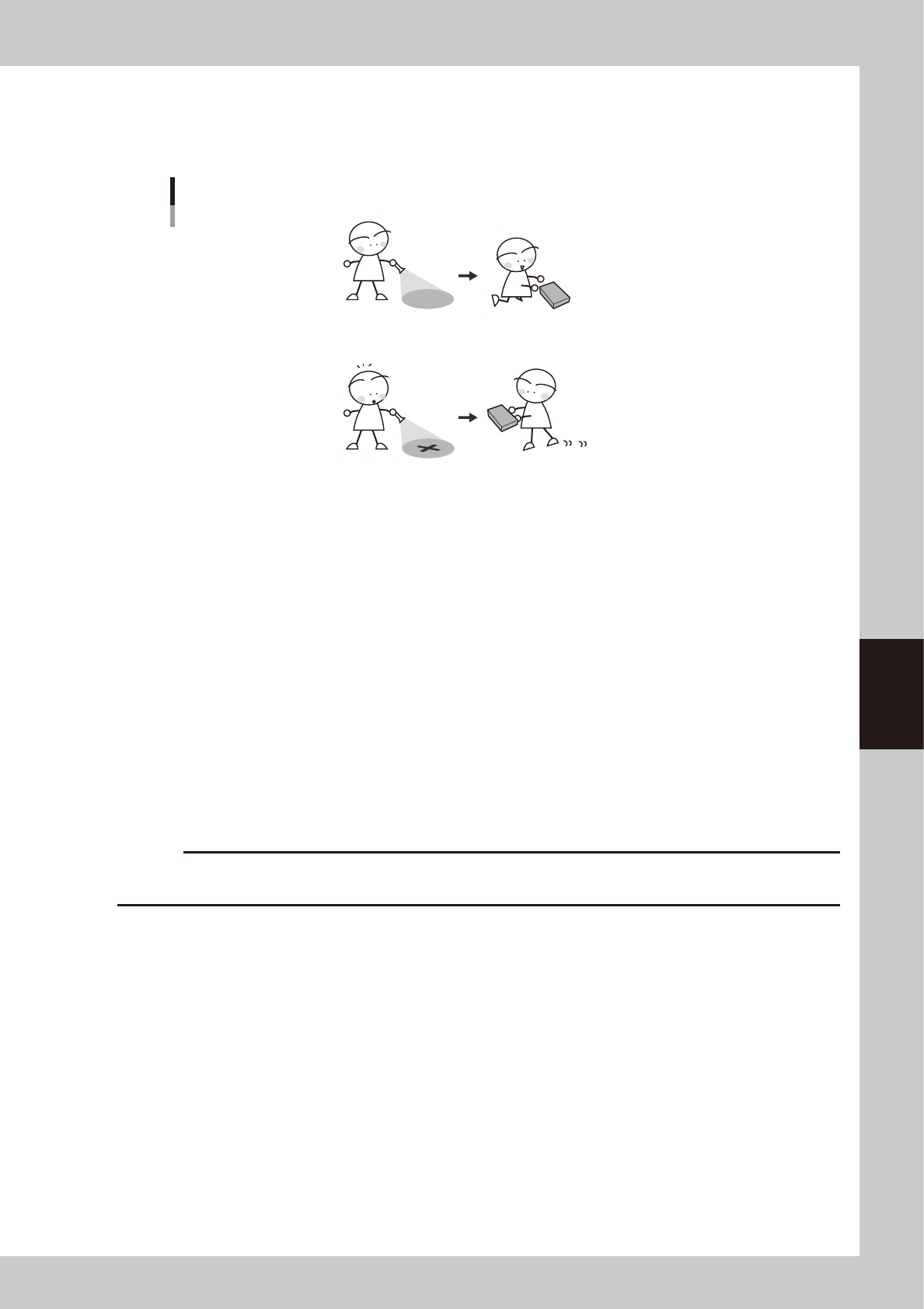
The badmark function permits the machine to cancel component mounting if the machine detects a badmark
affixed to the specified position on a board.
The machine mounts components when no badmarks are detected.
Badmark function
The machine skips mounting components when a badmark is detected.
63514-N7-00
Badmarks are broadly classified into two types: one is specified for the board data and the other is for the
mount data. These badmarks are further divided by their functions into “Board badmark”, “Block badmark” and
“Local badmark”.
Board badmark
A board badmark is affixed on a board and used to determine whether or not the machine searches for block badmarks
on the board. For example, when a multi-block board with no faulty blocks (no block badmarks) is fed to the machine, it
is a loss of time to search for block badmarks on that board. The board badmark function permits the machine to search
for block badmarks only when the board badmark is detected. If no board badmark is detected, the machine mounts
components on all blocks of the board without searching for block badmarks.
Block badmark
A block bad mark is affixed to each block which is defective. The machine mounts components only on blocks with no
badmark affixed. For example, if Block B is defective in a multi-block board consisting of 4 blocks (A, B, C and D), affix
a block badmark on Block B so that the block badmark function allows the machine to skip mounting on Block B.
Components will be mounted only on Blocks A, C and D.
c
CAUTION
The block badmark function can only be used for board data (i.e. multi-block board data that uses the block offset
function) for which block fiducial of the offset information has been set.
Local badmark
The local badmark function cancels component mounting by recognizing a badmark specified at a mounting point.
The flow chart below shows typical methods for setting a board badmark and block badmark.
5-28
5
Creating the board data
Badmark operation
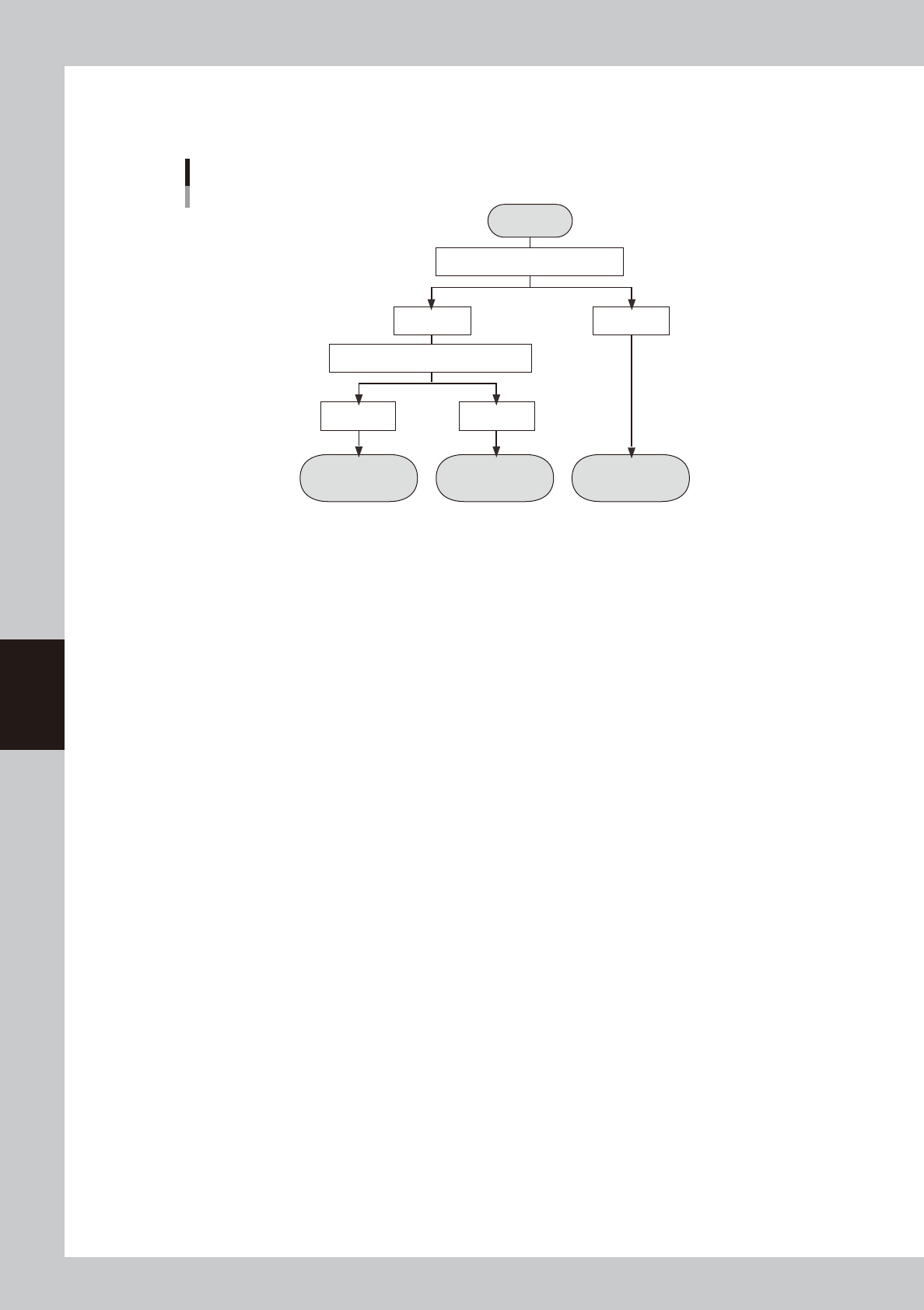
The flow chart below shows a flow of badmark operation when a board badmark and block badmark have been set.
Operation
not performed for
the block
Operation
performed for
the block
Operation
performed for
all blocks
Start
Search board badmark
Detected Not detected
Search block badmark
Badmark operation flows
Detected Not detected
63315-N7-00
5-29
5
Creating the board data
4.6 Height correction parameters (option)
These parameters are used to set the coordinates and method for making height measurement with the laser
displacement meter.
1
5
2 3
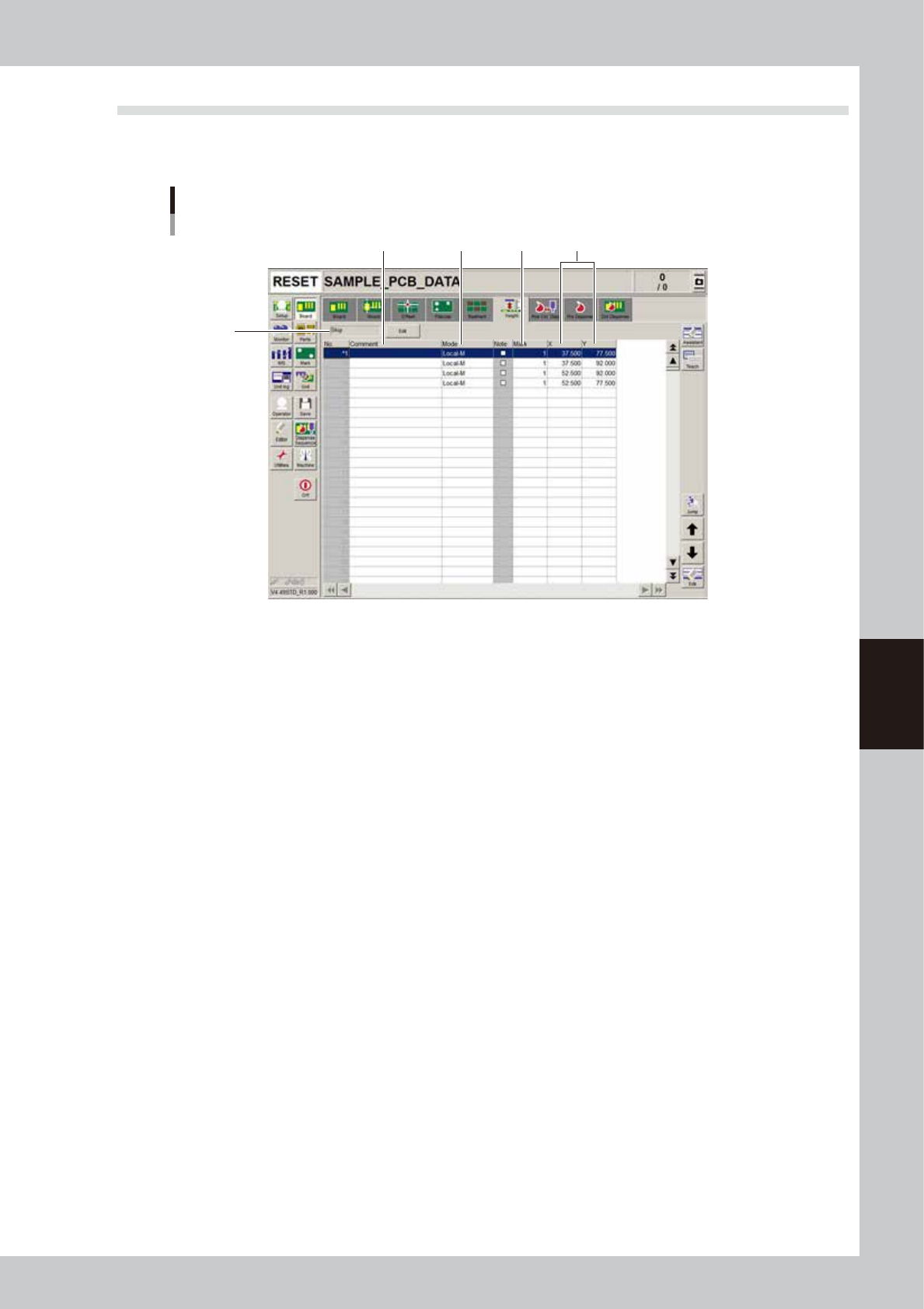
Height correction parameter screen
4
64513-N7-00
1. Comment
Enter a comment on the height measurement as necessary.
2. Mode
Make this setting according to the number of height measurement points.
• When measuring 1 point, set to "Local-M".
• When measuring 2 points to take an average, make the settings in 2 rows. Set the first row to "Local-M" and the second
row to "Local-S".
3. Mark
Enter the mark number used to correct the height of mark parameters.
4. X, Y
Set the X and Y coordinates relative to the board origin position.
5. Execute/Skip
Set whether to execute height correction. Height correction will not be performed when set to “Skip”.