YSD_Users_E.pdf - 第228页
5-39 5 Creating the board data 5.2.3 Dispense parameters Dispense parameters 64523-N7-00 A: Required Nozzle Select the nozzle to be used for dispense. B: Dispense Nozzle Select the nozzle type from "1 SHO T T ype&qu…
5-38
5
Creating the board data
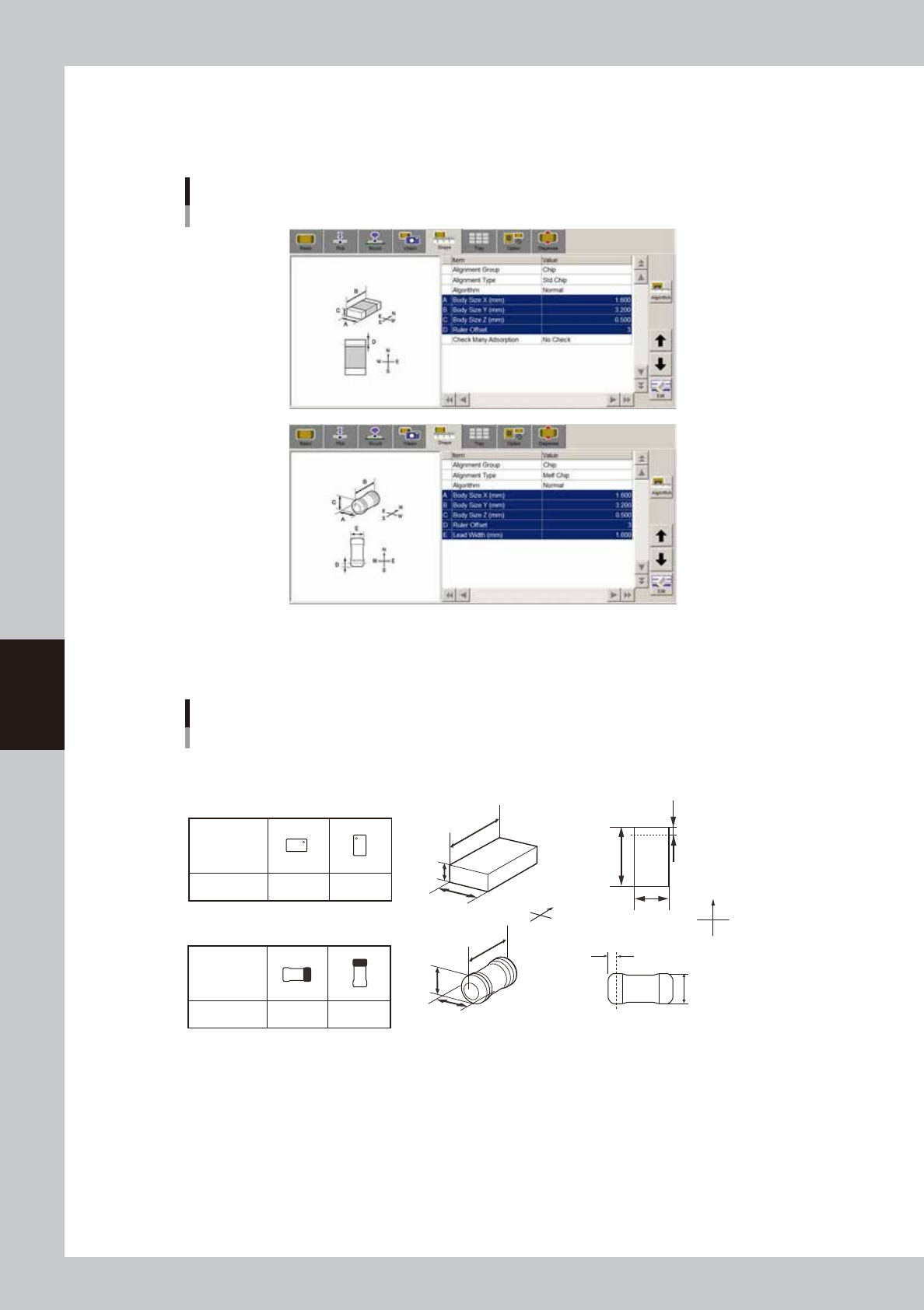
5.2.2 Shape parameters
Set these parameters after specifying “Alignment Type”. If “Alignment Type” is undefined, the following
parameters are not displayed.
Shape parameters
64522-N7-00
A, B: Body Size X, Body Size Y
Enter the correct dimensions (mm) measured with a vernier caliper or micrometer.
Parts orientation and shape parameters
0° 90°
Loading
position
Pickup angle
NS
E
W
N
S
WE
0° 90°
Loading
position
Pickup angle
NS
E
W
N
S
WE
N
S
E
W
A
C
B
N
S
WE
A
B
D
Top view
C
A
B
E
D
A : Body Size X
B : Body Size Y
C : Body Size Z
D : Ruler Offset
E : Lead Width
Square chip
Melf chip
63516-N7-00
C: Body Size Z (Not used with this machine.)
D: Ruler Offset (Not used with this machine.)
E: Lead Width (Not used with this machine.)
Check Many Adsorption (Not used with this machine.)
5-39
5
Creating the board data
5.2.3 Dispense parameters
Dispense parameters
64523-N7-00
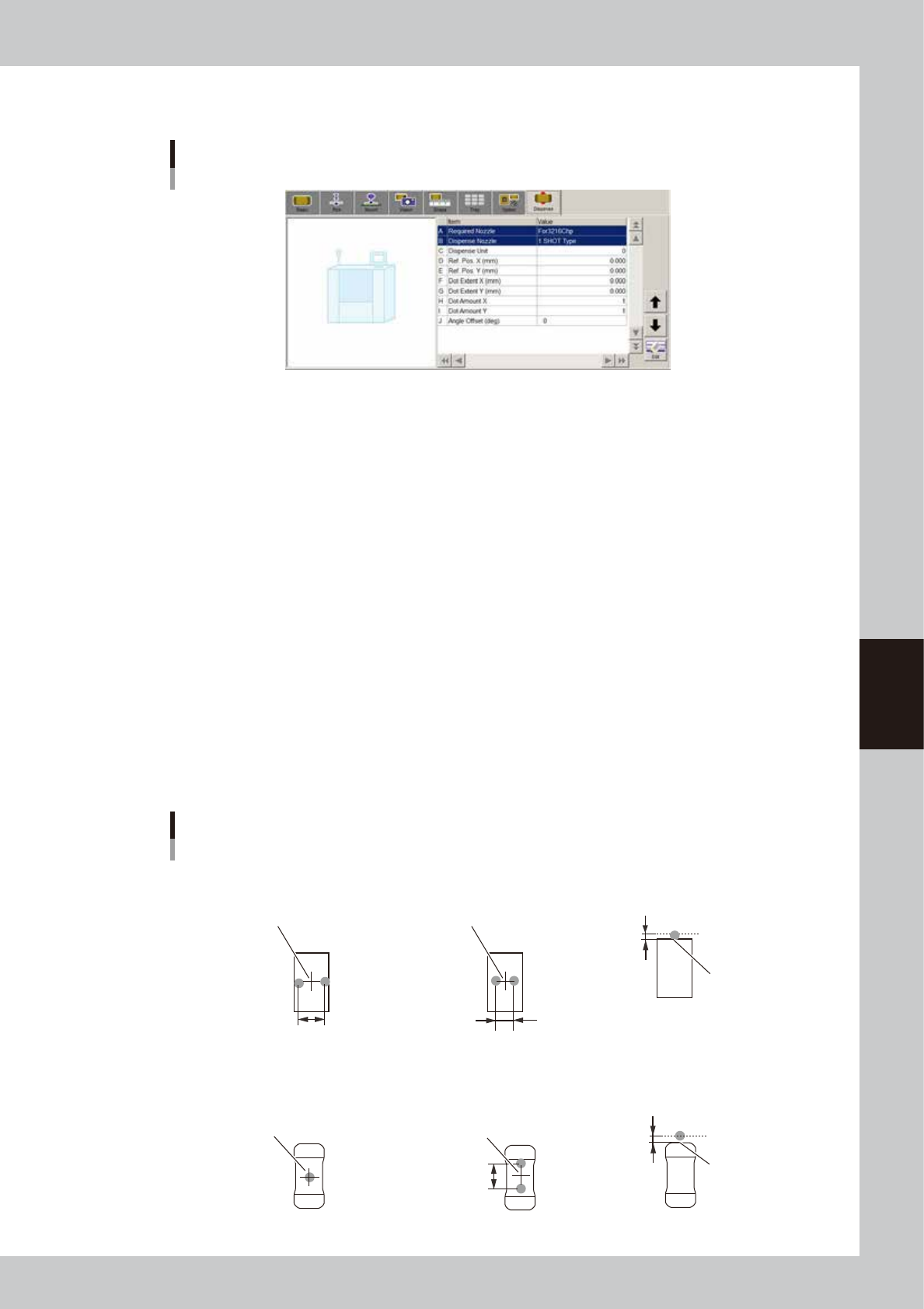
A: Required Nozzle
Select the nozzle to be used for dispense.
B: Dispense Nozzle
Select the nozzle type from "1 SHOT Type" or "2 SHOT Type".
C: Dispense Unit
Set the quantity of adhesive to be dispensed.
D, E: Ref. Pos. X (mm), Ref. Pos Y (mm)
In the case of bond type adhesive, set the deviation between the center of dispense and that of the component.
In the case of solder type adhesive, set the offset from the outer line of the component.
F, G: Dot Extent X (mm), Dot Extent Y (mm)
Set the dispense area (dot extend).
This parameter will be ignored if solder type adhesive is used.
H, I: Dot Amount X, Dot Amount Y
Set the number of dots to be dispensed in X and Y directions within the specified dispense area (Dot Extent).
This parameter will be ignored if solder type adhesive is used.
J: Angle Offset
Set the dispense angle. An angle between 0 and ±90° can be set in 5° steps.
Dispense for chip components
Center of component
Reference position
■ 1-shot nozzle (bond) ■ 2-shot nozzle (bond) ■ 1-shot nozzle (solder)
X-directional dot extent
Center of component
Varies with 2-shot nozzle pitch.
Reference
position Y
Dispense for square chip components
Center of component
■ 1-shot nozzle (bond)
■ 2-shot nozzle (bond)
(Dispense angle offset: 90°)
Center of component
Varies with
2-shot nozzle pitch.
■ 1-shot nozzle (solder)
Reference position
(0.00)
Reference
position Y
Dispense for Melf components
63519-N7-00
5-40
5
Creating the board data
5.3 IC components
5.3.1 Mini-mold transistors and SOT
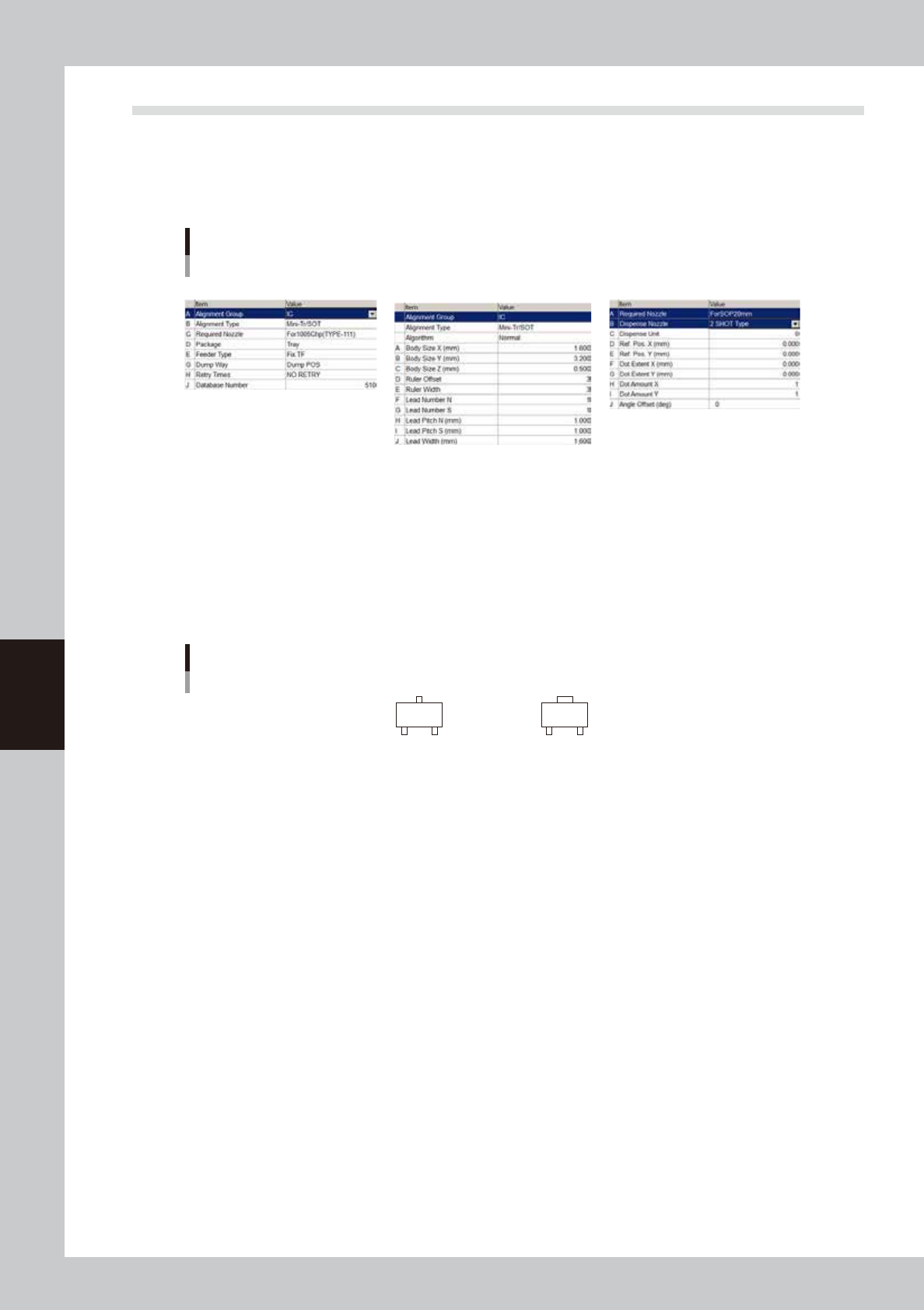
Parameter examples for mini-mold transistors and SOT are given below. For parameters not explained here,
refer to the description in "5.2 Chip Components" of this chapter.
Mini-mold transistor parameters
Basic Shape Dispense
64524-N7-00
Basic parameters
A: Alignment Group
Set this parameter to “IC”.
B: Alignment Type
Set this parameter when creating data for solder type. Set to “Mini Tr/SOT” when the shapes of the opposing leads are
identical, and set to “P-Tr” when not identical.
Alignment Type setting for transistors
Mini Tr/SOT
P-Tr
63520-N7-00