YSD_Users_E.pdf - 第283页
6-14 6 Using the advanced functions 5. Adjust the teach window to enclose the patter n or mark as shown below. T each window size For pattern T each window For mark Pattern Mark 63604-N7-00 8 Pr ess the [ T each] button.…
6-13
6
Using the advanced functions
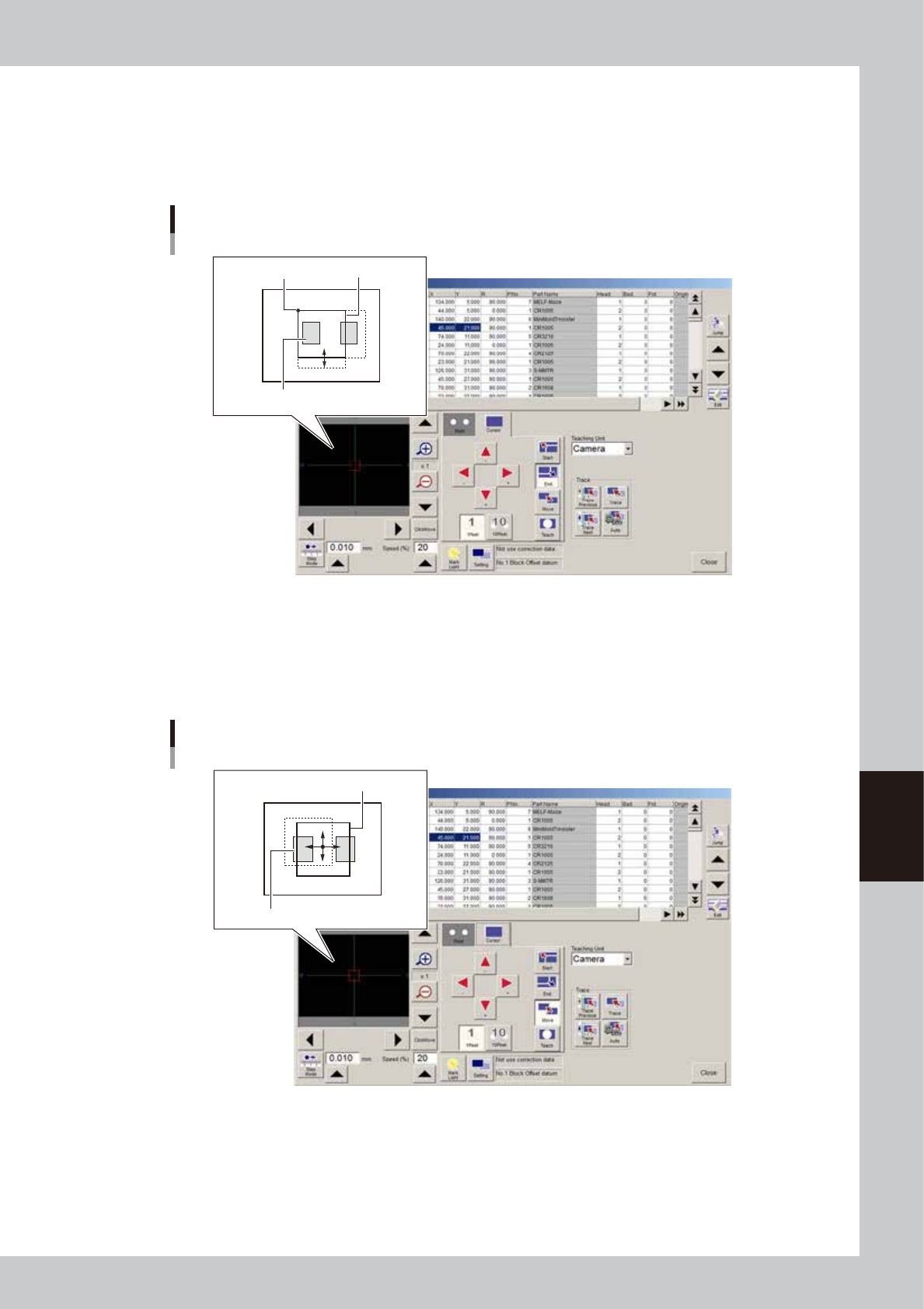
3. Press the [End] button.
When this button is pressed, the right and bottom sides of the teach window frame changes to bold
lines. The teach window can be enlarged or reduced with the arrow keys, using the upper left corner
of the window as a stationary point. The window size can also be adjusted by dragging the mouse
after placing the mouse cursor on the frame (mouse cursor changes to a 2-way arrow).
Teach window display – Moving right and bottom sides
Teach windowStationary point
Pattern
64613-N7-00
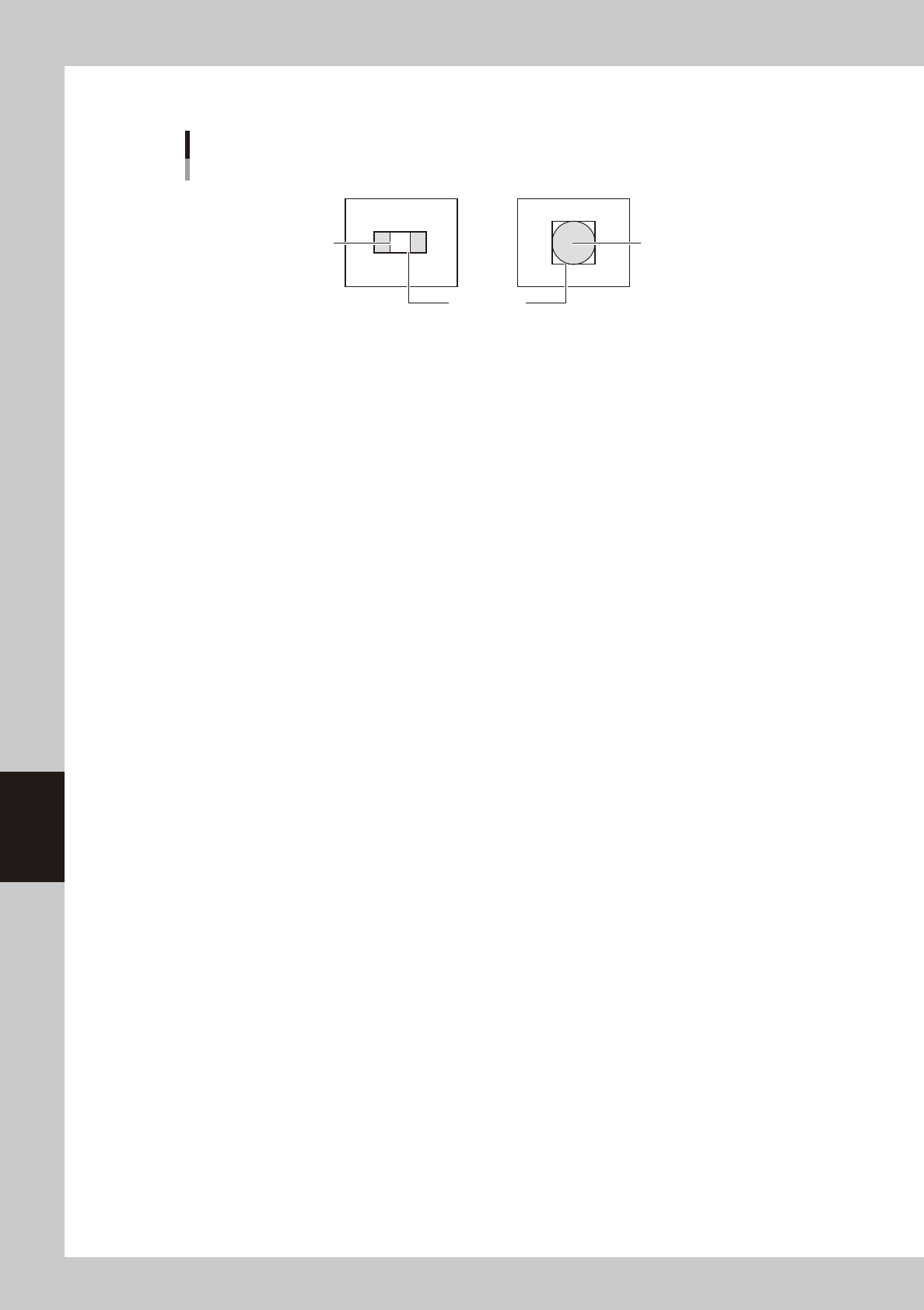
4. Press the [Move] button.
When this button is pressed, the teach window frame changes to bold lines on all sides. The entire
window can be moved with the arrow keys, or by dragging the mouse after placing the mouse
cursor in the window (mouse cursor changes to a 4-way arrow). The window size can also be
adjusted by dragging the mouse after placing the mouse cursor on the frame.
Teach window display – Moving entire window
Teach window
Pattern
64614-N7-00
6-14
6
Using the advanced functions
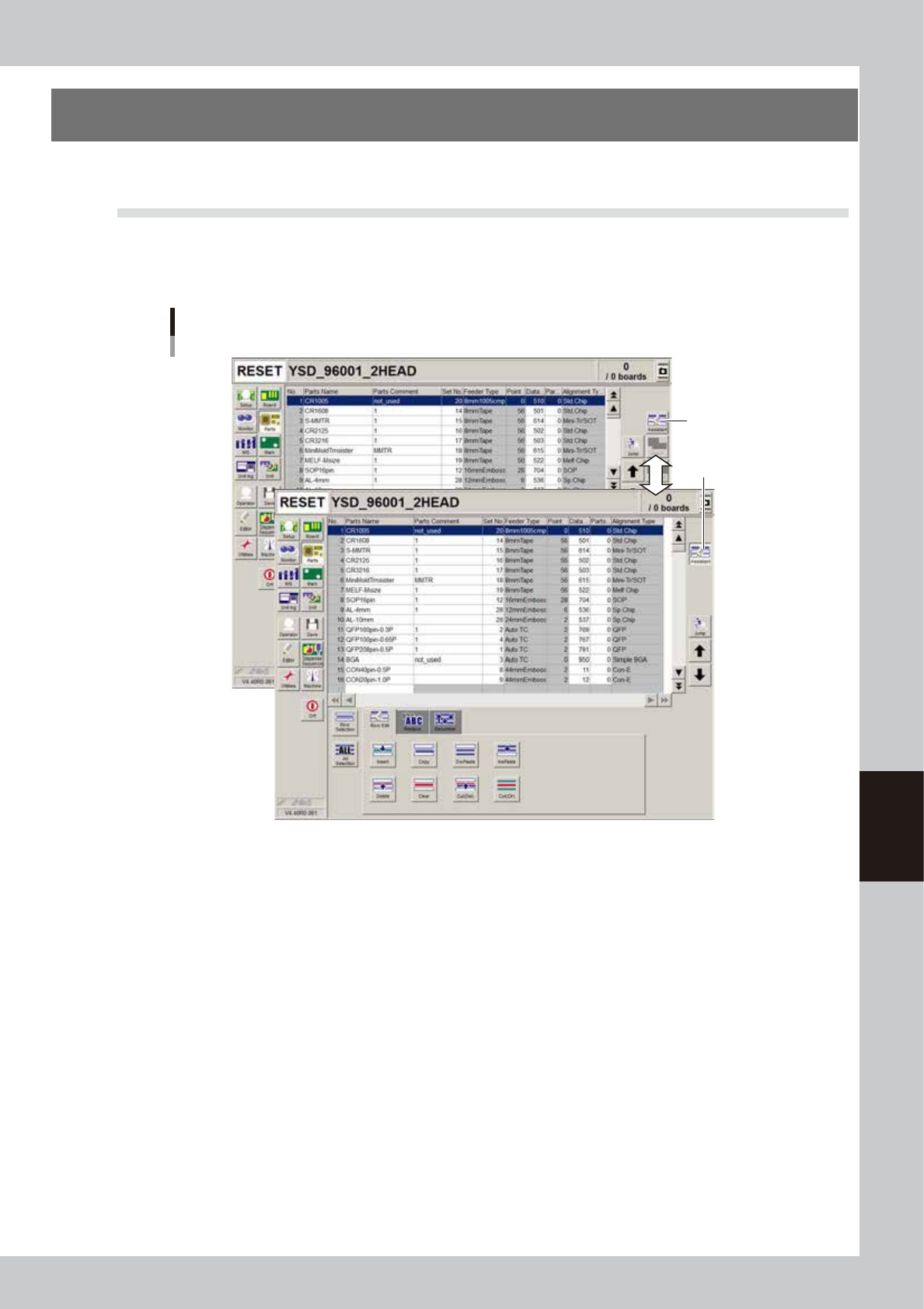
5. Adjust the teach window to enclose the pattern or mark as shown below.
Teach window size
For pattern
Teach window
For mark
Pattern Mark
63604-N7-00
8
Press the [Teach] button.
The center position coordinates of the teach window are input as the teaching position.
6-15
6
Using the advanced functions
3. Edit Assistant function
The Adjust Assistant function allows you to edit, search and replace within the selected row range.
3.1 Switching to the Edit Assistant screen
When you press the [Assistant] button on the top right of the screen, the Edit Assistant screen appears in the
lower part, showing the [Row Edit], [Replace] and [Renumber] tabs. To return to the previous screen, press the
[Assistant] button again.
[Assistant] button
Button is depressed
when selected.
Switching to the Edit Assistant screen
64615-N7-00