YSD_Users_E.pdf - 第284页
6-15 6 Using the advanced functions 3. Edit Assistant function The Adjust Assistant function allows you to edit, search and replace within the selected row range. 3.1 Switching to the Edit Assistant screen When you press…
6-14
6
Using the advanced functions
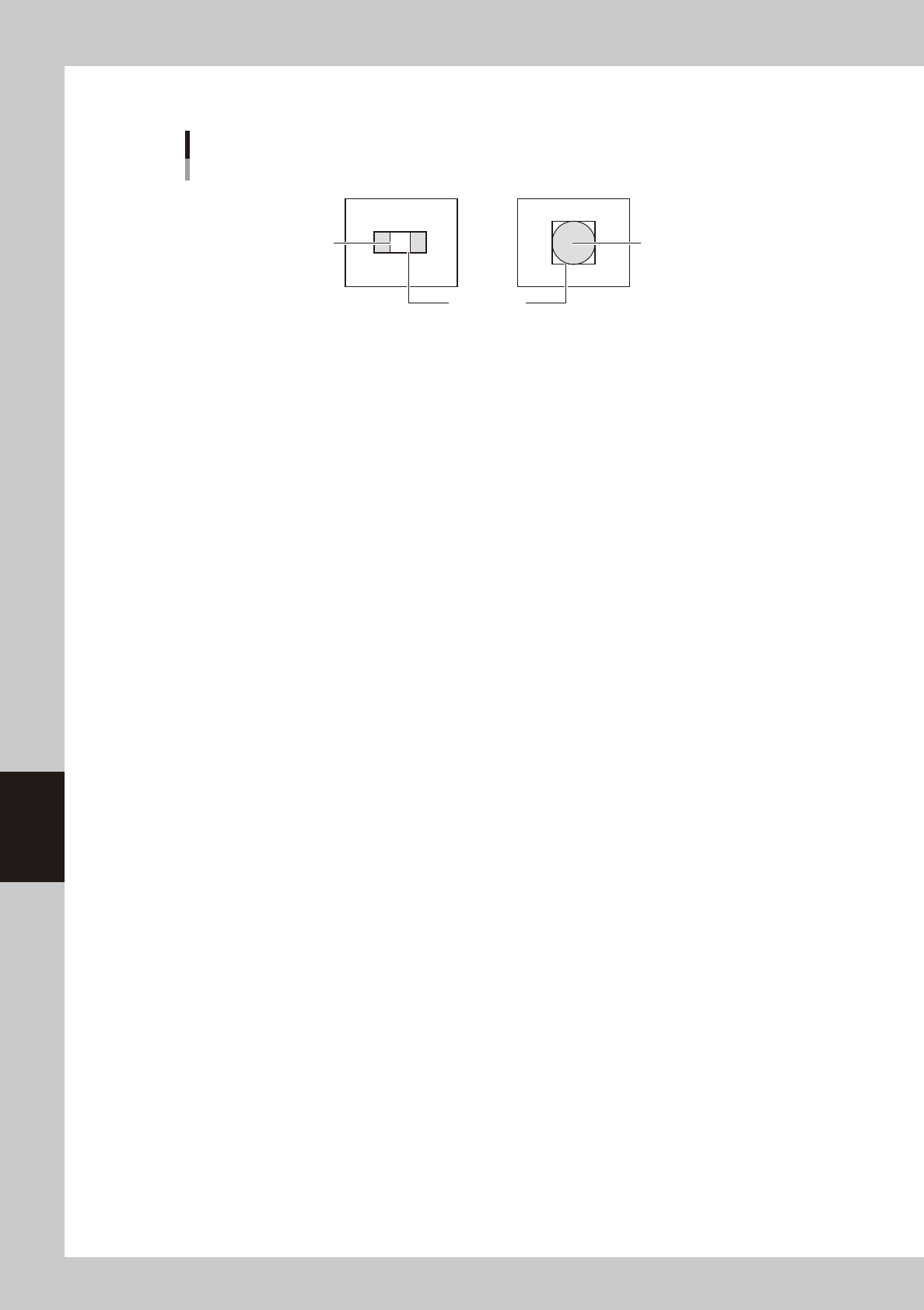
5. Adjust the teach window to enclose the pattern or mark as shown below.
Teach window size
For pattern
Teach window
For mark
Pattern Mark
63604-N7-00
8
Press the [Teach] button.
The center position coordinates of the teach window are input as the teaching position.
6-15
6
Using the advanced functions
3. Edit Assistant function
The Adjust Assistant function allows you to edit, search and replace within the selected row range.
3.1 Switching to the Edit Assistant screen
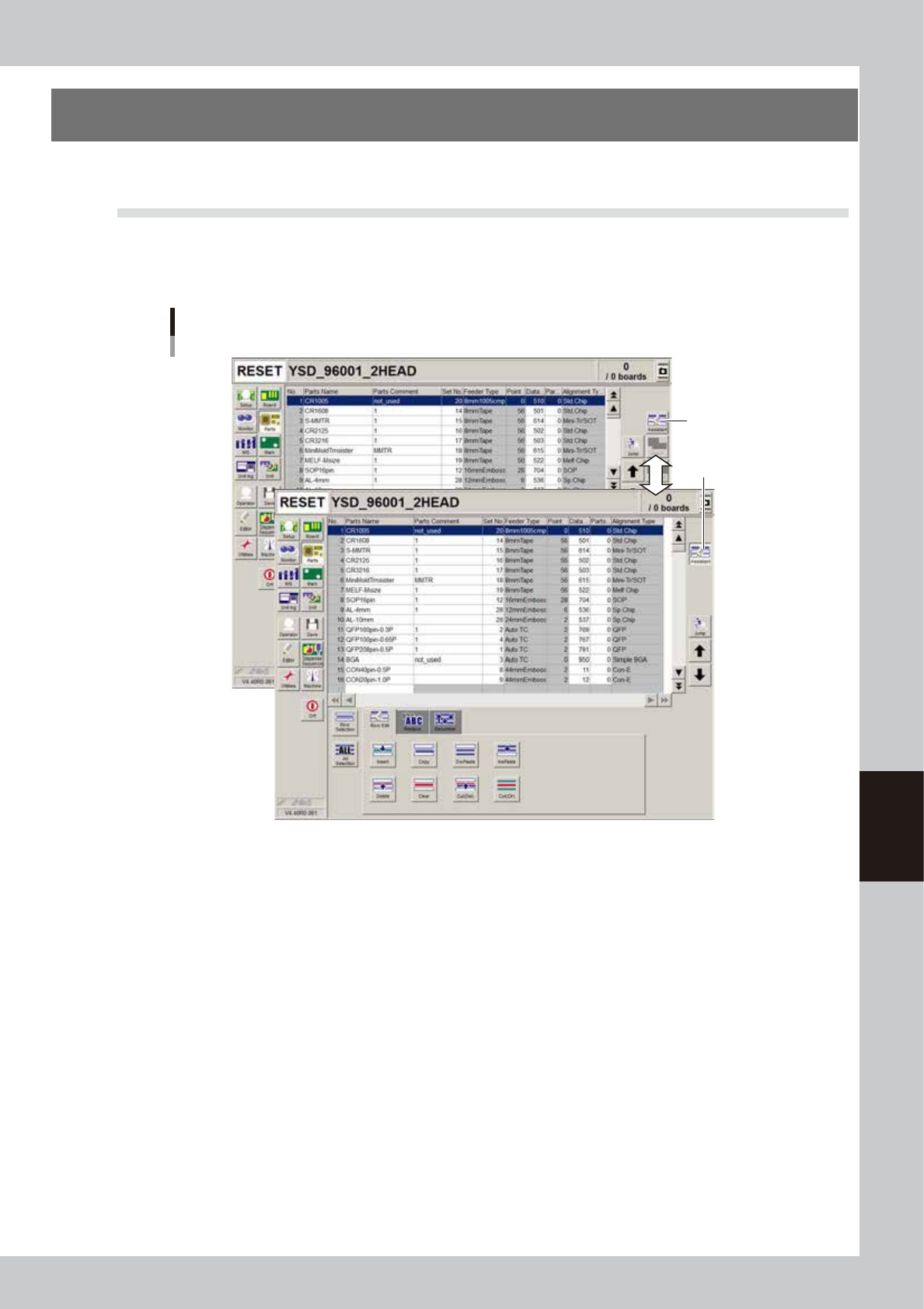
When you press the [Assistant] button on the top right of the screen, the Edit Assistant screen appears in the
lower part, showing the [Row Edit], [Replace] and [Renumber] tabs. To return to the previous screen, press the
[Assistant] button again.
[Assistant] button
Button is depressed
when selected.
Switching to the Edit Assistant screen
64615-N7-00
6-16
6
Using the advanced functions
3.2 Selecting a range of rows
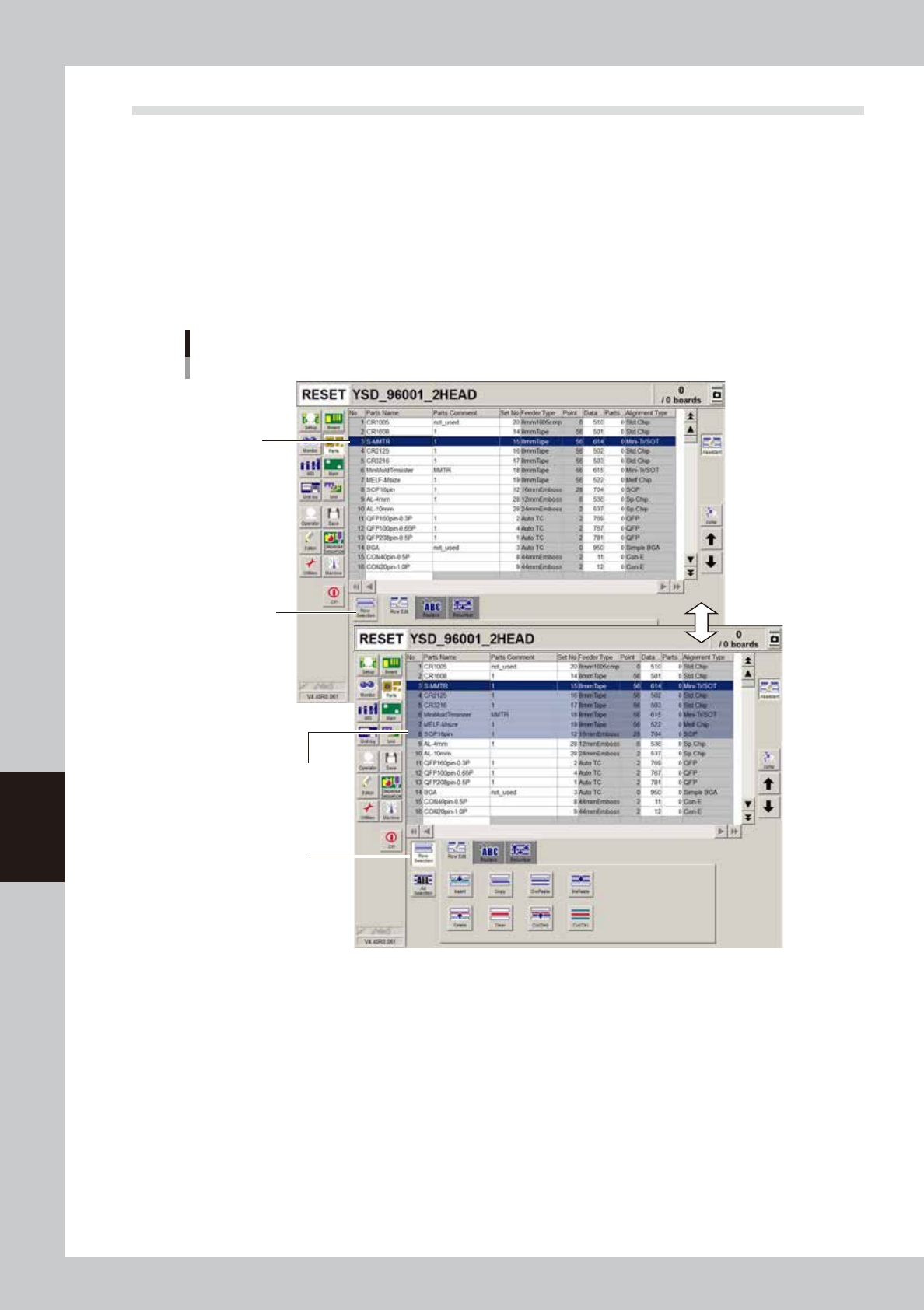
To select a range of rows on the data grid display, use the [Row Selection] or [All Selection] button. The
selected rows will be highlighted.
n
To select a range of rows
• Click the start row of the range you want to select while the [Row Selection] button is still not depressed.
• Next, press the [Row Selection] button and then click the last row of the range you want to select.
The range of the selected rows can be changed by pressing the cursor up/down keys on the keyboard, or the [Move
row up] or [Move row down] button on the left of the [Assistant] button.
• To cancel selecting the rows, click the [Row Selection] button when it is depressed.
[Row Selection]
button should
not yet be selected
(depressed).
[Row Selection] button
is depressed.
Start row for
selecting row range.
Click the last row in the
range you want to select.
Selecting a range of rows
64416-N7-00
n
To select all rows
Pressing the [All Selection] button selects all rows on the grid display and also allows editing rows.