YSD_Users_E.pdf - 第290页
6-21 6 Using the advanced functions 4. Adjustment 4.1 Dispensing test (Adjustment screen) T his section describes how to perform a dispensing test and check the dot area on the adjustment screen. When adjusting the air p…
6-20
6
Using the advanced functions
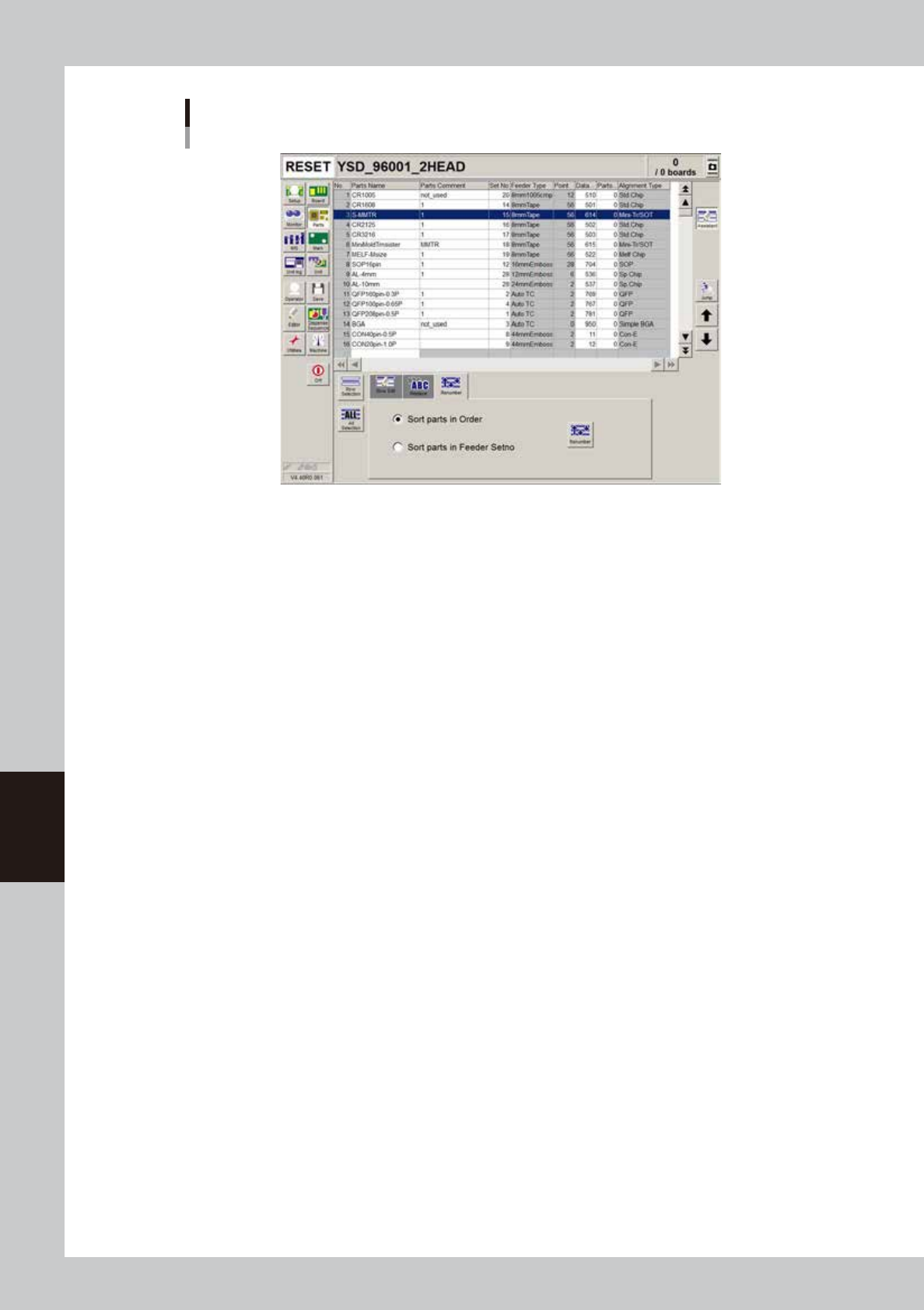
[Renumber] tab
Parts screen
64621-N7-00
n
Sort parts in order
Renumbers all rows while removing blank rows.
n
Sort parts in Feeder Set No.
Rearranges the data into the rows with the same number as feeder set No.
6-21
6
Using the advanced functions
4. Adjustment
4.1 Dispensing test (Adjustment screen)
This section describes how to perform a dispensing test and check the dot area on the adjustment screen.
When adjusting the air pressure before starting production or during production, see “2. Dispensing test
function” in Chapter 4.
c
CAUTION
The dispense test does not work with normal production boards.
If you are going to perform the dispense test on a board, use the test board (KV6-M3801-10X) supplied with the
machine.
1
Open board data.
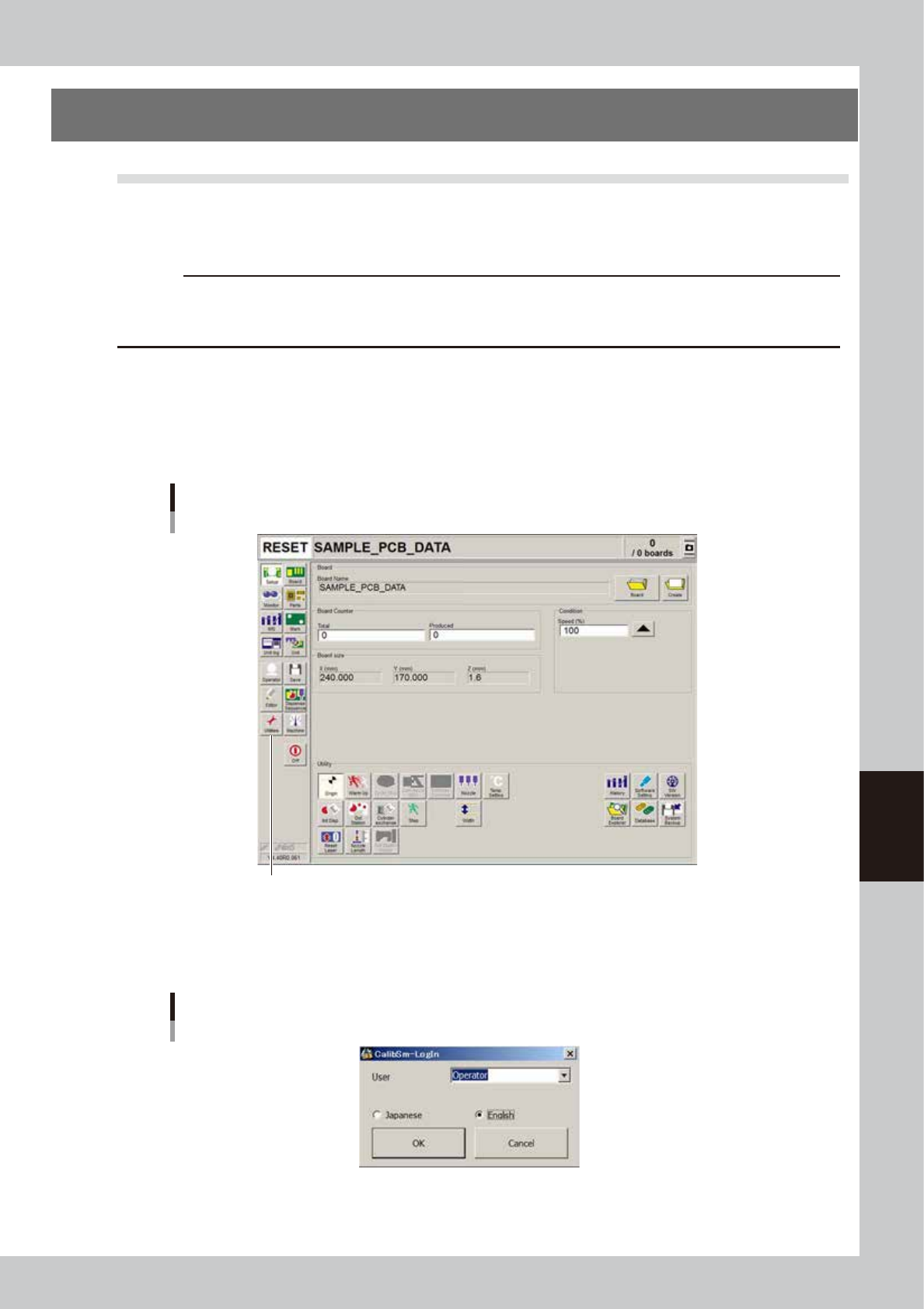
Press the [Board] button on the Setup screen.
2
Press the [Utilities] button.
The machine adjustment program starts.
[Utilities] button
[Utilities] button
64622-N7-00
3
Enter the machine adjustment program.
Select “Operator” from the User drop-down list and press the [OK] button.
Machine adjustment program
User drop-down list
64623-N7-00
6-22
6
Using the advanced functions
4
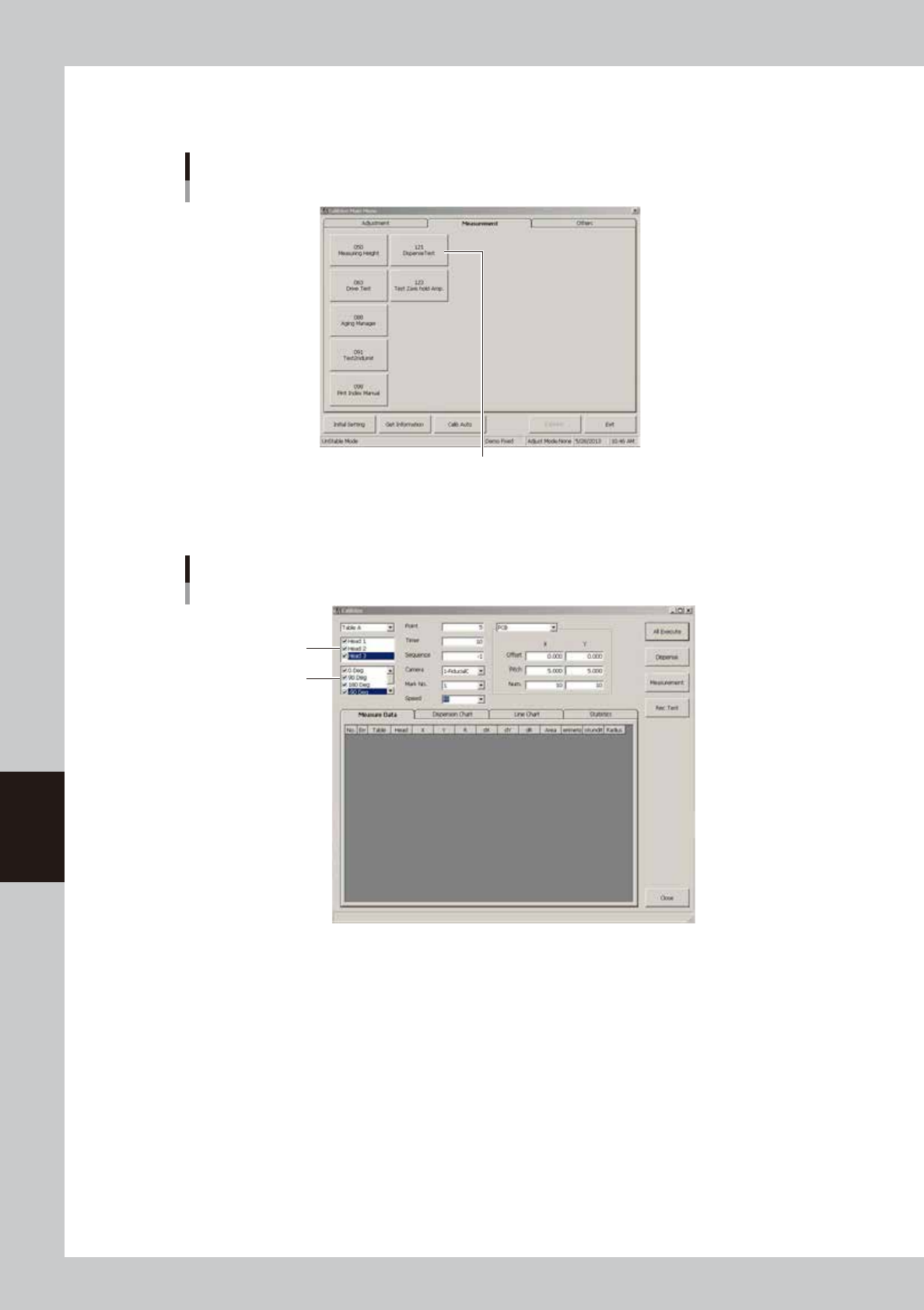
Press the [Dispense Test] button.
The main screen appears.
Machine adjustment program
Main menu screen
Press the [Dispense Test] button.
64624-N7-00
5
Set the dispense head and parameters.
Dispense test screen
Head
Angle
64625-N7-00
• Head
Select the head for which the dispense test is to be performed.
• Angle (degrees)
Set the measurement angle.
• Point
Set the number of dots to be dispensed from one head at one angle.
• Timer
Set the amount of liquid to be dispensed.
• Sequence
When this parameter is set to -1, the dispense sequence will be automatically specified using the selected head, nozzle
and liquid amount.
• Camera
This camera is for the fiducial marks and cannot be changed.