YSD_Users_E.pdf - 第308页
7-14 7 Editing the board data 2. Block of fset A multi-block board (also called multi-board panel) is a printed circuit board consisting of two or more independent printed circuits of the same type. Each printed circuit …
7-13
7
Editing the board data
1.7 Sort
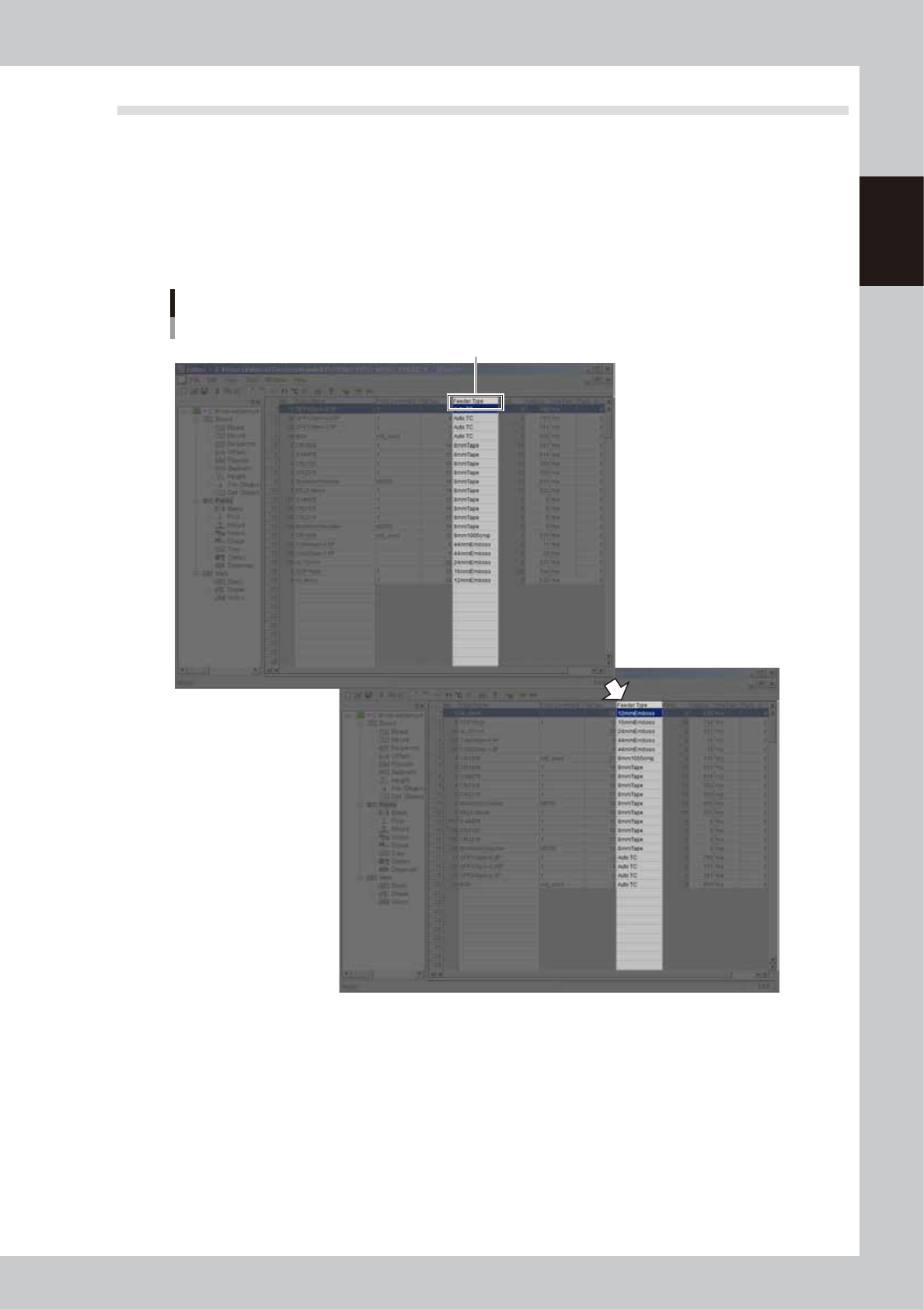
On the main view window, the data can be arranged into ascending or descending order by a desired data
item.
1
Display the data grid in which you want to arrange the data.
2
Click on the column label by which you want to arrange the data.
All the data is arranged in ascending order by the selected column. Clicking again rearranges all the
data in descending order by the selected column.
Click here.
Sorting
64714-N7-00
7-14
7
Editing the board data
2. Block offset
A multi-block board (also called multi-board panel) is a printed circuit board consisting of two or more
independent printed circuits of the same type. Each printed circuit on a multi-block board is called a "block".
Setting the block offset allows the machine to repeat the same operation in each block on a board, based on
the reference block data. This function therefore greatly saves the time required for creating data on multi-
block boards.
Block
Multi-block board
(multi-board panel)
The offset
function allows you
to change the entire
board data just by
editing the data for the
reference block.
Block offset function
63700-N7-00
2.1 Creating the block offset data
1
Display the "Offset" screen.
Click the [Offset] icon in the tree view or the [Offset] tab in the main view.
The block offset information is displayed in the main view.
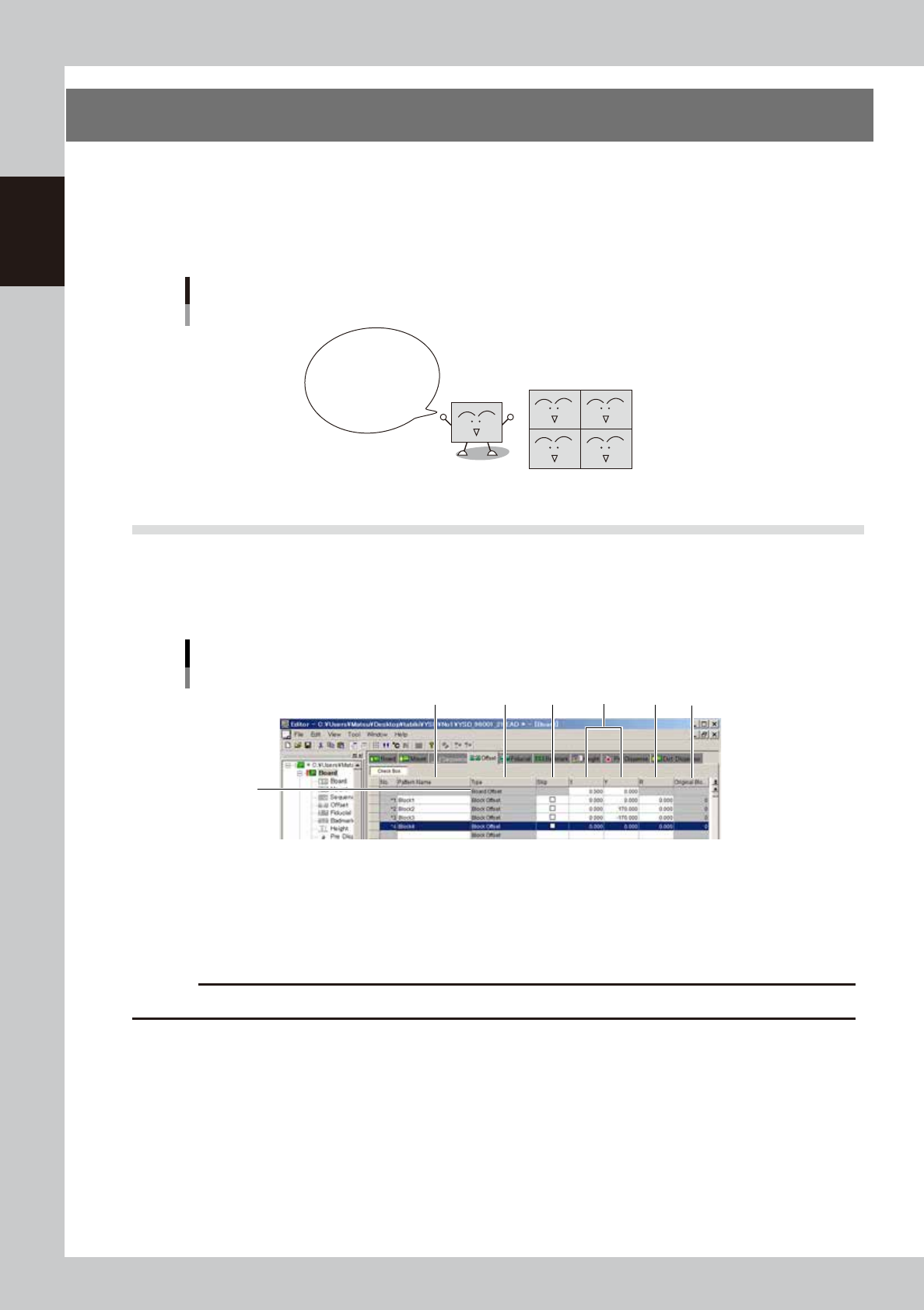
Block offset information display
2
1
3 4 5 6 7
64715-N7-00
1. Board Offset
Enter the XY coordinates of the board origin.
2. Pattern Name
Enter the block name.
c
CAUT ION
Spaces cannot be used. Use underbars ( _ ) for spaces.
3. Type
The board origin is specified in the top row, and block offset is specified in the second and subsequent rows. (These
items cannot be changed.)
7-15
7
Editing the board data
4. Skip
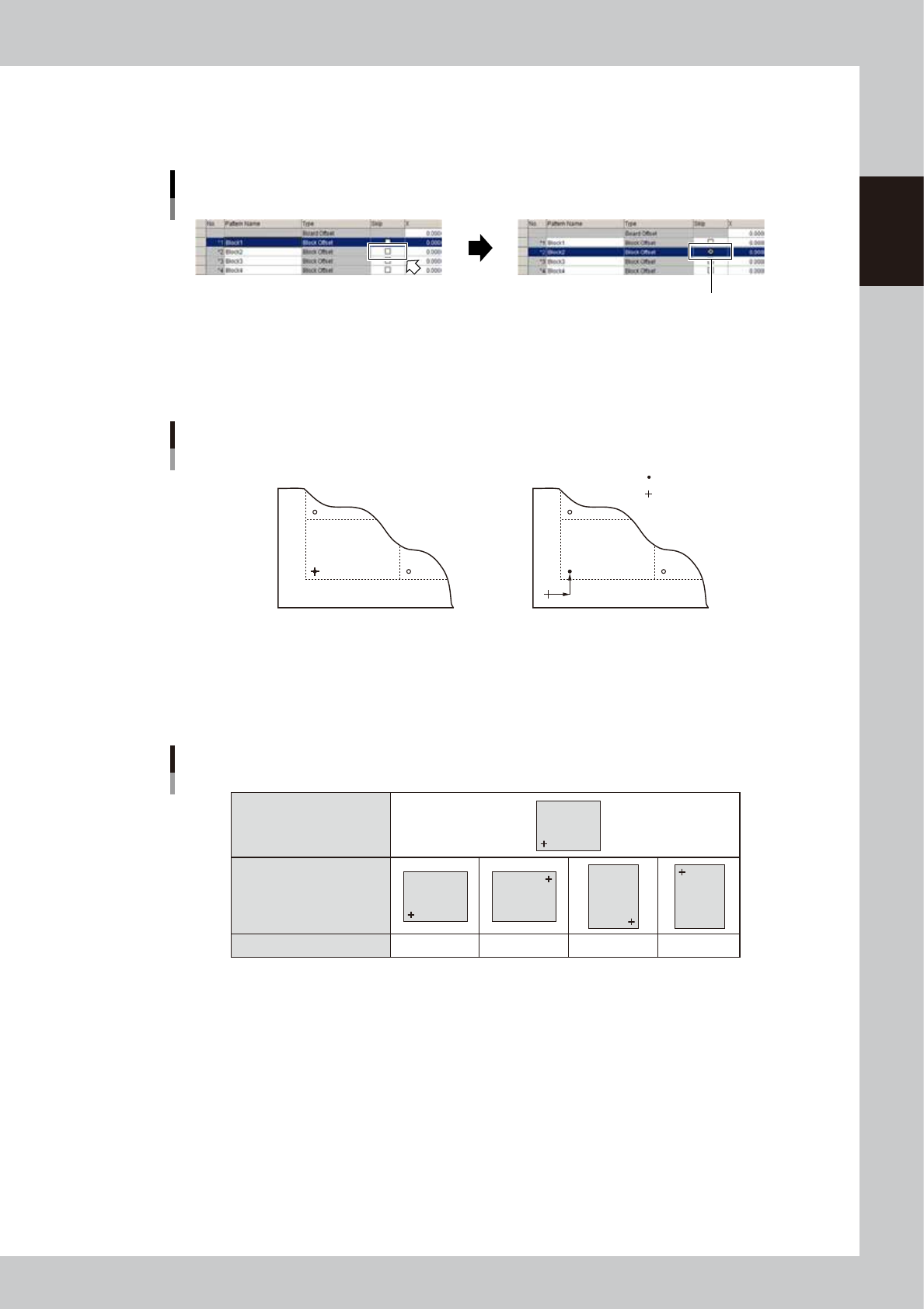
Select the Skip check box when not dispensing in this block.
To change the setting, click the [Check Box] button.
Selecting the Skip check box
Mark the Skip check box.
64716-N7-00
5. X, Y
Enter the XY coordinates of the origin of this block relative to the board origin. Usually, the board origin is specified at
the same position as the reference block origin, so enter "0.00, 0.00" as the XY coordinates.
X
Y
Board origin is at the same position
as reference block origin
Board origin is at a position other than
reference block origin
Board origin
Reference block origin
XY data
Board origin and reference block origin
63701-N7-00
6. R
Enter "0.00" for the reference block.
Reference block
(Block offset No.1)
Other blocks
R
R data
0˚ 180˚ 90˚ -90˚
Block
Block
Block
Block
Block
63702-N7-00
7. Original Block No.
Shows the block No. that was automatically allocated to each block after block distribution (with note data) was
performed. For details on block distribution (with note data), refer to "2.2.1 Block offset distribution" in Chapter 7.
2
Set the reference block offset data.
The block closest to the machine origin is normally viewed as the reference block. Enter this reference
block offset data in the No. 1 row.