YSD_Users_E.pdf - 第312页
7-18 7 Editing the board data 3 Perform block offset distribution. When the "Block Distribution" dialog appears, check the contents and click the [Y es] button. 4 Check the message and click the [OK] button. A …
7-17
7
Editing the board data
2.2 Block offset distribution and return
Block offset distribution is to convert multi-block board data into single-block board data.
This section explains how to convert multi-block board data into single-block board data and also how to
return it to the original multi-block board data. Converting multi-block board data into single-block board data
shortens the production cycle time. We recommend using the original multi-block data when editing mount
data, and converting the multiblock data into single-block board data when optimizing board data for
production.
2.2.1 Block offset distribution
To perform block offset distribution, follow these steps.
1
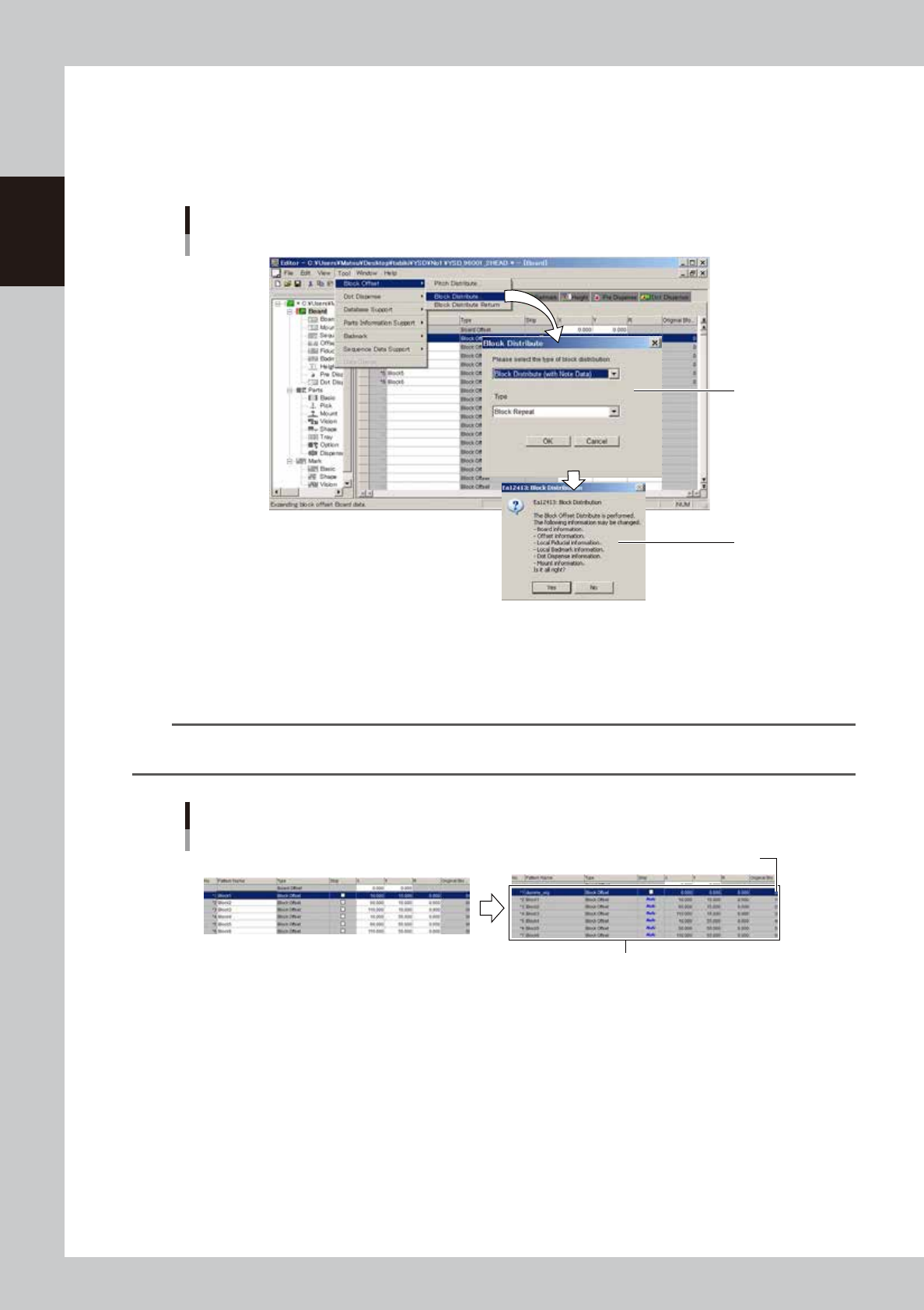
Select "Block Offset" – "Block Distribute".
From the Tool menu, select "Block Offset" – "Block Distribute".
2
Select the block offset distribution type.
When a dialog box for selecting the block distribution type appears, do the following:
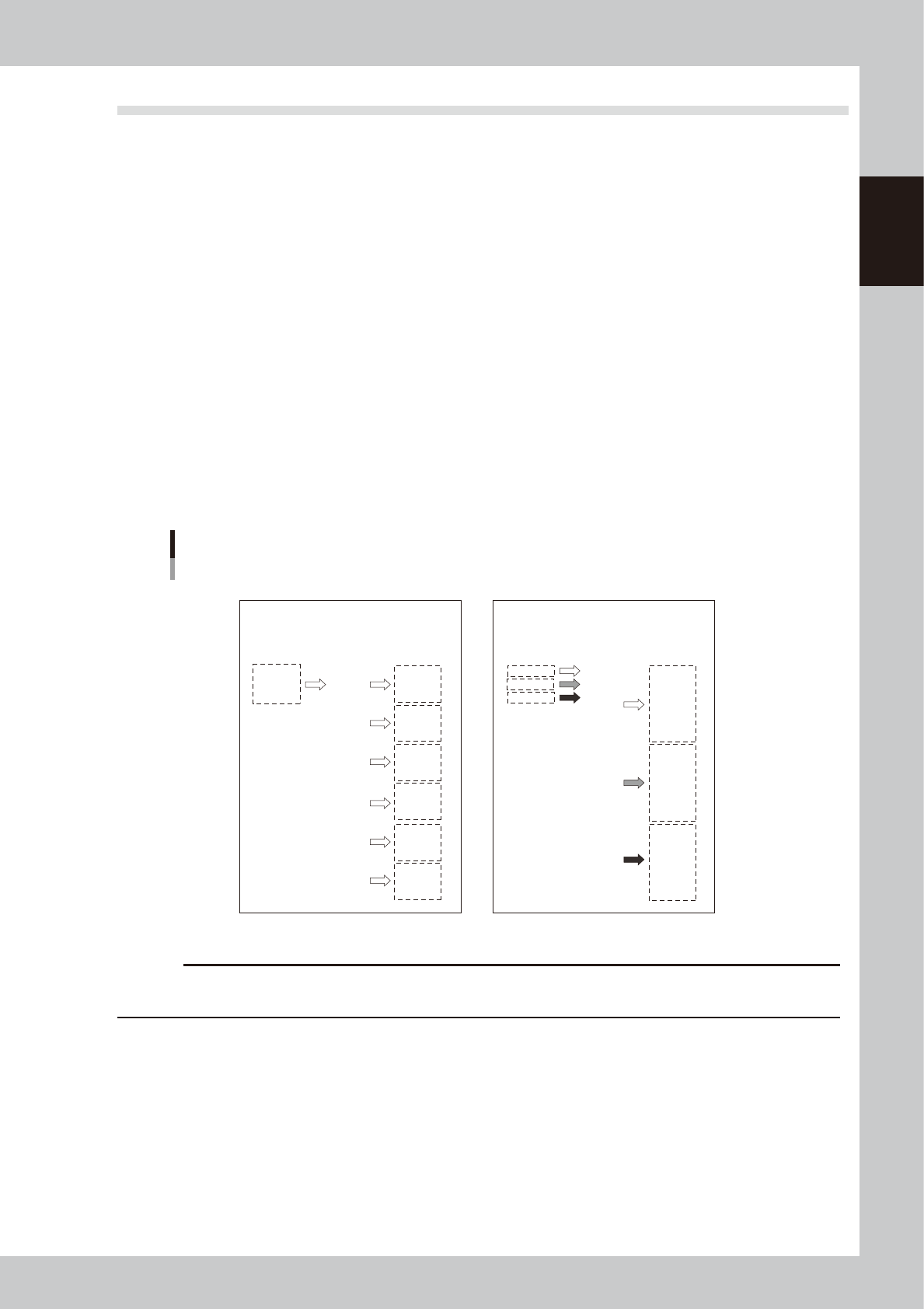
1. From the upper drop-down list box, select "Block Distribute (with Note Data)" when you want to retain
the original data or select "Block Distribute (without Note Data)" if not necessary to retain the original
data.
2. Form the lower drop-down list box, select "Block Repeat" or "Column Repeat". Then click the [OK]
button.
Distribution of all mount data is
repeated the number of blocks.
Before distribution After distribution
Before distribution After distribution
P01
P02
P03
1
2
3
4
5
6
7
8
9
10
11
12
13
14
15
16
17
18
P01
P02
P03
1
2
3
4
5
6
7
8
9
10
11
12
13
14
15
16
17
18
P01
P01
P01
P01
P01
P01
P02
P02
P02
P02
P02
P02
P03
P03
P03
P03
P03
P03
1
2
3
4
5
6
7
8
9
10
11
12
13
14
15
16
17
18
P01
P02
P03
P01
P02
P03
P01
P02
P03
P01
P02
P03
P01
P02
P03
P01
P02
P03
1
2
3
4
5
6
7
8
9
10
11
12
13
14
15
16
17
18
Distribution of each mount data row is
repeated the number of blocks.
"Block Repeat" "Column Repeat"
Block distribution type
63705-N7-00
c
CAUTION
If the "With Note Data" check box is cleared, the original data will be lost and "block distribution return" (explained in
the next section) cannot be performed.
7-18
7
Editing the board data
3
Perform block offset distribution.
When the "Block Distribution" dialog appears, check the contents and click the [Yes] button.
4
Check the message and click the [OK] button.
A dialog box appears when the block offset distribution is complete. Click the [OK] button to finish.
Block offset
Distribution
Step2
Step3
64719-N7-00
5
Check the distributed result.
When "Block Distribute (with Note Data)" was selected, check that the original data remains as "Note"
data.
n
NOTE
When "Block Distribute (with Note Data)" is performed, block No. is allocated to each distributed block and is
displayed in the "Original Block No." column.
Block offset distribution
“Block Distribute (with Note Data)”
Original data remains as “Note” data.
Block No. is allocated to each block
64720-N7-00
6
Save the board data.
7-19
7
Editing the board data
2.2.2 Returning to the block offset data
Data that has undergone block offset distribution can be returned to the original offset data.
c
CAUTION
This function is available only when the "With Note Data" check box was selected before executing block offset
distribution.
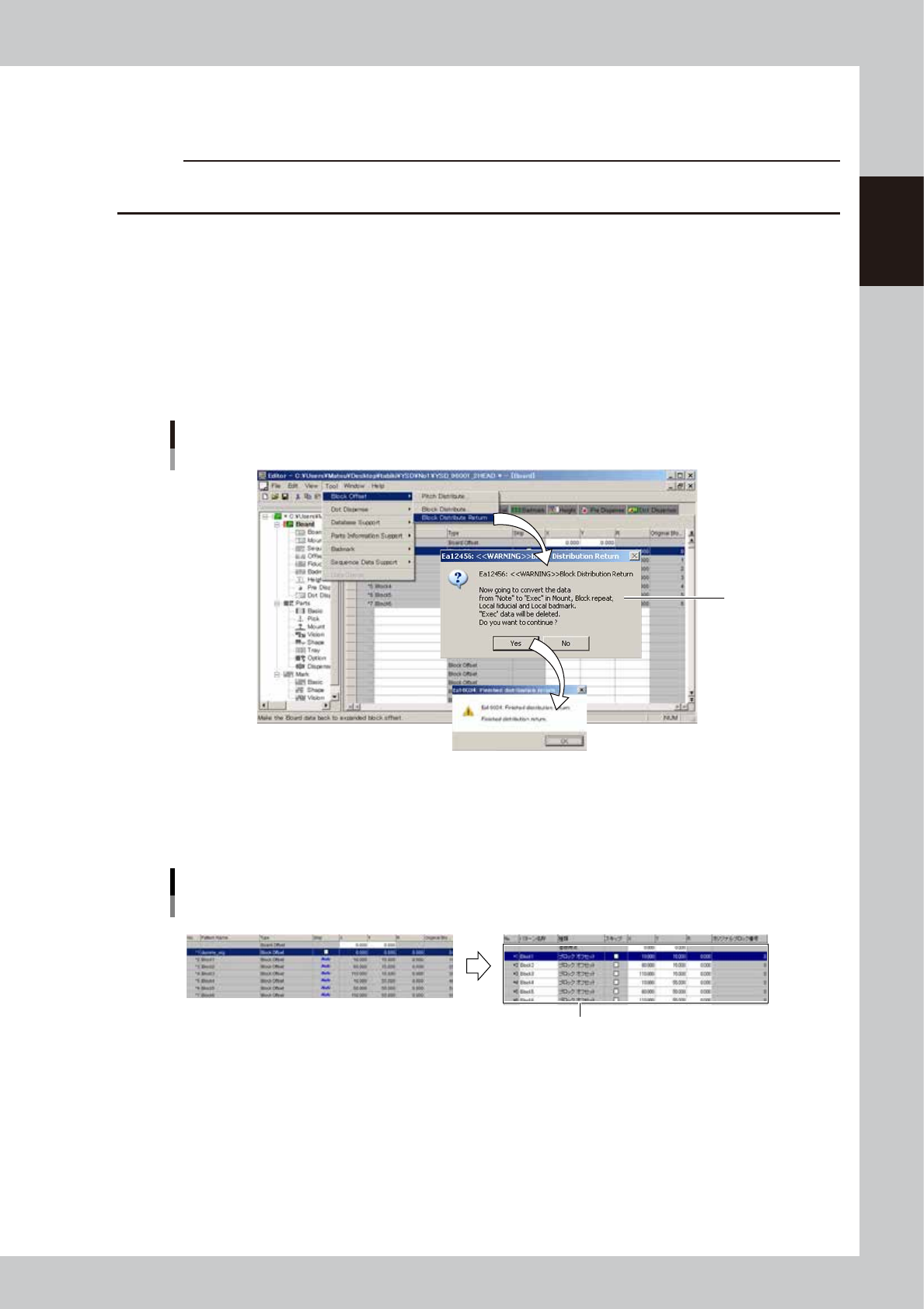
1
Execute block distribution return.
From the Tool menu, select "Block Offset" and then click "Block Distribute Return".
2
Check the message that appears.
A confirmation dialog box appears. Check the message and click the [Yes] button.
3
Check the message that appears and click the [OK] button.
A dialog box appears when block distribution return is complete. Check the message and click the [OK]
button.
Block offset
Return
Step2
64721-N7-00
4
Check that the original block offset data has been restored.
Check that "Note" in the Skip column has disappeared and the original block offset data is now
displayed.
Block offset distribution
Example of return
Original data is restored.
64722-N7-00
5
Save the board data.