YSD_Users_E.pdf - 第346页
8-26 8 Managing the data n Items displayed on the "MIS" screen [Error Log], [Board Log] and [Program Log] tabs Items to be display ed on these tabs can be viewed by pressing the [Option] button on the lower rig…
8-25
8
Managing the data
3. Production log management
3.1 Production log types
This machine stores production logs per machine and per board data.
The production logs are broadly grouped into 2 types. One is a log history and the other is a machine operation
data count log.
The log history is mainly a log of errors and program tasks, and a log of board-related items. These logs can be
viewed on the production log data screen (MIS screen) that opens when you press the [MIS] button.
The operation data count log is a collection of error rates and operations for each head, nozzle, and
component, which can be viewed on the screen (Unit Log screen) that opens when you press the [Unit Log]
button.
TIP
In the production log data, board data names are handled as production lot names, and comments for board data
as production lot ID.
3.1.1 Production log (MIS)
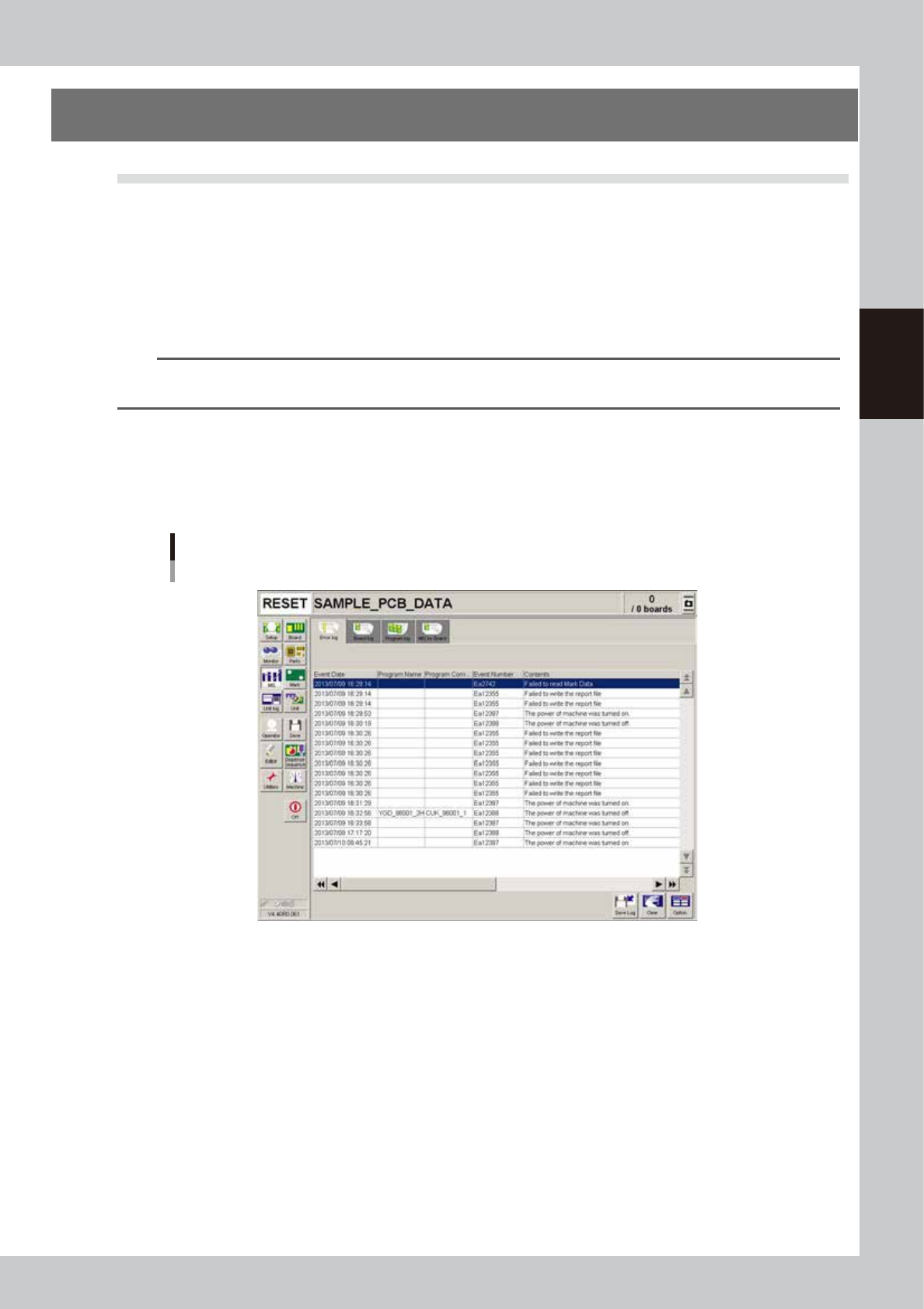
Pressing the [MIS] button opens the "MIS" screen with the [Error Log], [Board Log] and [Program Log] tabs. The
[MIS by Board] tab also appears if the function for storing production logs per board data is enabled. For how
to enable that function, refer to "3.2.1 Setting to store production logs per board data" described later on.
Production log ("MIS" screen)
[Error Log] tab
64823-N7-00
Error Log
Displays error and operation logs.
One error or one operation is listed in one data row. Up to 1000 rows can be displayed.
Board Log
Displays production logs per board.
One data row is used to record one board. Up to 1000 rows can be displayed.
Program Log
Displays production results per lot, with one lot treated as the interval from the loading of a program (board data) until
switching over to the next program.
One data row is used to record one lot. Up to 1000 rows can be displayed.
MIS by Board
Displays production logs per board data, which are sub-divided into "Board Info", "Parts Info", and "Head Info".
8-26
8
Managing the data
n
Items displayed on the "MIS" screen
[Error Log], [Board Log] and [Program Log] tabs
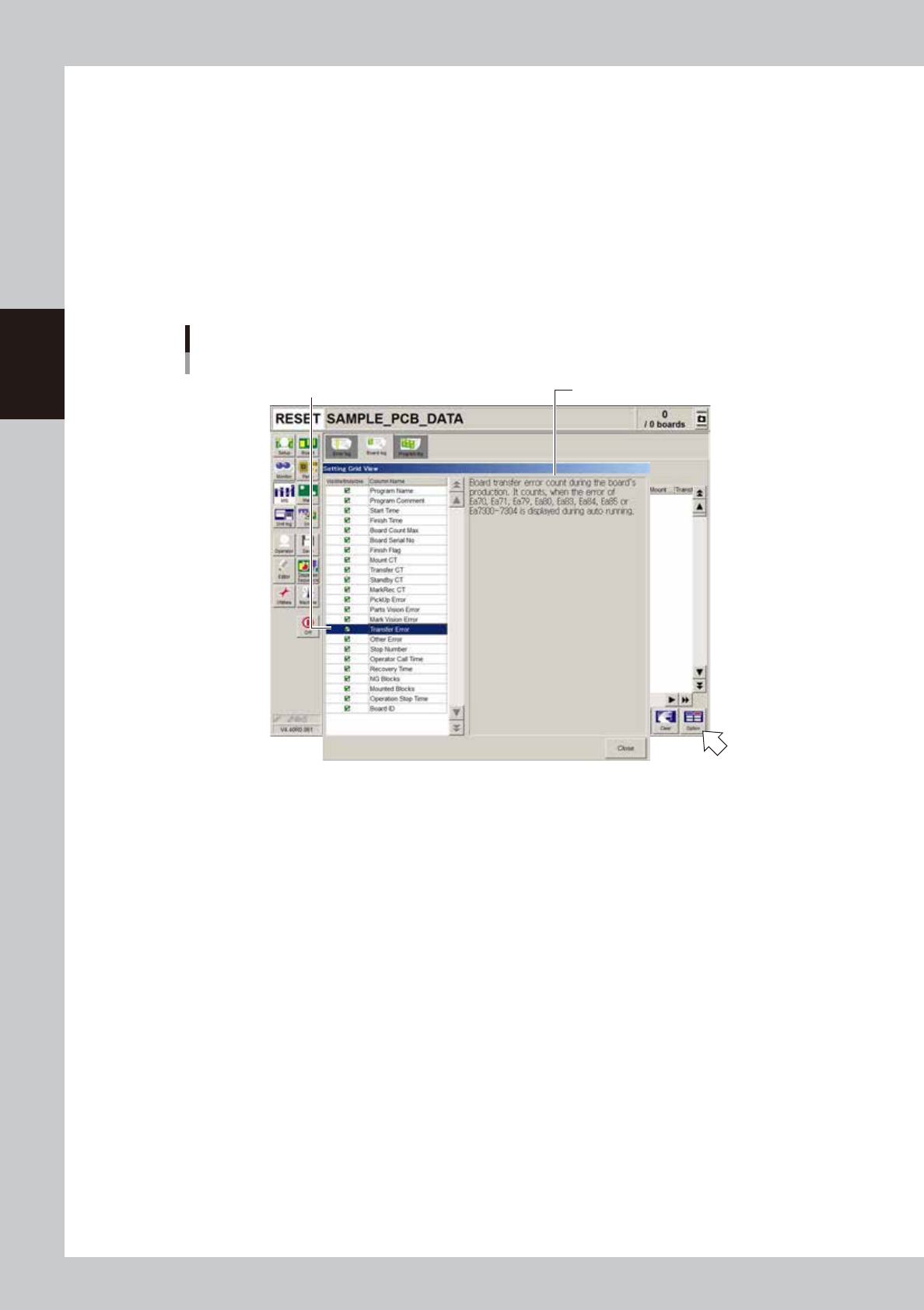
Items to be displayed on these tabs can be viewed by pressing the [Option] button on the lower right of the "MIS"
screen. Pressing the [Option] button opens the "Setting Grid View" screen as shown below. Selecting each item in the
left-hand list shows the contents of that item on the right side.
[MIS by Board] tab
On the [Board Info] sub-tab, selecting each item in the left-hand list shows the contents of that item on the right side.
Items to be displayed on the [Parts Info] and [Head Info] sub-tabs can be viewed by pressing the [Option] button on
the lower right of the "MIS" screen, as in the case of the [Error Log], [Board Log] and [Program Log] tabs.
“Setting Grid View” screen
[MIS]-[Board Log] tab
Select item.
Description of the selected item is displayed.
64824-N7-00
8-27
8
Managing the data
3.1.2 Operation log (Unit Log)
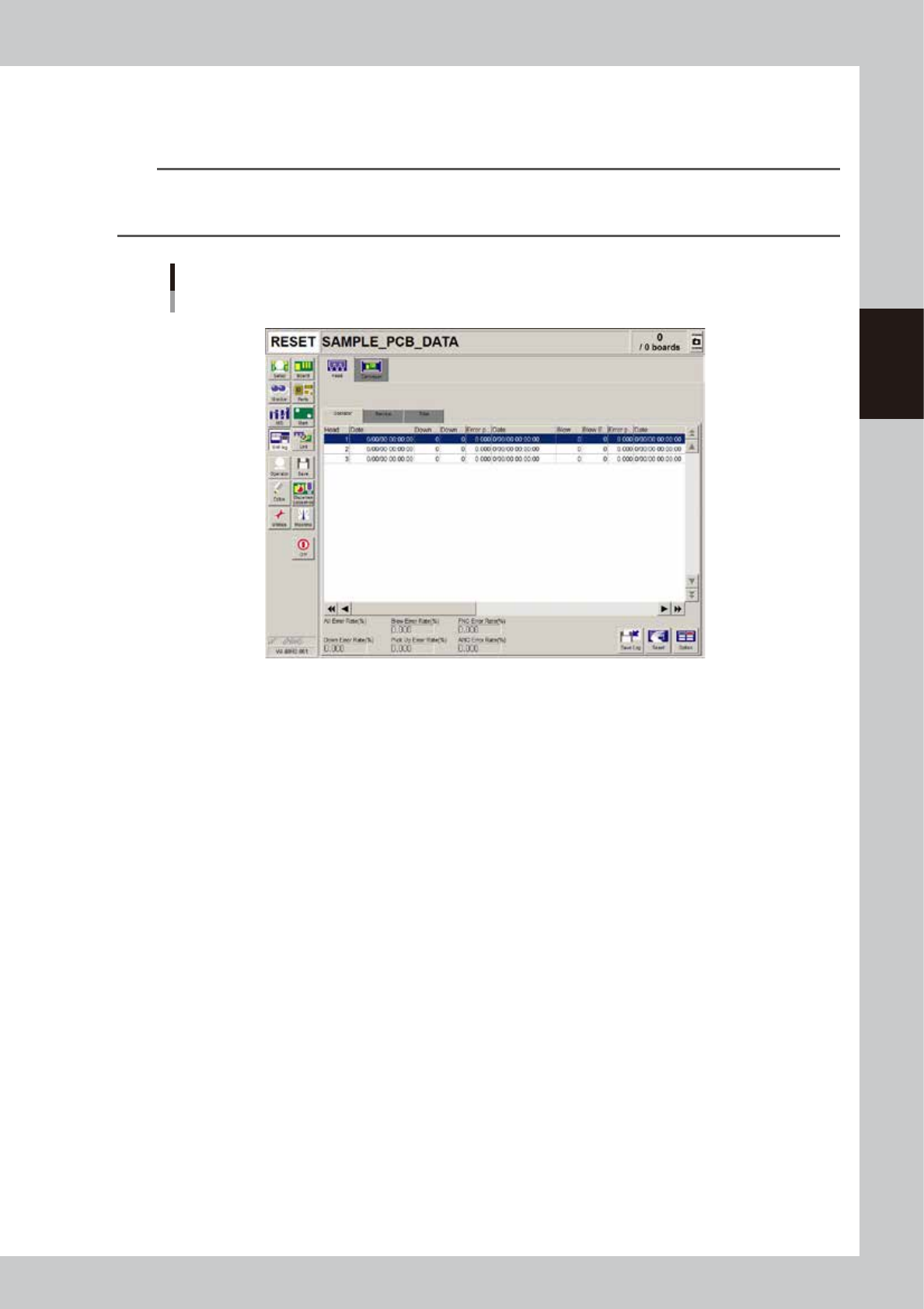
Pressing the [Unit Log] button opens the "Unit Log" screen with the [Head], [Nozzle], [Feeder], [Conveyor] and
[Parts] tabs.
TIP
In the unit log, the head, nozzle, conveyor and feeder operation logs are further divided into 3 groups: "Operator",
"Service" and "Total". The "Operator" and "Service" operation logs can be cleared as needed. The "Total" operation logs
cannot be cleared, as these are used for maintenance.
Operation log (“Unit Log” screen)
[Head]-[Operator] tab
64825-N7-00
Head
The [Head] tab screen displays information on operation logs for each head of the machine. You can check how
frequently each head was used or head-related errors occurred.
The following error rates are displayed on the lower part of this screen.
Down Error Rate (%)
Shows the percentage of the total head down error count divided by the total head down count for all heads.
Blow Error Rate (%)
Shows the percentage of the total blow error count divided by the total blow count for all heads.
Pickup Error Rate (%) (Not used with this machine)
Shows the percentage of the total pickup error count divided by the total pickup count for all heads.
FNC Error Rate (%) (Not used with this machine)
Shows the percentage of the total FNC change error count divided by the total FNC change count for all heads.
ANC Error Rate (%) (Not used with this machine)
Shows the percentage of the total ANC change error count divided by the total ANC change count for all heads.
Conveyor
The [Conveyor] tab screen displays information on operation logs relating to the conveyor units in the machine. You can
check how frequently each conveyor unit was used or errors occurred.
The operation error rate is displayed on the lower part of this screen.