YSD_Users_E.pdf - 第65页
2-5 2 Basic operation 1.4 T urning of f the machine power F ollow these steps to turn off the machine power . 1 Pr ess the [Off ] button. Press the [Off] button located in the button area. [Off] button [Off] button 64223…

2-4
2
Basic operation
1.3 Clearing an error
If an error occurs, a buzzer sounds and a yellow warning screen appears. To clear the error, use the following
steps. For information on how to correct errors, see “1.1 Typical errors and troubleshooting” in Chapter 3.
1
Turn off the buzzer.
Press the [ERROR CLEAR] button on the operation panel to turn off the buzzer.
2
Check the cause of the error.
Possible causes are displayed on the lower part in the error screen, so check or make a note of the
description.
3
Clear the error screen.
Press the [ERROR CLEAR] button again to clear the error screen.
4
Check the signal light and screen display.
Check that the yellow lamp of the signal light is off and the error message on the upper left of the status
area on the screen has disappeared.
2-5
2
Basic operation
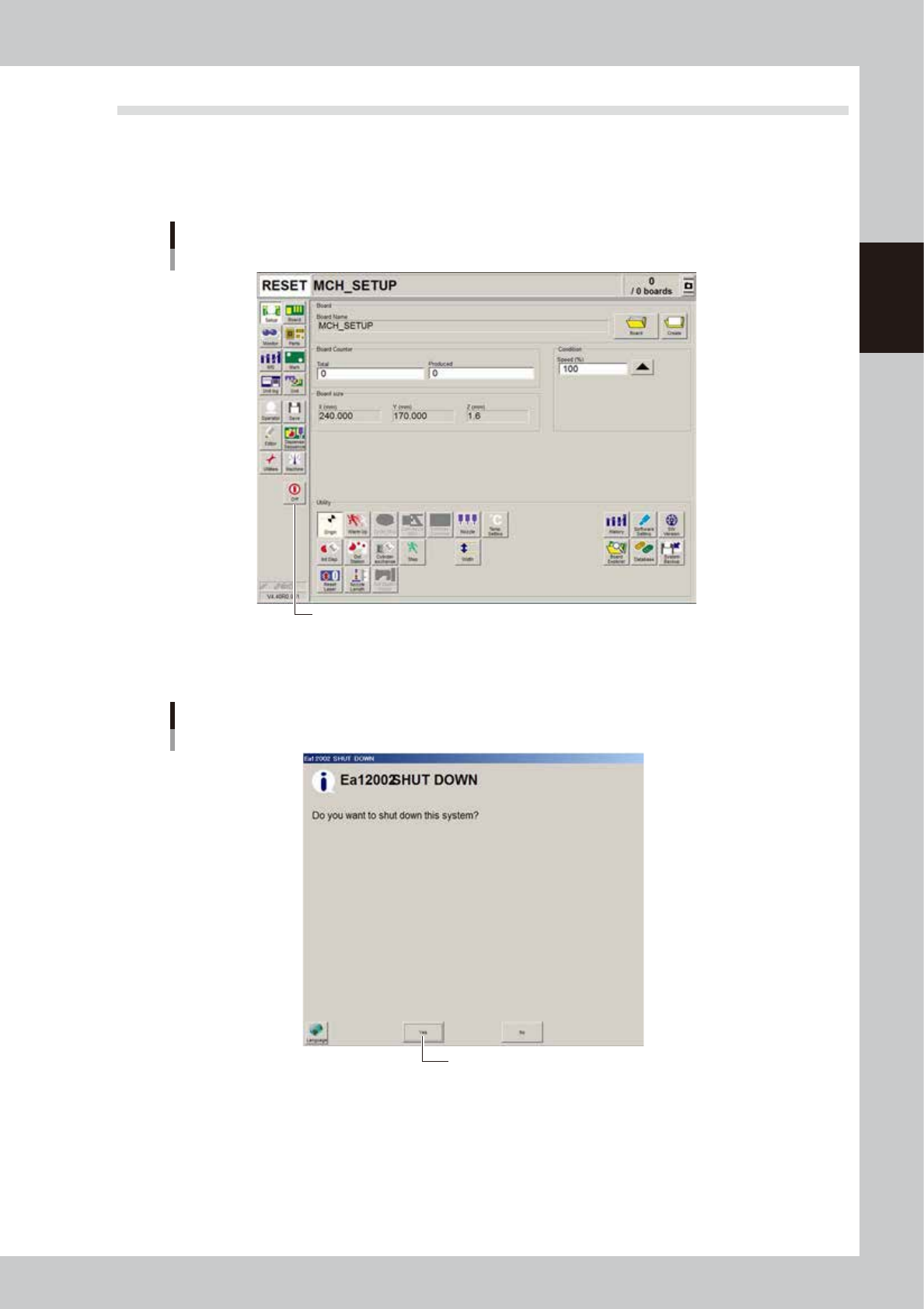
1.4 Turning off the machine power
Follow these steps to turn off the machine power.
1
Press the [Off] button.
Press the [Off] button located in the button area.
[Off] button
[Off] button
64223-N7-00
4
Press “Yes” when the confirmation dialog box appears.
Confirmation dialog box
Press [Yes].
64224-N7-00

2-6
2
Basic operation
3
Move the machine to the origin position.
When the move-to-origin dialog box appears, press [OK].
4
Press the [OK] button when the shutdown confirmation dialog box appears.
e
5
Press the emergency stop button.
When the emergency stop dialog box appears, press the emergency stop button and then press the
[OK] button.
6
Turn off the power switch on the machine.
When the message "Ready to shut down" appears, press the [OK] button and then turn off the power
switch on the lower right of the machine.
c
CAUTION
If you turn off the power without following the correct sequence, the data may be damaged.